BTC - Bitcoin
 USDTERC20 - USDT ERC20
 ETH - Ethereum
 BNB - Binance
 BCH - Bitcoin Cash
 DOGE - Dogecoin
 TRX - TRON
 USDTTRC20 - USD TRC20
 LTC - LiteCoin

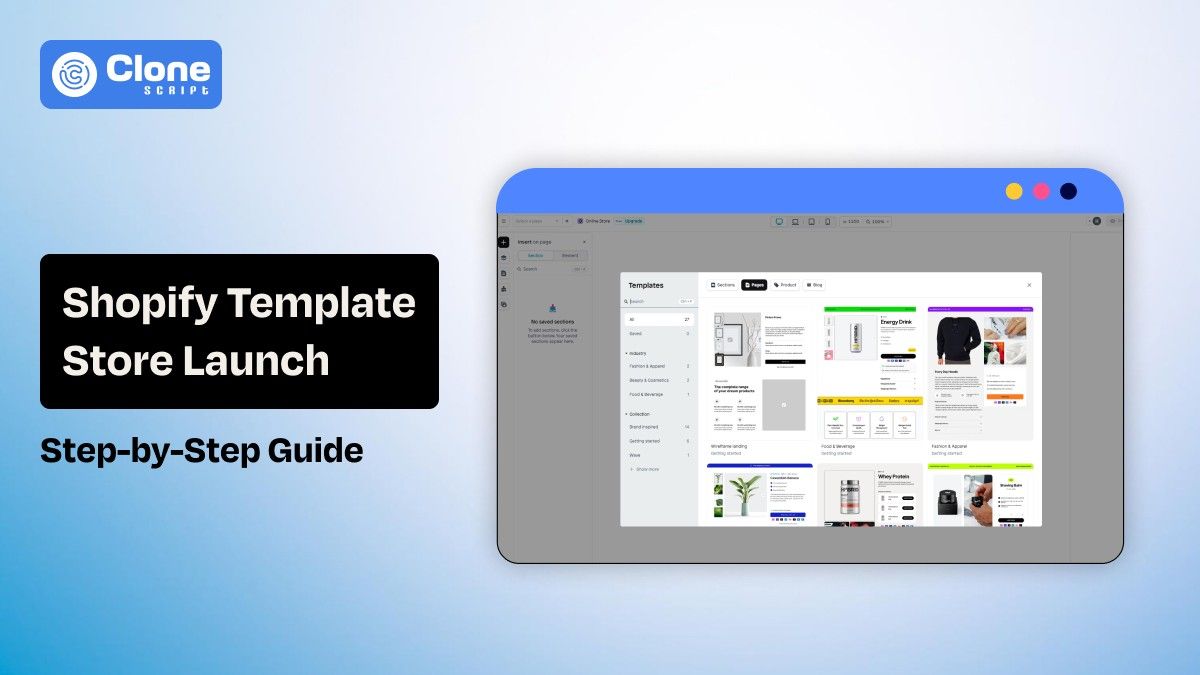
Step-by-Step Guide to Launching a Shopify Template Store With SEO Best Practices
Creating Shopify templates is not simply about developing themes; it is also about having the correct ones include search exposure, performance improvements, and conversion potential to facilitate the purchase process in any online store that uses a Shopify template.
At this period, there are hundreds of official Shopify store themes in their managed collection, and at least twice the number of official themes are available to Merchants through third-party marketplaces because of demand from buyers for thematic solutions.
This guide contains real data and practical steps to support growth in developing theme stores, launching theme stores onto the Internet, and increasing unique visitor traffic to your Shopify template store by improving search engine ranking and organic traffic.
Step 1: Validate Your Shopify Template Business Idea.
Testing if there's a valid demand for your theme idea prior to creating any code or Liquid code is critical.
-
Analyze Market Demand
As of mid 2025, there are about 1600 active template stores on Shopify, each with its own customer base (around the world), and millions of people shopping online today means there's a good chance that there is a viable.
To learn more:
-
Check how many people are searching for templates in your little niche (i.e., Fashion Shopify templates, dropshipping Shopify templates).
-
Identify Long-tail Searches (i.e., Best Shopify templates for Boutique Store).
-
Check what merchants are searching for using the Shopify Theme store.
-
Competitor Analysis
Do competitor analysis. Research both the Shopify Theme Store and 3rd party marketplaces such as ThemeForest.
While there are strict quality guidelines for the Shopify Theme Store, 3rd party marketplaces usually have many top-selling templates that were created specifically for a niche or topic. These platforms are frequently selling for several 10s of thousands of dollars.
Determine the way:
-
Competitor feature sets
-
Competitor pricing structure
-
Competitor SEO visibility
Based on the information above, you'll be able to create your theme, your USP, and the content where your keywords need to be focused.
Step 2: Choose the Right Way to Sell Shopify Templates.
There are two distinct options to sell Shopify templates.
1. Shopify Theme Store (Official and Authorized Marketplace)
You have access to merchants who are ready to install templates. Also, Shopify manages the distribution and upkeep of the themes, and a large degree of trust and guarantees regarding quality. These are the advantages.
You must comply with Shopify guidelines (built-in SEO metadata, projected data for accessibility, and structured data) to be listed.
2. Self‑Hosted Store or Third‑Party Marketplace
In this method, your templates are available on your own site or may be on the marketplace. Talking about the pros, it offers very few limits on pricing, product promotion, or distribution of products. On your website, you can bundle and sell upsells via promotion.
For that, you must manage the downloads, licensing, and customer support for your own products. SEO and visibility of your products depend solely on your own marketing efforts.
Many sellers use a self-hosted store along with third-party marketplaces to reach a wider audience.
Step 3: Design & Develop High‑Quality Shopify Templates
Top-notch themes enhance the experience of both merchants and their customers. They can also impact the visibility and retention of merchants.
-
Platform Requirements
The specifications for official themes include:
-
SEO metadata (Title tags, meta descriptions, canonical URLs)
-
Structured data for rich snippets
-
Accessibility and keyboard navigation compliance image alt text
-
Proper HTML markup
-
Basic theme quality principles
A theme should address the needs of both merchants and their customers:
-
Purposeful Design: All sections and layouts of a theme should be created with a specific niche in mind (e.g., size chart for clothing merchants).
-
Mobile First Performance: More than 1/2 of all e-commerce traffic comes from mobile devices, and having a theme that is responsive and loads quickly is crucial for SEO.
-
Efficient, Clean Code: It speeds up the loading process of high-quality websites and allows for crawlability.
-
Compatibility with SEO Tools
Your theme must work with all of the popular SEO apps (e.g., Schema Pro or any of the Shopify SEO apps). That helps manage structured data, meta tags, and an advanced schema in addition to the basic seo setup above.
Step 4: Set Up Your Shopify Template Store.
The structure of your Shopify template store will affect both the UI and UX design and the SEO.
-
Set Up Your Store Correctly
Select a Shopify plan that allows for digital products and secure downloads.
Use automated apps to immediately deliver templates via download to your customers after they have purchased.
Organize your templates into groups by niche, use case, or industry. This helps a search engine understand the hierarchy of your site's content.
-
Core Pages to Include
Include the following pages in the Shopify store.
-
Product pages with a detailed description of products, an image of each product, and descriptions of the benefits of each template.
-
Documentation and installation guides.
-
Support and FAQs pages.
-
License and refund policy pages.
The objective is for customers to be able to purchase your products easily.
Step 5: On‑Page SEO for a Shopify Template Store
While Shopify is traditionally set up for Search Engine Optimization (SEO - via their built-in tools), NICHE template stores, like launching a Shopify template store requires some basics of manual optimization for best rankings in competitive searches with other stores.
There are certain elements found in the world of on-page search engine optimization that you will need to optimize.
-
Title Tags & Meta Descriptions that include target keywords that will compel click-through.
-
Header structures that use H1 for main titles & H3 for sub-titles. Use H2 & H3 strategically to create proper headings.
-
Alt text for images gives descriptive Alt Attributes to your images, e.g., a premium fashion Shopify template preview.
-
URL structure and readability with smart use of keywords - e.g., /minimalist fashion Shopify template)
Structured Data On Your Product Pages (via JSON-LD)
Add structured data (via JSON-LD) for each of your products and include data for:
-
Price
-
Availability
-
Product Review/Ratings
-
SKU
Shopify automatically generates some standard structured data, but if you'd like to verify the quality of your structured data with Google Rich Results Test to confirm how you’d like your page(s) to look in SERP, you may.
Step 6: Technical SEO & Performance Best Practices.
A technically well-designed blog or product page can perform poorly without a valid technical foundation.
-
Speed of a Site
Follow these tips to optimize Shopify template store speed.
-
You can decrease JS and CSS Size
-
Lazy load your images
-
Use the Shopify CDN for content delivery
Faster load times will increase your rankings and decrease your bounce rate, which will indirectly help in your SEO.
-
Mobile Usability
You should be testing manually on various devices for the template. Mobile usability is confirmed as a ranking factor and will affect engagement metrics.
-
Crawlability & Indexing
Your website has to be accessible to search bots:
-
Validate your XML sitemap in GSC.
-
Nothing you do not want indexed is being indexed.
-
All broken links and pages are fixed.
Tools such as Screaming Frog or SEMrush will help you identify technical problems early in your project.
Step 7: Content Marketing and SEO for Shopify Template Store
The use of content marketing and SEO on your Shopify template store is a combination of both technical and non-technical elements, with the majority being non-technical.
-
Creating Blog Posts and Long-Tail Content
Create a long-tail blog by targeting educational content, as follows:
-
"How to Choose the Best Shopify Template"
-
"Shopify Template SEO Checklist"
-
"Tips for Improving Your Shopify Theme's Performance"
All of these long-tail educational topics will help you rank organically and funnel interested users all the way to your product pages. You can take a professional blog writing service.
-
Guides & Tutorials
When creating content that will help merchants and developers set up their Shopify template. Include a robust documentation section that can be used as both content marketing. Setting up a Shopify store with the theme is a common search term for both developers and merchants prior to making their purchase.
-
Internal Linking
When linking to other related posts on your blog and linking to other product pages, it helps to signal the relevance to search engines. This shares topical authority between your blog and product pages.
Step 8: Promotion & Launch Strategy for Shopify Template Store
Creating organic traffic on a Shopify store takes time and resources, especially in the beginning.
-
Paid Promotions
First, start with the PPC campaigns with the most commercial keywords, like SEO-optimized Shopify templates, e-commerce themes for Shopify, and responsive templates for online stores. Referring to the platform for running ads, Google Ads is a prior choice for Search Engine Marketing. For social media paid ads, the Meta platform is a relevant option. Include the demos for conversions.
-
Community & Influencers
Engaging in Shopify forums, developer groups, and designer communities can bring a real response to your store. Use testimonials and reviews, improve your website trust signals, and visibility for SEO.
-
Bundles & Launch Offers
By using bundles, you will improve our average order value and offer early discounts to entice your first buyer and gather reviews for the Shopify template purchase.
Step 9: Tracking & Optimization Post‑Launch for Template Store
The launch isn’t the last stage. Continual optimization ensures ongoing gains from search engines.
-
Primary Metrics
Track these metrics to know how your template store is doing.
-
Organic traffic + rankings
-
Conversion rates
-
Bounce and exit rate
-
Page load times
Google Analytics, Search Console, and other tools should be used to measure whether performance is improving and declining.
-
A/B Testing
Test the following to strengthen both your SEO and conversion efforts:
-
Product page description
-
Template previews
-
Call to action buttons
This strengthens both SEO and conversion optimization.
Conclusion
Launching a Shopify template store is a combination of product strategy, design quality, and search engine optimization. By validating your concept with real keyword research, designing SEO‑ready themes that meet Shopify’s requirements, and optimizing both content and technical elements, you position your store to rank and sell.