BTC - Bitcoin
 USDTERC20 - USDT ERC20
 ETH - Ethereum
 BNB - Binance
 BCH - Bitcoin Cash
 DOGE - Dogecoin
 TRX - TRON
 USDTTRC20 - USD TRC20
 LTC - LiteCoin

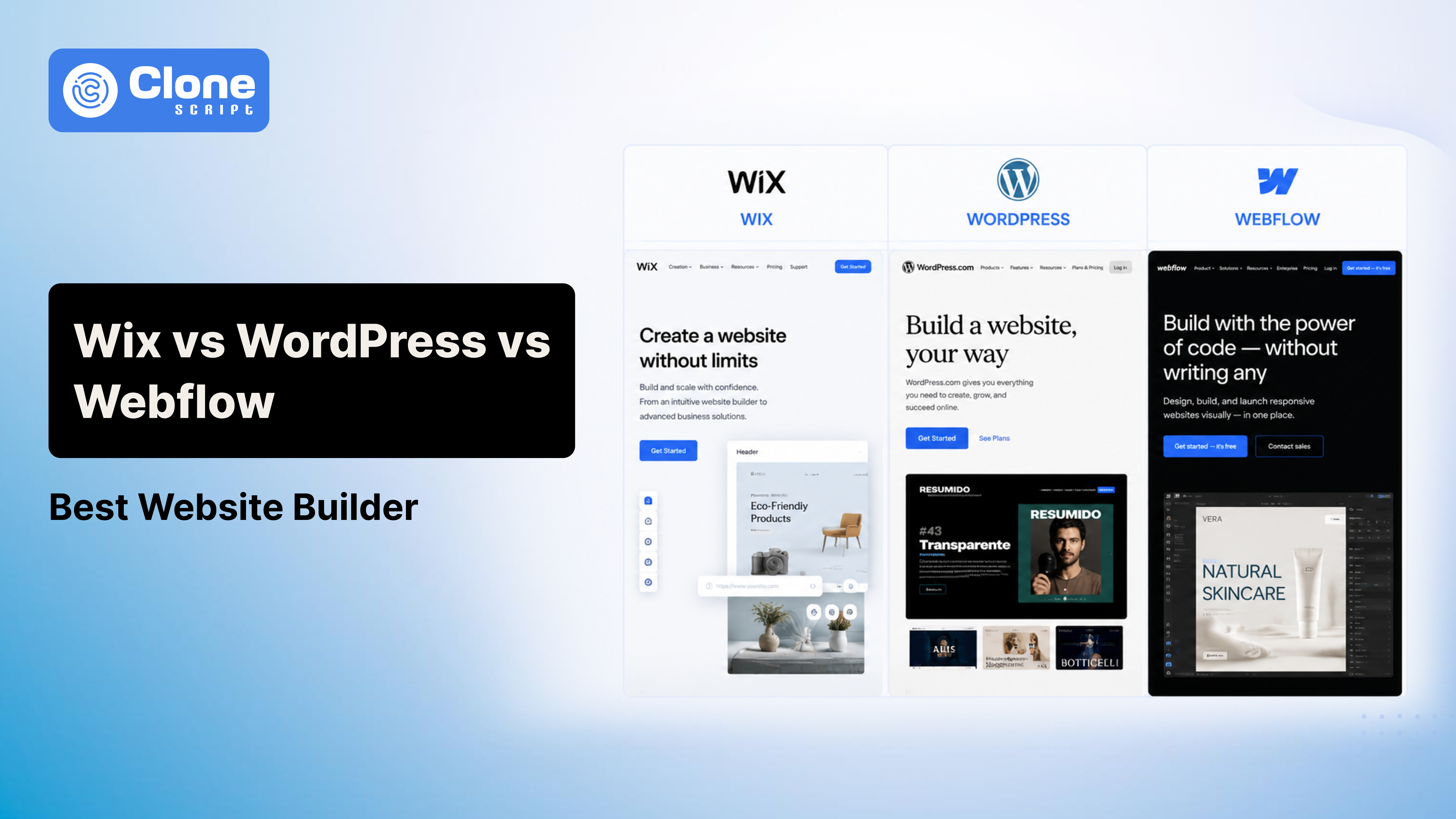
Wix vs WordPress vs Webflow: Which Website Builder Is Best in 2026
Choosing the wrong website platform in 2026 is expensive, not because the monthly subscription is high, but because migrating later is painful.
This is where most comparisons get the conversation wrong.
The real question isn’t whether Wix has better templates or whether Webflow offers cleaner animations. It’s whether the platform you choose today will still make sense when your business needs more traffic, better SEO performance, advanced integrations, or a full redesign two years from now.
That’s why the comparison between Wix, WordPress, and Webflow remains one of the most commercially important website platforms.
And here’s the short answer before we go deep:
-
Choose Wix if speed and simplicity matter more than flexibility.
-
Choose WordPress if your website is expected to become a serious growth channel.
-
Choose Webflow if design sophistication is a business priority.
For most businesses planning long-term growth, WordPress still wins.
But that doesn’t mean it’s right for everyone.
Let’s understand this properly.
Wix vs WordPress vs Webflow: Quick Verdict to Get an Idea
If you're comparing these three platforms, here's what actually matters:
| Feature | Wix | WordPress | Webflow |
|---|---|---|---|
| Starting Cost | $17/month | Software is free; hosting is extra | $14/month |
| Hosting Included | Yes | No | Yes |
| SEO Flexibility | Good | Excellent | Very Good |
| Design Freedom | Moderate | Excellent | Excellent |
| Ease of Use | Excellent | Moderate | Difficult for beginners |
| Ownership | Limited | Full | Limited |
| Scaling Potential | Moderate | Excellent | Good |
| Maintenance | Minimal | Ongoing | Low |
| Best For | Small business websites | Growth-focused businesses | Design-led brands |
If your decision is based only on ease of setup, Wix wins.
If your decision is based on long-term business value, the conversation changes.
Why This Decision Matters More for Your Business in 2026
Website builders used to be simple convenience tools.
That’s no longer true.
Today, your website platform affects:
-
SEO growth
-
Page speed optimization
-
Content publishing workflows
-
Marketing integrations
-
E-commerce flexibility
-
Developer dependency
-
Migration complexity
-
Recurring operating cost
Businesses no longer build websites just to “be online.”
Websites now generate leads, support acquisition funnels, run e-commerce operations, and act as digital infrastructure.
Choosing based on what feels easiest in week one often becomes a regret in year two.
That’s why platform comparisons deserve deeper analysis than feature lists.
WordPress Still Dominates for a Reason: Simplicity in Management.
Before comparing platforms individually, the market data tells an important story.
According to W3Techs, WordPress currently powers 41.5% of all websites globally and holds 59.3% of the CMS market share.
That level of dominance matters.
Not because popularity automatically means quality, but because ecosystem size affects practical outcomes.
A larger ecosystem means:
-
More developers
-
Stronger plugin availability
-
Broader integration support
-
Better documentation
-
Easier migration options
-
Faster issue resolution
Wix holds a much smaller CMS share, while Webflow remains a niche but growing premium platform.
Market share isn’t everything.
But it reflects maturity.
And maturity matters when your business depends on infrastructure reliability.
Wix Review: Best for Simplicity, Weak for Long-Term Flexibility
Wix sells convenience.
And to be fair, it does that extremely well.
If your goal is to launch a polished website quickly without touching hosting dashboards, plugins, updates, or code, Wix is one of the easiest ways to do it.
That’s exactly why it remains popular with small businesses.
Wix Pricing in 2026
Wix’s official pricing currently includes:
-
Light - $17/month
-
Core - $29/month
-
Business - $39/month
-
Business Elite - $159/month
There’s also a free plan, but it’s not practical for professional business use.
At first glance, this pricing feels straightforward.
The problem is that Wix looks cheaper before real business needs enter the equation.
A typical business may also need:
-
Premium apps
-
Branded email
-
E-commerce extensions
-
Booking tools
-
Automation features
-
Advanced analytics
This is where the “cheap website builder” narrative breaks down.
Wix is affordable for simple websites.
It becomes less attractive as complexity grows.
Where Wix Actually Performs Well
Wix is excellent when technical simplicity is the primary requirement.
A local service business probably doesn’t care about CDN tuning, server-level caching, or plugin ecosystems.
They care about getting a website live quickly.
Wix handles that well.
The platform includes:
-
Hosting
-
SSL security
-
Visual editing
-
Mobile responsiveness
-
Built-in support
That reduces operational friction significantly.
For non-technical users, this matters.
Is Wix Good for SEO in 2026?
This question still comes up because Wix had a genuinely poor SEO reputation years ago.
That criticism is outdated.
Modern Wix supports:
-
Custom metadata
-
Redirects
-
Canonical tags
-
XML sitemaps
-
Structured data support
For local SEO or small business visibility, Wix performs perfectly well.
But “good enough” SEO is different from SEO flexibility.
That distinction matters.
If your strategy involves aggressive content growth, technical SEO experimentation, programmatic pages, or advanced optimization workflows, Wix becomes restrictive much faster than WordPress.
The issue is not that Wix “can’t rank.”
The issue is control.
Where Wix Starts Breaking
Wix becomes problematic when businesses outgrow simplicity.
That usually happens when:
-
Content volume increases
-
Customization needs expand
-
Advanced integrations become necessary
-
Migration becomes a possibility
Closed ecosystems feel convenient until flexibility matters.
This is Wix’s biggest long-term weakness.
WordPress Review: Still the Smartest Long-Term Choice
WordPress remains the strongest option for businesses that expect their website to become a complete acquisition asset.
That’s because WordPress is not a website builder in the same sense as Wix.
It’s an open ecosystem.
That difference changes everything.
WordPress Pricing in 2026
WordPress itself is free.
But “WordPress is free” is one of the most misleading statements in website development.
Real costs include infrastructure.
Typical expenses:
-
Domain registration: $10–$20/year
-
Shared hosting: $3–$15/month
-
Managed WordPress hosting: $20–$100+/month
-
Premium plugins: $50–$500+/year, depending on stack
-
Developer support: optional but common
This means a realistic small business WordPress setup might cost less than Wix, or significantly more.
That variability isn’t a flaw.
It’s flexibility.
You pay for what you actually need.
Why SEO Professionals Still Prefer WordPress
WordPress doesn’t magically rank better.
It ranks better because it allows better optimization.
That’s an important distinction.
With WordPress, you control:
-
Server infrastructure
-
Caching strategy
-
CDN integrations
-
Schema implementation
-
Redirect logic
-
Robots directives
-
Database behavior
-
Plugin workflows
If that sounds technical, it is.
And that’s exactly the point.
SEO at scale requires technical flexibility.
This is why publishers, SaaS companies, and content-heavy brands still default to WordPress.
Not because it’s trendy.
Because it works.
The Plugin Advantage
WordPress has one major structural advantage competitors cannot match: ecosystem depth.
Need SEO tooling?
Use Rank Math or Yoast. There are also WordPress plugins available:
-
Need forms?
-
Need memberships?
-
Need multilingual support?
-
Need ecommerce customization?
-
Need automation?
-
Need CRM integrations?
There’s almost always a mature solution.
This reduces platform limitations.
The Downsides of WordPress
WordPress is not beginner-friendly.
That needs to be said clearly.
You are responsible for:
-
Updates
-
Security
-
Backups
-
Plugin conflicts
-
Hosting issues
Badly managed WordPress websites become slow, insecure, and unstable.
WordPress is powerful because it gives control.
That same control creates complexity.
For technical teams, that’s acceptable.
For solo non-technical users, it can be frustrating.
Webflow Review: Beautiful Websites, Premium Complexity
Webflow occupies a different category.
It is not built for pure simplicity.
And it’s not as infrastructure-flexible as WordPress.
It sits between visual design software and professional front-end development.
That’s exactly why designers love it.
Webflow Pricing in 2026
Current Webflow site plans include:
-
Basic - $15/month
-
Premium - $25/month
-
Team - $2500/month
Workspace and collaboration pricing can add additional costs.
This is where many businesses underestimate Webflow.
A simple solo marketing site may remain affordable.
A multi-user agency workflow becomes expensive quickly.
Webflow pricing isn’t necessarily high. There is a free plan also.
It’s just layered.
That complexity matters during budgeting.
Where Webflow Excels
Webflow is exceptional for design-led execution.
You get significantly more front-end control than Wix.
Animations, layout precision, interactions, and responsive breakpoints: Webflow handles these elegantly.
This makes it attractive for:
-
Startups
-
Premium SaaS brands
-
Agencies
-
Design-forward marketing teams
For visually differentiated websites, Webflow is often the strongest option.
Webflow SEO: Better Than Many Assume
Webflow performs well technically.
Its strengths include:
-
Clean markup
-
Metadata control
-
Redirect management
-
Sitemap generation
-
Strong responsive output
Compared with Wix, SEO control feels more refined.
Compared with WordPress, extensibility remains narrower.
That makes Webflow a strong but not dominant SEO platform.
Where Webflow Becomes Frustrating
Webflow’s biggest weakness is complexity without full ecosystem freedom.
You need meaningful design understanding.
Non-designers often struggle.
And once requirements move beyond Webflow’s intended workflows, WordPress offers more adaptability.
Webflow is powerful, but opinionated.
That’s not always ideal.
Which Platform Is Best for SEO?
If SEO is your decision driver, the ranking is clear.
1. WordPress
Best overall. Why? Not because it includes SEO plugins. Because it gives maximum technical control.
If organic traffic is central to your business model, WordPress remains the strongest platform.
2. Webflow
This website builder is a strong option for high-performance marketing websites. It is cleaner and more flexible than Wix. Note that Webflow is less scalable than WordPress.
3. Wix
Wix is good enough for local and small business SEO. But it's less ideal for ambitious organic growth strategies.
Hidden Costs Most Businesses Ignore in Website Builder Selection
This is where comparison articles usually fail readers.
Monthly pricing is not the full cost.
-
Migration Cost
Changing platforms later is expensive.
Talking about Wix, then its migrations often become rebuild projects.
Coming to Webflow, migrations can also be painful.
WordPress offers the most ownership flexibility.
-
Technical Dependency
WordPress may require developer involvement. It’s a fact.
Referring to Webflow often requires design expertise for UI and UX design.
Wix minimizes technical dependency.
That operational cost matters.
-
Time Cost
Ease of use has economic value.
A founder spending 30 hours wrestling with WordPress setup is paying a hidden cost, even if the software is free.
This is why “affordable” is often misleading.
Final Verdict: Which Website Builder Should You Choose in 2026?
Here’s the practical answer.
-
Choose Wix if your priority is launching quickly with minimal maintenance.
-
Choose WordPress if your website is expected to grow into a serious business asset.
-
Choose Webflow if design quality is central to brand positioning.
For most businesses thinking long-term, WordPress remains the smartest strategic choice.
Not because it’s easiest.
Because it creates the fewest future limitations.