BTC - Bitcoin
 USDTERC20 - USDT ERC20
 ETH - Ethereum
 BNB - Binance
 BCH - Bitcoin Cash
 DOGE - Dogecoin
 TRX - TRON
 USDTTRC20 - USD TRC20
 LTC - LiteCoin

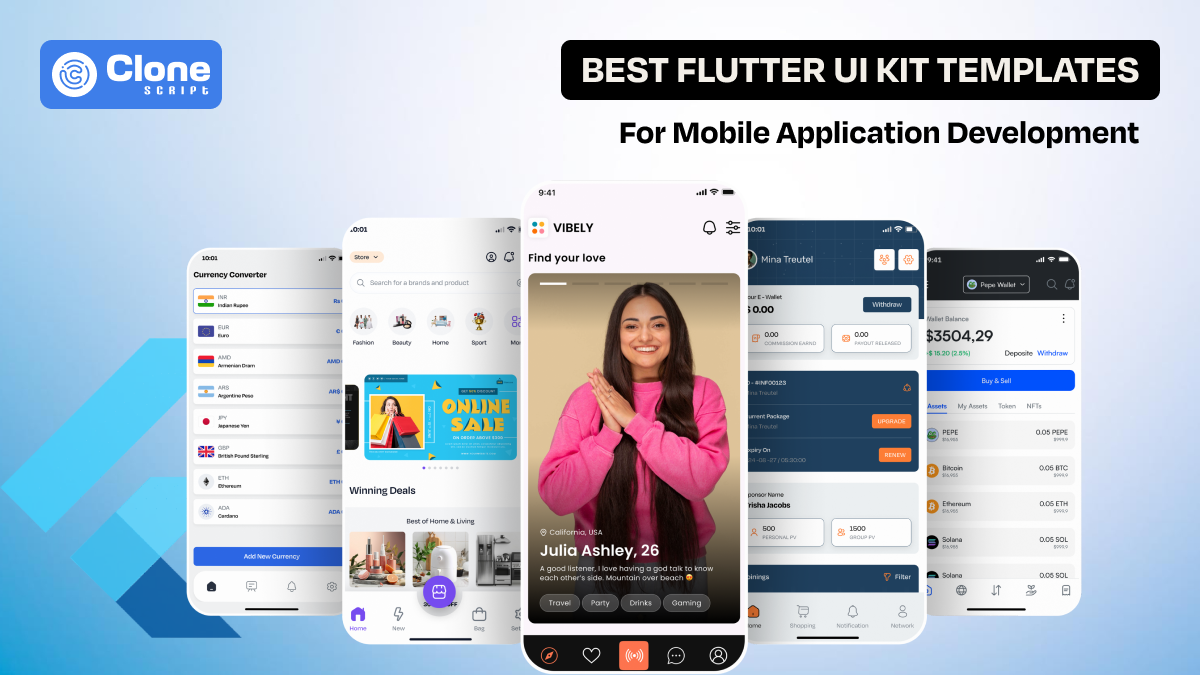
The 15 Best Flutter UI Kit Templates for Mobile App Development
Flutter has become one of the most popular frameworks for building cross-platform mobile apps. Thanks to its fast development cycle, expressive UI components, and single codebase approach. But even with Flutter’s advantages, designing clean, modern, and user-friendly interfaces from the first step of the development cycle can be time-consuming.
This is where Flutter UI kit templates offer a huge advantage.
Whether you're building an MVP, creating client apps, or speeding up prototyping, a high-quality UI kit can save hours of design work. In this guide, we present the 20 best Flutter UI templates developers can use to accelerate their mobile development workflow.
What Are Flutter UI Kit Templates?
Flutter UI kit templates are pre-built collections of screens, components, and UI flows that help developers quickly assemble modern mobile app interfaces. These are not full apps. They’re UI foundations that can be customized, extended, or integrated into your existing project.
A template may include:
-
Onboarding screens
-
Home dashboards
-
Profile pages
-
Forms and authentication
-
Component libraries
-
Navigation flows
-
Theming and design systems
Instead of designing each UI element manually, developers can plug in ready-made Flutter UI design templates and focus directly on functionality.
Why Use Flutter UI Templates?
Flutter UI kit allows developers to skip repetitive design tasks and jump directly into building core features. They accelerate development, improve UI consistency, and reduce overall project effort.
Here’s an explanation of how it can be helpful:
-
Faster Development Cycles: Templates eliminate the need to design every screen from scratch. It helps developers launch MVPs or full apps significantly faster.
-
Consistent UI/UX: Using pre-built Flutter UI designs ensures uniform spacing, typography, color schemes, and visual hierarchy across all screens from iOS to Windows.
-
Reduced Development Costs: Teams can cut hours of design and front-end app development work. It lowers project costs while maintaining quality output.
-
Best Practices Included: High-quality Flutter templates follow modern design standards, offering reusable components, clean code architecture, and scalable layouts.
-
Easy Customization: Developers can modify widgets, colors, and components quickly, making Flutter UI templates ideal for branded apps.
-
Reliable for Prototyping: They help product teams validate ideas faster with ready-made screens and interactive flows.
Using Flutter templates offers advantages that can’t be ignored in today’s competitive development market.
The 15 Best Flutter UI Kit Templates for Mobile Development
Here is a complete list of Flutter UI kit templates to use for application development:
1. MLM Business Flutter Mobile App UI Kit Template

This is a complete Flutter UI kit designed for MLM and network marketing apps, offering structured screens. The template is fully customizable, responsive, and built with reusable Flutter components for fast development and seamless integration into real MLM systems.
What’s Included
-
Login/signup flows
-
Dashboard screens
-
Referral tree views
-
Wallet and payout pages
-
Commission tracking modules
-
Earning statements
-
User profile management
-
Setting screens
2. Pepe Vault Cryptocurrency Wallet Mobile App UI Design Template

A secure and modern crypto wallet UI kit built for Flutter. It helps developers to create user-friendly apps for storing, transferring, and managing digital assets with sleek dashboard experiences. This app UI is designed with clean components that make customization and integration effortless for real crypto wallet applications.
What’s Included
-
Wallet overview screens
-
Crypto asset lists
-
Send/receive pages
-
Transaction history
-
QR scanner UI
-
Market charts
-
Portfolio insights
-
Authentication screens
-
Profile settings
3. MegaMart – Multi-vendor E-commerce Flutter App UI Kit Template

MegaMart is a powerful e-commerce Flutter UI made for multi-vendor marketplaces. It offers customizable shopping design flows to help developers build scalable online store experiences quickly and efficiently. This is a fully responsive and optimized shopping app for modern standards.
What’s Included
-
Product listings
-
Vendor shops
-
Advanced filters
-
Product detail screens
-
Cart and checkout flows
-
Order tracking
-
User authentication
-
Wishlists
-
Payment UI pages
4. Online Currency Converter Flutter App UI Design Template

This is a lightweight, intuitive Flutter UI kit for building currency conversion apps with real-time exchange interfaces and user-friendly calculation experiences, including clean components. Optimized for the fintech app design fundamentals and power-packed performance, a backend API integration makes application development agile.
What’s Included
-
Currency picker screens
-
Conversion calculators
-
Historical rate charts
-
Favorite currency lists
-
Transaction logs
-
Dark/light modes
-
Simple navigation
5. Digital Food Recipe Book App UI Template

This is a beautifully designed Flutter UI for personalized recipe and cooking apps. It offers modern layouts for exploring dishes, ingredients, categories, and personalized cookbook experiences. Fully customizable with modular widgets for fast development, manage the entire dev process smoothly.
What’s Included
-
Recipe lists
-
Detailed instructions pages
-
Ingredient breakdown screens
-
Cooking timers
-
Bookmarks
-
Search filters
-
User profiles
-
Category navigation
6. Pay Pro E-wallet and Mobile Banking Flutter UI App Template
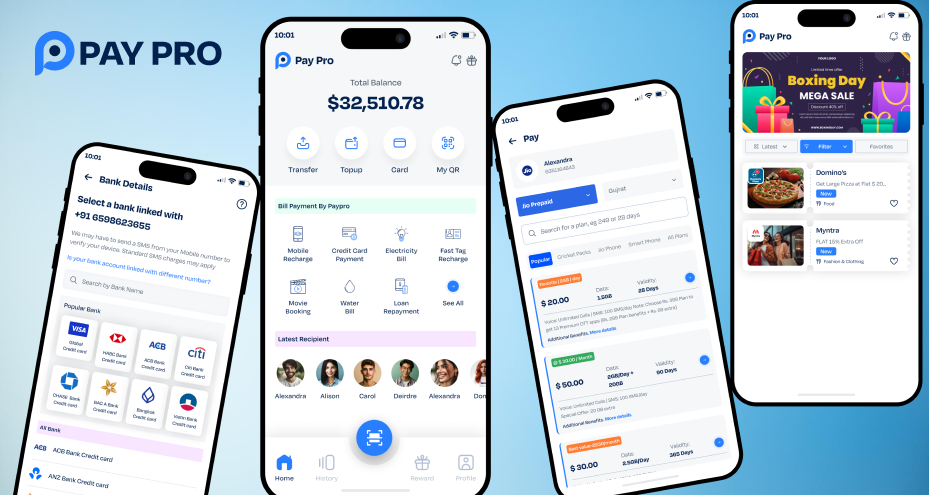
Pay Pro is a professional mobile banking and e-wallet Flutter design template aimed at developers building secure financial apps with modern digital payment experiences. Having clean UI components ensures smooth integration with famous fintech systems.
What’s Included
-
Walllet dashboards
-
Fund transfer screens
-
Bill payments
-
Transaction history
-
Card management
-
Authentication pages
-
User settings
-
Notifications
7. Tapswap Crypto Mining Flutter Mobile UI Kit
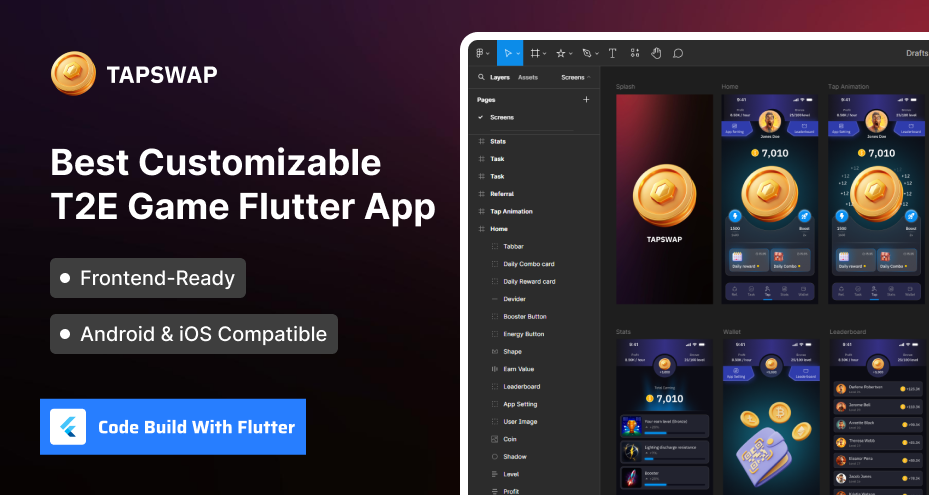
This is a specialized UI template for cloud and tap-based crypto mining apps in Flutter. It offers sleek dashboards and interactive mining screens optimized for engagement. The kit is designed to support gamified user experiences for Web3-inspired gaming on mobiles with customization possibilities.
What’s Included
-
Mining dashboards
-
Tap-to-mine screens
-
Rewards pages
-
Referral modules
-
Leaderboards
-
Wallet overview
-
Analytics
-
Authentication flows
-
Settings
8. Car Wash Appointment Booking App UI Template
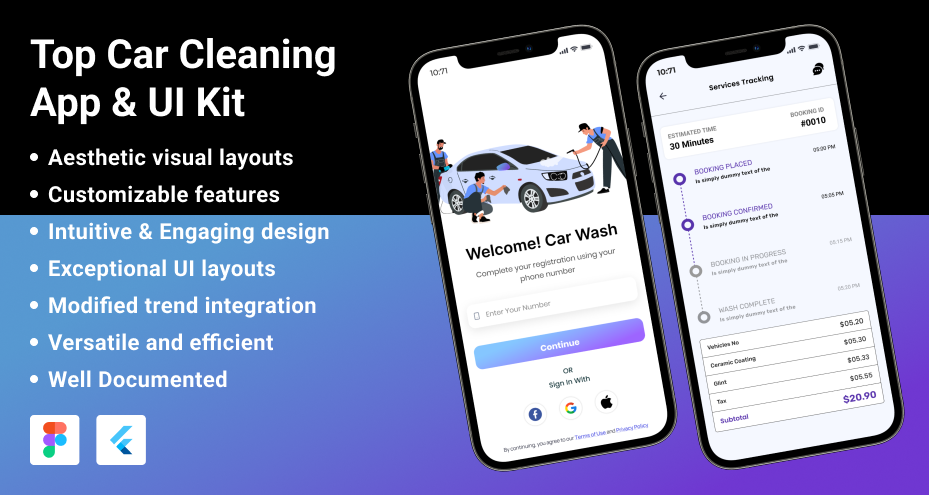
Looking to develop a car wash appointment booking app for business? Get this Flutter UI kit offering simple appointment creation and service browsing experiences without a heavy investment in custom app UI/UX design. The components used in this template are easy to customize for any car-detailing service.
What’s Included
-
Service lists
-
Booking forms
-
Time slot selection
-
Location screens
-
Service status tracking
-
User profiles
-
Payment UI
-
Notifications
9. CryptoSwap Flutter App Design for Crypto Swapping Platform
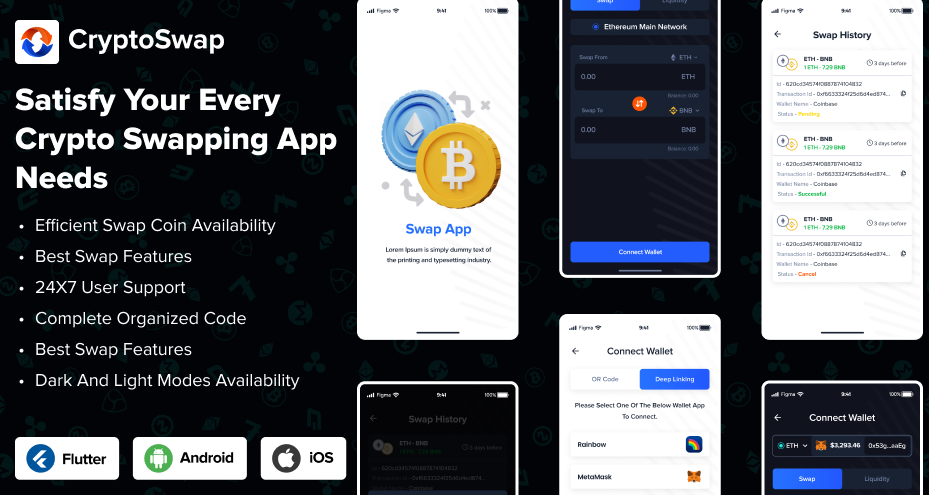
This Flutter UI kit is designed for crypto swap platforms. It is already optimized for seamless token exchange flows with intuitive dashboards and real-time market interaction. Built with modular widgets to support fast customization of mid-sized to complex DEX apps like UniSwap, PancakeSwap.
What’s Included
-
Swap interfaces
-
Token selection screens
-
Charts
-
Transaction history
-
Wallet pages
-
Authentication
-
Confirmations
-
Settings
10. Vibely Dating Flutter App UI Design Template
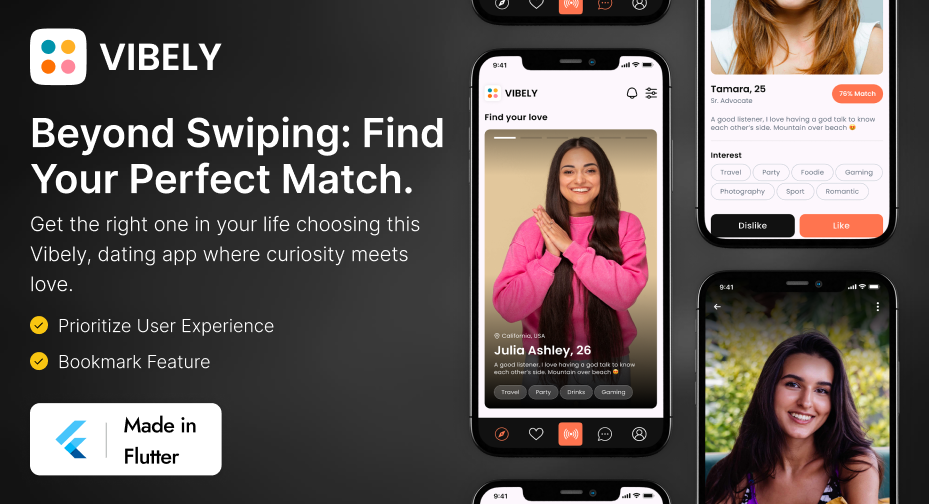
A modern Flutter UI template for dating apps, offering smooth interaction flows for matching, chatting, browsing profiles, and building connections. For a Tinder-like dating app development, you can build a next-gen dating platform through customization.
What’s Included
-
Profile cards
-
Swipe screens
-
Chat UI
-
Match notifications
-
Onboarding
-
User verification
-
Filters
-
Settings
-
Preferences pages
11. Real Estate Business Flutter App Template
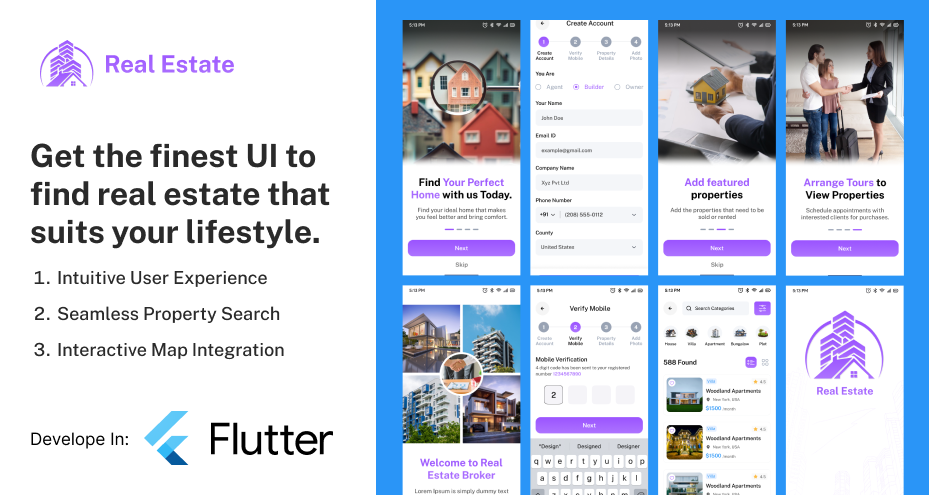
A feature-rich Flutter UI kit tailored for real estate apps with clean listing views, map browsing, and property detail pages for buyers and sellers. Designed with clear, property-focused layouts, it’s easy to make an online real estate business app with less frustration of designing and coding.
What’s Included
-
Property lists
-
Filters
-
Detailed pages
-
Agent profiles
-
Inquiry forms
-
Saved properties
-
Map integration UI
-
Authentication
-
User dashboards
12. FixStore On-Demand Handyman Service Flutter Template
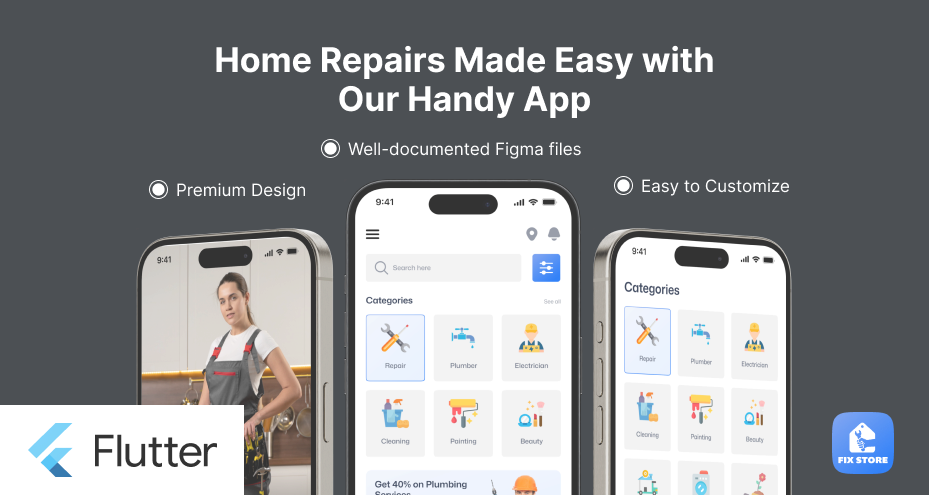
Looking for a handyman service marketplace mobile app development in a smart way? Get this FixStore, Flutter UI kit optimized for on-demand service apps. With a smooth booking flow to online payments and status tracking, every design performs well for conversions. Additionally, modular components make customization straightforward.
What’s Included
-
Service categories
-
Provider profiles
-
Booking forms
-
Time selection
-
Appointment history
-
Notifications
-
Chat UI
-
Authentication
-
User settings
13. Cloud Crypto Mining Flutter Mobile App UI Design
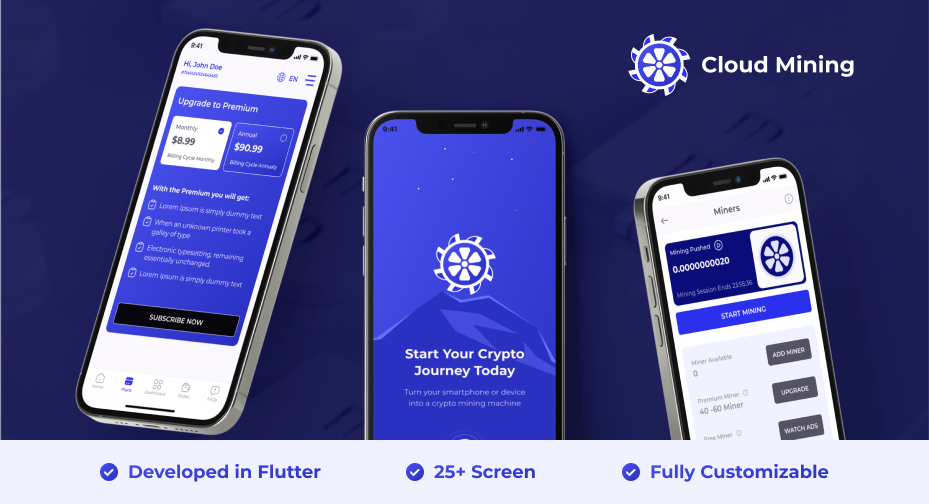
To make a trusted cloud crypto mining app, the design plays an important role. But with this Flutter UI template, you don’t have to be involved in the pixel setting and other design tasks. Having polished dashboards and mining progress screens, you can get the source code from it. By adding advanced functionality, the app is ready to go live in the market.
What’s Included
-
Mining activity pages
-
Earnings reports
-
Wallet overview
-
Referral systems
-
History logs
-
Onboarding
-
Authentication
-
Settings
14. FoodBit Online Food Delivery App Flutter Template
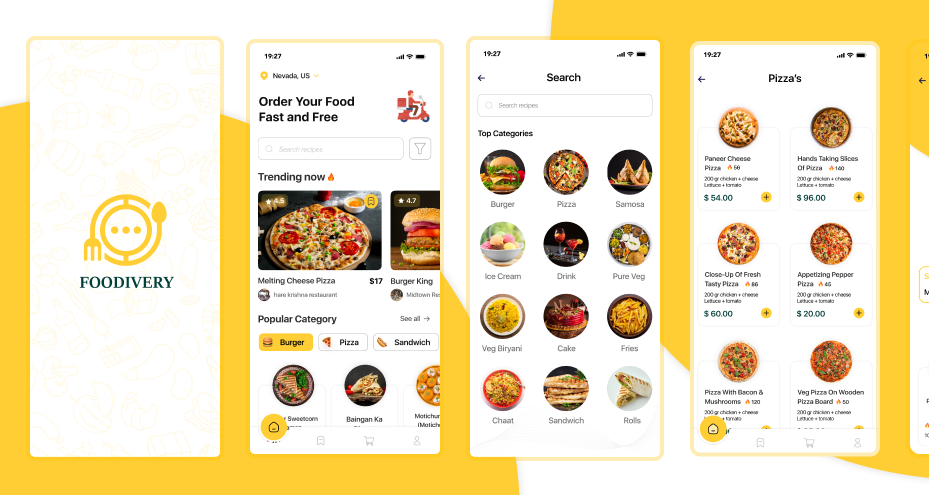
Have a client looking to build the next DoorDash or Swiggy-like food delivery mobile apps? You can use this FoodBit Flutter UI kit to build it. With a complete set of professional designs and optimized layouts for smooth browsing on iOS, Android, and Web, the development cycle will be streamlined. From restaurant browsing, ordering, and delivery tracking through a clean and modern interface, you’ll get everything with reusable components for rapid deployment.
What’s Included
-
Restaurant lists
-
Menu pages
-
Product details
-
Car
-
Checkout
-
Delivery tracking maps
-
User profiles
-
Ratings
-
Authentication screens
15. TattoosBit Tattoo Appointment Scheduling Flutter UI Kit
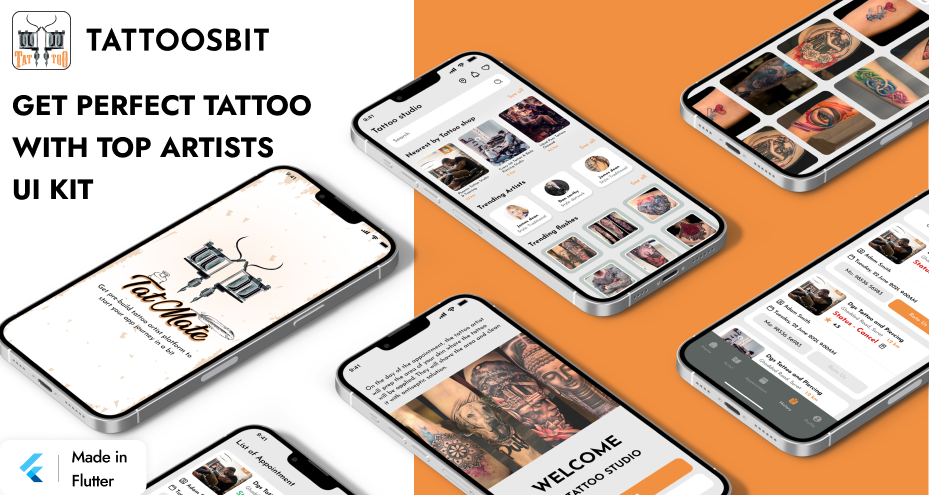
Does your client need a conversion-increasing app design for their tattoo studio? Presenting, TattosBit UI kit template in Flutter, optimized for a tattoo appointment booking platform. Having a smooth appointment booking flow and artist browsing experiences with components in the dev cycle saves time. It is fully designed for creative service applications.
What’s Included
-
Artist profiles
-
Style categories
-
Booking forms
-
Portfolios
-
Schedules
-
Chat UI
-
User profiles
-
Settings
Getting a ready-to-use Flutter UI kit template for front-end development, you can swiftly manage the entire development cycle. The saved time of UI design can be invested in the most important thing: backend development and testing.
How to Choose the Best Flutter UI Templates?
Selecting the right Flutter UI kit templates is essential for saving time and ensuring long-term scalability. Developers should look beyond visual appeal and focus on technical structure, code quality, and flexibility:
-
Code Quality & Architecture: Prefer templates built using proper widget structure, state management patterns, and reusable components.
-
Screen Coverage: Ensure the template includes all required flows, like as auth screens, dashboards, lists, profiles, payments, etc.
-
Customization Flexibility: A good Flutter UI design template should allow easy modification of colors, layout spacing, typography, and component behavior.
-
Compatibility & Updates: Ensure the kit supports the latest Flutter version and has a consistent update history.
-
Performance: Avoid templates overloaded with animations or poorly optimized widgets.
Understanding your app’s goals will help you choose a kit that reduces redesign work and accelerates production.
How do These UI Kits Speed Up Real Development Workflows?
Flutter UI kit templates shorten the development timeline by removing repetitive tasks and providing pre-tested design structures.
How UI kits accelerate workflows:
-
Pre-built Screens & Flows: Authentication, onboarding, navigation, and dashboard; every screen comes ready-made, reducing setup time.
-
Reusable Widgets: Components like buttons, cards, inputs, and lists can be reused across the project, improving consistency.
-
Reduced Design Dependency: Developers can start building immediately without waiting for complete UI mockups.
-
Improved Prototyping: Development teams can quickly validate concepts with functional UI instead of static wireframes.
-
Lower Debugging Time: Templates are typically tested for layout responsiveness, reducing UI bugs in early stages.
Most importantly, the Flutter templates are helping development teams to manage dev projects in a proposed manner from a client segment of a startup to an MNC company-level requirements.
Common Mistakes Developers Make When Using UI Templates
Using Flutter UI templates can significantly speed up development, but missteps often lead to technical debt and messy codebases. Understanding these pitfalls helps you avoid unnecessary complications.
-
Over-reliance on Default Styling: Many developers fail to replace template colors, icons, and fonts. This results in generic-looking apps that clients do not like to have.
-
Ignoring Code Structure: Some dev teams only modify UI files without understanding widget hierarchy. It is causing issues with future updates, like adding a VR functionality to an e-commerce app.
-
Mixing Too Many Templates: Combining multiple UI kits leads to inconsistent design systems and bloated code.
-
Skipping Refactoring: Templates often include placeholder logic or demo data that must be cleaned up before production.
-
Not Checking Performance: Excessive animations or heavy widgets may slow down real devices. Always test on lower-end phones.
Starting a web development project with a premium template has to minimize these errors. If neglected, forget to hand over the professional website to your business clients.
Best Practices for Customizing Flutter App Templates
Customizing Flutter UI templates effectively ensures your final app looks original and performs optimally on every device, from iOS, Android, to Web. Following structured customization practices helps maintain code cleanliness and supports long-term scalability.
-
Create a Design System: Define a unified color palette, typography scale, icon set, and spacing values before editing templates.
-
Use ThemeData Properly: Keep all visual properties in your global theme instead of directly modifying each widget.
-
Modularize Components: Break large widgets into smaller reusable pieces for better maintainability.
-
Maintain Naming Conventions: Rename screens, folders, and widgets to match your project structure.
-
Optimize Assets: Compress images, remove unused icons, and replace demo content early in development.
-
Add State Management Early: Integrate providers, Bloc, or Riverpod to avoid rebuilding UI logic later.
Following a proposed manner in the dev cycle will make a production task easier and flexible. It helps teams to manage the project effectively and deliver the promised output to the clients.
Conclusion
Flutter UI kit templates provide a practical and time-saving foundation for building polished mobile apps. They give developers a head start by offering ready-to-use screens, reusable components, source code, and consistent design systems that reduce the burden of manual UI creation.
FAQs
-
How much does it cost to get Flutter UI templates for mobile app development?
The general price range for Flutter app templates remains $50 to $1000, where the higher price comes with the backend integration, too. However, you can opt out of it and choose only the UI template.
-
My client wants to develop an eBay-like online marketplace app. Should I use Flutter UI kit?
Yes, you can get the Flutter UI kit as it is optimized with reusable components, professionally designed interfaces, top-notch user experience, and tested functionality. With customization in the template, the eBay app development is a streamlined task.
-
Do I have to pay for front-end app development for the Flutter design template?
No. The Flutter templates feature a front-end ready structure, including UI design and source code tested for iOS, Android, and Web platforms. For advanced development, it’s good to go with a custom development.
-
I want to make an iGaming app for iOS only. Still, are Flutter templates useful?
Yes, why not? These templates are the best choice for native like performance with a single codebase for iOS. From RPG games to Puzzle or crypto earning gaming segments, everything can be possible with Flutter UI templates.
-
Can free Flutter templates be scaled or offer advanced customization?
It depends on the template providers. Some free app templates are optimized for customization in your terms, while others restrict you and require a plugin or other vendor binding tools use case.