BTC - Bitcoin
 USDTERC20 - USDT ERC20
 ETH - Ethereum
 BNB - Binance
 BCH - Bitcoin Cash
 DOGE - Dogecoin
 TRX - TRON
 USDTTRC20 - USD TRC20
 LTC - LiteCoin

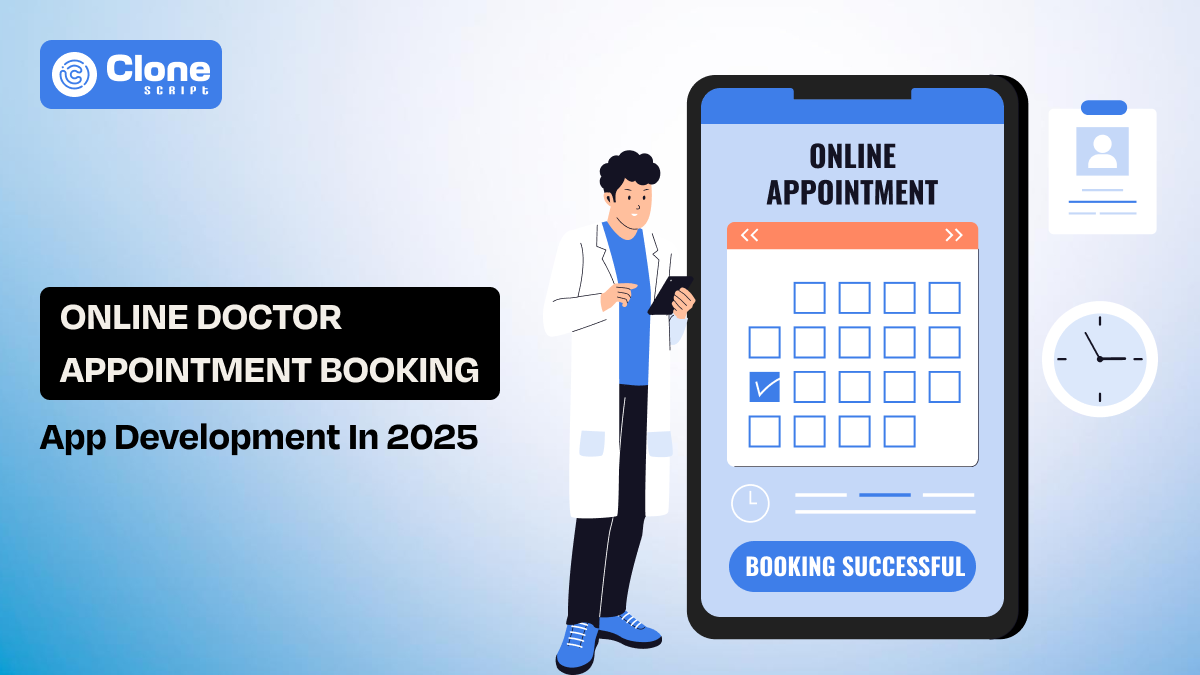
How to Build Your Own Online Doctor Appointment Booking App in 2025
Imagine this: you wake up with a persistent headache and want to see a doctor. Instead of dialing numbers, waiting on hold, or standing in a crowded hospital line, you simply open an app, check the doctor’s availability, and book an appointment instantly. Within minutes, your consultation is confirmed. This isn’t a futuristic dream. It’s how millions of people now manage their healthcare in 2025.
The rise of the online doctor appointment booking app has completely changed the way patients interact with healthcare providers.
-
For doctors and hospitals, it means fewer administrative headaches and more efficient patient flow.
-
For patients, it means convenience, time savings, and improved access to healthcare.
If you’re a healthcare entrepreneur, clinic owner, or startup founder, building an appointment booking app isn’t just a smart move. It’s a way to stay competitive in the digital-first healthcare ecosystem.
In this blog, let’s explore why now is the perfect time to create your doctor booking app, what features you need, how to build one, and the costs involved. Also, determine why a Flutter doctor appointment booking app clone script can give you a huge head start.
Why Build an Online Doctor Appointment Booking App in 2025?
The healthcare industry has shifted gears from visiting a physical clinic to a virtual one. Post-pandemic, digital adoption and patients got comfortable managing health services online.
But even in 2025, the demand for accessible, reliable digital healthcare solutions continues to grow.
Here’s why building a doctor appointment app now makes business sense:
-
Patients Expect Convenience: Modern patients don’t want to wait days for a consultation. They want real-time booking, instant confirmations, and even virtual visits.
-
Telehealth Is Mainstream: Video consultations have become as normal as in-person visits, especially for follow-ups, general health concerns, and chronic care management.
-
Efficiency for Hospitals & Clinics: An appointment booking app reduces double-bookings and helps doctors manage schedules. It means staff can focus more on patient care rather than paperwork.
-
Data That Drives Decisions: Healthcare providers can analyze appointment trends, patient preferences, and specialty demand to optimize their services.
-
Revenue Growth: Apps not only simplify bookings but also unlock revenue from online consultations, subscription models, and add-on services.
In short, patients expect hospitals and clinics to have an app. If your practice doesn’t, you risk being left behind by more tech-savvy competitors.
Now, let’s find the relevant features a secure and user-friendly mobile app has for online doctor appointment booking.
Core Features of a Successful Doctor Appointment App
Building an online doctor app is about letting patients book a time slot and creating a complete digital healthcare ecosystem. Both patients and doctors should feel that the app simplifies their lives while delivering reliability, speed, and security.
To stand out in 2025, your platform should combine usability with smart technology, AI personalization, and strong security compliance.
1. Must-Have Features for Patients
-
Quick Registration: Sign up via mobile, email, or even social accounts, reducing entry barriers for new users. Adding biometric login (fingerprint/Face ID) makes access faster and safer.
-
Smart Search & Filters: Find doctors by specialty, location, ratings, or availability. Future-ready apps also integrate AI-based doctor suggestions based on past health records.
-
Real-Time Appointment Scheduling: Instantly check available slots and confirm bookings. Integration with calendar apps (Google/Outlook) makes sure patients never miss appointments.
-
Video Consultations: Telemedicine built right into the app for online visits, with high-quality video, screen sharing for reports, and encrypted communication for privacy.
-
E-Prescriptions: Doctors send prescriptions digitally, reducing paper use. Integration with local pharmacies can even enable one-click medicine ordering.
-
Multiple Payment Options: Through secure payment gateway integration, patients can choose how they pay, wallet, cards, or UPI. EMI options or insurance integration can also enhance trust and adoption.
-
Health Records Vault: Store and access medical history, lab reports, and prescriptions in one secure digital folder. Patients can share records with doctors in real time.
-
Reminders & Alerts: Push notifications for appointments, medication schedules, and follow-up visits are useful for better patient compliance.
-
Ratings & Reviews: Patients can leave feedback to help others make informed choices while motivating doctors to maintain high service quality.
-
Multi-Language Support: To enable wider adoption in rural and semi-urban areas, break down local language barriers, especially in diverse regions. Make sure multilingual support is available in the mobile application.
2. Must-Have Features for Doctors
-
Doctor Dashboard: It can help to manage appointments, earnings, and availability with a clean, intuitive interface.
-
Access to Patient History: View previous visits and medical records to offer accurate diagnosis and continuity of care.
-
Schedule Management: Doctors can block unavailable slots and set consultation times for smoother time management.
-
Secure Communication: Chat or call patients directly within the app without exposing personal contact details.
-
Revenue Tracking: Integrated tools for monitoring consultation earnings, outstanding payments, and patient invoices.
-
Integration with Wearables: Access patient health data from smartwatches and fitness trackers to detect lifestyle patterns and early warning signs.
-
AI-Driven Assistance: Smart recommendations for diagnosis support, prescription automation, and patient follow-up reminders.
Must-Have Features for Clinics & Hospitals
-
Multi-Doctor Management: Manage multiple doctors and departments under one platform to get scalability for larger facilities.
-
Admin Dashboard: Control staff schedules, bookings, cancellations, and patient flow from a centralized hub.
-
Analytics & Reports: Gain insights into bookings, revenues, patient demographics, and the performance of doctors for data-driven decision-making.
-
Role-Based Access: Ensure data security by assigning different permissions to staff, doctors, and admins.
-
Emergency Slot Management: Reserve priority slots for urgent cases for critical patients to get faster care.
-
Marketing Tools: Built-in loyalty programs, push campaigns, or referral systems to keep patients engaged.
-
Insurance & Billing Integration: Streamlined claims and digital invoicing for patients using health insurance.
-
Multi-Branch Support: For hospital chains, provide centralized monitoring and seamless patient record transfer across branches.
But the question is, how to make a secure mobile app useful for both patients and doctors? Let’s find the answer.
How to Build a Doctor Appointment Booking App
Developing an online doctor appointment booking app requires more than coding. It’s about combining healthcare expertise with technology to deliver a secure, reliable, and user-friendly platform. Here’s a detailed step-by-step approach:
1. Define Your Target Audience
Identify whether you’re building for individual practitioners, small clinics, or large hospital networks. Each audience type requires different features. Solo doctors may prioritize scheduling, while hospitals need multi-department and staff management.
2. Choose the Right Business Model
Here are some common business models that can be found in a famous appointment booking mobile app.
-
Commission-based – In this model, you can charge doctors a fee for every booking from patients.
-
Subscription-based – You can insist that clinics pay monthly/annual fees for using the platform.
-
Freemium + Premium Features – Offer a free version for basic booking to patients and charge for advanced tools like telemedicine or analytics.
-
Enterprise Licensing – One-time or recurring fees for large hospitals with custom needs.
3. Finalize Key Features
Decide on the must-have features for patients, doctors, and clinics. Start with core features like booking, payments, and video consultation. Later, add advanced features such as AI-driven doctor recommendations, wearable device integration, and symptom checkers.
4. Pick the Right Technology Stack
Take a look at the technology stack that has been used in mobile app development:
-
Frontend: Flutter or React Native for cross-platform apps for iOS and Android.
-
Backend: Backend development can be done with Node.js, Django, or Laravel for scalable operations.
-
Database: For database management, prefer options like MySQL, PostgreSQL, or Firebase.
-
Cloud Hosting: To host the app more probably on the server choose a relevant one from AWS, Azure, or Google Cloud for reliability.
-
Security & Compliance: With end-to-end encryption, HIPAA/GDPR compliance, and secure payment gateways, handling keeps the app safe to use.
5. Focus on UI/UX Design
Healthcare users expect simplicity and trust. It means in app UI and UX design, you have to prioritize a clean, minimal look with clear navigation to improve adoption. Also, accessibility features like voice search and multilingual support enhance usability.
6. MVP Development First
Instead of building everything at once, launch a Minimum Viable Product (MVP). Include essential features such as registration, doctor search, appointment booking, and payments. Gather feedback and scale gradually.
7. Integrate Third-Party Services
To make your appointment booking application, make sure to have these third-party service integrations:
-
Video API (e.g., Twilio, Agora) for secure telemedicine service on the web.
-
Payment Gateways (Stripe, Razorpay, PayPal) for secure transaction management and offering different online payment options.
-
EHR/EMR Integrations for patient record management in the digital locker, and maintain data safety.
8. Advanced Add-Ons
Modern booking apps have the following features:
-
AI/ML: Predict appointment demand, offer smart doctor suggestions, or detect fraud in a click. It can save time for patients to find the relevant healthcare experts for their urgent needs.
-
IoT & Wearables: Patients can connect devices like smartwatches to track vitals during consultations and note them for future use.
-
Chatbots: AI chatbots provide automated 24/7 patient support, even when the doctor is busy with other patients. Once the doctor is available, it sends a reminder to the patient.
9. Testing & Security
Without QA & Testing, even the top-rated apps failed to perform well when users used them. So, test across devices, networks, and user scenarios. Include penetration testing and compliance audits to meet healthcare regulations.
10. Launch & Marketing Strategy
Release on app stores and promote via healthcare-focused digital campaigns. Partner with clinics, insurance providers, and pharmacies for faster adoption. Create a digital marketing strategy for better results by clarifying the goals and achieving the highest conversions.
11. Post-Launch Support & Scaling
Once the doctor appointment booking mobile app is live on Google Play Store and App Store, don’t think everything is done. Keep updating features, adding new integrations, and improving UI/UX based on user feedback. Scale infrastructure to handle high traffic and expand to multiple regions if needed.
Want to find the cost of an appointment booking app for iOS and Android? Let’s find them out.
Doctor Appointment Booking App Development Cost
The expense of healthcare app development in 2025 depends on the project’s scale, the chosen tech stack, and compliance requirements like HIPAA or GDPR. With the rising demand for telemedicine and wearable integrations, development costs vary significantly based on features and region.
Estimated Development Costs
-
Basic App (Essential Features): $2,000 – $20,000
It covers user registration, doctor search, booking system, and simple payments. Ideal for small practices.
-
Mid-Level App (Telemedicine & Payments): $40,00 – $40,000
This app adds secure video consultations, multiple payment gateways, and multi-language support. Suited for medium-sized clinics.
-
Advanced App (AI, Wearables, Multi-Clinic): $600,000+
This includes advanced AI-driven recommendations, wearable health data sync, and enterprise-level integrations for hospitals.
Additional Cost Drivers
These aspects of app development add more cost to the overall price.
-
Design (UI/UX): $1000 – $5,000
-
Backend Development: $15,000 – $50,000
-
Testing & QA: $2000 – $10,000
-
Maintenance: 15–20% of development cost yearly
-
Compliance & Security: $4,000 – $15,000
-
Marketing & Launch: $10,000 – $50,000
Development Costs by Region
-
USA/Canada: $80 – $150/hour
-
Western Europe: $60 – $120/hour
-
Eastern Europe: $40 – $80/hour
-
India & Southeast Asia: $25 – $50/hour
This means the same app could cost 50% less in Asia compared to North America, provided you choose an experienced team.
For startups or clinics with limited budgets, building everything from scratch may be impractical. That’s where doctor appointment booking app clone scripts prove valuable. It helps businesses save 50–70% in cost and launch faster without compromising on functionality.
Take a look at the cost comparison.
Cost Comparison Table
|
Factor |
Scratch Development |
Clone Script Solution |
|
Development Time |
6–12 months |
1–2 months |
|
Initial Cost |
$40,000 – $100,000+ |
$10,000 – $25,000 |
|
Customization |
High (but time-consuming) |
Moderate to High (faster) |
|
Compliance (HIPAA/GDPR) |
Must be built from scratch |
Pre-integrated, needs minor tweaks |
|
Scalability |
Fully scalable but costly |
Scalable with add-ons |
|
Maintenance Cost |
15–20% annually |
10–15% annually |
|
Best For |
Large hospitals, enterprises |
Startups, clinics, SMEs |
Why Choose a Flutter Doctor Appointment Clone Script?
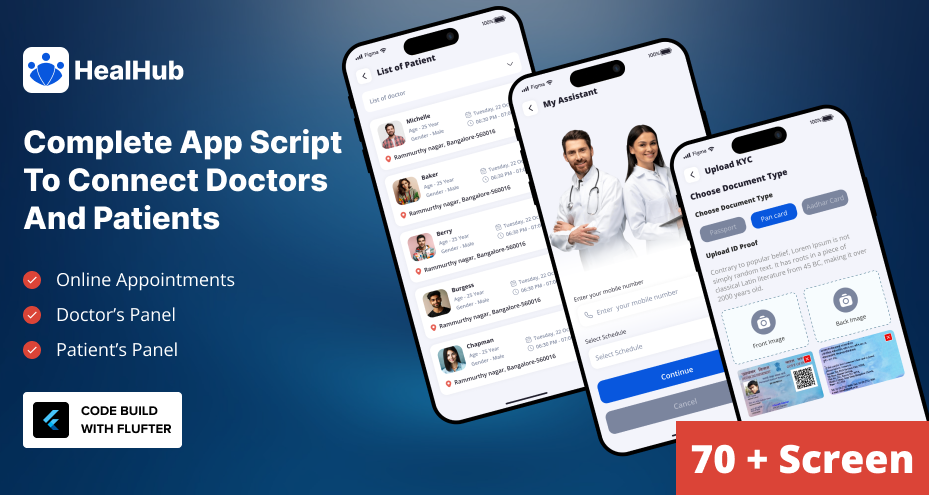
Here are the reasons to get a doctor appointment booking app ready to use. Introducing HealHub, a complete clone script in Flutter that comes with backend development.
-
Cross-Platform, Ready for Both iOS and Android
The HealHub script is built in Flutter, offering uninterrupted compatibility across iOS and Android. This saves you from maintaining separate codebases, accelerating development, and ensuring consistency in user experience.
-
Rapid Time-to-Market
As a clone script, HealHub comes pre-packaged with essential components like patient portals, doctor dashboards, and backend infrastructure. This approach cuts down development time. A custom build might take 6–12 months; you’re looking at just a few weeks to launch.
-
Fully Customizable, From UI to Functionality
The package includes:
-
Flutter source code
-
Doctor appointment booking app UI design file in Figma
-
Backend development framework
-
Documentation and readme
This allows you to easily rebrand, tweak UI flows, or add custom features without rebuilding from scratch.
-
Secure and Feature-Rich
The HealHub clone provides a backend system with secure data storage, real-time availability updates, appointment reminders, and multiple payment options. This gives both usability and data protection.
-
Comprehensive Pre-Built Functionality
Key features included in the Flutter app script:
-
Appointment booking system
-
Doctor–patient communication tools
-
Real-time calendar sync
-
Patient portal access
-
Multi-platform (iOS & Android) compatibility
-
Flexible search functionality
-
Support for multiple payment methods
-
Cost-Effective and Supportive
This appointment booking app is priced competitively, more affordable than building a custom app from scratch. So, there is no need to spend extra for developing an iOS and Android app separately. You can even launch the web version as well with Flutter code.
Final thoughts
In the digital healthcare space, speed, cost, and user experience matter more than ever. Building a doctor appointment app from scratch can take time and resources, while a Flutter-based clone script like HealHub offers a shortcut without compromising quality. It comes pre-packed with essential features, scalable architecture, and full customization flexibility.
It is a smart choice for startups, clinics, and hospitals alike. If your goal is to launch quickly, stay competitive, and still deliver a secure, patient-friendly experience, a clone script is the most practical path forward.