BTC - Bitcoin
 USDTERC20 - USDT ERC20
 ETH - Ethereum
 BNB - Binance
 BCH - Bitcoin Cash
 DOGE - Dogecoin
 TRX - TRON
 USDTTRC20 - USD TRC20
 LTC - LiteCoin

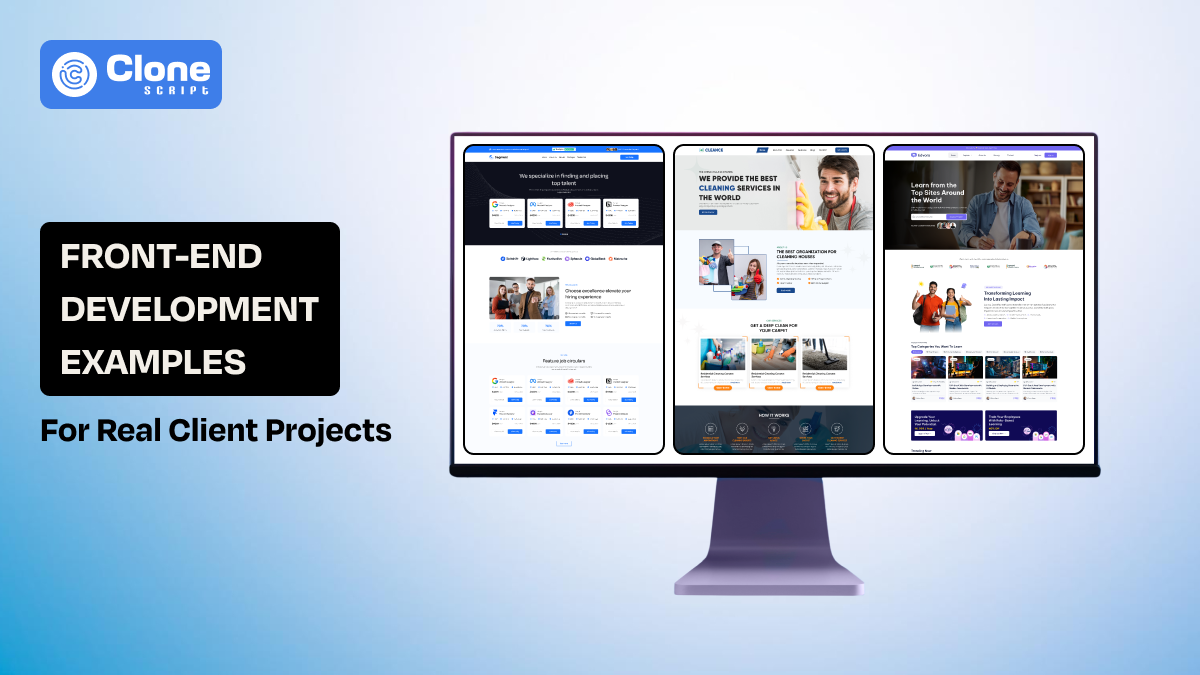
Front-End Development Examples for Real Client Projects (With Production-Ready Templates)
Searching for front-end development examples still showcases portfolio pages, SaaS landing demos, or isolated UI components. That approach is outdated. In 2026, web developers are building structured platforms, recruitment systems, e-commerce marketplaces, booking applications, fintech dashboards, and digital learning portals.
Clients no longer evaluate front-ends based only on visual appeal. They evaluate:
-
Scalability
-
Conversion performance
-
Responsiveness
-
User workflow coverage
-
Speed of deployment
The most effective way to understand modern front-end architecture is through real production templates, HTML website templates, Tailwind CSS builds, Figma UI kits, and app UI systems.
This article follows a structured outline and presents real-world front-end development examples using specific product templates. Each example demonstrates how industry-ready UI systems translate into scalable codebases.
What Makes a Front-End Example Valuable for Client Work
Before reviewing templates, it’s important to define what makes a front-end example valuable in real client projects.
A strong example must include:
-
Component-based structure that allows reuse and refactoring.
-
Responsive layout systems that adapt across devices.
-
Clear user flow coverage, not just static sections.
-
SEO-friendly semantic structure for discoverability.
-
Design-to-code consistency for efficient implementation.
Templates that include full workflow screens, instead of single-page layouts, reduce development risk and improve delivery timelines.
Now let’s examine industry-specific front-end development examples using actual product URLs and template types.
Real-World Front-End Development Examples by Industry
Know the front-end development examples.
-
Recruitment Platform Front-End Example
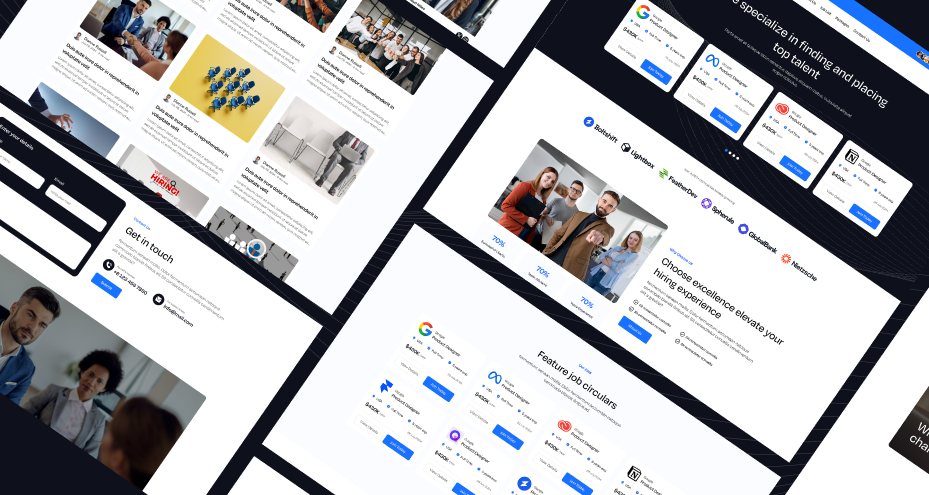
Template Type: HTML5 Website Template (Tailwind CSS)
Recruitment platforms require structured listing systems and search functionality. This HTML5 template, built with Tailwind CSS, provides a complete multi-page structure for staffing and recruiting businesses.
What This Template Demonstrates
The template includes:
-
Job listing grids
-
Search and filter UI components
-
Company profile pages
-
Blog layouts for content marketing
-
Contact and application forms
Unlike generic website examples, this structure reflects a real hiring workflow. Candidates browse listings, apply through forms, and explore company information, all within a consistent layout system.
Front-End Development Insights
Because it uses Tailwind CSS:
-
Grid systems are modular and easy to customize.
-
Breakpoints follow a mobile-first approach.
-
Utility classes reduce CSS complexity.
Developers can convert static job cards into API-driven components. Filtering logic can be enhanced using JavaScript or modern frameworks like React. The template provides a clean structural base that supports expansion into a full job marketplace.
This is a strong front-end development example because it reflects a complete business use case.
-
Multi-Vendor Marketplace App UI Example
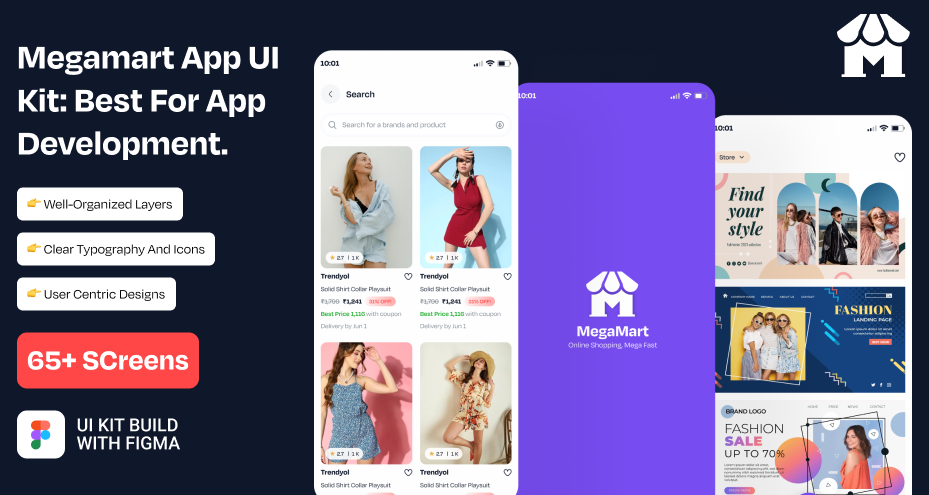
Template Type: Figma App UI Kit
Multi-vendor marketplaces are complex. They require structured product discovery, cart flows, and transaction interfaces.
The Megamart Figma UI kit provides high-fidelity screens designed for mobile e-commerce applications.
UI Structures Included
This kit typically contains:
-
Product listing grids
-
Category filters
-
Product detail screens
-
Cart and checkout flows
-
User account and order history screens
Why This Is a Strong Front-End Example
From a developer’s perspective, this UI kit demonstrates:
-
Logical product hierarchy
-
Modular card-based layouts
-
Clear CTA positioning
-
Structured navigation patterns
When converting Figma screens into code, developers can:
-
Extract product cards as reusable components.
-
Implement filter states dynamically.
-
Add cart state management logic.
-
Connect checkout forms to secure payment APIs.
The UI kit acts as a blueprint for building scalable marketplace applications without designing from scratch.
-
Mobility Booking App UI Example
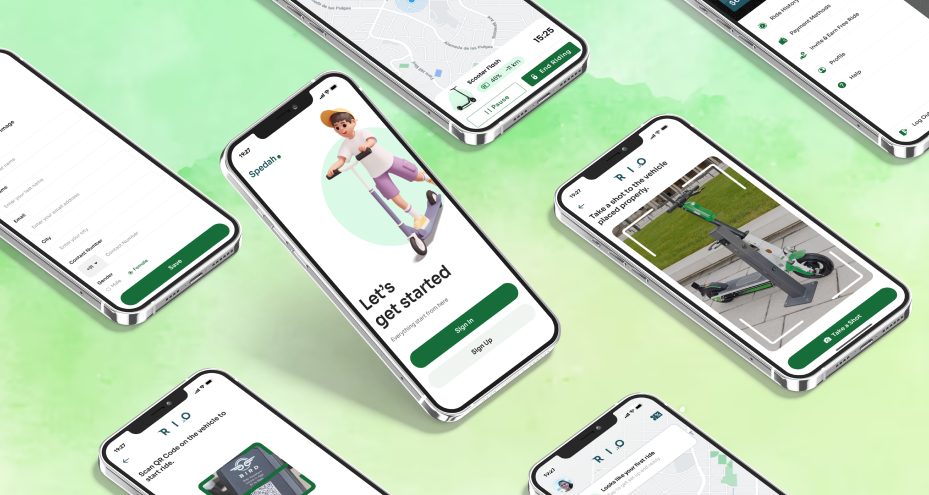
Template Type: Figma App UI Kit
Booking systems require interactive state management. The eScooter app UI kit is designed for mobility businesses offering electric scooter rentals or similar services.
Core UI Components
The template includes:
-
Vehicle selection cards
-
Booking summary panels
-
Location input sections
-
Pricing breakdown modules
-
Confirmation screens
Front-End Engineering Considerations
Booking interfaces are not static. They require:
-
Dynamic availability updates
-
Real-time pricing calculations
-
Responsive map container integration
Developers can transform static UI blocks into dynamic booking components using JavaScript frameworks. Pricing modules can respond to user input. Date selectors can integrate with availability APIs.
This template represents a strong front-end development example because it demonstrates decision-driven user flow architecture.
-
Online Dating App Mobile UI
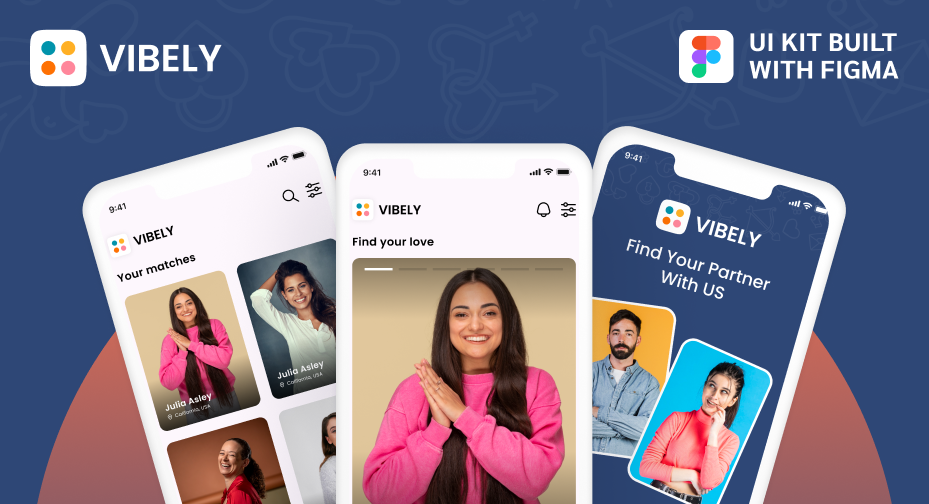
Template Type: Figma App UI Kit
Dating apps introduce advanced front-end interaction patterns. The Vibely Figma UI kit includes screens tailored for social matching applications.
Interface Elements Included
The UI kit features:
-
Swipeable profile cards
-
Match confirmation states
-
Chat interface layouts
-
Profile editing screens
Technical Front-End Insights
Swipe mechanics require gesture handling and optimized animations. Chat systems demand scroll performance and dynamic rendering of message states.
From a development perspective:
-
Profile cards should be componentized.
-
Match states require conditional rendering.
-
Chat interfaces must handle media attachments and timestamps.
This UI kit offers a blueprint for building interactive social platforms where micro-interactions drive engagement.
-
Local Service Business Website Example
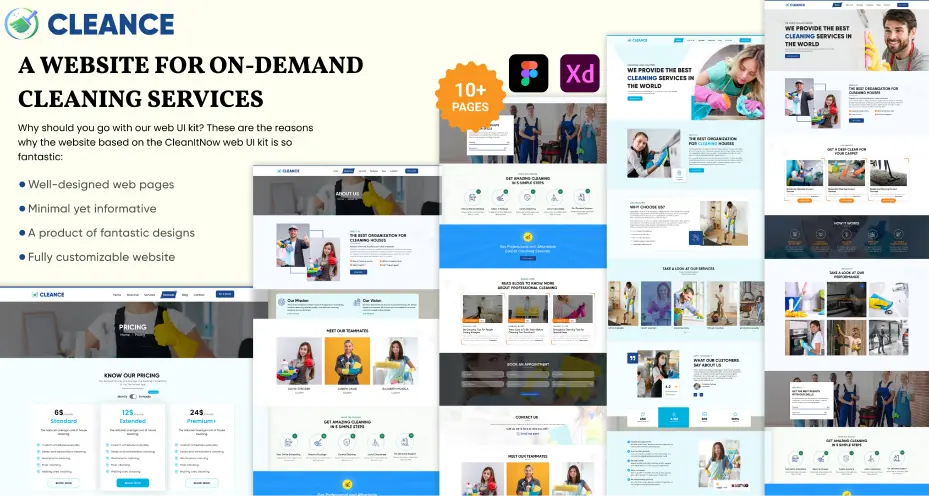
Template Type: Website UI Design Template
Service-based businesses prioritize conversion over complexity. The Cleance template provides a structured layout for cleaning services and similar local businesses.
Structural Highlights
The template includes:
-
Hero sections with prominent CTAs
-
Service breakdown grids
-
Testimonial sections
-
Pricing layouts
-
Contact and booking forms
Front-End Application
Developers can rapidly customize:
-
Brand colors
-
Typography
-
CTA messaging
Form components can integrate with CRM systems or email automation tools. Because the layout is clean and minimal, performance optimization is straightforward.
This example demonstrates how structured UI supports conversion-focused business goals.
-
Crypto Mining Dashboard App UI Example
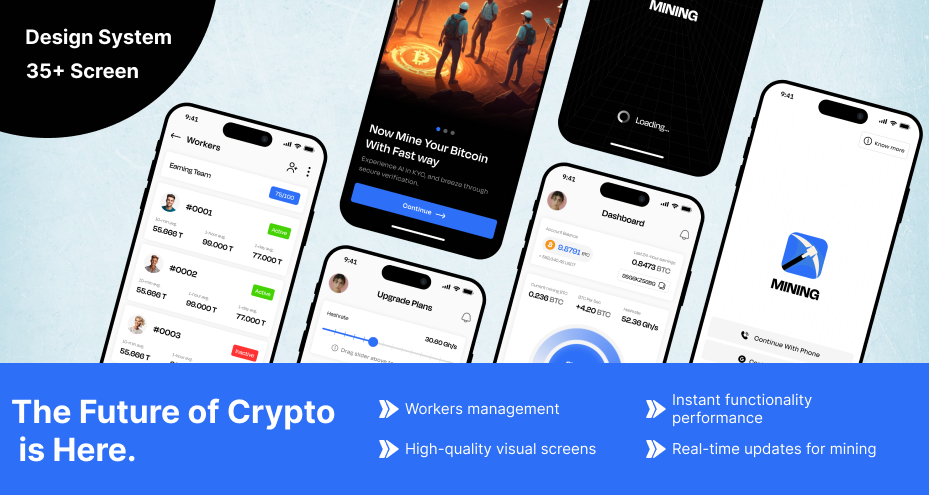
Template Type: Mobile App UI Kit
Dashboard-based applications require clear data visualization. The BTC Mining UI kit is structured for crypto mining analytics and wallet tracking.
UI Elements Included
The app UI kit typically provides:
-
Hashrate statistic widgets
-
Performance tracking charts
-
Wallet summary cards
-
Dark-mode interface styling
Development Considerations
Dashboards must maintain an information hierarchy. Cards should scale across screen sizes. Chart containers need flexible resizing.
Developers can adapt these layouts for:
-
SaaS admin panels
-
Investment tracking apps
-
Analytics platforms
This example emphasizes high-density information presentation without sacrificing usability.
7. Digital Learning Platform UI

Template Type: Figma Website UI Design
Education platforms are content-heavy systems requiring structured navigation.
The Edvora UI design provides layouts for online learning platforms, including course management and student dashboards.
Key UI Structures
The template includes:
-
Course catalog grids
-
Instructor profile pages
-
Student dashboard layouts
-
Progress tracking modules
Front-End Architecture Insights
Content hierarchy is critical. Typography must support long-form reading. Navigation should scale across multiple course categories.
Developers can convert these Figma layouts into reusable components, such as:
-
Course cards
-
Progress indicators
-
Dashboard summary widgets
This template represents a strong front-end example because it supports structured content ecosystems.
How Developers Can Customize These Templates for Clients
Templates provide a structural foundation, but real client value emerges through deliberate customization. Developers must transform generic layouts into brand-aligned, scalable, and performance-optimized systems.
-
Branding Adaptation
Customization begins with visual identity alignment. Developers should:
-
Replace placeholder images, logos, and icons with brand-approved assets.
-
Update Tailwind configuration files (tailwind.config.js) to reflect brand tokens.
-
Modify color palettes and typography scales to match the company’s design system.
-
Adjust spacing, border radius, and shadow utilities for consistency.
This ensures the UI feels proprietary rather than templated.
-
Component Refactoring
Static templates often contain repetitive markup. Refactoring improves scalability and maintainability by converting sections into reusable modules:
-
Navigation components (header, sidebar, mobile menu)
-
Card systems for listings, products, or features
-
Form blocks with validation logic
-
Dashboard widgets for analytics or metrics
Reusable components reduce duplication and accelerate future feature releases.
-
Back-end Integration
To move beyond static presentation, developers should:
-
Connect job listings or product grids to REST or GraphQL APIs.
-
Integrate secure payment gateways in marketplace flows.
-
Link dashboards to real-time data sources via WebSockets or server polling.
This transforms templates into functional applications.
-
Performance Optimization
Customization must include optimization:
-
Implement image compression and modern formats (WebP/AVIF).
-
Enable lazy loading for media-heavy sections.
-
Use code splitting and tree shaking.
-
Remove unused Tailwind classes to minimize CSS payload.
Performance enhancements directly improve website SEO rankings, Core Web Vitals, and user retention.
Why Template-Based Front-End Development Is Strategic in 2026
In 2026, front-end delivery is measured by speed, reliability, and scalability. Template-based development aligns directly with these priorities, making it a strategic choice rather than a shortcut.
Templates provide:
-
Industry-specific UI systems designed around proven user behavior patterns.
-
Pre-structured responsive layouts optimized for multi-device performance.
-
Faster MVP validation, reducing time-to-market.
-
Reduced design iteration cycles, minimizing rework between design and development teams.
This approach allows teams to bypass repetitive foundational work such as grid systems, layout scaffolding, and accessibility baselines. Instead of investing weeks building structural UI components from scratch, developers can prioritize:
-
Feature engineering
-
Business logic implementation
-
API integrations
-
Performance tuning
Strategically, templates increase predictability. Estimation becomes more accurate, sprint cycles shorten, and stakeholder expectations align more easily with delivery timelines.
Importantly, templates do not restrict creativity. They establish a stable architectural baseline. Developers can override styling systems, refactor components into modular architectures, and extend functionality without rebuilding core layouts.
In a market where launch velocity directly impacts competitive advantage, template-based front-end development functions as an operational accelerator, supporting customization, scalability, and long-term maintainability rather than limiting innovation.
Conclusion
The best front-end development examples today are rooted in real business platforms. Recruitment portals, multi-vendor marketplaces, booking systems, social apps, service websites, fintech dashboards, and digital learning platforms each present unique UI challenges.
Studying and implementing structured templates across these industries allows developers to:
-
Deliver projects faster
-
Maintain scalable architecture
-
Improve performance standards
-
Align UI systems with business goals.
For web developers managing diverse client requirements, production-ready templates are not shortcuts. They are strategic frameworks that support efficient, scalable, and modern front-end development.