BTC - Bitcoin
 USDTERC20 - USDT ERC20
 ETH - Ethereum
 BNB - Binance
 BCH - Bitcoin Cash
 DOGE - Dogecoin
 TRX - TRON
 USDTTRC20 - USD TRC20
 LTC - LiteCoin

Mobile Authentication Methods: Choosing the Right Solution
Mobile authentication is used for verifying a person’s identity when accessing an app, website, or other resources. That’s why selecting the right authentication strategy comes in, as it effectively helps to protect sensitive information. It also helps to make the sign-up or sign-in process less complicated.
So, why is such a strategy required? Because the recent rise in the sophistication of attacks like phishing, credential stuffing, and SIM swap makes password authentication insufficient.
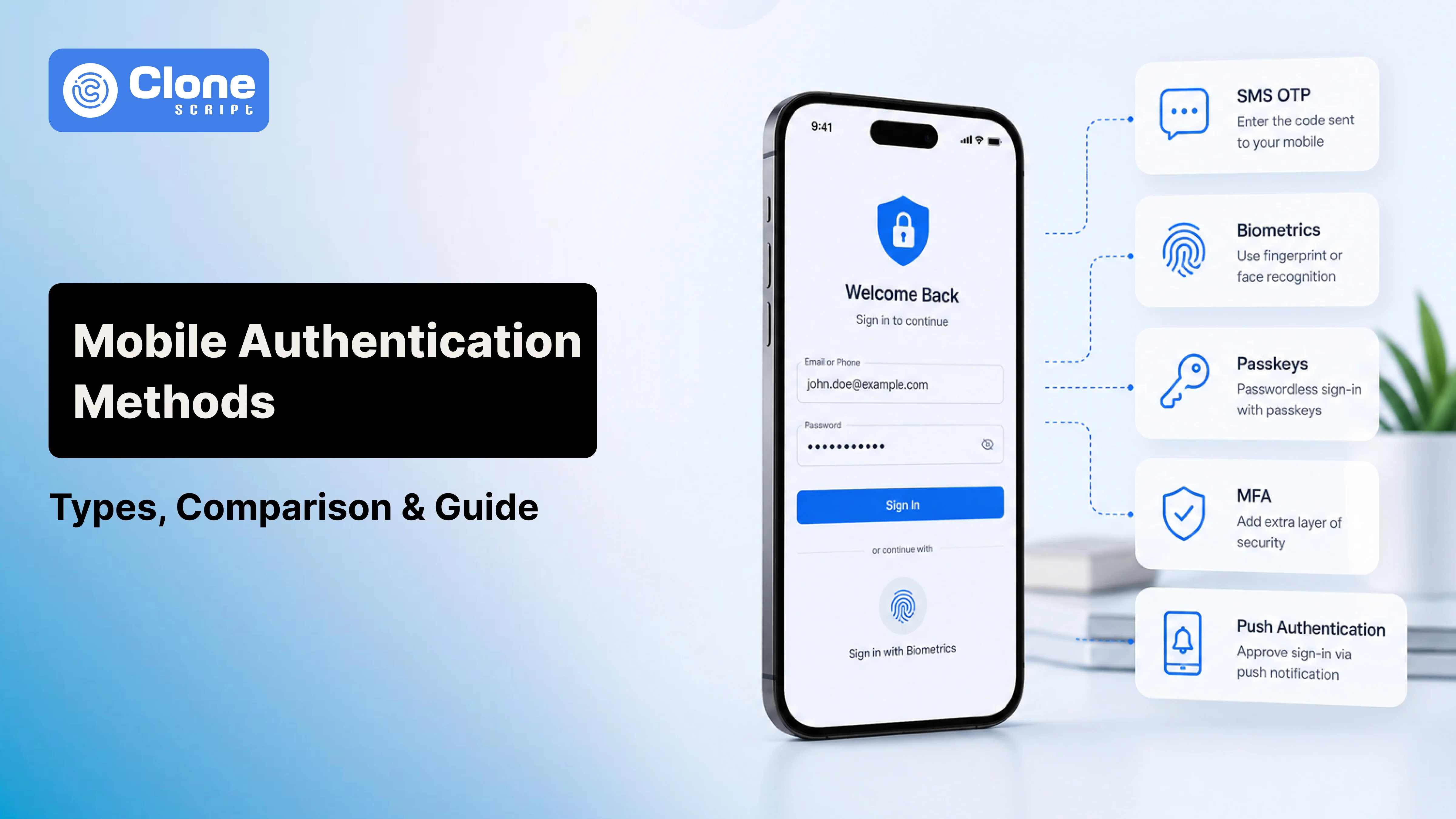
Mobile authentication solutions address these growing concerns and include SMS OTP, biometrics, passkeys, authentication apps, MFA, passwordless login, and other options.
You will know mobile authentication options and compare how each fares in terms of strengths, weaknesses, and optimal application contexts. Also, understand which is best for security goals, user experience, and your company’s unique needs.
Mobile Authentication Methods Comparison
Each authentication method offers a different balance of security, user experience, implementation effort, and cost. Many organizations combine multiple authentication methods in the mobile app development process to strengthen security without creating unnecessary friction.
| Authentication Method | Security | User Experience | Best For |
|---|---|---|---|
| Password Authentication | Moderate | Familiar | General applications |
| PIN Authentication | Moderate | Fast | Device and banking apps |
| SMS OTP | Moderate | Easy | User verification |
| Email OTP | Moderate | Simple | Account recovery |
| Authenticator App (TOTP) | High | Good | MFA for SaaS and enterprise |
| Push Authentication | High | Excellent | Enterprise and mobile apps |
| Biometric Authentication | Very High | Excellent | Banking and healthcare |
| Passkeys | Very High | Excellent | Passwordless authentication |
| Behavioral Authentication | High | Seamless | Continuous fraud detection |
| Risk-Based Authentication | Very High | Adaptive | Enterprise and high-risk applications |
Why Mobile Authentication Matters
It influences how customers can trust your app and why they come back to your business for products, including SaaS products or services like a banking app or a healthcare platform. It’s all about maintaining business resilience. Usually, the right authentication model is helpful to protect user accounts without creating unnecessary login issues. They adopt the strongest available option that businesses should pick as a solution. These solutions are aligned with their risk level, customer expectations, and compliance requirements.
9 Types of Mobile Authentication Methods
Below are the most widely used mobile authentication methods, along with their advantages, limitations, and ideal use cases. Understanding these differences will help you identify the most suitable authentication strategy for your e-commerce mobile app or SaaS platform rather than depending on a one-size-fits-all approach.
-
Password Authentication
-
PIN Authentication
-
SMS OTP Authentication
-
Email OTP Authentication
-
Authenticator App Authentication (TOTP)
-
Push Authentication
-
Biometric Authentication
-
Passkey Authentication
-
Behavioral Authentication
-
Risk-Based Authentication
Let’s understand them properly.
1. Password Authentication
This is the most widely used mobile authentication method due to its easy implementation and familiarity in use. In this, a user-created password is verified against the matching stored credentials. Only passwords are not sufficient for protecting modern applications, as they are targeted with phishing, credential stuffing, brute-force attacks, and password reuse.
How It Works
Users create a unique password during registration and enter it whenever they sign in. The server validates the password against securely stored, encrypted credentials before granting access.
Advantages
-
Simple and inexpensive to implement.
-
Familiar login experience with minimal user training.
-
Compatible with virtually every mobile application and operating system.
Limitations
Passwords depend heavily on user behavior. Weak or reused passwords significantly increase security risks. That means password authentication is best suited when combined with multi-factor authentication (MFA), biometric authentication, or passkeys for stronger account protection.
2. PIN Authentication
This is another common mobile authentication method: PIN authentication refers to a Personal Identification Number. For device unlocking, mobile banking apps, applications, and secure enterprise systems deploy this PIN method. It offers faster access than traditional passwords because they are stored and validated on the device. So the exposure to remote attacks has been reduced. However, their security depends on device-level protections and should not be used as the sole authentication method for high-risk applications.
How It Works
Users create a 4- to 8-digit PIN during setup. When they attempt to access the app or device, the entered PIN is verified before granting access.
Advantages
-
Faster and easier to enter than complex passwords.
-
Works well for frequent mobile logins.
-
Often combined with device encryption and biometric authentication.
Limitations
Short PINs can be guessed through brute-force attempts if proper retry limits are not enforced. For sensitive applications, pairing a PIN with biometric authentication or multi-factor authentication (MFA) provides significantly stronger protection.
3. SMS OTP Authentication
We are already familiar with this mobile authentication method in our daily lives: SMS OTP. In this method, the user’s identity is verified by sending a unique, time-sensitive code to their registered mobile number. To deploy SMS OTP authentication, it doesn’t require additional apps or hardware. But making apps secure from evolving threats has exposed its security limitations.
How It Works
After entering a username or password, users receive a one-time verification code via SMS. Access is granted only after the correct code is entered within its validity period.
Advantages
-
Quick to implement with broad mobile network support.
-
Familiar experience that requires no app installation.
-
Suitable for account verification and basic two-factor authentication.
Limitations
To protect high-value accounts, SMS OTP is vulnerable to SIM swap attacks, SMS interception, and phishing. To tackle these issues, organizations have implemented risk-based authentication and replaced it with passkeys, authenticator apps, or push authentication for a stronger security checklist for mobile apps.
4. Email OTP Authentication
Whenever you sign up or log in to any of the website, by default, the code is sent to your registered email address. Additionally, to reset the password, verify the device, and in low-risk login scenarios, are best choice to apply this authentication method. It is easy to implement and does not require users to install additional applications. The security depends on the protection of the user’s email account.
How It Works
When a user attempts to log in or perform a sensitive action, the system generates a one-time password and sends it to the registered email address. The user must enter the code before it expires to complete the authentication process.
Advantages
-
No additional software or mobile app is required.
-
Cost-effective compared to SMS-based verification.
-
Ideal for account verification, password recovery, and occasional logins.
Limitations
If an attacker gains access to a user's email account, Email OTP provides little additional protection. It is also slower than app-based authentication due to email delivery delays. If you want to implement this as a primary authentication method for a high-security application, skip it.
5. Authenticator App Authentication (TOTP)
In authenticator app authentication, Time-Based One-Time Passwords (TOTP) are implemented. It usually generates unique verification codes directly on a user’s device. These codes are not the same as SMS or email OTP. But they’re created offline and constantly change every 30-60 seconds. So, SIM swap attacks and network interception can be resisted. This method is widely chosen by SaaS platforms, enterprise applications, and financial services as a stronger form of multi-factor authentication (MFA).
How It Works
After scanning a QR code during setup, the authenticator app securely stores a secret key. It then generates a new one-time code at regular intervals, which users enter during login.
Advantages
-
More secure than SMS and email OTP.
-
Works without internet or mobile network connectivity.
-
Supported by popular authenticator apps and enterprise security platforms.
Limitations
Users must install and manage an authenticator app. If the device is lost without backup or recovery codes, restoring access can become more complicated than SMS-based authentication.
6. Push Authentication
Push authentication verifies a user's identity by sending a secure approval request to a trusted mobile device. Here, no requirement to enter a one-time code. Users simply review the login attempt and tap Approve or Deny, making it one of the most user-friendly mobile authentication methods. Because the request is linked to a registered device, it offers stronger protection than SMS OTP while reducing login friction.
How It Works
When a login attempt is detected, the authentication server sends a push notification to the user's registered device. The user confirms the request, and the system verifies both the device and the approval before granting access.
Advantages
-
Faster and more convenient than entering OTPs.
-
Resistant to SIM swap attacks and SMS interception.
-
Provides contextual details, such as login location or device, before approval.
Limitations
Push authentication depends on internet connectivity and user awareness. Poorly designed systems may be vulnerable to push fatigue attacks, where repeated approval requests trick users into accepting fraudulent login attempts. Combining push authentication with device binding or biometric verification significantly improves security.
7. Biometric Authentication
In this method, a user’s identity is verified through unique physical and behavioral characteristics such as fingerprints, facial recognition, iris scans, or voice recognition. Biometric data cannot be easily forgotten or shared, which means it is a convenient authentication method for mobile users. Modern smartphones include built-in biometric sensors, so businesses can strengthen security without adding extra login steps.
How It Works
When users register, their biometric data is securely stored within the device's trusted hardware (such as Apple's Secure Enclave or Android's Trusted Execution Environment). During login, the live biometric scan is matched locally against the stored template before access is approved.
Advantages
-
Fast, password-free authentication with minimal user effort.
-
Difficult to steal or replicate compared to passwords.
-
Improves login success rates and reduces password reset requests.
Limitations
Biometric authentication verifies who is using the device, not necessarily who owns the account. Lost devices, biometric sensor failures, or spoofing attempts can still create risks. For high-value transactions, combining biometrics with passkeys or multi-factor authentication (MFA) provides stronger protection.
8. Passkey Authentication
Passkey authentication is a passwordless authentication method based on the FIDO2 and WebAuthn standards. Instead of relying on passwords or one-time codes, passkeys use public-key cryptography to verify user identities. The private key never leaves the user's device, while the public key is stored by the service provider. This makes passkeys highly resistant to phishing, credential theft, and replay attacks. As major platforms like Apple, Google, and Microsoft support passkeys, they are becoming the preferred choice for modern mobile authentication.
How It Works
During registration, a cryptographic key pair is created. The public key is stored on the server, while the private key remains securely on the user's device. Authentication is completed by unlocking the device with a fingerprint, face scan, or PIN, without transmitting passwords.
Advantages
-
Eliminates password-related attacks and phishing risks.
-
Faster login with a seamless user experience.
-
Reduces password reset costs and support requests.
Limitations
Passkeys require compatible devices and ecosystem support. Businesses may also need to educate users during the transition from traditional password-based authentication.
9. Behavioral Authentication
In this authentication method, users interact with their mobile devices rather than depending on passwords or one-time codes. It continuously evaluates patterns such as typing speed, swipe gestures, touch pressure, device movement, scrolling behavior, and location consistency. Since these behaviors are difficult to replicate, behavioral authentication provides an additional security layer without interrupting the user experience.
How It Works
Machine learning algorithms establish a baseline of a user's normal behavior over time. If a login attempt or transaction significantly deviates from this profile, such as an unusual typing pattern or unexpected device movement. The system can request additional verification or block access.
Advantages
-
Provides continuous authentication after login.
-
Detects suspicious activity without increasing user frustration.
-
Strengthens fraud prevention by identifying abnormal behavior in real time.
Limitations
Behavioral authentication requires sufficient user data to build accurate profiles and may occasionally generate false positives. It is most effective when combined with biometric authentication, multi-factor authentication (MFA), or risk-based authentication rather than used as a standalone security measure.
10. Risk-Based Authentication (Adaptive Authentication)
Risk-based authentication, also known as adaptive authentication, dynamically adjusts security requirements based on the risk level of each login attempt. Treating every user the same, it evaluates contextual signals such as device reputation, IP address, geolocation, login time, network type, and user behavior. Low-risk logins are completed with minimal friction, and high-risk attempts trigger additional verification, creating a balance between security and user experience.
How It Works
When a user attempts to sign in, the authentication system calculates a risk score using real-time data. If the activity matches the user's normal behavior, access is granted immediately. If anomalies are detected, such as a login from an unfamiliar device or unusual location, the system may require biometric authentication, MFA, or another verification step for originality.
Advantages
-
Reduces unnecessary authentication prompts for trusted users.
-
Detects suspicious login attempts in real time.
-
Improves security without compromising the user experience.
Limitations
Effective risk-based authentication depends on accurate data collection, analytics, and machine learning models. Poorly configured policies can generate false positives or fail to identify sophisticated attack patterns for continuous monitoring and tuning.
How to Choose the Right Mobile Authentication Method
The best mobile authentication method depends on your application's security requirements, user experience goals, regulatory obligations, and budget. There is no one-size-fits-all solution. Businesses that protect sensitive data should prioritize passkeys, biometric authentication, or multi-factor authentication (MFA). Lower-risk applications may only require password-based authentication with additional verification for critical actions.
-
Assess Your Security Needs
Identify the type of data your application stores and the risks it faces. High-risk industries like banking and healthcare require stronger authentication than retail or content-based applications.
-
Prioritize User Experience
Choose an authentication method that minimizes login friction without compromising security. Faster login experiences improve customer satisfaction, reduce abandonment, and lower password reset requests.
-
Consider Scalability and Compliance
Select a solution that integrates with your app technology stack and supports compliance with standards such as GDPR, HIPAA, PCI DSS, or PSD2. A scalable authentication system can adapt to new threats and future business growth.
Quick Tip: For most SaaS platforms, combining passkeys or biometric authentication with risk-based authentication provides the best balance of security, usability, and long-term scalability.