BTC - Bitcoin
 USDTERC20 - USDT ERC20
 ETH - Ethereum
 BNB - Binance
 BCH - Bitcoin Cash
 DOGE - Dogecoin
 TRX - TRON
 USDTTRC20 - USD TRC20
 LTC - LiteCoin

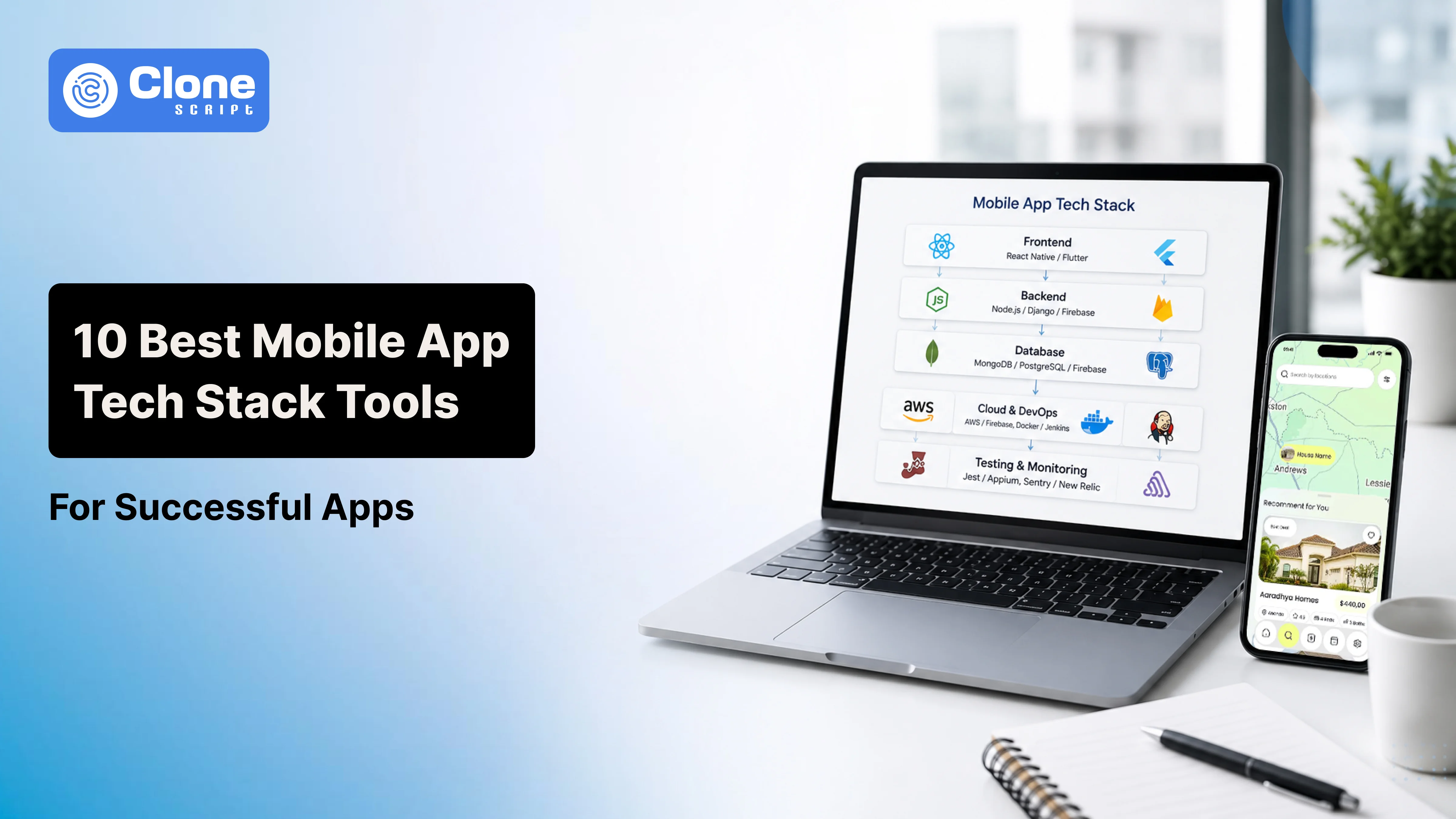
Choose a Reliable Mobile App Tech Stack: 10 Tools to Help in a Successful Product
A great app idea can only succeed if it's built on the right technology. No matter how innovative your concept is, choosing the wrong tools can lead to slow performance, security issues, higher development costs, and poor user experience.
For businesses, product owners, and development teams, selecting the right mobile app tech stack is one of the most important decisions in the app development process. The technologies you choose affect how fast your app is built, how well it performs, and how easily it can grow as your user base increases.
Many businesses struggle with common challenges, such as limited mobile development expertise, rising maintenance costs, difficulty managing separate Android and iOS apps, and adding new features to outdated architectures.
The good news is that the right technology stack can solve these problems. A well-planned mobile app development stack helps you build faster, improve security, simplify maintenance, and create a scalable application that supports future growth.
In this guide, you'll learn about the 10 essential mobile app development tools and how each one helps build reliable, high-performing mobile applications.
What Makes a Mobile App Tech Stack Ideal?
It should support your product today and in the future. Just focusing on popular tools is not enough. The app tech stack and tools have to fit your business goals, budget, and technical requirements.
After all, every project has different priorities. For example, a startup building a gaming MVP may value rapid development and lower costs. A healthcare, fintech, or eCommerce platform needs stronger security, performance, and the ability to handle thousands of users.
The ideal tech stack should make development smoother today and support future updates, new features, and business growth.
Key Factors to Consider When Choosing a Mobile App Tech Stack
-
Scalability
Your app should be able to support increasing users, data, and traffic without requiring major architectural changes. Scalable technologies help your product grow with your business.
-
Performance
Fast loading times and smooth navigation keep users engaged. A balanced combination of front-end, back-end, and database technologies helps deliver a reliable experience across different devices.
-
Development Speed
Businesses need to launch quickly to validate ideas and stay competitive. Cross-platform frameworks, reusable components, and modern development tools help reduce development time without sacrificing quality.
-
Security
Whether your app handles customer accounts, payments, or business data, security cannot be compromised. A dependable tech stack should support encryption, secure authentication, API protection, and regular updates to minimize security risks.
-
Easy Maintenance
Your app will continue evolving after launch. Choosing mature, well-supported technologies makes it easier to fix bugs, release updates, add new features, and reduce long-term maintenance costs.
1. React Native: Build Android and iOS Apps Without Starting Twice
Tool #1: React Native
This app development tool, React Native, is developed by Meta, offering a practical alternative for developers to build cross-platform apps using a single JavaScript codebase. A development team already familiar with React can adopt React Native rather than learning separate native technologies.
Why Development Teams Choose React Native
-
One Codebase for Two Platforms
Developers are allowed to reuse most of the application code across Android and iOS. This cuts the development time and helps maintain a consistent user experience on both platforms.
-
Faster Feature Development
React Native provides access to a mature ecosystem of libraries for authentication, payments, push notifications, maps, analytics, and API integrations. This allows teams to focus on building business-specific functionality instead of common features.
-
Simplified Maintenance
A single codebase makes bug fixes, updates, and feature releases easier to manage. You can save long-term development effort and maintenance costs.
When Should You Choose React Native?
React Native is ideal for MVPs, SaaS products, eCommerce apps for U.S. fashion brands, customer portals for Asian regions, and enterprise applications for Indian businesses where faster development and lower costs are priorities. However, apps requiring intensive graphics or deep hardware integration are generally better suited to native development.
2. Flutter: Build High-Performance Apps with Custom UI
Tool #2: Flutter
Flutter is developed by Google and allows developers to build Android and iOS apps from a single codebase. It delivers a consistent look across devices. This is not another cross-platform framework, but Flutter uses its own rendering engine, giving developers greater control over the app’s interface.
Why Development Teams Choose Flutter
-
Highly Customizable User Interface
Flutter comes with a rich collection of pre-built widgets that make it easier to create modern, visually appealing interfaces. If building a fintech dashboard, fitness app, or eLearning platform, developers can design a unique user experience. They do not have to depend on platform-specific components.
-
Faster Development
Flutter's Hot Reload feature lets developers see code changes almost instantly. This speeds up UI development, simplifies debugging, and allows teams to test new ideas without rebuilding the entire application.
-
Near-Native Performance
Since Flutter renders its own interface instead of depending on native UI components, apps deliver smooth animations and responsive performance across Android and iOS.
When Should You Choose Flutter?
Choose Flutter if your project prioritizes custom UI, consistent design, and high performance. If your team already specializes in JavaScript and React or wants to share code with existing web applications, React Native may be the more practical option.
3. Native Development: When Performance and Device Integration Matter Most
Cross-platform frameworks are a great choice for almost all projects but not the correct fit for every application. When it comes to integrating advanced device features, real-time processing, or strict security standards, native app development offers flexibility and performance. Native apps are built specifically for a single platform, allowing developers to take full advantage of its hardware, software, and built-in capabilities.
Tool #3: Swift for iOS App Development
Swift is Apple's official programming language for building applications for iPhone, iPad, Apple Watch, and other Apple devices. Since Swift is designed specifically for the Apple ecosystem, it gives developers direct access to iOS features and delivers fast, reliable performance.
Why Development Teams Choose Swift
-
Maximum Performance
Swift applications run directly on iOS without additional abstraction layers. This makes them ideal for apps that require smooth animations, real-time data processing, AR experiences, or complex business workflows.
-
Strong Security
Businesses in industries like healthcare, fintech, and enterprise software handle sensitive customer information. Swift supports secure coding practices and works seamlessly with Apple's privacy and security framework, helping developers build safer applications.
-
Full Access to Apple Features
Native development allows developers to integrate the latest iOS capabilities, including Face ID, Touch ID, Apple Pay, advanced camera functions, Core ML, Bluetooth, and location services as soon as Apple releases them.
When Should You Choose Swift?
Swift is the right choice if your app is designed primarily for iPhone and iPad users. It is particularly well suited for banking apps, healthcare platforms, enterprise solutions, media applications, and AR-based products, where reliability, security, and a premium user experience are essential.
Tool #4: Kotlin for Android App Development
If your primary audience uses Android devices, Kotlin is one of the best technologies for building native Android applications. Officially supported by Google, Kotlin is designed to simplify Android development while improving code quality, performance, and long-term maintainability. It has become the preferred choice for businesses developing reliable Android apps that can scale over time.
Why Development Teams Choose Kotlin
-
Faster and Cleaner Development
Kotlin requires less code than older Android programming languages, making applications easier to build and maintain. With a cleaner syntax, developers can implement new features more quickly, identify issues earlier, and spend less time managing repetitive code.
-
Better Stability and Performance
Android apps must perform consistently across different screen sizes, device manufacturers, and operating system versions. Kotlin helps developers write more reliable code to reduce common errors that can lead to crashes or unexpected behavior. This results in a smoother experience for end users.
-
Built for the Android Ecosystem
As Google's recommended language for Android development, Kotlin receives continuous updates and strong community support. It also integrates seamlessly with Android Studio and the latest Android APIs, which allows developers to adopt new platform features without compatibility concerns.
When Should You Choose Kotlin?
Kotlin is an excellent choice for enterprise applications, fintech platforms, business management tools, logistics solutions, IoT applications, and other Android-first products that require high performance, long-term support, and full access to Android's native capabilities. It is particularly valuable when your application relies on device-specific features or deep integration with the Android ecosystem.
4. Back-end Technologies: The Engine Behind Every Mobile App
A great mobile app is more than an attractive interface. Every action a user takes- logging in, placing an order, sending a message, or making a payment- relies on a back-end system working behind the scenes. Building a scalable back-end from the beginning helps your application grow without sacrificing performance or reliability.
Tool #5: Node.js for Scalable Mobile App Back-ends
Node.js is one of the most widely used back-end technologies for mobile applications. Since it uses JavaScript, development teams can build both the front-end and back-end using the same language, making collaboration easier and reducing development time.
Why Development Teams Choose Node.js
-
Built for Real-Time Applications
Node.js efficiently handles multiple user requests at the same time. This technology can be used for messaging apps, live tracking platforms, online marketplaces, collaboration tools, and real-time dashboards.
-
Faster Development
Using JavaScript across the entire application allows front-end, back-end, and mobile developers to work more efficiently with shared knowledge and reusable code. To enhance productivity, this kind of approach works.
-
Rich Ecosystem
Node.js offers thousands of ready-to-use packages for authentication, payment processing, cloud storage, notifications, and API integrations. It helps teams build features faster.
When Should You Choose Node.js?
Node.js is an excellent choice for SaaS platforms, startup MVPs, eCommerce apps, social networking applications, and other real-time mobile solutions where fast development, scalability, and high responsiveness are business priorities. As the application grows, teams can further optimize the back-end architecture to support increasing traffic and more complex workloads.
Tool #6: Firebase for Faster Mobile App Development
Building a back-end from scratch can take weeks or even months, especially when developers need to create user authentication, databases, notifications, and server infrastructure. For startups and businesses looking to launch quickly, Firebase helps eliminate much of this work. Developed by Google, Firebase provides ready-to-use back-end services. That means development teams can focus on building the app instead of managing servers.
Why Development Teams Choose Firebase
-
Built-In User Authentication
Almost every mobile app needs a secure login system. Firebase supports email and password authentication, phone verification, and social logins such as Google, making user management easier while following modern security practices.
-
Real-Time Cloud Database
Firebase stores and synchronizes data across devices in real time. This is especially useful for chat applications, collaborative platforms, live dashboards, and apps where users expect instant updates without manually refreshing the screen.
-
Push Notifications
Keeping users engaged after installation is essential. Firebase Cloud Messaging enables developers to send order updates, appointment reminders, promotional offers, and personalized notifications directly to users' devices.
When Should You Choose Firebase?
Firebase is an excellent choice for MVPs, startup products, prototype development, customer-facing applications, and small-to-medium mobile apps where speed is a priority. It helps teams launch faster without building a complete back-end infrastructure. As the product scales and business requirements become more complex, organizations can gradually migrate to a custom back-end architecture for greater flexibility and control.
5. Database Solutions: Managing Your App's Most Valuable Asset-Data
Every mobile app depends on data to function. The database is the system that keeps all this data organized, secure, and easily accessible.
Tool #7: PostgreSQL: A Reliable Database for Scalable Applications
As your mobile app grows, managing data becomes more complex. In these cases, PostgreSQL is a reliable database that helps developers organize and protect large volumes of structured data.
PostgreSQL is a powerful open-source relational database trusted by startups and global enterprises alike. It is designed for applications where data accuracy, security, and long-term scalability are essential.
Why Development Teams Choose PostgreSQL
-
Reliable Data Management
PostgreSQL maintains strong data consistency, making it well-suited for applications where errors can have serious consequences. This includes financial transactions, customer records, inventory systems, and enterprise operations.
-
Powerful Query Performance
As applications evolve, developers need to retrieve and analyze data efficiently. PostgreSQL supports advanced queries and complex relationships between data, which means making building reporting dashboards, search features, and business analytics becomes easy.
-
Enterprise-Grade Security
PostgreSQL includes robust security features such as role-based access control, secure authentication, encryption support, and backup capabilities. These features help businesses protect sensitive information while meeting compliance requirements.
When Should You Choose PostgreSQL?
PostgreSQL is an excellent choice for enterprise mobile applications, SaaS platforms, fintech solutions, healthcare systems, and business management software where structured data, reliability, and long-term scalability are top priorities. It is particularly valuable for applications that manage complex relationships between users, transactions, products, and operational data.
Tool #8: MongoDB: Flexible Data Management for Modern Applications
Every mobile app stores data in different ways. For example, a social networking app, content platform, or marketplace deals with constantly changing information. Here, a rigid database structure difficult to manage.
MongoDB is designed for these situations. As a NoSQL database, it stores data in flexible documents instead of fixed tables, allowing developers to adapt the database as the application evolves.
Why Development Teams Choose MongoDB
-
Flexible Data Model
As products grow, new features require new types of data. With MongoDB, developers can modify the data structure without redesigning the entire database. This flexibility is valuable for startups and fast-moving products that frequently introduce new functionality.
-
Faster Product Development
Requirements rarely stay the same throughout development. MongoDB allows teams to respond quickly to user feedback, add new features, and update application logic without spending excessive time restructuring the database.
-
Built for Large-Scale Applications
MongoDB performs well when applications manage large volumes of diverse or rapidly changing data. It is commonly used for social media platforms, content management systems, product catalogs, real-time analytics, and recommendation engines.
PostgreSQL vs. MongoDB: Which Should You Choose?
Choose PostgreSQL if your application depends on structured data, financial transactions, and complex relationships between records. Choose MongoDB when your product evolves rapidly, requires flexible data storage, or handles large amounts of unstructured information. The right database should support your application's long-term architecture, not just its initial launch.
6. Testing and Quality Assurance Tools: Building Apps Users Can Trust
Building a mobile app is only half the job. Before releasing it to users, you need to make sure every feature works as expected across different devices, screen sizes, and operating system versions. Even a small bug in login, payments, or checkout can frustrate users, increase uninstall rates, and damage your app's reputation.
Tool #9: Appium - Automated Mobile App Testing
Appium is an open-source testing framework that helps developers and QA engineers automate testing for both Android and iOS applications. Instead of repeatedly performing the same manual tests after every code change, teams can create automated test scripts that verify whether key features continue to work correctly.
Why Development Teams Choose Appium
-
Test Android and iOS Together
Appium supports native, hybrid, and mobile web applications on both Android and iOS. This enables QA teams to validate the same user flows across multiple platforms without maintaining separate testing tools.
-
Faster and Safer Releases
As new features are added, automated tests quickly identify whether existing functionality has been affected. This allows development teams to release updates more frequently while reducing the risk of introducing critical bugs.
-
Lower Testing Effort
By automating repetitive testing tasks, QA teams can spend more time validating complex user scenarios, improving application quality without significantly increasing testing costs.
When Should You Choose Appium?
Appium is an excellent choice for cross-platform applications, enterprise mobile apps, SaaS products, and applications with frequent releases. It is particularly valuable for teams following Agile or DevOps practices, where continuous testing is essential for delivering stable, high-quality mobile applications.
7. Deployment and Performance Monitoring: Keeping Your App Reliable After Launch
Publishing your app on the App Store or Google Play is a major milestone, but it isn't the end of the development process. Once users start downloading your app, real-world conditions often reveal issues that weren't detected during testing. Performance can vary across devices, operating system versions, and network conditions, making continuous monitoring essential.
Tool #10: GitHub Actions and CI/CD Platforms - Automating Mobile App Delivery
As a mobile app grows, releasing updates manually becomes slower and more error-prone. Every update requires building the app, running tests, checking code quality, and preparing releases for Android and iOS. Repeating these tasks by hand not only consumes valuable development time but also increases the risk of deployment mistakes.
GitHub Actions is a popular CI/CD (Continuous Integration and Continuous Deployment) platform that automates these workflows. Instead of depending on manual processes, development teams can create automated pipelines that build, test, and prepare applications for release whenever new code is added.
Why Development Teams Choose CI/CD
-
Faster Release Cycles
CI/CD automatically runs tasks such as code validation, application builds, automated tests, and deployment preparation. This allows teams to release updates more frequently without slowing down development.
-
Better Team Collaboration
Mobile projects involve front-end developers, back-end engineers, QA specialists, and product managers. Automated workflows ensure everyone works with tested, up-to-date code. This can reduce communication gaps and deployment conflicts.
-
More Reliable Releases
Manual deployments can introduce avoidable mistakes. CI/CD automates repetitive processes, helping teams deliver stable releases with greater confidence and minimizing downtime and production issues.
When Should You Choose CI/CD?
CI/CD is essential for enterprise applications, SaaS platforms, cross-platform mobile apps, and products with frequent feature updates. It helps development teams accelerate releases, maintain consistent quality, and scale delivery processes as both the application and engineering team continue to grow.
Partner with All Clone Script for an experienced app development company. Utilize our pre-built UI kits, website templates, and clone scripts in your workflow.