BTC - Bitcoin
 USDTERC20 - USDT ERC20
 ETH - Ethereum
 BNB - Binance
 BCH - Bitcoin Cash
 DOGE - Dogecoin
 TRX - TRON
 USDTTRC20 - USD TRC20
 LTC - LiteCoin

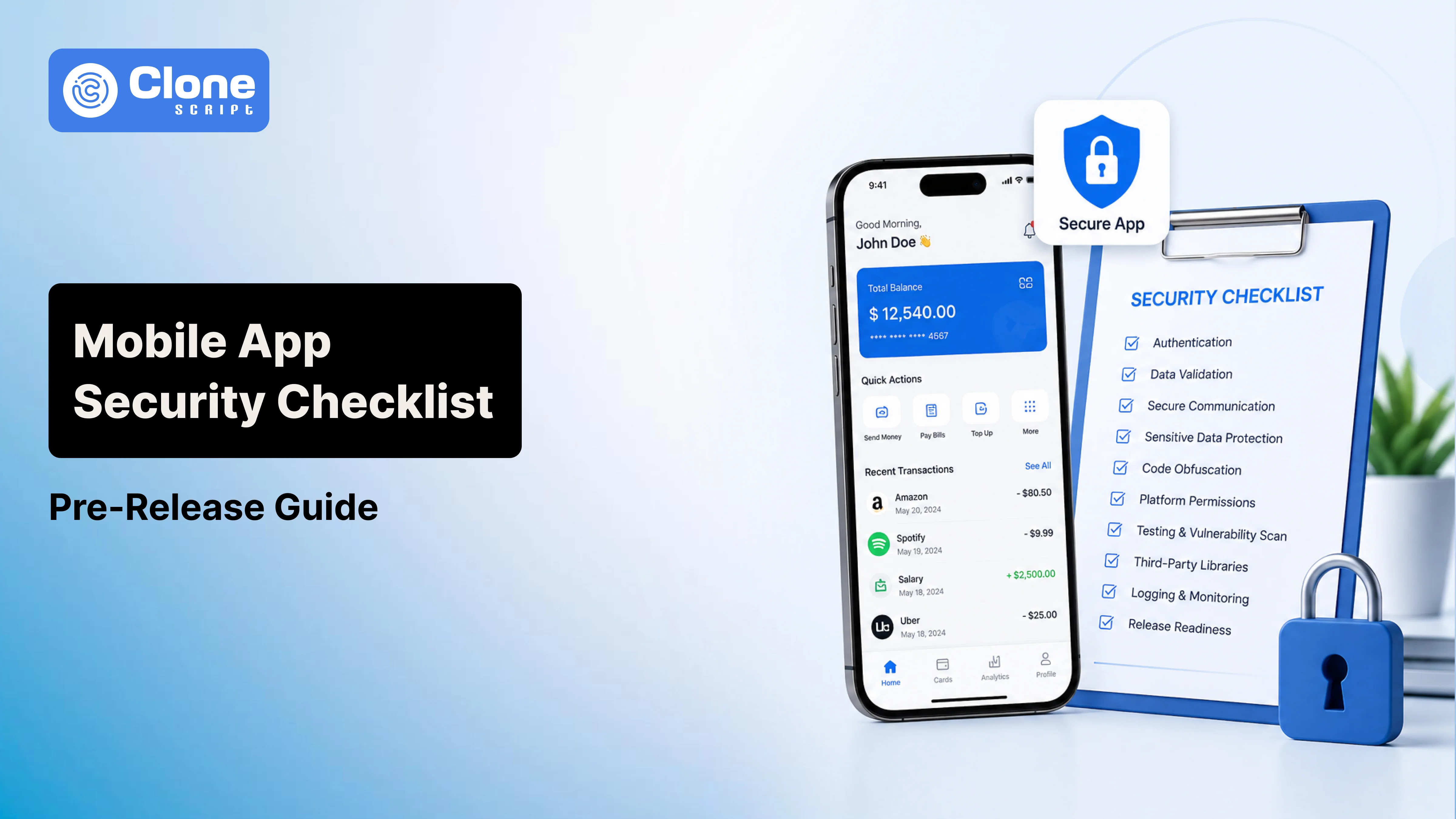
Mobile App Security Checklist: A Practical Pre-Release Guide for Development Teams
Writing clean code is not just another task in mobile app development. Now, apps connect with APIs, cloud platforms, payment gateways, authentication services, and third-party SDKs to deliver a seamless user experience. These integrations add powerful functionality; they also create potential security risks that need attention throughout the mobile app development process. Not just before launch.
This Mobile App Security Checklist is designed to help Android and iOS development teams review their applications before release. Rather than covering broad security recommendations, we focus on practical checks you can apply during development and testing. By working through this checklist, teams can catch vulnerabilities early, protect sensitive user data, and launch applications with greater confidence.
1. Define Your Application's Threat Model Before Development.
Strong mobile app security starts well before the first line of code is written. Before deciding on security controls, your team should understand what needs protection, where potential risks exist, and how attackers might exploit the application. This process is known as threat modeling.
A clear threat model helps development teams focus on the risks that matter most instead of implementing security measures blindly. It also reduces costly security fixes later in the development cycle.
-
Identify Your Most Valuable Assets.
Start by listing the sensitive information your application handles. This may include user credentials, personal data, payment information, API keys, authentication tokens, or confidential business data.
Once you know what is valuable, it's much easier to decide how that data should be stored, transmitted, and protected throughout the application.
-
Understand How Data Moves.
Map the complete journey of your data, from the user's device to your back-end services, databases, cloud infrastructure, and any third-party providers.
This exercise helps uncover areas where sensitive information could be exposed, stored unnecessarily, or transmitted without adequate protection.
-
Establish Clear Trust Boundaries.
One of the biggest security mistakes is trusting the mobile app itself. Since users can modify, reverse engineer, or intercept app traffic, the mobile client should always be treated as untrusted.
Critical security checks, including authentication, authorization, input validation, and business rules, should always be enforced on the server, not the device.
Security Checklist
Before development begins, make sure your team can answer the following:
-
Have we identified all sensitive data the application stores or processes?
-
Do we understand how that data flows between the app, back-end, and third-party services?
-
Have we defined the application's trust boundaries?
-
What are the most realistic attack scenarios for this application?
-
Are security requirements documented before development starts?
2. Separate Authentication from Authorization.
Although authentication and authorization work together, they serve different purposes through the app development tech stack. Authentication confirms who the user is, while authorization determines what they're allowed to do. A user can successfully log in but should still be prevented from accessing data or features they don't have permission to use.
Keeping these responsibilities separate makes your application more secure and helps prevent common access control vulnerabilities.
-
Use Secure Authentication Methods.
Build authentication on trusted standards such as OAuth 2.0 or OpenID Connect instead of creating a custom login system. Enforce strong password requirements, enable Multi-Factor Authentication (MFA) for sensitive applications, and use short-lived access tokens with securely managed refresh tokens.
Passwords, API secrets, and long-lived tokens should never be stored in plain text or insecure device storage.
-
Validate Authorization on Every Request.
Authentication alone isn't enough. Every request sent to your back-end should go through an authorization check to confirm the user has permission to perform the requested action.
Avoid relying on the mobile app to hide features or restrict access. All permission checks, role validation, and ownership verification should happen on the server, where they cannot be bypassed by modifying the client application.
Security Checklist
Before releasing your application, verify that:
-
Authentication uses trusted protocols such as OAuth 2.0 or OpenID Connect.
-
Access tokens and refresh tokens are securely generated, stored, and rotated.
-
Every back-end request includes server-side authorization checks.
-
Users cannot view or modify data that belongs to other users.
-
Logging out or session expiration properly invalidates active tokens.
3. Protect Sensitive Data at Rest and in Transit.
Every mobile app handles some form of sensitive data, whether it's user credentials, authentication tokens, personal information, or payment details. That data needs to stay protected wherever it exists: on the device, during transmission, and even when it's no longer needed. A single weak point can expose valuable information and compromise user trust.
-
Store Sensitive Data Securely.
Only keep sensitive data on the device if it's necessary. When local storage is required, use secure platform features like Android Keystore and iOS Keychain to protect credentials, encryption keys, and authentication tokens.
Avoid storing passwords, API keys, payment details, or other confidential information in plain text, shared preferences, local databases, or other unsecured storage locations.
-
Encrypt Data During Transmission.
Every connection between your mobile app and back-end services should use HTTPS with modern TLS encryption. This helps prevent attackers from intercepting or modifying data while it's in transit.
In addition to using HTTPS, always validate server certificates to defend against man-in-the-middle (MITM) attacks. For applications handling highly sensitive information, certificate pinning can provide an additional layer of protection against certificate spoofing.
Security Checklist
Before deployment, confirm that:
-
Sensitive data is stored only when required by the application.
-
Credentials, tokens, and encryption keys use secure platform storage.
-
All API communication is protected with HTTPS and modern TLS.
-
Server certificates are properly validated before establishing connections.
-
Sensitive information is never exposed through logs, caches, backups, or temporary files.
4. Secure Your API Communication.
Most mobile apps rely on APIs to handle everything from user authentication to data synchronization and business operations. Because APIs sit between the app and your back-end, they are one of the most common targets for attackers. Even if the mobile app is secure, vulnerable APIs can expose sensitive data or allow unauthorized access.
Protecting your APIs requires strong authentication, proper authorization, and rigorous server-side validation.
-
Verify Every API Request.
Never assume requests coming from the mobile application are legitimate. Every API call should include a valid access token, and the back-end should verify both the user's identity and their permissions before processing the request.
Access control should always be enforced on the server. Client-side restrictions can be bypassed through reverse engineering or modified requests.
-
Validate Input and Secure Endpoints.
Treat every piece of incoming data as untrusted. Validate and sanitize all inputs on the server to reduce the risk of injection attacks and unexpected application behavior.
To protect your infrastructure, implement rate limiting, request size restrictions, and consistent error handling. Also, expose only the endpoints your application needs, and avoid returning unnecessary information that could help an attacker understand your back-end.
Security Checklist
Before releasing your application, verify that:
-
Every protected API endpoint requires authentication.
-
Server-side authorization is enforced for every request.
-
All user input is validated and sanitized on the back-end.
-
Rate limiting and request throttling help prevent API abuse.
-
API responses do not reveal sensitive data, stack traces, or internal system details.
5. Prevent Reverse Engineering and Code Tampering.
Once a mobile app is installed on a user's device, you lose full control over its environment. Attackers can decompile the app, inspect its code, modify its behavior, or attempt to extract sensitive information. You can't eliminate these risks; you can make reverse engineering much more difficult and reduce the chances of successful tampering.
The goal is to protect your application's logic, secrets, and security mechanisms from being easily analyzed or bypassed.
-
Make Your Application Harder to Analyze
Enable code obfuscation in production builds to make the compiled code more difficult to understand. On Android, tools like R8 or ProGuard can rename classes, methods, and variables, making reverse engineering significantly harder.
Just as important, never hardcode API keys, encryption keys, or other sensitive secrets inside the application. Store sensitive information securely on the back-end whenever possible.
-
Detect Tampering at Runtime
Attackers use rooted Android devices, jailbroken iPhones, or debugging tools to bypass security controls. Implement runtime checks that can detect compromised devices, active debuggers, or modified application binaries.
For applications handling sensitive data, platform security services such as Google Play Integrity API and Apple App Attest can help verify that the app is genuine and hasn't been altered.
Security Checklist
Before deployment, confirm that:
-
Code obfuscation is enabled for production builds.
-
API keys, encryption keys, and other secrets are not hardcoded in the app.
-
Rooted and jailbroken devices are detected when appropriate.
-
Runtime integrity checks help identify tampered applications.
-
Debugging features and unnecessary logging are disabled in production builds.
6. Secure Third-Party SDKs and Dependencies.
Very few mobile apps are built entirely from scratch. Most rely on third-party SDKs and open-source libraries for features like authentication, payments, analytics, crash reporting, and push notifications. These tools speed up development; they also expand your application's attack surface.
A vulnerable or poorly maintained dependency can introduce security issues, even if your own code follows best practices. That's why every library you add should be treated as part of your application's security strategy.
-
Keep Dependencies Up to Date
Choose libraries from trusted, actively maintained sources, and update them regularly. Older versions may contain publicly disclosed vulnerabilities that attackers already know how to exploit.
Review security advisories, release notes, and dependency updates as part of your development process. If a library is no longer maintained, replace it with a supported alternative before it becomes a risk.
-
Review What Each SDK Can Access
Before integrating a third-party SDK, understand exactly what it does and what permissions it requires. Avoid dependencies that request access to data or device features they don't actually need.
Every SDK should align with your application's privacy, security, and compliance requirements. If a library collects unnecessary user data, consider whether it's worth the added risk.
Security Checklist
Before releasing your application, verify that:
-
All dependencies come from trusted and actively maintained sources.
-
Libraries with known vulnerabilities are updated or replaced.
-
Third-party SDKs request only the permissions they genuinely require.
-
Dependency vulnerability scanning is integrated into your CI/CD pipeline.
-
Unused libraries and SDKs are removed from production builds.
7. Implement Secure Session Management.
Logging a user in securely is only part of the equation. How your application manages user sessions after authentication is just as important. Weak session management can allow attackers to reuse stolen tokens, hijack active sessions, or retain access even after a user has logged out.
A well-designed session management strategy helps ensure that authenticated access remains secure throughout the user's interaction with your application.
-
Store and Manage Tokens Securely
Access and refresh tokens should always be stored using secure platform storage, such as Android Keystore and iOS Keychain. Use short-lived access tokens to limit the impact of token theft, and rotate refresh tokens whenever possible to reduce long-term risk.
Tokens should never appear in URLs, logs, error messages, or other locations where they can be accidentally exposed.
-
Manage the Entire Session Lifecycle
A user session should end when the user logs out or after a period of inactivity. In addition to removing local session data, invalidate tokens on the server whenever possible to prevent them from being reused.
For sensitive actions such as changing account credentials, updating payment methods, or accessing highly confidential data, require users to re-authenticate before proceeding.
Security Checklist
Before deployment, confirm that:
-
Access and refresh tokens are stored using secure platform storage.
-
Access tokens have a short expiration time and refresh tokens are managed securely.
-
User sessions are properly invalidated after logout.
-
Sensitive account actions require re-authentication.
-
Authentication tokens are never exposed in logs, URLs, or insecure local storage.
8. Perform Security Testing Before Every Release.
Security shouldn't be checked only before a major launch. Every release, even a small bug fix or feature update, has the potential to introduce new vulnerabilities. Making security testing part of your regular development workflow helps identify issues early, reducing the cost and effort required to fix them later.
The most effective approach combines automated scanning with manual security testing.
-
Automate Security Checks
Integrate security testing into your CI/CD pipeline so every build is automatically reviewed before deployment. Use Static Application Security Testing (SAST) to analyze source code, Software Composition Analysis (SCA) to identify vulnerable dependencies, and secret scanning to detect accidentally exposed credentials or API keys.
Automated testing provides fast feedback and helps prevent common security issues from reaching production.
-
Combine Automation with Manual Testing
Automated tools are valuable, but they can't identify every vulnerability. Manual penetration testing remains essential for evaluating authentication, authorization, API security, data storage, and business logic that automated scanners may miss.
For a more structured assessment, validate your application against the OWASP Mobile Application Security Verification Standard (MASVS) to measure it against widely accepted mobile security requirements.
Security Checklist
Before releasing your application, verify that:
-
Automated security scans complete successfully in the CI/CD pipeline.
-
Dependencies are free from known security vulnerabilities.
-
No API keys, secrets, or credentials are committed to the codebase.
-
Manual penetration testing has been performed for critical features.
-
All high and critical security findings are resolved before production deployment.
9. Follow Platform-Specific Security Best Practices.
Both Android and iOS native and hybrid app development include built-in security features that help protect applications, sensitive data, and user privacy. Taking advantage of these native capabilities is often more reliable than building custom security mechanisms. Following each platform's recommended practices also improves compatibility with future OS updates and reduces common security risks.
Where possible, let the operating system handle security-sensitive operations instead of implementing your own solutions.
-
Android Security Best Practices
Use Android Keystore to securely store cryptographic keys, credentials, and authentication secrets. Configure Network Security Configuration to enforce secure network connections and restrict insecure traffic. If your app stores sensitive information, disable device backups where appropriate to prevent unintended data exposure.
For applications that require stronger protection, use the Google Play Integrity API to help detect compromised devices, unofficial app installations, and application tampering.
-
iOS Security Best Practices
Store sensitive information using the iOS Keychain, which is designed to securely manage credentials and encryption keys. Enable App Transport Security (ATS) to require encrypted HTTPS connections by default and reduce the risk of insecure network communication.
For higher-security applications, consider App Attest or DeviceCheck to verify application integrity and help identify modified or untrusted devices.
Security Checklist
Before deployment, confirm that:
-
Sensitive data uses the platform's secure storage mechanisms.
-
Secure network communication is enforced by default.
-
App integrity verification is implemented where appropriate.
-
Sensitive information is excluded from device backups when necessary.
-
Platform-specific security recommendations are reviewed before every release.
10. Review Your Security Checklist Before Release.
Even with strong security practices throughout development, it's worth taking one final pass before releasing your application. A structured security review helps confirm that nothing has been overlooked and that critical controls are working as intended. This final validation can prevent avoidable vulnerabilities from reaching production and reduce the need for emergency fixes after launch.
Think of this checklist as a final quality gate before your app goes live.
Pre-Release Security Checklist
Before publishing your mobile application, verify that:
-
A threat model has been created and reviewed.
-
Authentication and authorization are implemented correctly.
-
Sensitive data is protected both at rest and during transmission.
-
APIs enforce authentication, authorization, and server-side input validation.
-
Code obfuscation and runtime integrity checks are enabled for production builds.
-
Third-party SDKs and dependencies are up to date and free from known vulnerabilities.
-
User sessions and authentication tokens are managed securely.
-
Automated security scans and manual penetration testing have been completed.
-
Android and iOS platform security best practices have been implemented.
-
All high and critical security findings have been resolved before deployment.
Conclusion
Mobile app security doesn't end once your application is published. New vulnerabilities, operating system updates, and evolving attack techniques mean security requires continuous attention throughout the application's lifecycle.
By reviewing this checklist before every release, development teams can identify security gaps earlier, protect sensitive user data, and reduce the risk of security incidents in production. Consistent security reviews also build confidence that every release meets the standards expected by users, clients, and stakeholders.