BTC - Bitcoin
 USDTERC20 - USDT ERC20
 ETH - Ethereum
 BNB - Binance
 BCH - Bitcoin Cash
 DOGE - Dogecoin
 TRX - TRON
 USDTTRC20 - USD TRC20
 LTC - LiteCoin

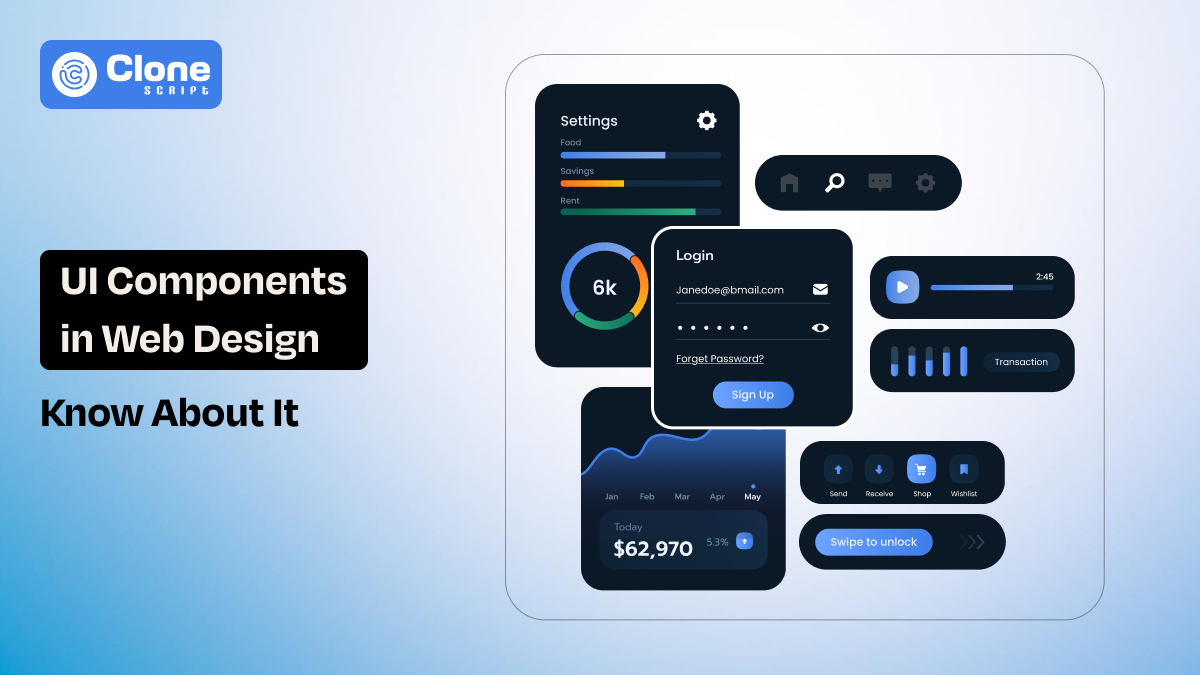
UI Components in Web Design: Types, Benefits, Use Cases, and Examples
Before a website becomes a collection of pages, it begins as a collection of decisions like how users click, scroll, submit, and navigate. Those decisions are expressed through small interface elements that repeat across the site. These elements are known as UI components.
In this article, we will explore UI components in web design, their types, benefits, real-world use cases, and practical examples, along with how they fit into modern design systems and workflows.
What Are UI Components?
UI components are reusable interface elements designed to perform a specific function within a website or application. Instead of designing every page as a unique layout, designers create components once and reuse them wherever needed.
You can consider the examples of UI components as buttons, form fields, navigation bars, cards, modals, and alerts.
When people ask what are UI components, the simplest answer is that they are the smallest functional building blocks of a user interface.
Each component includes the following:
-
Visual styling
-
Interaction behavior
-
Usage rules
In website UI and UX design, UI components help maintain consistency across pages and reduce repetitive work. They are structured elements that can live inside design systems and be translated directly into code. Using them, collaboration between designers and developers, especially in modern, component-driven workflows, is defined.
What are the Primary Characteristics of Good UI Components?
There are some characteristics of premium UI components that make them preferable in web development. Here we highlight those:
-
They are consistent.
Design components are consistent. A button looks and behaves the same everywhere it appears, so users instantly recognize its purpose, like Sign-up or Booking. The intention is to make users feel they’re moving forward in the right direction.
-
They are reusable.
Second, good UI components are reusable. They are designed to work in multiple contexts without redesign. For example, placing the testimonial slider sections on the homepage, just before the footer, or on the product page works the same: create trust.
-
They are scalable.
Third, components are scalable. As a website grows, components adapt to layout changes or usability shifts. For example, when you add new pages or features, the components work accordingly without requiring attention.
-
They are accessible.
Accessibility is another characteristic. Well-designed UI components support keyboard navigation, readable contrast, and screen readers. This becomes important when the website or application goes live on the web, and people start to use it.
-
They are maintainable.
Maintainability matters in website design, and components play a key role. If a component changes, the update should reflect across the entire website. If it can’t, the work has to be done again, which takes time.
These qualities are what separate thoughtful UI component design from one interface element.
What Types of UI Components Are Available?
There are different types of components that can usually be found in any professional website design. Every component serves a different role in user interaction.
-
Input components: These components allow users to enter or select data on a website or app. Examples include text fields, dropdowns, checkboxes, radio buttons, date pickers, and search bars.
-
Navigation components: Navigation UI components help users move through the web application easily. Examples include menus, breadcrumbs, tabs, pagination, and sidebars.
-
Action components: Action components invite the user to perform the preferred task. Buttons, icons, floating action buttons, and call-to-action elements come into this category.
-
Display components: These components present information to users in a unique manner. Cards, lists, tables, tooltips, badges, and progress bars are common display UI components.
-
Feedback components: Feedback UI components communicate system status or responses. Alerts, notifications, loaders, modals, and toast messages are typical examples.
Understanding these types of UI components helps designers choose the right element for each interaction on a website and application. Instead of redesigning layouts, teams can depend on proven components to create predictable and user-friendly interfaces.
What are the Benefits of using UI Components in Web Design?
Implementing design components in web development, teams can experience the following advantages.
-
Faster Design and Development: UI components have ready-made sections and visual assets that can be used across the web development. This speeds up the entire workflow.
-
Improved User Experience: Consistent UI components make interfaces predictable. It means every user can find what they want to do and prevent losing themselves due to confusion.
-
Better Collaboration: Designers and developers can collaborate easily during web development with a shared language. This reduces misunderstandings and rework.
-
Easier Maintenance: When updates are required, changing a single component updates every instance of the system for long-term maintenance.
-
Scalability for Large Projects: For growing products, reusable UI components align with new features and existing design standards. There is no need to create the elements again.
There’s a fact: designing the web apps without using the UI components, you’re working hard, not smart.
What are Common UI Components Use Cases in Website and Application Development?
Here are common use cases to implement the UI components in development:
-
E-commerce Websites: In e-commerce website development, the product cards, filters, shopping carts, checkout steps, and payment forms are made through reusable UI components. They appear across multiple pages, from home to products.
-
SaaS Dashboards: Dashboards in web apps have heavy data to handle, like as charts, tables, navigation panels, and notification systems. Here, design components are made to manage every detail perfectly.
-
Corporate and Marketing Websites: Websites focusing on brand communication require hero sections, testimonial sliders, pricing tables, and contact forms. With the UI components, these sections and visual assets are created.
-
Content Platforms: Blogs and media sites use UI components like article cards, category filters, comment sections, and sharing buttons. They focus on the content readability and impressive representation.
In each of these cases, these components keep maintaining consistency while supporting complex user journeys.
What are the Best Examples of UI Components?
Here are the UI components examples. It can be useful to know when and where to use them:
-
Button Component: A button is one of the simplest yet most important components. It includes states such as default, hover, active, and disabled.
-
Card Component: Cards are flexible display components used for products, blog posts, profiles, or services. They have images, text, and actions in a single unit.
-
Navigation Bar: A navigation bar is a composite UI component that includes links, dropdowns, search fields, and icons.
-
Modal Dialog: Modals are feedback components that overlay content to display alerts, confirmations, or forms without leaving the page.
-
Form Component: Forms combine multiple input components with validation rules and feedback messages. This component is complex but highly reusable.
These examples show how small elements combine to create complete interfaces with minimal work in an agile way.
Do Ready-Made Design Templates Have UI Components?
The answer is yes, but with limitations. Most web design templates include predefined UI components such as buttons, headers, footers, cards, and forms. However, these components are based on:
-
Designed for a specific layout
-
Less flexible for customization
-
Not always part of a scalable design system
While templates are useful for quick launches, they may not have the depth and adaptability of custom-built UI components in design systems. This becomes important when comparing UI components vs templates.
Looking for the UI design?
What is the Difference Between UI Components, Design Patterns, and Templates?
UI components, design patterns, and templates are not the same, but they are used interchangeably in the web project design to serve different purposes.
-
UI Components: UI components are concrete, reusable elements like buttons or cards. They are the actual building elements used in interfaces.
-
Design Patterns: Design patterns are reusable solutions to common design problems, such as infinite scrolling or onboarding flows. They guide how components are used, but are not components themselves.
-
Templates: Website templates are pre-designed page layouts that combine multiple UI components into a fixed structure.
Understanding this difference helps designers choose the right option depending on whether speed or scalability is the priority.
What are the Best Practices for Designing UI Components?
Follow these practices when implementing components in a web design project:
-
Define Clear Usage Rules: Describe when and how each component should be used to avoid misuse. This reduces the overusage that feels generic.
-
Design for Flexibility: Components should support variations such as size, color, and state in a web application without redesign. This is important when the product grows.
-
Maintain Visual Hierarchy: Check components align with typography, spacing, and color guidelines as per branding.
-
Prioritize Accessibility: Accessibility should be built into components from the start, not added later. It includes keyboard navigation, a side navigation bar on mobiles, and easily reachable icons.
-
Test in Real Contexts: Always test UI components within actual layouts to know they work as intended. If there is any modifications are needed, they can be resolved.
Prioritize considering these practices and create the chances of getting the output you want.
How UI Components Fit Into Modern Design Tools and Workflows?
Modern workflows depend on UI components in design systems and collaborative tools like Figma, Sketch, and Adobe XD. These tools allow designers to create component libraries with variants. Then, developers translate these into code-based component libraries using frameworks such as React or Vue.
This shared component-driven workflow is optimized for:
-
Design-to-development consistency
-
Faster correction cycles
-
Scalable product growth
Managing the workflow using the components is an appropriate option, and most development teams prefer it.
Conclusion
UI components are the foundation of modern web design. They replace page-by-page design with a structured, scalable approach that benefits both users and teams. This results in an optimized output in the web application that the client wants. However, following the best practices for these components makes the development process agile.