BTC - Bitcoin
 USDTERC20 - USDT ERC20
 ETH - Ethereum
 BNB - Binance
 BCH - Bitcoin Cash
 DOGE - Dogecoin
 TRX - TRON
 USDTTRC20 - USD TRC20
 LTC - LiteCoin

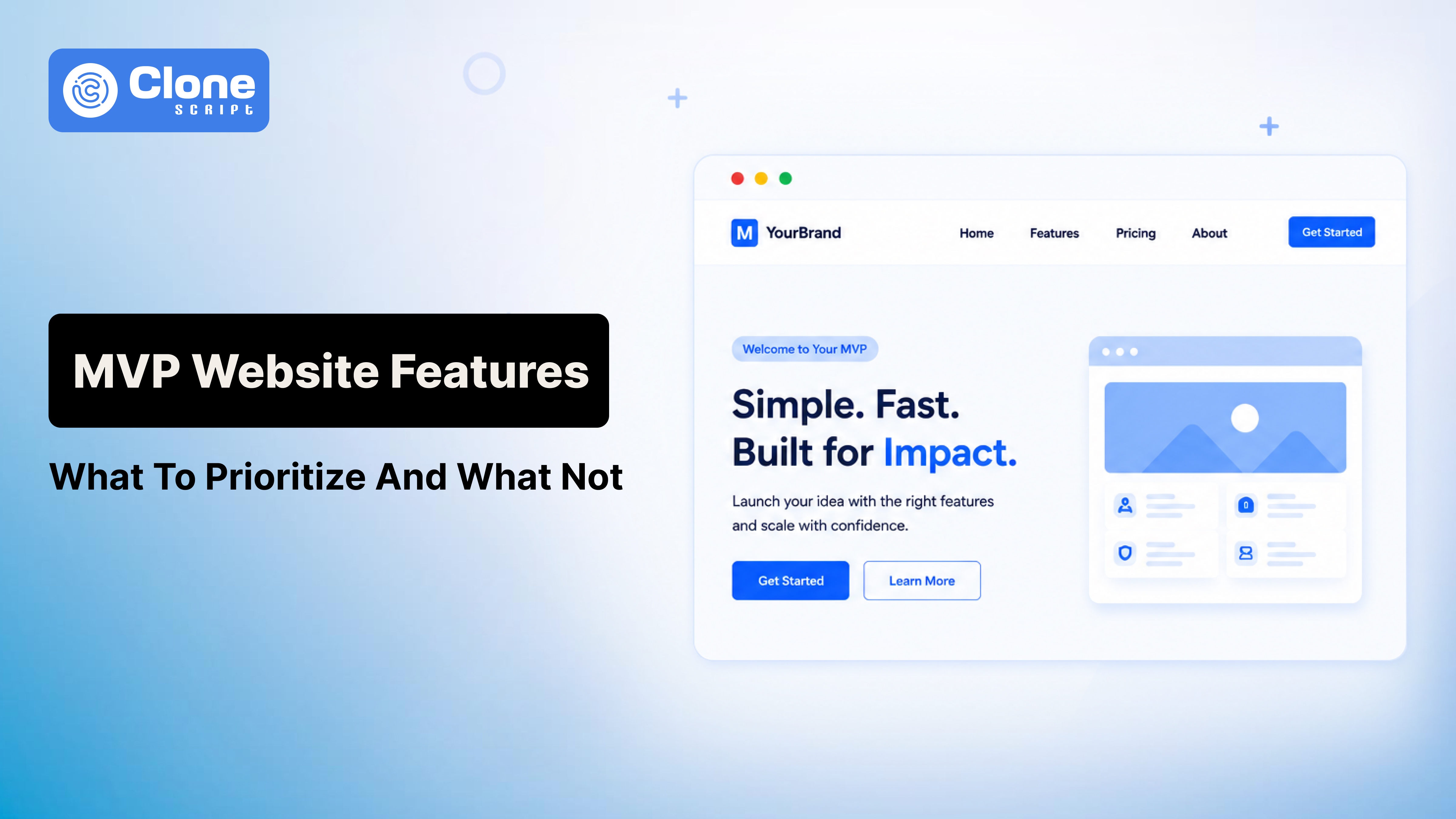
MVP Website Features: What You Need at Launch (And What Can Wait)
One of the most expensive mistakes businesses make before launching a website isn't poor design, weak content, or even a limited budget.
It's trying to build everything at once.
A founder starts with a simple idea: launch a website that generates leads, attracts customers, and validates a business concept. Then the feature requests begin. A chatbot gets added. Then a customer portal. Then advanced search filters. Then personalized recommendations. Then integrations with five different tools.
Three months later, the website still isn't live.
Meanwhile, competitors are already attracting traffic, collecting leads, and learning from real users.
This scenario plays out every day. Businesses assume that a successful website requires dozens of features before launch. In reality, most high-performing websites start with a focused set of essentials and evolve based on user behavior.
The question is not how many features your website should have.
The real question is: which features actually help you achieve your business goals on day one?
In this guide, you'll learn the essential MVP website features worth investing in before launch, the features that can wait until later, and how to avoid the costly trap of overbuilding.
Why Most Website Launches Take Longer Than Planned
Website projects rarely fail because of technical limitations.
They fail because of decision-making.
-
The "Just One More Feature" Problem
Almost every website project begins with a reasonable scope. The trouble starts when stakeholders continuously add new requirements during website development.
A business owner sees a competitor's website and wants similar functionality. A marketing team requests additional landing pages. Someone suggests an AI-powered chatbot because "everyone is using AI."
Individually, these requests seem harmless.
Collectively, they create feature creep, a major reason digital projects exceed budgets and timelines.
Every new feature requires:
-
Design work
-
Development resources
-
Testing
-
Quality assurance
-
Ongoing maintenance
The result is a website that takes twice as long to launch and costs significantly more than originally planned.
-
The Hidden Cost of Overbuilding
Most businesses focus on development costs but ignore opportunity costs.
Every month your website remains unfinished, you're potentially losing:
-
Organic traffic
-
Leads
-
Sales opportunities
-
Customer feedback
-
Brand visibility
A website generating leads today is almost always more valuable than a perfect website launching six months later.
Why Successful Startups Launch Small
Many of today's largest technology companies started with surprisingly simple products.
Their founders understood a critical principle: launch early, learn quickly, and improve continuously.
Instead of guessing what users might want, they collected real-world data and built features based on actual demand.
The same philosophy applies to modern websites.
What Is an MVP Website?
MVP stands for Minimum Viable Product.
Applied to web development, an MVP website includes only the features required to achieve a specific business objective.
That objective could be:
-
Generating leads
-
Selling products
-
Booking appointments
-
Validating market demand
-
Building brand credibility
An MVP website is not incomplete.
It's intentionally focused.
What is the difference between an MVP website and a fully featured website?
A fully featured website often includes advanced functionality designed for future growth.
An MVP website focuses on solving immediate business needs.
Think of it this way:
A startup doesn't need a customer portal before it has customers.
An online marketplace doesn't need advanced recommendation algorithms before transactions exist.
A consulting business doesn't need complex automation before generating consistent inquiries.
The goal is to launch with enough functionality to create value, not every possible feature.
Essential Website Features You Need at Launch
Let's separate the necessities from the distractions.
-
Clear Value Proposition Above the Fold
Research consistently shows that visitors make judgments about a website within seconds.
If users cannot immediately understand, they leave:
-
What you offer
-
Who it's for
-
Why it matters
Your homepage design should communicate these answers without forcing visitors to scroll.
A strong value proposition often performs better than expensive design upgrades because it directly addresses user intent.
-
Mobile-Responsive Design
Mobile traffic continues to dominate web usage globally.
If your website doesn't provide a seamless mobile experience, you're potentially losing a large percentage of visitors before they engage with your content.
Mobile responsiveness is no longer a feature. You have to put it as a priority. It's a requirement.
This includes:
-
Readable text
-
Fast-loading pages
-
Mobile-friendly navigation
-
Easy form completion
If the website is not optimized for mobile, then even spending a heavy budget towards conversion or performance marketing is less effective.
-
Fast Loading Speed
Users are impatient.
Search engines are equally demanding.
Slow websites experience higher bounce rates, lower conversion rates, and weaker search visibility.
For example, a user from Quebec City, USA, wants to buy a hoodie jacket from an e-commerce website. He opened a random store, but after 10 seconds, it was still displaying " Loading; please wait. This frustrates users because, having a strong buying intent, the website is not ready to handle it.
Before launch, prioritize:
-
Compressed images
-
Efficient code
-
Reliable hosting
-
Core Web Vitals optimization
A visually impressive website that loads slowly often underperforms a simpler but faster alternative.
-
Simple Navigation Structure
Many websites make navigation unnecessarily complicated.
Visitors should find key information quickly without hunting through multiple menus.
For most businesses, primary navigation should include:
-
Home
-
About
-
Services or Products
-
Resources
-
Contact
If users need a tutorial to navigate your website, the structure needs improvement. In product-based websites, the navigation lays the foundation of conversions.
-
Conversion-Focused Homepage
A homepage should do more than look attractive.
It should guide visitors toward a specific action.
You can say that a homepage is a branch of a landing page design.
Depending on your business, that action may be:
-
Scheduling a consultation
-
Requesting a quote
-
Signing up for a demo
-
Making a purchase
Every homepage element should support that goal.
-
Contact Forms and Lead Capture
Many businesses spend thousands on driving traffic but neglect lead capture. This is their common and important mistake.
Not every customer is looking to purchase, but they want a customization in product or service and are asking for more information.
A simple, optimized contact form can become one of the most valuable assets on your website.
Ask only for information you genuinely need. Do not force them to provide 10s of details for just shipping updates or refunds.
Every additional form field creates friction.
Short forms generally convert better than long ones, especially during early-stage growth.
-
About Us Page
People buy from businesses they trust.
An effective About page builds credibility by explaining:
-
Your story
-
Your expertise
-
Your mission
-
Your team
Visitors frequently check the About page before making purchasing decisions, particularly for service-based businesses.
Not presenting the information that could fill a trustworthy gap between a customer and business can play a role in decreasing leads.
-
Core Service or Product Pages
One common SEO mistake is placing all services on a single page.
Dedicated pages help search engines understand your offerings and allow you to target specific keywords.
For example, a web development agency should have separate pages for:
-
Custom web development
-
Marketplace development
-
Website maintenance
This structure improves both usability and search visibility.
Every client is looking for different services for their businesses and the problem’s solutions. The absence of details creates doubts.
-
Basic SEO Setup
Many businesses postpone SEO until after launch.
That's a mistake.
Essential SEO foundations should be implemented from day one.
This includes:
-
Optimized title tags
-
Meta descriptions
-
Header hierarchy
-
XML sitemap
-
Internal linking
-
Schema markup where appropriate
Fixing SEO issues after launch requires significantly more effort than implementing them correctly from the start.
-
Analytics and Tracking
You cannot improve what you cannot measure.
Before launch, install:
-
Google Analytics
-
Google Search Console
-
Conversion tracking
-
Event tracking
Without data, feature decisions become guesswork.
With data, they become strategic investments.
-
Security and SSL Certificates
Security directly impacts trust.
Visitors expect websites to be secure, especially when sharing personal information.
SSL certificates are essential not only for user confidence but also for search engine rankings.
A website without HTTPS immediately raises credibility concerns.
-
Legal Pages
Depending on your market, legal compliance may not be optional.
At minimum, consider:
-
Privacy Policy
-
Terms of Service
-
Cookie Policy
For businesses serving international audiences, compliance requirements may extend further.
Ignoring these pages can create legal risks that far outweigh the effort required to implement them.
Website Features That Can Wait Until After Launch
This is where many businesses waste significant time and budget.
The reality is that most websites can operate successfully for months without these advanced features.
-
AI Chatbots
AI chatbots are everywhere in 2026.
That doesn't mean every business needs one.
Many companies install chatbots before understanding the questions customers actually ask. The result is often a frustrating user experience where visitors struggle to find answers and abandon the site.
Before investing in AI-powered support, collect real customer inquiries through forms, email, or live chat. Once patterns emerge, automation becomes far more effective.
-
Advanced User Dashboards
Custom dashboards sound impressive during planning meetings.
In practice, they are among the most expensive website features to design, develop, test, and maintain.
Unless users absolutely require account management functionality from day one, consider simpler alternatives such as email-based communication or third-party tools.
Many businesses discover they don't need a custom dashboard until much later in their growth journey.
-
Personalization Engines
Showing different content to different visitors can improve engagement.
However, personalization only becomes valuable when you have sufficient traffic and behavioral data.
Without meaningful user data, personalization is often based on assumptions rather than evidence.
Focus on attracting visitors first. Optimize experiences later.
-
Community Forums
Community-driven platforms can become powerful growth engines.
They can also become ghost towns.
A forum requires consistent participation, moderation, and content generation. Launching one before building an active audience often creates the impression that the business lacks engagement.
Build the audience first. Create the community second.
-
Loyalty and Rewards Programs
Customer loyalty programs are designed to increase retention.
But retention isn't your biggest challenge during launch.
Acquisition is.
Until you're generating consistent sales or leads, loyalty systems usually add complexity without delivering meaningful returns.
-
Multi-Language Functionality
Supporting multiple languages can significantly expand reach.
However, multilingual websites introduce additional costs related to:
-
Content creation
-
Translation management
-
SEO implementation
-
Ongoing updates
Unless international audiences are a core part of your launch strategy, this feature can often wait.
-
Advanced Automation Workflows
Many businesses attempt to automate processes before they understand them.
Launching with simple workflows helps identify bottlenecks and inefficiencies.
Automation should improve proven processes, not compensate for undefined ones.
Website Features by Business Type
Not every website needs the same feature set.
The most effective MVP depends on your business model.
-
Startup Websites
Startups should prioritize validation.
Essential features include:
-
Strong homepage messaging
-
Lead capture forms
-
Product explanation pages
-
Investor credibility elements
-
Analytics tracking
The objective is learning what the market wants.
-
SaaS Websites
For software companies, clarity is everything.
Core features include:
-
Product feature pages
-
Pricing page
-
Demo booking functionality
-
Case studies
-
FAQs
Potential customers need enough information to evaluate the solution quickly.
-
E-commerce Websites
Online stores require a different approach.
Launch priorities should include:
-
Product catalog
-
Product pages
-
Shopping cart
-
Secure checkout
-
Payment gateway integration
Advanced recommendation engines and loyalty programs can come later.
-
Marketplace Websites
Marketplace founders often make the mistake of overbuilding.
Initially focus on:
-
User registration
-
Listing creation
-
Search functionality
-
Basic transaction management
Sophisticated matching algorithms and advanced dashboards can be introduced after validating marketplace demand.
-
Local Business Websites
Local businesses typically need fewer features than they think.
Prioritize:
-
Service pages
-
Contact information
-
Location details
-
Testimonials
-
Booking or inquiry forms
These features often generate the majority of leads.
A Simple Website Launch Checklist
Before launching, ensure the following essentials are complete.
-
Content Checklist
✓ Homepage published
✓ About page completed
✓ Service or product pages live
✓ Contact page tested
✓ Calls-to-action visible
-
SEO Checklist
✓ Title tags optimized
✓ Meta descriptions added
✓ Sitemap generated
✓ Internal links implemented
✓ Search Console configured
✓ Schema markup reviewed
-
Performance Checklist
✓ Mobile responsiveness tested
✓ Images compressed
✓ Core Web Vitals reviewed
✓ Broken links fixed
✓ Loading speed optimized
-
Security Checklist
✓ SSL certificate installed
✓ Forms secured
✓ Backups configured
✓ Spam protection enabled
-
Analytics Checklist
✓ Google Analytics installed
✓ Conversion tracking configured
✓ Search Console connected
✓ Key events monitored
Completing this checklist will have a far greater impact on launch success than adding another advanced feature.
Signs You're Adding Too Many Features
How do you know you're overbuilding?
Watch for these warning signs.
-
Your Launch Date Keeps Moving
If deadlines continuously shift because new functionality is being added, feature creep is likely the cause.
Every delay postpones customer feedback and revenue opportunities.
-
Development Costs Continue Increasing
A website budget should support business objectives.
When costs rise without corresponding business value, priorities need reassessment.
-
Users Haven't Requested the Feature
One of the most common mistakes is building features based on assumptions.
If customers haven't expressed a need, consider postponing development until demand is validated.
-
You're Solving Problems You Don't Have Yet
Many businesses build for hypothetical future scenarios.
Focus on today's challenges first.
Future problems can be solved when they become real.
-
Competitor Features Are Driving Decisions
Competitors often have different business models, audiences, and growth stages.
Copying every feature from competing websites rarely creates a competitive advantage.
Understanding your own customers does.
Launch First, Improve Later
A successful website isn't the one with the most features.
It's the one that delivers measurable business results.
-
Use Real User Data Instead of Assumptions
After launch, you'll gain insights that no planning session can provide.
You'll discover:
-
Which pages attract traffic
-
Which calls-to-action convert
-
Which services generate interest
-
Where users encounter friction
These insights should guide future development.
-
Prioritize Features Based on Usage
Instead of building ten features at launch, build one feature that users repeatedly request.
This approach reduces waste and increases ROI.
-
Create a Post-Launch Roadmap
Think of launch as the beginning of a process rather than the finish line.
Maintain a roadmap that categorizes features into:
-
Immediate priorities
-
Medium-term improvements
-
Future opportunities
This structure keeps development aligned with business goals.
-
Build Features That Support Revenue
Every feature should answer a simple question:
"How does this help the business grow?"
If the answer isn't clear, the feature probably isn't urgent.
Conclusion
The biggest website launch mistake isn't launching too early.
It's waiting too long.
Businesses frequently spend months building features that customers never use while delaying opportunities to generate traffic, collect leads, and validate ideas.
An MVP website isn't about cutting corners. It's about focusing resources where they create the greatest impact.
If you're preparing for a website launch in 2026, remember this principle:
Build what your users need today. Measure what happens tomorrow. Improve based on evidence, not assumptions.
That's how successful websites are built.