BTC - Bitcoin
 USDTERC20 - USDT ERC20
 ETH - Ethereum
 BNB - Binance
 BCH - Bitcoin Cash
 DOGE - Dogecoin
 TRX - TRON
 USDTTRC20 - USD TRC20
 LTC - LiteCoin

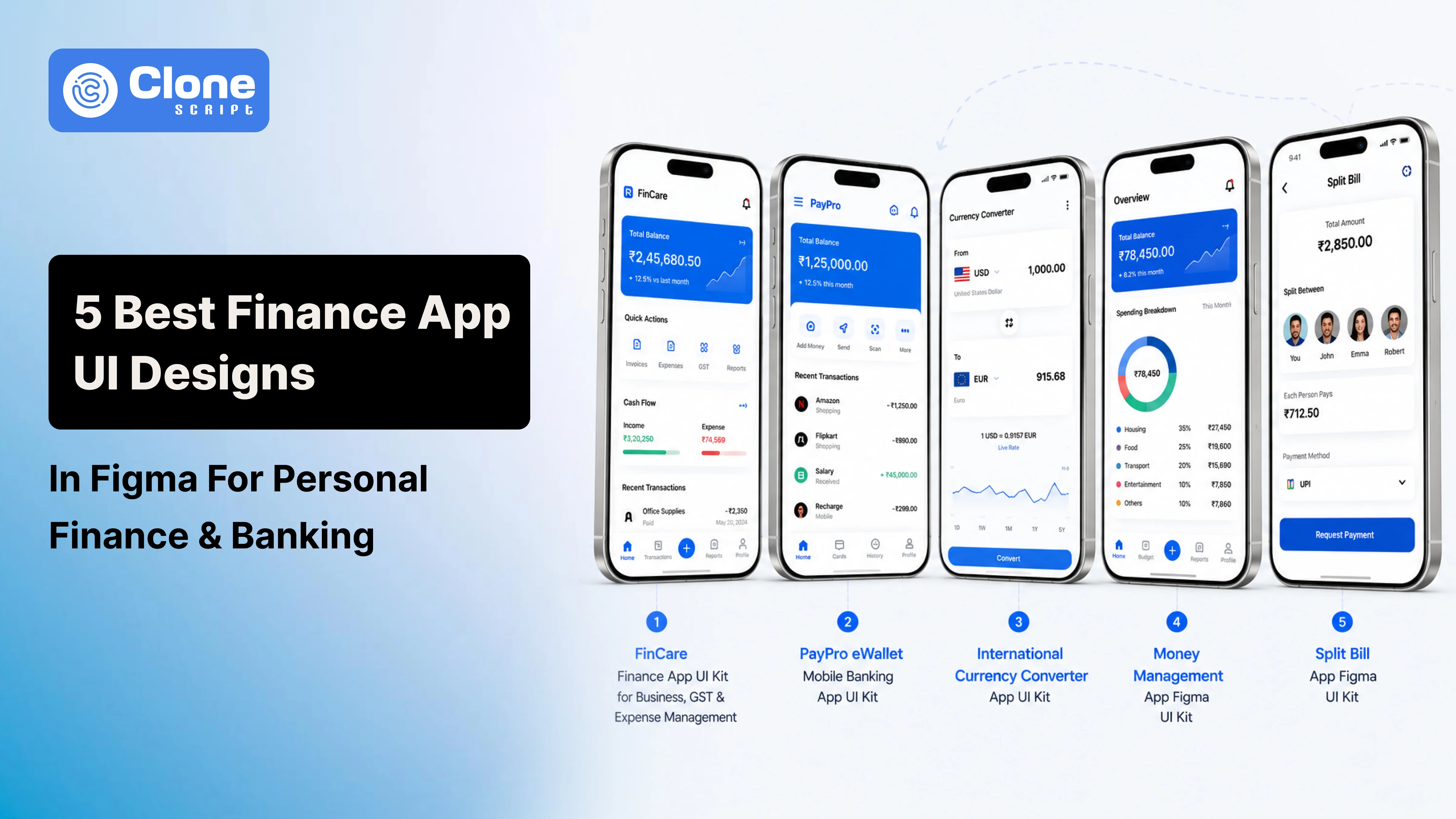
5 Best Finance App UI Designs in Figma for Personal Finance & Banking
Financial apps have become part of everyday life. From checking account balances and sending money to tracking expenses and paying bills, users expect everything to happen in just a few taps. That's why a well-designed Finance App UI is one of the biggest factors behind a successful fintech product.
A modern interface should make financial tasks simple, build trust through intuitive navigation, and provide a seamless experience across every device. Whether you're creating a personal budgeting app, digital wallet, mobile banking platform, or expense tracker, the right UI design helps users feel confident while managing their money.
Fortunately, you don't have to design everything from scratch. A professional Finance App UI Figma kit gives you ready-made screens, reusable components, and organized design systems that significantly reduce design and development time. Instead of spending weeks building layouts, you can customize an existing template to match your brand and launch your product faster.
In this guide, we've selected five of the best Finance App UI designs in Figma for personal finance, banking, expense management, currency conversion, and digital payments. If you're a startup founder, UI/UX designer, or app development company, these UI kits offer a solid foundation for building a modern fintech application.
1. FinCare Finance App UI Kit for Business, GST & Expense Management
Managing business finances involves much more than checking account balances. Companies need tools to monitor expenses, generate invoices, manage GST, and keep track of cash flow. That's where the FinCare Finance App UI Kit provides a practical starting point.

This Figma design combines professional layouts with a clean user experience and design for supporting business finance applications. With ready-to-use screens, it simplifies financial management products for startups, freelancers, accountants, and small businesses.
Key Features
-
Business-focused financial dashboard
-
GST and tax management screens
-
Expense and income tracking
-
Invoice management interface
-
Transaction history
-
Financial reports and analytics
-
Wallet and payment management
-
Modern reusable Figma components
Best For
The FinCare UI Kit is a great choice for building:
-
Business finance apps
-
Expense management platforms
-
GST management software
-
Invoice applications
-
Accounting solutions
-
Financial reporting systems
2. Pay Pro eWallet Mobile Banking App UI Kit Template
As digital payments continue to grow, users expect mobile banking apps to offer more than basic transactions. They want a seamless experience for sending money, managing cards, paying bills, and tracking every payment in real time. The PayPro eWallet Mobile Banking App UI Kit is designed to meet these expectations with a modern and intuitive interface.
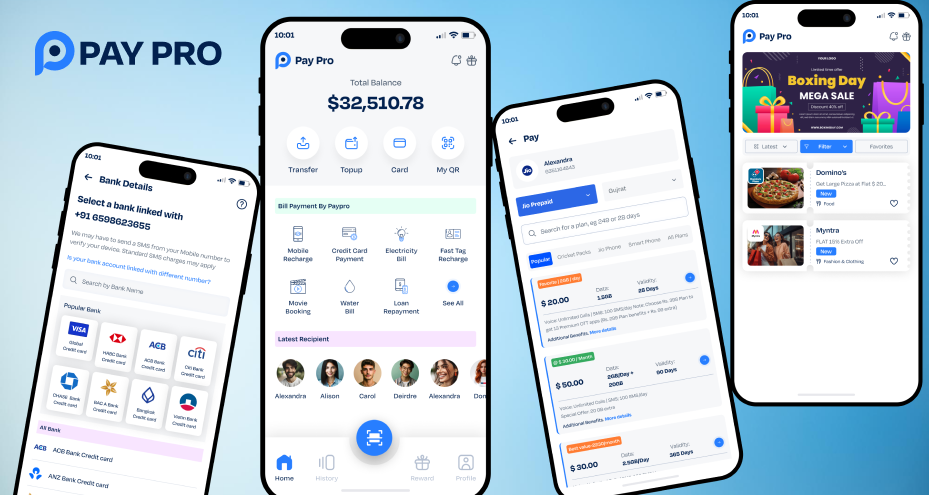
Built for fintech products, this banking app UI design Figma includes professionally crafted screens that handle everyday banking tasks for maintaining a clean and trustworthy look.
Key Features
-
User onboarding and secure login screens
-
Digital wallet dashboard
-
Money transfer interface
-
QR code payment screens
-
Credit and debit card management
-
Transaction history
-
Bill payment workflow
-
Notifications and account settings
-
Reusable Figma components
Best For
This UI kit is suitable for building:
-
Mobile banking apps
-
eWallet applications
-
Digital payment platforms
-
Fintech startups
-
Online payment solutions
-
Neo banking applications
3. International Currency Converter App UI Kit
Whether users are planning an international trip, shopping from overseas stores, or managing foreign currency transactions, a currency converter app should deliver quick and accurate results. The Currency Converter App UI Kit is designed to make currency conversion simple through a clean, user-friendly interface.

This Finance App UI features modern layouts that help users compare exchange rates, convert currencies, and manage their preferred currencies without unnecessary distractions.
Key Features
-
Currency conversion dashboard
-
Live exchange rate screens
-
Country and currency selection
-
Favorite currency list
-
Conversion history
-
Interactive charts and exchange rate trends
-
Simple calculator interface
-
Fully editable Figma components
Best For
The app UI kit is ideal for:
-
Currency converter apps
-
Forex and exchange rate platforms
-
International payment solutions
-
Travel finance applications
-
Remittance services
-
Financial utility apps
4. Money Management App Figma UI Kit
Managing personal finances becomes much easier when users can track their income, expenses, and savings in one place. The Money Management App Figma UI Kit is built for this purpose, offering modern layouts that simplify budgeting and financial planning.
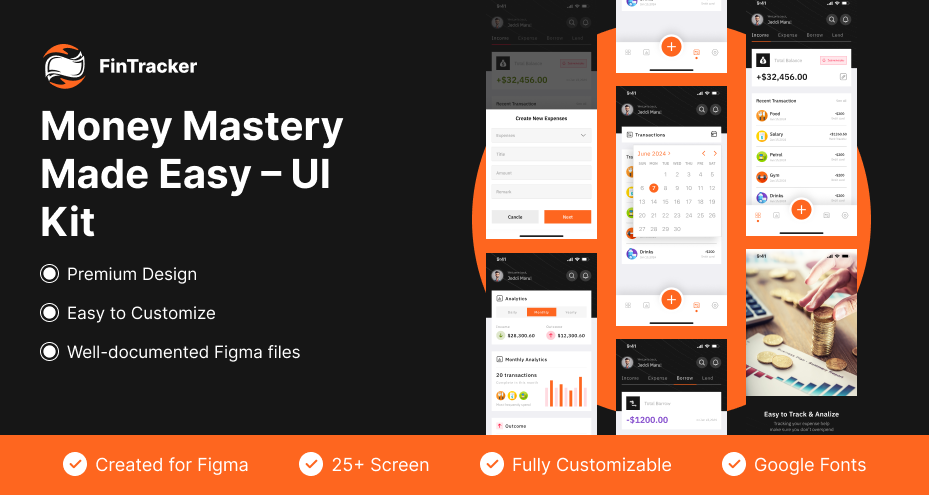
Whether you're designing a budgeting tool or a personal finance app, this UI kit provides a complete set of screens to help users stay in control of their finances.
Key Features
-
Personal finance dashboard
-
Income and expense tracking
-
Budget planning screens
-
Savings goals management
-
Spending analytics and reports
-
Transaction history
-
Financial insights dashboard
-
Reusable Figma components with Auto Layout
Best For
This UI kit is an excellent choice for developing:
-
Personal finance apps
-
Budget planner applications
-
Expense tracking solutions
-
Savings management apps
-
Money management platforms
-
Financial planning tools
5. Split Bill App Figma UI Kit
Splitting expenses is common when traveling with friends, dining out, or sharing household costs. A well-designed app makes this process faster by automatically calculating each person's share and keeping payment records organized. The Split Bill App Figma UI Kit is designed specifically for these everyday scenarios.
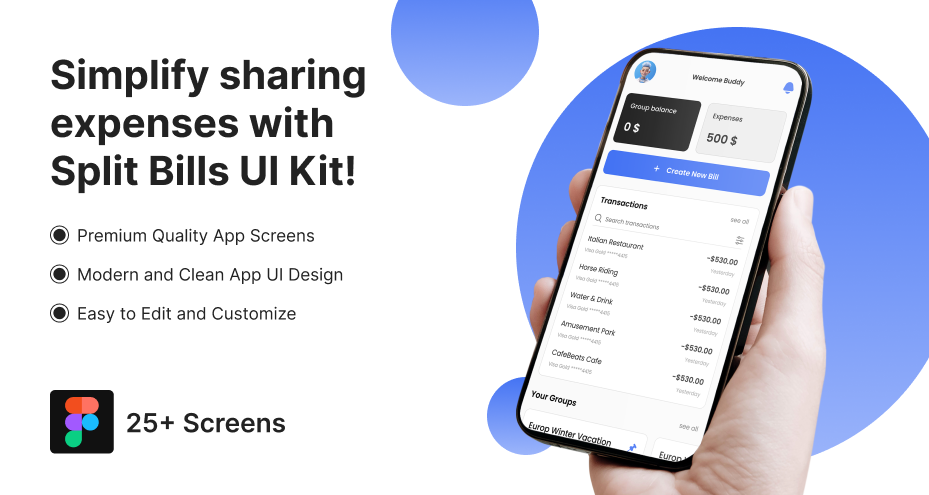
With clean layouts and intuitive workflows, this Finance App UI kit helps designers build expense-sharing applications that are both functional and easy to use.
Key Features
-
Shared expense dashboard
-
Bill splitting calculator
-
Group expense management
-
Payment request screens
-
Balance summary
-
Transaction history
-
Friend and group management
-
Reusable Figma components
Best For
This Figma UI kit is ideal for developing:
-
Bill splitting apps
-
Shared expense management platforms
-
Group payment applications
-
Roommate expense trackers
-
Travel expense apps
-
Restaurant bill-sharing solutions
Why Finance App UI Design Matters
A finance app handles something users value most: their money. That's why people expect an interface that feels simple, secure, and reliable from the moment they open the app.
A thoughtfully designed finance app UI doesn't just improve appearance. It also enhances usability, reduces user errors, and increases customer satisfaction.
A good Finance App UI helps you:
-
Build trust with a clean and professional interface.
-
Make payments, transfers, and budgeting easier.
-
Improve user engagement through intuitive navigation.
-
Display financial information in a clear, organized way.
-
Speed up product development with reusable Figma components.
Whether you're designing a budgeting app or a banking app UI design, putting user experience first leads to better adoption and long-term retention.
What Makes a Great Finance App UI?
The best financial applications focus on usability before visual effects. Every screen should help users complete tasks quickly while making financial information easy to understand.
Here are the key elements every Finance App UI should include:
-
Clean Dashboard
This is key to maintaining customer retention. A dashboard should present account balances, recent transactions, spending summaries, and quick actions without looking cluttered.
-
Simple Navigation
Users should be able to transfer money, pay bills, or check expenses in just a few taps. Clear menus and bottom navigation improve the overall experience.
-
Secure User Experience
Modern finance apps should include biometric login, OTP verification, PIN authentication, and security indicators that reassure users their data is protected.
-
Easy-to-Read Analytics
This includes charts, graphs, and spending reports that help users understand where their money goes and make better financial decisions.
-
Reusable Figma Components
A quality Figma finance app template includes reusable buttons, cards, icons, forms, Auto Layout, and organized design systems, making customization much faster.
Now, let's explore some of the best Finance App UI Figma kits available for different fintech use cases.
How to Choose the Right Finance App UI Kit?
Before selecting a UI kit, identify your app's target audience and the features you want to offer. Choosing the right design foundation can save development time and make customization much easier. Not every Finance App UI is built for the same purpose.
Here are a few factors to consider:
-
Match the UI Kit to Your App Type
Choose a design that aligns with your business goals. For example, a mobile banking app requires different screens than a budgeting or bill-splitting application.
-
Look for Complete Screen Coverage
A good Finance App UI Figma kit should include essential screens such as login, dashboard, transactions, payments, profiles, notifications, and settings. This reduces the need to design additional interfaces later.
-
Check Customization Options
Select a UI kit with reusable components, Auto Layout, organized layers, and editable styles. These features make it easier to customize the design without starting from scratch.
-
Prioritize Modern User Experience
A clean layout, intuitive navigation, readable typography, and consistent spacing contribute to a better user experience and help users complete financial tasks more efficiently.
-
Think About Future Scalability
Your app may grow over time with new features like investments, loans, or analytics. Choosing a flexible Figma finance app template allows you to expand the interface while maintaining a consistent design language.
The right UI kit doesn't just improve the design process. It also helps developers build faster and deliver a polished product that users will enjoy using.
Why Use Ready-Made Finance App UI Kits?
Designing a finance application from the ground up takes time, especially when every screen, button, and user flow has to be created manually. A ready-made Finance App UI kit helps simplify the process by providing professionally designed layouts that are ready to customize.
Whether you're a startup, freelancer, or app development company, using a pre-designed UI kit can significantly reduce both design effort and project costs.
Key Benefits
-
Faster project delivery by using ready-to-edit Figma screens.
-
Lower design costs compared to creating every interface from scratch.
-
Consistent user experience with reusable components and design systems.
-
Easy customization to match your brand colors, typography, and features.
-
Developer-friendly layouts with organized layers and Auto Layout support.
-
Modern UI standards that align with current fintech design trends.
-
Better client presentations using polished, high-quality mockups before development begins.
Instead of spending weeks building the interface, your team can focus on adding unique features and improving the overall user experience. This approach not only speeds up development but also helps launch your finance app faster without compromising design quality.
Use these UI kits to build a banking app UI design, an expense tracker, a budgeting platform, or a digital wallet and get a reliable starting point for your project.
Conclusion
The five Finance App UI Figma kits featured in this guide are designed for different fintech solutions. You can customize these ready-made templates to match your branding and feature requirements. This approach reduces design time, lowers development costs, and helps you launch your product more quickly.