BTC - Bitcoin
 USDTERC20 - USDT ERC20
 ETH - Ethereum
 BNB - Binance
 BCH - Bitcoin Cash
 DOGE - Dogecoin
 TRX - TRON
 USDTTRC20 - USD TRC20
 LTC - LiteCoin

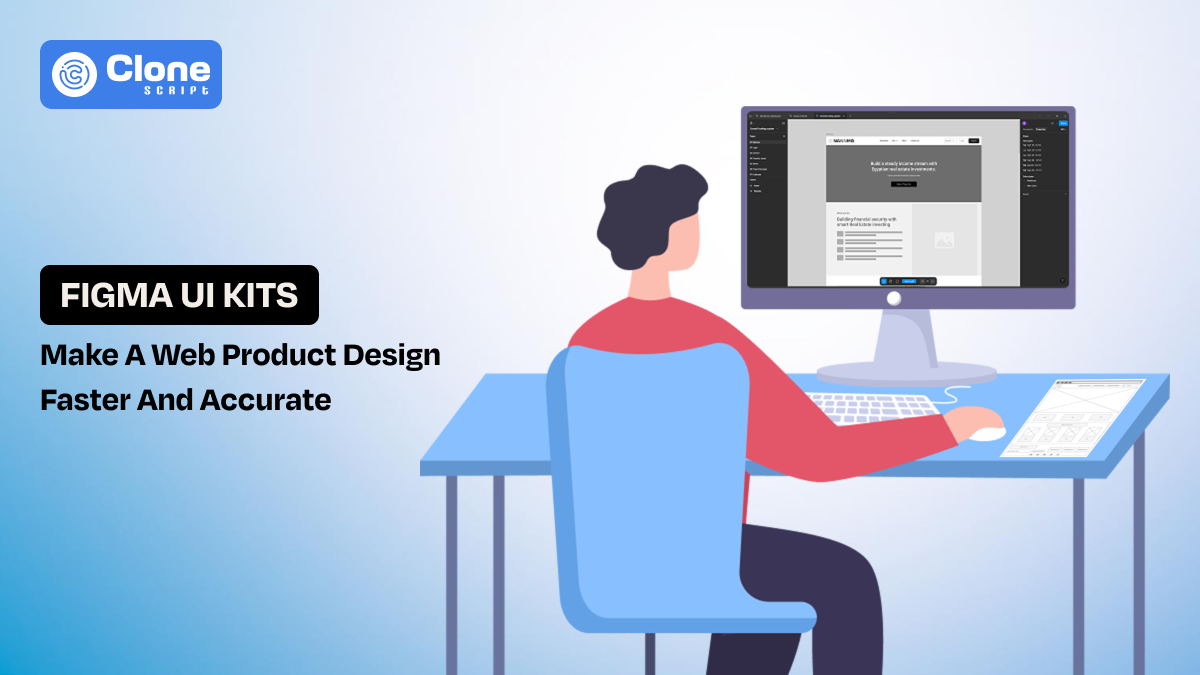
How Freelancers Can Build a Web Product Faster with Figma UI Kits?
Freelance web design usually starts with excitement and ends with “Why am I redesigning the same pricing section for the 47th time?”
You do the following things:
-
Open the Figma file.
-
Add a frame.
-
Start with the blank canvas.
Then, your client wants a “small revision,” and your deadline is coming to an end.
This is where most freelancers get stuck. Not because they lack skill, but because they keep rebuilding everything from scratch. That’s inefficient, exhausting, and honestly unnecessary in 2025 and the future.
The UI kit in Figma is quite a useful tool that helps freelance web designers build faster, charge smarter, and scale without compromising quality.
This blog describes how Figma UI kits actually work in freelance web design, why they matter, and how you can turn them into real, sellable web products.
What Is a Figma UI Kit in Freelance Web Design?
A Figma UI kit is a pre-designed collection of reusable UI components built inside Figma. For example, buttons, navigation bars, icons, forms, cards, pricing tables, dashboards, layouts, typography styles, etc. These are all neatly organized and ready to use for professional web design.
The question is: Can using the ready-made template designs be called cheating?
No.
Freelancers are using the design systems not to copy them.
Instead of designing every website or app design element from the first step, they can start with a solid base. They will customize colors, spacing, fonts, layouts, and interactions to match the client’s brand and goals.
You can also do the same as a freelance web designer:
-
You design once. There is no rework in frame creation, or a color change is required.
-
You deliver faster. If the changes are made in the prototype, it can be done with minimal effort.
-
You deliver faster. If the changes are made in the prototype, it can be done with minimal effort.
That’s modern freelance web design—agile, practical, and focused on delivering real results for clients.
Why Freelancers Struggle to Scale Without Reusable UI Assets?
During project onboarding, freelancers commit to deadlines. If delivery slips, client trust—and honest feedback—can quickly disappear.
That’s where using the reusable UI assets in the project becomes more supportive. It’s not just about saving time—it’s about maintaining quality without overworking yourself.
Here’s the painful truth:
If every project depends entirely on your manual effort, your income will always be limited by your hours.
Here are common struggles freelancers face:
-
Redesigning common sections repeatedly, such as hero sections, testimonials, and footers.
-
Spending hours on layout decisions instead of strategy. Discussing putting the icons on the left-hand side corner or making a responsive page for every device size or typography style selection takes time.
-
Inconsistent design quality across projects. In e-commerce website design, the product page is optimized for conversions, but for the same project, the checkout page is confusing, as it does not showcase the preferred payment options, looking doubtful.
-
Missed deadlines due to over-customization. By strictly following the branding guidelines in web application design, the changes are usually from clients. Sometimes even the numbers of it cross 10 times. So, you can’t onboard other projects until to complete the existing.
-
Burnout from “pixel perfection” on low-budget clients. Businesses with local clients are not ready to spend around $500 to $1500 for custom designing. But they need a great quality of work. So, without using reusable UI assets, it’s impossible for freelancers to provide what they want.
With the Figma UI kit, scaling freelance web design becomes nearly possible. You can get both advantages: optimized workflow and maintain the profitability you deserve.
How Figma UI Kits Reduce Design Time for Client Projects?
Now, we know that using the UI design kits in web design is useful for freelancers. But is it still a good option for client projects from small-sized businesses to large-scale brands?
Yes. It will.
In freelance web design, deadlines matter more than anything. In freelance web design, deadlines matter more than anything.
A premium Figma UI kit can cut your design time by 40–70% per project. Here’s how:
-
Faster Project Kickoff
Using the design template, you don’t have to start from blank frames. There a ready-made sections and layouts waiting to be implemented in the design process. The best part is that these layouts follow expert product designers' recommendations for the best design practices.
-
Consistent Design Decisions
We know a professional website or application is judged by how it looks. For example, if the landing page is optimized for conversions with the correct CTA placements, slider sections, image representation in the correct way, or the headline is good, then it sounds prominent.
Also, the spacing between texts, white spacing usage, typography, and font family are based on the component behavior is important. The Figma design kit already works with these. You don’t rethink the same decisions every time.
-
Easier Client Revisions
Every freelance web product designer knows that clients ask for changes and for a good reason. So, it’s ok to be normal.
Think you prepared the 10-page layouts for the puzzle game app, and now the client asks for section changes in in-app purchase integration. You start wondering why this is happening again—for the fifth time.
This limitation can be removed when you use the UI kits. Here, the revisions become component-level updates instead of redesign work.
-
More Projects, Same Effort
Handling more than five projects at once quickly becomes overwhelming. You have to talk with the clients, reminding them about the approval and honest feedback.
Now, you have already built the product with the design system that helps you to spend less time per project and handle more clients. Then, finally, take weekends off without guilt.
Figma UI Kits vs Custom Design: What Freelancers Should Choose
There’s always been debate across the web designers' community, is it's good to have a Figma UI kit for faster project delivery or does custom design brings more clients. The debate can never end. Here’s a clear comparison to help freelancers decide when to use a Figma UI kit and when custom design is useful.
|
Discussion Point |
Figma UI Kit |
Custom Design |
|---|---|---|
|
Design Start Time |
Start immediately with ready-made layouts and components |
Starts from a blank canvas, requiring more planning |
|
Project Delivery Speed |
Very fast. Ideal for tight deadlines and MVPs |
Slower due to full design exploration |
|
Cost Efficiency |
Lower cost per project, higher profit margins |
Higher effort, suitable for premium budgets |
|
Design Consistency |
Built-in consistency across pages and sections |
Depends entirely on the designer's discipline |
|
Client Revisions |
Easy updates using reusable components |
Revisions often require redesigning sections |
|
Scalability for Freelancers |
Easy to reuse across multiple projects |
Hard to scale due to time-heavy workflow |
|
Creative Flexibility |
Flexible with customization and layout changes |
Maximum creative freedom from scratch |
|
Best Use Case |
Landing pages, SaaS sites, startups, quick launches |
Branding-heavy projects, unique visual identities |
|
Learning Curve |
Quick to learn and apply in real projects |
Requires deeper design exploration each time |
|
Revenue Potential |
Enables faster turnaround and more clients |
Higher single-project pricing, fewer clients |
|
Risk of Burnout |
Lower, due to structured workflow |
Higher, due to repetitive manual work |
|
Long-Term Value |
Can evolve into reusable web products or templates |
Value tied to individual projects only |
So the question is, what is the smart freelancer approach?
Use Figma UI kits as a foundation, not a final product. Customize where it matters. Reuse where it doesn’t.
How Freelancers Can Customize UI Kits Without Losing Originality?
Here’s the biggest fear every web designer has:
“Won’t my designs look the same as everyone else’s?”
The answer is only if you let them.
Here are some ways to keep your website design original while using UI kits:
-
Change typography combinations. For example, if in the design template, “Arial” and “Inter” font families have been used for headings and subheading texts, respectively, then modify it. You can replace them with “EB Garamond” and “Lexend.”
-
Adjust spacing and layout flow for a branding that looks proper, not copied from someone else. If the UI kit has a 5 spacing between sections, then change it to 7 or 9 for heading sections and other sub-headings, with user experience prioritizing.
-
Redesign hero sections and CTAs as per the brand’s goal, like conversion, bookings, or contacting. If the H1 content is on the right side with a background image, then replace it with the real image or brand video with 2 CTA buttons.
-
Add custom illustrations or icons. Do not depend on the stock images contained in the UI designed layouts. Use the logo, icon, and image that represent what the business is for. This removes the generic feel in the user experience.
-
Modify component structure, not just colors. If needed, a trusted element in the 2nd top spot homepage, but if the UI kit has it in the second last, then change it. Figma allows to use of drag and drop functionality, use it.
-
Align UI with brand voice and messaging. Refer to the brand guidelines and then put in efforts to make the design truly dedicated to the client’s business.
Note that a UI kit gives you structure to initiate the design process, and your creativity gives it personality.
How to Turn Figma UI Kits into a Real Web Product?
This is where freelancers truly level up—by turning a Figma UI kit into a usable, sellable web product based on real client needs.
-
Create landing page templates. With the reusable assets in UI, the landing page design is easy because there is no need to find the best typography, form sections, and images that help to fulfill the conversion intention.
-
Build niche-specific website designs (SaaS, crypto, agencies). For SaaS products, the leads are important; crypto managing businesses need security, agencies need conversions, so UI kits are already optimized for it.
-
Sell UI kits on your own website. This can be a good revenue opportunity for you to help the design community with quick product design. Clearly describes the commercial and personal license.
-
Offer faster turnaround packages to clients. If a client needs a complete website design for a learning management system like Byju’s in 30 days, then with the UI kit, there’s a possibility to provide the MVP for approval.
-
Build design systems for long-term clients. Maintaining a client for future work depends on how you help them without any hurdles, especially in branded product design. UI kits help you to deliver the work on time, make changes as needed, and ultimately complete the commitment.
Instead of selling hours, you start building solutions. That’s how freelance web design becomes a scalable opportunity.
What to Look for Before Buying a Figma UI Kit?
Free Figma UI kits are useful but not as premium ones. So, before you opt for a single-page UI kit or more than 40 pages, check the following:
-
Check if there is a clean auto-layout usage or not? This ensures how smartly the design system has been developed, or just copied from elsewhere.
-
Proper component variants availability. From hero sections to the footer and product pages to contact form elements have to be organized. So, the time can be saved and a production-ready web product.
-
Responsive layouts are a must-have choice. Whether you design an appointment booking or a Fintech web product for Android and iOS devices, make sure the layouts support responsive web design.
-
Consistent spacing system existence. To improve visibility of the web product, the spacing has to be properly utilized, not overused.
-
Editable typography styles. Adding a custom font family in the UI design sounds professional and reduces the generic experience.
-
Organized layers and naming. From the homepages to the particular sections have to be named properly. If there is any change the client needs or you want to add other elements can be done easily.
-
Real-world sections (pricing, FAQs, forms). These sections are reducing the efforts in manual design. With the customization, a branded website design becomes easy.
Always prefer a premium Figma UI design kit that comes with documentation and on-time support.
Why Our Figma UI Design Is the Right Choice for You?
At AllClone Script, our Figma UI kits are built by professionals, for freelancers.
We have multiple types of business websites and apps’ UI kits from cryptocurrency exchange, e-commerce, service-based, gaming, and LMS. These UI kits include:
-
Practical layouts, clients actually need to see the product prototype before sending it to the development phase.
-
Conversion-focused website design sections like hero, testimonial, navigation, breadcrumbs, sliders, etc.
-
Easy customization for web and app design. Once you buy the Figma UI kit, you have the choice to do whatever you want to do. There’s no restriction.
-
Clean structure that saves hours, not minutes. Our website designs are coming with a clear approach to help you not waste time on a single section design.
-
Designed to help you launch faster and earn more. To accomplish the project for web designing, the UI kit is optimized to save you from manual work, but to manage the process smartly.
We optimized the designs for no unnecessary components. We offer real tools for real freelance web design work.
Final Thoughts
Freelancing in web design isn’t about working harder. It’s about working smarter.
A Figma UI kit won’t replace your creativity. It will protect it.
If you want to build web products faster, deliver better results, and stop redesigning the same button forever.
They’re your unfair advantage.
Honestly? Your future self will thank you for it.