BTC - Bitcoin
 USDTERC20 - USDT ERC20
 ETH - Ethereum
 BNB - Binance
 BCH - Bitcoin Cash
 DOGE - Dogecoin
 TRX - TRON
 USDTTRC20 - USD TRC20
 LTC - LiteCoin

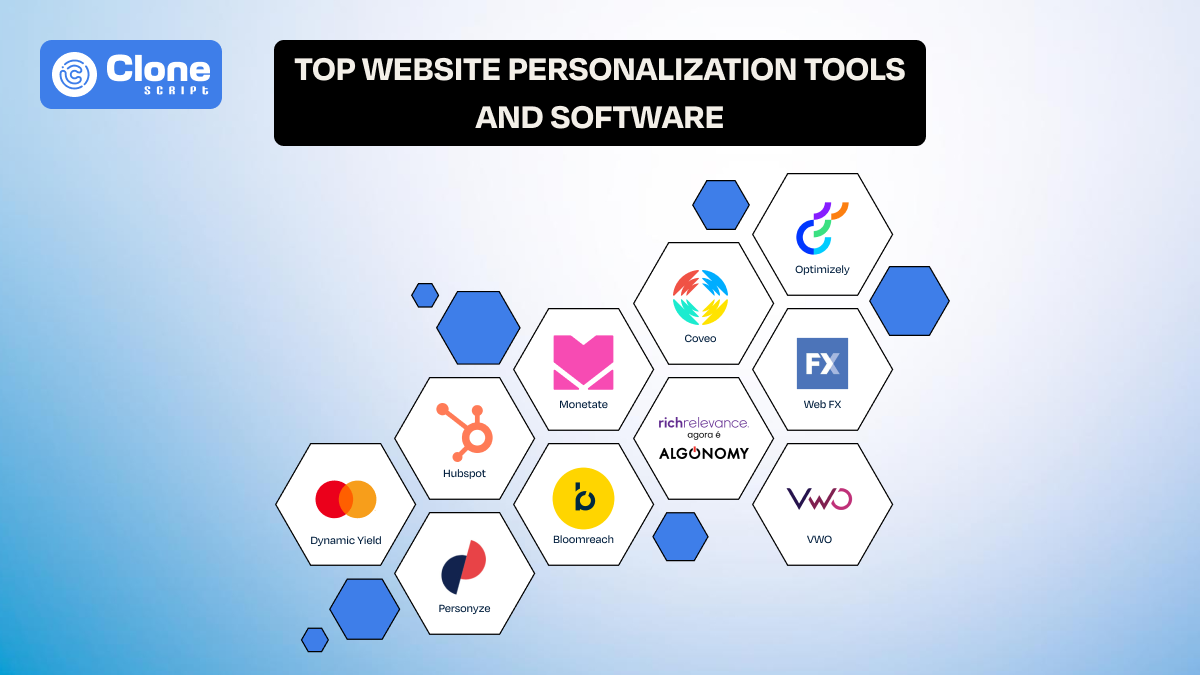
Top 10 Website Personalization Tools & Software to Integrate for Productivity
Understanding the user behavior and valuing their preferences and needs has proven to be a great strategy for online business growth. A website personalization tool and softwares are helping brands to deliver the right message that users want to read and consume. After all, every user has different expectations, so a single messaging strategy will sink the brand reputation.
There are plenty of website personalization tools available. Which one to choose for your business depends on your goals. But, don’t worry, we explain the best softwares you can use for your website and mobile applications with an understanding of their features.
Why Does Your Website Need Personalization?
In simple words, website personalization keeps your brand genuinely trustworthy, professional, and preferable to others who solely focus on selling products or services, not on what the user’s needs are.
We know if the website experience is discomforting, generic, or irrelevant at the second moment, the applications we close and never visit again.
Here’s an overview of why it matters:
-
Improves user experience: With personalization, visitors find what they are looking for faster, in a matter of seconds. Behind the scenes, the content adapts to their behavior, location, device, or past interactions.
-
Strengthens brand perception: A personalized experience signals that your brand understands its audience and their requirements, not just depending on the promotions.
-
Increases engagement and conversions: With relevant messages, product recommendations, and CTAs, the branding efforts are optimized over one-size-fits-all content.
-
Supports data-driven decisions: Most website personalization software offers real user data rather than assumptions. This improves the overall business growth strategy.
-
Scales' personalization efforts: Manual customization is not sustainable nowadays. These tools allow personalization across pages, segments, and campaigns without rebuilding your site.
Ultimately, personalization has become a baseline expectation.
Top 10 Website Personalization Tools and Software for 2025
Below are some of the most reliable and widely used website personalization tools available today, each serving different business needs and maturity levels.
-
Dynamic Yield
-
Personyze
-
HubSpot
-
Monetate
-
Bloomreach
-
Qubit
-
RichRelevance
-
Optimizely
-
PersoanlizeFX
-
VWO
Now, let’s see what these tools are, their features, and what they are best for.
1. Dynamic Yield
Dynamic Yield is a powerful website personalization platform that helps businesses deliver tailored digital experiences using real-time behavioral data. Whether you want to offer personalized content, product recommendations, or messaging across online channels, it can be done. The best part is you don’t need to disrupt the existing website or app structure.

Key Features of Dynamic Yield
-
Behavior testing: This tool helps in behavioral targeting based on real-time user actions and browsing intent.
-
AI adoption: The well-tested AI-driven product recommendations adapt as user behavior changes.
-
User segment: Advanced audience segmentation using device, location, and interaction data can be possible.
-
Tested system: A/B testing tools to measure personalization impact accurately. This improves the overall brand strategy.
-
Complete solution: Omnichannel personalization across web, mobile, email, and apps. Don’t need to use different platforms; everything can be done here.
-
Easy setup: Integration-friendly setup with ecommerce platforms and CMS tools with tutorials and support.
-
Control possibility: Centralized dashboard to manage personalization rules and performance insights in a few clicks.
This personalization tool is best for:
Established ecommerce and enterprise websites needing advanced, data-driven personalization at scale across multiple customer touchpoints.
2. Personyze
Most website personalization tools depend heavily on automation, but Personyze was built for teams that want to stay in control. Instead of hiding decisions behind algorithms, it lets businesses clearly define how content should change for different visitors. The result? Personalization becomes easier to understand, adjust, and refine over time.

Key Features of Personyze
-
Rule-first personalization logic: In this tool, personalization is driven by clearly defined rules to decide exactly when and why content changes.
-
Behavior-based visitor segmentation: Users are grouped based on actions such as pages viewed, time spent, and interaction patterns. This makes targeted messaging easy.
-
Traffic-source targeting: Content can adapt differently for visitors arriving from ads, search engines, or referral links.
-
On-page content customization: Banners, messages, and content blocks can change without affecting the site’s overall layout.
-
Product and content recommendations: Through this tool, recommendations are generated using browsing behavior rather than complex predictive models.
-
Built-in experimentation tools: A/B testing helps teams validate whether personalized content actually improves engagement.
-
Privacy-aware data handling: In this personalization tool, visitor data is managed with consent controls that align with modern privacy expectations.
This personalization tool is best for:
Small to mid-sized businesses want practical website personalization without enterprise-level complexity or heavy development involvement.
3. HubSpot
When visitors are already known contacts, showing generic content weakens trust. HubSpot approaches website personalization from a relationship perspective, using CRM data to ensure returning leads and customers see messaging aligned with their previous interactions. This can be the most important aspect for users to feel they’re in the right place.

Key Features of HubSpot
-
Lifecycle-based content changes: Website content adjusts based on whether a visitor is a lead, prospect, or customer.
-
CRM-driven personalization logic: Personalization rules are powered by verified contact and company records.
-
Campaign-aligned CTAs: Calls-to-action reflect active marketing campaigns and funnel position.
-
Website and email consistency: Personalized messages remain consistent across website and email touchpoints.
-
List-based content targeting: Content variations can be triggered using static or dynamic contact lists as per the campaign.
-
Built-in performance attribution: Personalization results are tied directly to conversions and lead activity to check that everything is on track.
-
CMS-native management: Marketers control personalization within HubSpot’s CMS without developer dependency.
This personalization tool is best for:
Businesses using HubSpot that want website personalization directly connected to CRM, marketing, and sales activity.
4. Monetate
Not every website problem requires a full redesign. Monetate is used by teams who want to improve specific moments in the customer journey, such as product discovery or checkout. Using this tool, there’s less assumption work for personalization. It’s overall based on real visitor behavior.

Key Features of Monetate
-
Moment-based personalization: Experiences are tailored at high-impact points where users are most likely to decide or drop off, like a product page or checkout.
-
Real-time audience recognition: Visitors are identified and targeted as they interact with pages, not after sessions end.
-
Offer and message optimization: Promotions and messages adjust based on behavior and engagement signals.
-
Visual change deployment: Marketers can launch personalization without waiting for development cycles to be completed and deployed.
-
Integrated testing environment: Personalization ideas are validated through built-in A/B experiments in content marketing.
-
Behavior-focused analytics: Reports highlight which personalized elements influence conversions, such as CTA placement, interesting headline, or discount offering.
-
Scalable performance handling: The platform supports high traffic without slowing site performance, which is a good advantage in terms of SEO.
This personalization tool is best for:
Brands aiming to optimize specific conversion moments using controlled personalization rather than broad website changes.
5. Bloomreach
Many users abandon websites because they cannot find what they need quickly. Bloomreach addresses this by connecting personalization directly to search and content discovery. This means users see relevant products and content the moment they start exploring. The approach this tool shows helps brands to be on the right track from the first interaction.

Key Features of Bloomreach
-
Intent-driven site search: Search results on the platform adapt based on previous queries, clicks, and browsing behavior.
-
Content-aware recommendations: Products and content are suggested based on contextual relevance, not randomness. This feels good for users to explore more.
-
Unified customer data usage: Behavioral data is shared across personalization and content systems to refine the messaging if there is any flaw.
-
Headless-ready architecture: Personalization works smoothly with modern, decoupled website frameworks like Bootstrap, React, WordPress, etc.
-
Discovery-focused navigation: Category and content paths adjust to match user interest patterns like seeing product videos, starting checkout.
-
Cross-channel experience alignment: Personalization remains consistent across web, email, and mobile touchpoints under a single roof of this platform.
-
Enterprise-scale content handling: The platform manages personalization across large catalogs and content libraries.
This personalization tool is best for:
Content-heavy and ecommerce businesses where discovery, search, and navigation strongly impact engagement.
6. Qubit (Coveo)
Some personalization fails because it starts too early. Qubit (now part of Coveo) is chosen by teams who want to understand user behavior deeply before changing experiences. This can save the brand from being too promotional and running the marketing campaigns only on assumptions. Using insight-led personalization rather than surface-level targeting.

Key Features of Qubit
-
Session-level behavior capture: Every interaction is tracked to understand how users move through the site.
-
Intent-based audience modeling: The user segments are created around motivations, not just demographics.
-
Friction-point personalization: The website experiences are adjusted where users hesitate or abandon journeys. It’s not a sales push but guides.
-
Evidence-backed experimentation: Personalization on websites is tested before full rollout. The chances are less to get unwanted results in return.
-
Behavior explanation analytics: Insights gained from this tool are focused on why users act, not just what they do.
-
Non-intrusive implementation: Personalization layers do not disrupt the site structure or performance, which is the most important aspect to retain the users.
-
Analytics ecosystem compatibility: This tool can work alongside existing analytics and ecommerce tools.
This personalization tool is best for:
Data-led teams that want to base personalization decisions on deep behavioral understanding in a proper way.
7. RichRelevance
In ecommerce, showing the wrong product is worse than showing none at all. RichRelevance focuses entirely on solving this problem by using shopping behavior and purchase signals to surface products that are genuinely relevant to each visitor. This can reduce your dependency on cart abandonment tools or other cart recovery platforms.

Key features of RichRelevance
-
Purchase-intent modeling: Recommendations are shaped by how users browse, compare, and buy products.
-
Real-time recommendation updates: Suggested products change instantly as visitors interact with listings. This dynamic experience creates brand trust.
-
Category-level personalization: Product rankings adjust based on individual interest patterns, as some prefer ready-to-ship products or others want to join the waitlist.
-
Cross-session behavior learning: The system remembers preferences across multiple visits, session-wise.
-
Merchandising control options: Teams can influence recommendations without overriding personalization logic.
-
Revenue-focused analytics: Website speed performance is measured using metrics tied directly to sales outcomes.
-
Large-catalog support: This tool is designed to handle complex inventories without degrading relevance.
This personalization tool is best for:
Retail and ecommerce brands focused on improving product relevance and increasing average order value.
8. Optimizely
Personalization without measurement leads to guesswork, especially when you have a unique product or service offering to customers. Optimizely approaches personalization as an experiment. From there, teams can test personalized experiences in controlled conditions before committing to long-term changes.

Key Features of Optimizely
-
Experiment-led personalization: Every personalized variation can be measured against a control group. This removes confusion in analytics.
-
Audience rule flexibility: Segments can be defined using behavior, context, or custom attributes. So, targeting the messages is easy.
-
Feature flag deployment: Use experiences are released gradually to reduce risk, even if it has been done on a heavy basis.
-
Multivariate content testing: Multiple personalization elements can be tested simultaneously without always involving subsequent changes.
-
Clear performance attribution: Results are tied to specific experiments and user outcomes. So, identifying what’s working or not is simplified.
-
Developer-friendly workflows: This tool supports modern development practices alongside marketing use cases.
-
Scalable experimentation framework: It is designed for continuous testing across large digital properties to be optimized.
This personalization tool is best for:
MNCs and organizations that want personalization decisions supported by experimentation and statistically valid results.
9. PersonalizeFX
Not every business needs complex data models to personalize effectively, especially startups and small businesses. PersonalizeFX is built for teams that want to adapt messaging and content using clear behavioral signals without investing in heavy technical infrastructure.

Key Features of PersonalizeFX
-
Behavior-triggered content changes: The messaging updates in this tool are based on how visitors interact with the site.
-
Traffic-source differentiation: Web experiences vary for users arriving from ads, search, or referrals. So, targeting based on the acquisition channels is easy.
-
Simple rule configuration: Personalization rules are easy to set and adjust without any skilled technical stack knowledge.
-
Non-disruptive content delivery: Changes occur without altering core design elements. This saves resources on website UI/UX design.
-
Quick platform integration: The setup for the PersonalizeFX tool does not require major website restructuring.
-
Audience-level performance tracking: The results are measured by segment, not just overall traffic. From there, the messaging reached to right audience and conversions improved.
-
Lightweight operational footprint: This personalization tool is designed for teams with limited resources.
This personalization tool is best for:
Small to mid-sized businesses seeking practical personalization without complexity or high operational cost.
10. VWO
Do you have the best product on the website, but still not getting the required leads or conversions? Then, picking the VWO personalization tool is helpful. This tool combines personalization with observation tools. So, seeing how users interact with a site before deciding what experiences to personalize saves restructuring and resources.

Key Features of VWO
-
Behavior-based visitor segmentation: User segments are created using real interaction patterns. There’s no lump sum data that has been shown.
-
Experience personalization tools: Content and layouts adapt for different visitor groups (e.g., casual, frequent).
-
Validation through A/B testing: Personalization changes in the website are tested before full deployment, so the chances of getting less recognition can be reduced.
-
Heatmap-driven insight generation: Visual data highlights where users focus attention, which helps in headline judgement, CTA placements, or visual changes.
-
Session replay analysis: Recordings reveal frustration and usability issues, and from there, where the most attention is required.
-
Funnel performance tracking: Drop-off points guide priorities like fixing the checkout design in minimal steps or adding a subscription newsletter at every page.
-
Visual editing interface: Teams can deploy personalization quickly without development delays using the built-in functionality.
This personalization tool is best for:
Businesses that want personalization decisions guided by usability insights and conversion optimization data.
Conclusion
Website personalization is not about showing different content to everyone, but about showing the right content to the right visitor. When used thoughtfully, personalization tools help businesses create relevant experiences that build trust, improve engagement, and support long-term brand growth without compromising usability.
FAQs
-
Do personalization tools change the website code separately?
No. Most personalization tools operate through scripts or integrations, minimizing direct code changes. It’s all about dynamically modifying content and experiences.
-
How much does it cost to deploy website personalization software?
Costs of these tools range from affordable monthly plans for small businesses to enterprise pricing. It is based on traffic, features, and usage scale.
-
What are the advantages of using personalization tools for a website?
These tools are optimized to offer relevant experiences, improve engagement and conversions, along with unified branding. So, businesses utilize existing website traffic more effectively.
-
What mistakes do businesses generally have to avoid to pick the best personalization tool?
The first mistake is to go for complex tools that your team can’t manage for setup. Also, ignoring data quality, integrations, or confusing experiences in the personalization platforms.
-
Do these tools improve the load of my websites?
Not actually. These personalization tools are tested well across devices to measure the performance. You can ask demo of the tool before integrating it into your website.