BTC - Bitcoin
 USDTERC20 - USDT ERC20
 ETH - Ethereum
 BNB - Binance
 BCH - Bitcoin Cash
 DOGE - Dogecoin
 TRX - TRON
 USDTTRC20 - USD TRC20
 LTC - LiteCoin

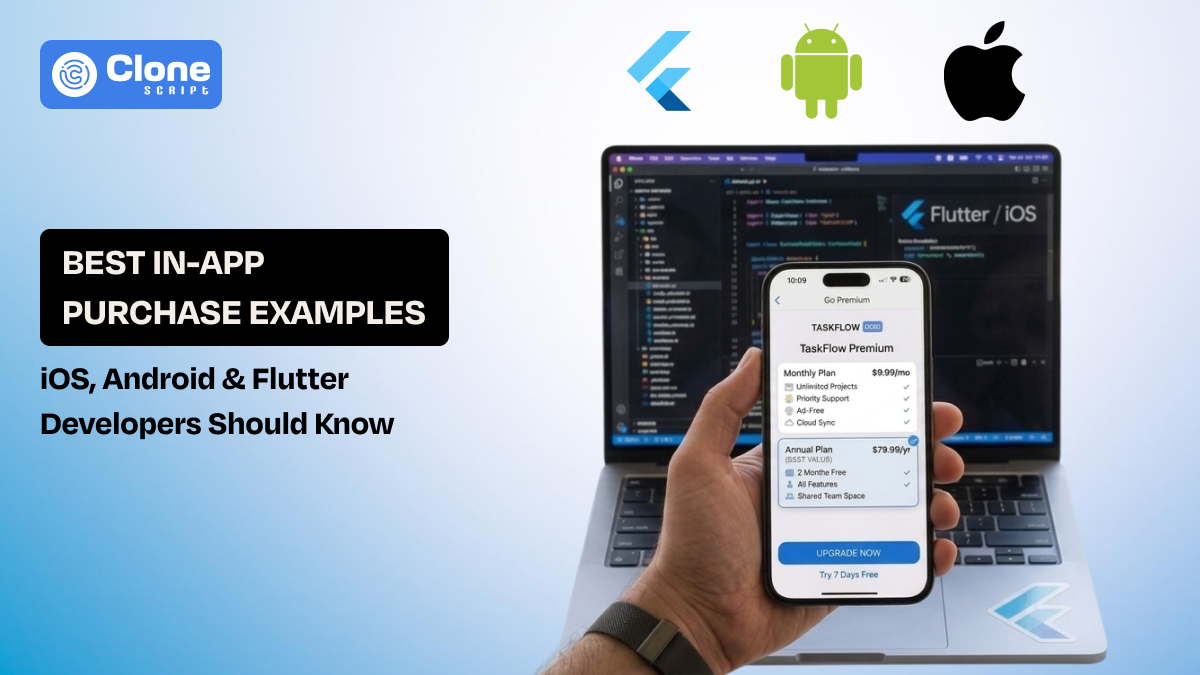
20 Best In-App Purchase Examples for iOS, Android, and Flutter
In-app purchases have transformed the way mobile apps generate revenue. Those days are gone when a user has to pay a certain amount to use the app initially. Now, app developers are offering free experiences and unlocking additional value through optional purchases like premium features, digital items, or subscriptions.
But adding IAPs isn’t just about collecting payments; it’s about understanding user behavior, designing smooth purchase flows, and choosing the right model for your app.
Whether you’re building games, productivity tools, or subscription-based apps, knowing which in-app purchase strategies work can make a big difference in engagement and revenue.
In this guide, we explore 20 real-world in-app purchase examples for iOS, Android, and Flutter. We also described actionable insights to help developers implement purchases effectively without compromising user experience.
What Is an In-App Purchase in Mobile Applications?
An in-app purchase (IAP) integration refers to a transaction where users buy digital goods, premium features, or services directly inside a mobile application without leaving the app environment.
Instead of requiring users to pay for the entire app upfront, they can access the core functionality for free and optionally purchase additional value as they engage more deeply with the product. This model has become the dominant monetization strategy for many mobile apps because it lowers the entry barrier while still creating multiple revenue opportunities.
Important elements that define an in-app purchase system:
-
Digital-only transactions: IAPs are used for digital products such as features, content, or subscriptions within the app.
-
Platform-managed payments: Payments are handled by the App Store or Google Play billing system to ensure security and compliance.
-
User authentication: Purchases are linked to the user’s store account, so restoration across devices becomes easy.
-
Transaction validation: Developers typically verify receipts or purchase tokens to confirm authenticity.
-
Monetization flexibility: Apps can offer consumables, permanent unlocks, or recurring subscriptions depending on the product model.
Different apps apply these mechanisms to monetize effectively.
Types of In-App Purchases Developers Use Today
Once you understand what an in-app purchase is, the next step is recognizing the different purchase models supported by modern app stores.
Apple and Google have structured their billing systems around a few standard product types. It helps developers to design flexible monetization strategies while still following store policies. Choosing the correct type is important because it determines how purchases are stored, restored, and billed to users.
In recent years, both ecosystems have expanded these models with better subscription management tools, pricing tiers, and promotional offers. For example, a subscription for premium access is available with consumable items or one-time feature unlocks. This flexibility helps apps adapt monetization to different user behaviors.
Core in-app purchase types developers commonly implement:
-
Consumable purchases: In this kind of in-app purchase, the items can be bought frequently, such as game coins, energy boosts, or credits.
-
Non-consumable purchases: These are the one-time purchases that permanently unlock features like ad removal, premium tools, or extra functionality.
-
Auto-renewable subscriptions: In this in-app purchase type, recurring payments for continuous access offers as a services can be found in streaming apps, learning platforms, or productivity tools.
-
Non-renewing subscriptions: Here, a time-limited access is given to users, so it must be manually renewed. Otherwise, the app features can’t work.
-
Consumable credit systems: This is the modern in-app purchase type that is used in AI tools, productivity apps, or front-end APIs, where users purchase usage credits instead of features.
What Developers Should Prepare Before Integrating In-App Purchases
Developers need to prepare both the technical setup and the product structure.
Important things developers should prepare before integration:
-
Developer account setup: Active Apple Developer and Google Play Developer accounts are required to create in-app products.
-
Product configuration in store dashboards: Define product IDs, pricing tiers, and purchase type before coding the integration.
-
Platform billing frameworks: Use StoreKit for iOS and Google Play Billing Library for Android apps to manage the payments.
-
Testing environments: Sandbox testing on iOS and license testing on Android help validate purchases before release.
-
Server-side validation: Verify receipts or purchase tokens to prevent fraudulent transactions.
-
Purchase restoration support: Users should be able to restore previous purchases when reinstalling the app.
Once these preparation steps are complete, developers can begin implementing and experimenting with in-app purchases used in modern mobile applications.
20 Best In-App Purchase Examples Developers Should Understand
Successful apps monetize through different in-app purchase models. These examples show how various purchase strategies deliver value and drive engagement.
-
Virtual Currency Packs (Consumable)
Virtual currency is one of the most common in-app purchases used in mobile games. Users buy coins, gems, or tokens to access items, upgrades, or faster progress within the app environment. Popular games like Clash of Clans and PUBG Mobile offer multiple currency bundles, encouraging repeated purchases and improving player retention.
-
Extra Lives or Gameplay Boosts (Consumable)
Games frequently sell extra lives, power-ups, or time-based boosts that help players progress faster or recover from failed attempts. This type of purchase is typically inexpensive and designed for quick decisions. Candy Crush Saga-like games use this model to keep gameplay continuous without forcing users to wait.
-
Temporary Feature Unlocks (Consumable)
Some apps sell short-term access to advanced features instead of permanent upgrades. For example, a photo editing app may allow users to export high-resolution images or apply premium filters for a limited time. This model works well for occasional users who only need advanced functionality temporarily.
-
Ad Removal (Non-Consumable)
Many free apps display advertisements to generate revenue, but providing a one-time purchase option to remove ads permanently is a winning cause. This approach balances monetization and user experience. Apps such as mobile utility tools and casual games often implement this model for users who prefer a cleaner user interface.
-
Premium Feature Unlocks (Non-Consumable)
Developers lock advanced features behind a one-time purchase to encourage upgrades from free users. For example, a note-taking or productivity app might unlock collaboration tools, export options, or customization settings. Apps like Procreate Pocket and various editing tools use permanent feature unlocks effectively.
-
Downloadable Content (DLC)
The next is downloadable content, in-app purchase that allows users to purchase additional assets, levels, or templates to extend the app’s functionality. Creative apps might sell design packs or templates, while games provide new maps or story expansions. Gaming, design, and music production apps commonly use this in-app purchase model.
-
Streaming Service Subscriptions (Subscription)
Streaming apps use recurring subscriptions to provide continuous access to premium content. Instead of buying individual media, users pay monthly or yearly for unlimited access. Platforms like Spotify and Netflix mobile apps follow this IAP model to deliver ad-free streaming and exclusive content.
-
Cloud Storage Upgrades (Subscription)
Many productivity and collaboration apps monetize through storage upgrades. Users receive limited free storage initially and can subscribe for additional space when their usage grows. Services like Google Drive, Dropbox, and Notion offer tiered storage plans through in-app purchases.
-
Professional Tool Subscriptions (Subscription)
Professional applications frequently offer advanced features through recurring subscriptions. For example, design tools, video editing apps, and project management software may charge monthly fees for premium functionality. Apps such as Canva and Adobe mobile tools provide extended capabilities through subscription plans.
-
Consumable Credit Systems
Some modern apps sell usage credits instead of direct features. There is a subscription-based in-app purchase that does not work. For example, AI tools, API platforms, or productivity apps may allow users to purchase credits that can be spent on processing tasks. Platforms offering AI image generation or transcription services often rely on this credit-based purchase model.
-
Premium Templates or Design Assets
Creative applications frequently sell icon packs and libraries, or design assets through in-app purchases. These resources help users create professional content more quickly. Apps focused on graphic design, presentations, or social media content offer additional template bundles.
-
Exclusive Characters or Game Skins
Gaming apps sell exclusive characters, outfits, or skins that customize the player’s experience. These purchases typically provide visual customization rather than gameplay advantages. Popular multiplayer games use this strategy to generate revenue while keeping gameplay balanced.
-
Educational Course Modules
Education apps add an in-app purchase for unlocking advanced course modules and certification. Usually, the basic lessons remain free, and users can go with deeper learning paths through one-time purchases or subscriptions. Language learning and professional training apps frequently use this in-app purchase model.
-
Advanced Analytics Tools
Business or productivity apps sometimes charge users to access advanced analytics features. These tools may provide deeper insights into usage data, performance metrics, or user behavior. Integrating premium tiers can be a helpful revenue source for professional apps that reserve analytics dashboard.
-
Feature Bundles
Instead of selling features individually, developers can bundle multiple upgrades into a single purchase package. This approach increases perceived value and simplifies the purchasing decision. Referring to the examples of feature bundles, three apps mostly used this model: productivity, editing, and SaaS.
-
Early Access to New Features
Before a public release, developers are validating the experiment for new features. They charge a certain amount for accessibility. From it, they can understand the monetization innovation suitable for the functionality. That means later redesign work can be preventive and cost-saving.
-
Loyalty or Reward Packs
Reward packs offer bonus content or discounts for returning users. These packages may include coins, exclusive items, or premium access for a limited time. Gaming apps provide loyalty offers to encourage repeat purchases.
-
AR or VR Experience Unlocks
Augmented reality and virtual reality apps may sell access to additional interactive experiences, environments, or objects. These in-app purchases expand the immersive capabilities of the app without requiring users to buy an entirely new product.
-
Social App Microtransactions
Social networking or live-streaming platforms include microtransactions such as digital gifts, profile boosts, or premium reactions. These small purchases allow users to interact with creators or highlight their presence within the community.
-
Seasonal or Limited-Time Content
Many apps release seasonal content packs tied to holidays, events, or updates. Limited-time availability creates urgency and encourages users to purchase exclusive items before they disappear. You can implement this revenue model if the product contains a specialty.
How Developers Implement In-App Purchases in iOS, Android, and Flutter
Implementing in-app purchases requires developers to integrate platform-specific billing frameworks that handle secure transactions and purchase validation. Each platform provides official SDKs that manage payment authorization, transaction verification, and product delivery within the application.
Although the overall purchase workflow is similar across platforms, the implementation details differ depending on the programming language and billing library used.
-
iOS Implementation Using StoreKit (Swift)
On iOS, developers integrate in-app purchases using StoreKit, Apple’s framework for managing digital product transactions inside applications. Developers first configure products in App Store Connect, then retrieve them within the app using StoreKit APIs.
Key implementation steps include:
-
Importing the StoreKit framework
-
Fetching product information from Apple’s servers
-
Initiating a payment request
-
Observing transaction updates through SKPaymentQueue
-
Unlocking content once the purchase is verified
Handling transaction states such as purchased, failed, or restored is essential to ensure a reliable user experience.
-
Android Implementation Using Google Play Billing (Kotlin)
Android applications use the Google Play Billing Library to handle in-app purchases. Developers configure products inside Google Play Console and then connect the app to the billing service using a BillingClient.
Important implementation components include:
-
Initializing the BillingClient
-
Requesting product details from Google Play
-
Launching the billing interface using BillingFlowParams
-
Receiving purchase results in onPurchasesUpdated()
-
Consuming or acknowledging purchases to finalize transactions
Failing to acknowledge purchases can lead to automatic refunds, which makes this step important for production apps.
-
Flutter Implementation Using the In-App Purchase Plugin
For cross-platform development, Flutter provides the in_app_purchase plugin, which acts as a wrapper around both StoreKit and Google Play Billing APIs. This allows developers to implement a single purchase logic that works on both iOS and Android.
Typical Flutter implementation steps include:
-
Installing the in_app_purchase plugin
-
Querying available product details
-
Creating PurchaseParam objects
-
Triggering purchase requests
-
Listening to the purchase stream for transaction updates
-
Delivering the purchased content once verification succeeds
Using Flutter simplifies cross-platform purchase integration, but developers must still configure products separately in both App Store Connect and Google Play Console.
Emerging Trends in In-App Purchases
The next generation of in-app purchase models is moving beyond simple upgrades or digital goods. Developers are experimenting with more contextual, experience-driven monetization that blends functionality, personalization, and community participation.
These emerging ideas focus on delivering value at the exact moment users need additional capabilities while keeping the purchase experience integrated within the product workflow.
-
Pay-Per-Feature Usage
Instead of unlocking entire premium tiers, some apps charge only when a specific advanced feature is used. For example, a video editing app might allow basic editing for free but charge a small fee when exporting 4K video or applying advanced rendering effects. This model works well for occasional users who need professional features only occasionally.
-
Community-Driven Unlocks
Certain platforms experiment with collaborative purchase models where groups of users contribute toward unlocking shared content or features. For instance, a gaming community may collectively unlock a new environment, tournament mode, or interactive event once a purchase threshold is reached.
-
Experience-Based Purchases
Rather than selling items or features, some apps monetize temporary experiences. These can include interactive events, exclusive challenges, virtual workshops, or special access sessions. The focus shifts from owning digital items to participating in unique moments within the application ecosystem.
Need Help Implementing In-App Purchases?
Integrating reliable in-app purchase systems requires proper configuration, platform compliance, and secure transaction handling. If you are building a mobile app and need professional support, explore the AllClone Script service for In‑App Purchases Integration.
Our team helps developers implement complete purchase systems across iOS, Android, and cross-platform apps.
What the service typically covers:
-
Integration with Apple StoreKit and Google Play Billing Library
-
Set up of consumables, non-consumables, and subscription products.
-
Secure purchase validation and receipt verification
-
Cross-platform implementation for apps built with Flutter or other frameworks
-
Optimization of purchase flow for better user conversion
This service helps ensure that your monetization system is stable, secure, and ready for app store deployment.
Conclusion
In-app purchases have become a core monetization strategy for modern mobile applications. Understanding different purchase types, implementation workflows, and evolving trends helps developers design scalable revenue systems. Whether you build apps for iOS, Android, or cross-platform frameworks, a well-implemented purchase flow can significantly improve both user engagement and long-term monetization performance.