BTC - Bitcoin
 USDTERC20 - USDT ERC20
 ETH - Ethereum
 BNB - Binance
 BCH - Bitcoin Cash
 DOGE - Dogecoin
 TRX - TRON
 USDTTRC20 - USD TRC20
 LTC - LiteCoin

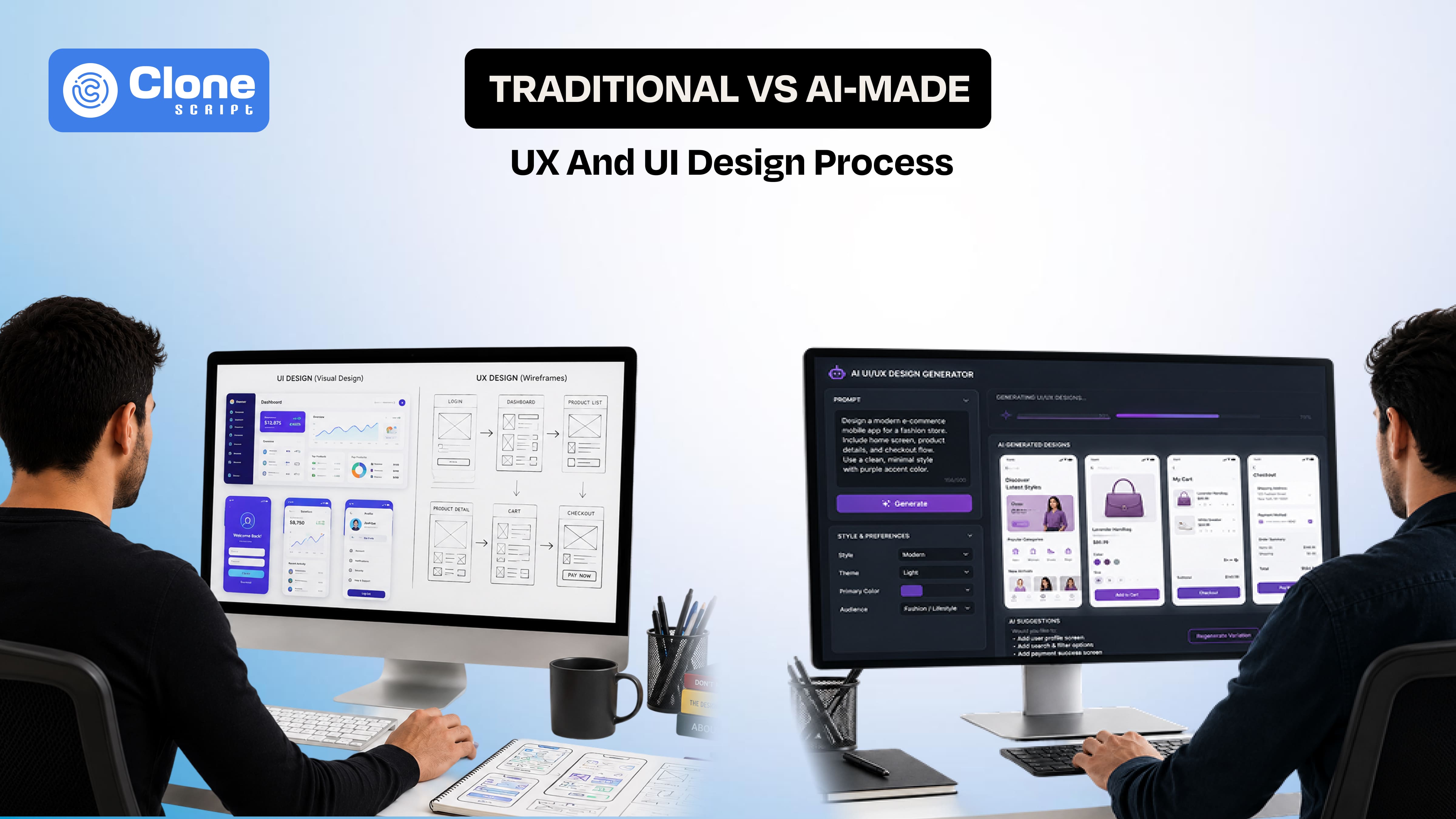
UX and UI Design Process Explained: Traditional Method vs AI-Made
From 2016 to 2022, UX (user experience) and UI (user interface) design were linear, human-driven, and associated with a research-heavy process. Now, Artificial Intelligence has taken from. This evolution is redefining how design decisions are made, validated, and scaled.
We know the traditional design method depends on human intuition, structured methodologies, landing page psychology, and iterative validation. AI-made design, on the other hand, leverages data models, automation, and predictive intelligence to compress timelines and uncover patterns that humans might miss.
This blog explains both approaches at a process level. You can clearly understand where they differ, where they overlap, and what actually works in real-world product development.
The Traditional UX/UI Design Process
The core idea of this method is to follow a structured, research-driven methodology focused on building meaningful user experiences through human insight and iterative validation.

1. Research & Discovery
This phase establishes the foundation of the entire process. Designers invest time in understanding:
-
User behavior
-
Business goals
-
Market dynamics
There are ways to collect this information, such as user interviews, surveys, competitor analysis, and stakeholder discussions.
The outputs, like user personas, problem statements, and journey maps, help define what needs to be solved. The primary strengths here are deep empathy and contextual clarity, though they are often time-intensive and subject to subjective interpretation.
2. Information Architecture (IA)
After gathering insights, designers organize content and functionality into a logical structure. This includes creating sitemaps, defining navigation flows, and establishing content hierarchy.
IA determines how users interact with the product at a structural level. While it ensures intuitive navigation, it often requires multiple iterations before reaching an optimal solution.
3. Wireframing
Wireframes act as blueprints for the interface, focusing on layout, functionality, and user flow without visual design elements.
Tools like Figma, Sketch, and others are commonly used. This stage allows rapid iteration and clarity in structure, but still involves manual effort and validation cycles.
4. Prototyping
Wireframes evolve into interactive prototypes that simulate real user interactions. These can range from low-fidelity clickable flows to high-fidelity, realistic interfaces.
Prototyping helps identify usability issues early, reducing website development risks. However, building detailed prototypes can be time-consuming.
5. Visual Design (UI)
This stage defines the product’s final look and feel, including typography, color systems, spacing, and component design. It ensures brand consistency and visual clarity, though design decisions can become subjective and require multiple refinements.
6. Usability Testing
Real users interact with the product through moderated testing, A/B testing, or heatmaps. This validates assumptions with actual behavior. While highly valuable, it can be expensive and difficult to scale efficiently.
7. Handoff to Development
Finally, designs are translated into development-ready assets, including specifications, design systems, and interaction guidelines. This ensures structured collaboration, though misalignment between design and development teams can still occur.
What Defines AI-Made UX/UI Design?
AI-made UX/UI design represents a shift from manual craftsmanship to system-driven creation, where automation, predictive modeling, and adaptive intelligence play a central role.
Instead of designing every screen and interaction from scratch, designers now guide AI systems that can generate, evaluate, and continuously refine interfaces.
This transition doesn’t remove the designer from the process. It redefines their role. Designers move from being executors of layouts to orchestrators of systems, focusing more on direction, validation, and experience quality.
The AI-Driven UX/UI Design Process
The following process are defined how the advanced systems are being used for web designing with user experience and user interface.

1. Data-Driven Research
AI transforms traditional research by processing large-scale datasets such as behavioral analytics, user interaction logs, and market trends. It can instantly detect patterns, segment users, and predict needs without manual effort.
This significantly accelerates insight generation, though it often lacks the emotional depth and contextual understanding that human research provides.
2. Automated User Personas
AI generates personas dynamically using real-time data instead of static assumptions. These personas reflect behavioral clusters, usage habits, and demographic insights that evolve.
While this ensures relevance and scalability, it can sometimes oversimplify human behavior and miss nuanced motivations.
3. AI-Assisted Information Architecture
AI design tools recommend optimal navigation structures by analyzing successful design patterns and mapping user flows automatically. This reduces trial-and-error in structuring content. However, over-dependence on patterns can result in predictable or generic user experiences.
4. Generative Wireframing
With simple prompts or requirements, AI can instantly produce wireframes. For example, describing a “crypto trading dashboard” can generate a complete layout within seconds. This improves speed, but human oversight is still necessary to ensure logical and user-friendly flows.
5. AI-Based UI Design
Artificial Intelligence can generate full user interfaces, apply design systems, and suggest visual elements like typography and color schemes. It can even adapt designs based on user preferences or industry standards. While this ensures consistency and efficiency, outputs may lack originality.
6. Predictive Usability Testing
AI simulates user interactions to identify friction points, cognitive load issues, and drop-off areas before real testing. This creates an instant feedback loop, though simulations may not fully replicate real human behavior.
7. Continuous Optimization
Post-launch, Artificial Intelligence enables ongoing improvements through real-time personalization, automated A/B testing, and adaptive UI changes. While this ensures constant evolution, excessive optimization can sometimes reduce consistency and clarity in the user experience.
Traditional vs AI-Made: Design Process Comparison
When comparing traditional and AI-driven UX/UI design, the differences become clearer when measured with real-world metrics.
-
Speed
A traditional design cycle for a mid-level product typically takes 4–8 weeks, involving research, wireframing, and prototyping with testing. In contrast, AI-assisted workflows can compress this to 3–7 days, especially during early-stage prototyping. This results in nearly 70–85% faster execution, making AI dominant in speed.
-
Accuracy
Traditional methods achieve around 85–90% contextual accuracy due to human research and direct user interaction. AI systems can reach 90–95% data accuracy when analyzing behavior at scale, but often miss emotional nuance. This creates a gap in empathy-driven decisions.
-
Creativity
Human designers produce highly original outputs, especially for branding and storytelling. AI-generated designs rely on existing datasets, meaning 80% of outputs follow known patterns, limiting breakthrough innovation.
-
Scalability
A traditional team may handle 2–3 major projects per month, constrained by resources. AI systems can scale to 10–20 parallel design variations instantly, making them far more efficient in large ecosystems.
-
Cost
Traditional UX/UI projects can cost $1,000–$50,000+, depending on scope. AI reduces this by 40–70% after initial setup, significantly lowering long-term design expenses.
Where Traditional Design Still Wins?
Despite AI advancements, traditional UX/UI design is still important in areas where:
1. Emotional Experience Matters
Traditional design continues to outperform AI in areas where human understanding and originality are critical. Emotional experience is a major factor. AI still cannot fully capture cultural context, human emotions, or psychological triggers, which are essential when designing for trust, empathy, and meaningful user connections.
2. Complex Problem Solving
It also struggles with complex problem-solving. AI depends on existing patterns, making it less effective when dealing with new product categories, unclear user problems, or high-level strategic decisions that require critical thinking.
3. Brand Identity
Brand identity is another key limitation. Strong brands demand a unique visual language, consistent storytelling, and emotional depth. AI tends to produce safe, predictable designs, while human designers create distinctive and memorable experiences.
Where AI Design Outperforms and is preferable?
AI becomes the perfect choice when:
1. Speed is Important
AI-driven UX/UI design clearly outperforms traditional methods in scenarios where speed, scale, and automation are critical. When speed is a priority, especially for startups or MVP development, AI enables rapid prototyping and near-instant UI generation.
What typically takes days or weeks can now be executed in hours. This allows teams to validate ideas much faster.
2. Data is Abundant
AI also becomes highly effective when large amounts of data are available. Products with significant user traffic can use behavioral insights, usage patterns, and real-time personalization. This allows interfaces to adapt dynamically based on user behavior, something traditional methods cannot achieve at the same scale or speed.
3. Repetitive Design Work
Another area where AI excels is repetitive design work. Tasks like component generation, layout variations, and scaling design systems can be automated efficiently. Instead of manually creating multiple versions, automated design tools can generate and optimize them instantly, reducing effort while maintaining consistency across the product ecosystem.
The Hybrid Future: Human + AI in UI and UX design
We cannot ignore how much both approaches make a website or app future-ready. Here is an overview of that.
-
Role of AI in the Workflow
In this model, AI handles data-intensive and repetitive tasks. It can analyze large datasets, generate wireframes from basic inputs, and suggest UI patterns based on existing design systems. This reduces manual effort and significantly speeds up the design process, especially in early-stage development.
-
Role of Human Designers
Human designers focus on areas that require critical thinking and creativity. This includes defining product strategy, designing emotionally engaging experiences, and making final decisions that align with brand identity. These elements depend on human intuition and contextual understanding.
-
Outcome of the Hybrid Approach
By combining AI efficiency with human insight, teams achieve faster workflows without compromising quality. The result is improved user experiences, stronger design consistency, and a higher overall standard of product design.
Practical Example
Consider you’re building a fintech app. The difference between traditional and AI-assisted workflows becomes very clear when you map timelines and outputs.

-
Traditional Approach Timeline
In a traditional setup, the process starts with 2–3 weeks of research, including user interviews and market analysis. This is followed by 1–2 weeks of wireframing to structure flows and layouts. UI design then takes around 2 additional weeks to finalize visuals and components.
After that, multiple testing cycles are required to validate usability. Altogether, the process typically takes 6–8 weeks before reaching a development-ready stage.
-
AI-Assisted Approach Timeline
With AI integration, the same workflow compresses significantly. Research driven by analytics can be completed in 1–2 days, while wireframes can be generated within hours using prompts or requirements. UI design takes only 1–2 days, supported by automated design systems.
AI-based testing provides instant feedback without waiting for user sessions. This reduces the total timeline to approximately 1 week.
Limitations Without Human Oversight
However, relying purely on AI introduces gaps. The design may miss trust-building elements, which are critical in fintech products. It can also feel generic, lacking brand differentiation. Most importantly, AI may ignore emotional friction points, such as user hesitation during payments or security concerns, which require human understanding to address effectively.
Key Risks of Artificial Intelligence in Web UX/UI Design
You should be aware of these issues:
-
Over-Reliance on Patterns
AI heavily depends on existing design patterns, which often results in repetitive interfaces and limits originality. This can create products that feel similar and less innovative.
-
Data Bias
Artificial Intelligence systems are only as reliable as the data they are trained on, so biased or incomplete datasets can lead to flawed design decisions and misaligned user experiences.
-
Loss of Human Touch
AI-generated designs may achieve functional efficiency, but they do not have emotional depth, empathy, and human-centered thinking. This requires creating truly engaging and meaningful user experiences.
What Skills Designers Need Now
The role of a designer is evolving. Future designers need:
-
AI tool proficiency
Modern designers need AI tool proficiency to effectively use generative design tools, automate workflows, and increase productivity. Google Stitch is the key example of how the UI design will be made.
-
Data interpretation skills
Alongside this, data interpretation skills are essential to understand user behavior, analyze patterns, and make informed design decisions rather than relying only on intuition.
-
Strategic thinking
Strategic thinking has become a core requirement, as designers are now involved in defining product direction, solving complex problems, and aligning design with business goals.
-
Strong UX fundamentals
At the same time, strong UX fundamentals remain critical, ensuring usability, accessibility, and user-centered design principles are not compromised.
The shift is from “Designing screens” to “Designing systems and decisions.”
Conclusion
The UX/UI design process is no longer static. Traditional methods provide depth, empathy, and originality, while AI introduces speed, scalability, and efficiency.
Neither approach is sufficient on its own.
-
Relying only on traditional methods can be slow and expensive
-
Rely only on AI, fast but shallow
The real advantage lies in combining both intelligently.
Design is about pixels and decision-making at scale. In that equation, Artificial Intelligence is not replacing designers. It is increasing the number of people who know how to use it effectively.