BTC - Bitcoin
 USDTERC20 - USDT ERC20
 ETH - Ethereum
 BNB - Binance
 BCH - Bitcoin Cash
 DOGE - Dogecoin
 TRX - TRON
 USDTTRC20 - USD TRC20
 LTC - LiteCoin

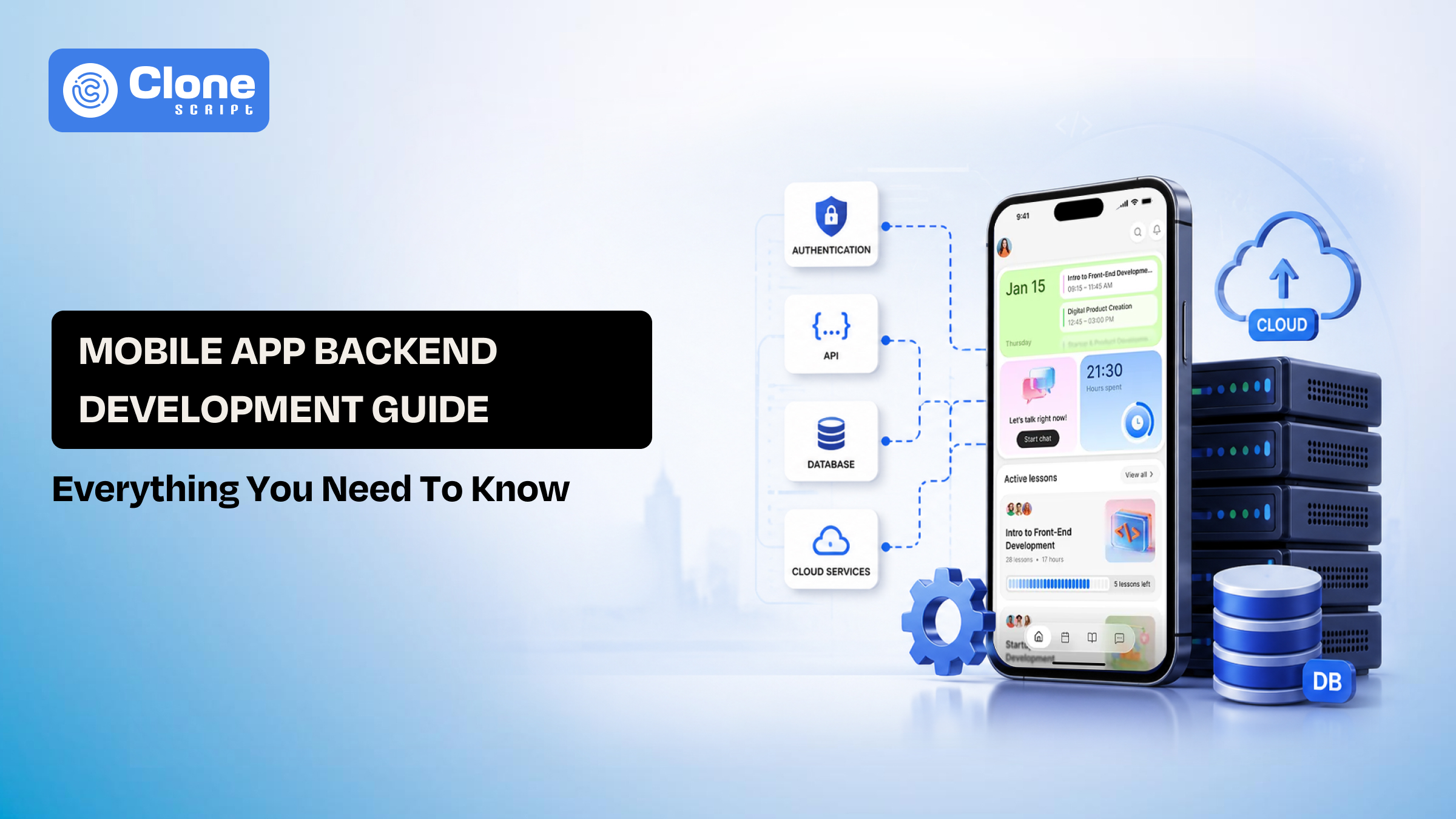
Mobile App Back-end Development Guide: Everything You Need to Know
Do Android and iOS mobile apps succeed on interface alone? Not anymore. It’s a back-end that lays the foundation.
Assume you open the app but face slow responses, failed actions, and inconsistent data. The next step is to uninstall the “bad app.”
When building a real product, you need to understand how systems are structured, what decisions affect performance, and how to plan for scale from the start.
It doesn’t matter: if you're launching an MVP for testing the demand or scaling a SaaS product, the focus stays on real decisions that hold up in production.
What Is Mobile Back-end
The back-end development is the system that processes every action a user performs in your app. This is also known as server-side development. It receives requests, applies logic, interacts with data, and returns a response that the front-end displays.
At its core, a mobile back-end handles:
-
Request processing
-
Business logic execution
-
Data storage and retrieval
-
Authentication and authorization
-
Service-to-service communication
The question is: What makes it mobile-specific?
Mobile environments introduce constraints that directly impact back-end design.
-
Unstable Network Conditions
Users frequently switch between networks or lose connectivity. The back-end must support retry mechanisms, handle partial requests, and maintain data consistency even when communication is interrupted.
-
Device Limitations
Mobile devices have limited processing power and memory. Back-end responses must be optimized, with smaller payloads, fewer requests, and efficient data delivery to avoid slowing down the app experience.
-
Real-Time Expectations
Modern Android and iOS apps rely on instant feedback. Features like messaging, notifications, and live updates require server-side systems that can push data in real time, not just respond to requests.
-
System Perspective
A back-end is not a single service. It operates as a coordinated system of front-end APIs, databases, and processing layers. Weak coordination here leads to delays, inconsistent data, and unstable user experiences.
What Back-End Architecture Should Be?
Back-end architecture defines how your system is structured when multiple things happen at once. It decides how requests are handled, how data flows, and how failures are contained. Three kinds of structure exist to integrate the back-end into the mobile app:

-
Monolithic Architecture
This is the first architecture called “Monolithic” where all back-end logic runs in a single application, including API layer, business logic, and database access.
For early-stage products where fast iterations are required with the help of small teams, this architecture becomes helpful.
This back-end architecture struggles when scaling specific features is difficult, and one issue can affect the entire system.
A monolith is not a limitation by default. Poor internal structure is.
-
Microservices Architecture
In this architecture, the back-end is split into independent services, including the Auth service, the Payment service, and the Notification service. Each service runs and scales separately.
For managing high-traffic systems with complex feature sets, a microservices back-end architecture is useful.
But there are issues with this architecture, like more network calls between services, harder debugging, and higher operational overhead.
The real challenge is defining clear service boundaries.
-
Serverless Architecture
In this architecture, code runs only when triggered. There is no persistent server requirement.
For event-based features in the app with irregular traffic, serverless architecture works properly.
The limitations are cold start delays and less control over execution.
Architecture is not about trends. It’s about how your system handles load, change, and failure without breaking.
The Types of Back-end (BaaS vs Custom vs Serverless)
Architecture defines structure. Back-end type defines how much you build yourself.

-
Back-end-as-a-Service (BaaS)
You use a managed platform for core Back-end needs:
-
Authentication: Handles user login, token management, and access control without building custom auth systems from scratch.
-
Database: Provides ready-to-use storage with built-in scaling, reducing the need to manage schema, indexing, and backups manually.
-
Hosting: Runs your server-side services on managed infrastructure, eliminating the need to configure servers, scaling rules, or uptime monitoring.
-
APIs: Automatically generated endpoints allow quick frontend integration, reducing time spent on building and maintaining API layers.
Where it fits:
-
MVPs
-
Quick validation
-
Small teams without back-end depth
Limitations:
-
Less control over logic
-
Performance tuning is restricted
-
Dependency on the provider increases over time
-
Custom Back-end
You build and manage everything:
-
APIs: Fully controlled endpoints allow precise data handling, optimized responses, and better alignment with complex frontend requirements.
-
Database: Custom schema design improves query efficiency, especially for Android and iOS applications with heavy relational or transactional data needs.
-
Business logic: Core application rules are implemented without constraints, allowing flexibility for unique workflows and feature expansion.
-
Infrastructure: You control hosting, scaling, and deployment, enabling better optimization but requiring ongoing management and monitoring.
Where it fits:
-
Products with complex workflows
-
Long-term scalable systems
-
Serverless (as a Back-end model)
You write functions instead of managing servers.
-
Event-based execution: Functions run only when triggered, making it efficient for actions like uploads, notifications, or background processing tasks.
-
Managed scaling: Automatically handles traffic spikes without manual intervention, ensuring consistent performance during unpredictable usage patterns.
-
Pay-per-use model: Costs are based on actual execution time, helping control expenses in low or irregular traffic scenarios.
This decision is not about tools. It’s about control vs speed.
Choose based on how fast you need to move and how much flexibility you’ll need later.
Mobile Back-End Development Decision Framework
Back-end decisions are rarely final. What works at launch often breaks under growth. The goal is not to pick the “best” option. It’s to choose what fits your current stage without blocking future changes.

Stage 1: MVP and Validation
At this stage, speed matters more than control.
-
Use managed services for authentication and database
-
Keep the back-end logic minimal and focused
Avoid building systems you don’t yet need. The priority is validating user demand, not perfect architecture.
Stage 2: Feature Expansion
As the product grows, server-side complexity increases.
-
Custom APIs become necessary
-
Data relationships become more structured
-
Business logic starts expanding
This is where partial customization begins. Relying entirely on pre-built services can slow down feature development.
Stage 3: Scaling and Performance
With real users, performance issues surface.
-
APIs need optimization
-
Database queries must be efficient
-
Caching becomes essential
Scaling is not about adding servers. It’s about reducing unnecessary load through better system design.
Stage 4: Team Growth and System Maturity
More developers working together require clearer boundaries.
-
Separate services for independent features
-
Defined ownership across back-end components
Without separation, development slows due to conflicts and dependency issues.
How to Approach the Decision
Avoid treating the back-end as a one-time setup.
-
Start simple to move fast
-
Improve based on real usage patterns
-
Scale only where needed
Reliable back-end systems evolve with the product. Static decisions early on usually lead to expensive rebuilds later.
Mobile Back-end Tech Stack Breakdown
Tech stack decisions don’t make your back-end scalable. They influence how efficiently you build, maintain, and optimize it over time.
-
Back-end Languages
The choice of server-side languages affects performance characteristics and development speed.
-
Node.js: This handles concurrent requests efficiently, suitable for real-time apps and high I/O operations.
-
Python (Django/Flask): This helps to build and iterate, commonly used for data-heavy or logic-driven Android and iOS applications.
-
Java (Spring Boot): It is stable under heavy load, preferred for large systems with strict performance requirements.
Choose based on team expertise first. Switching stacks later is more expensive than optimizing within one.
-
Database Layer
Data structure defines how your back-end performs under load.
-
SQL (PostgreSQL, MySQL): This works well for structured data and transactions where consistency is critical.
-
NoSQL (MongoDB, DynamoDB): This handles flexible schemas and high-volume reads/writes more efficiently.
Most production systems combine both. One database rarely fits all use cases.
-
API Layer
APIs connect frontend requests to back-end logic.
-
REST: It is simple, predictable, and widely supported across platforms.
-
GraphQL: It allows clients to request only the required data, reducing over-fetching.
Poor API design causes more performance issues than the choice between REST and GraphQL.
-
Infrastructure & Hosting
This determines how your back-end runs in production.
-
Cloud platforms (AWS, GCP, Azure) provide scalability and managed services
-
Containers (Docker) help standardize deployment environments
Infrastructure should support scaling without requiring major changes to your core system.
Tech stack is a long-term commitment. Choose tools your team can manage well, then focus on optimizing how they’re used instead of chasing trends.
Mobile Back-end API Design: Making Functionality Smooth
APIs are where most back-end issues start. Not because of technology but because of how endpoints are structured and used.
A slow or poorly designed API affects every screen, every action, and every user.

-
Request Structure
Each API should serve a clear purpose. Consider the following:
-
Avoid chaining multiple APIs for a single screen
-
Combine related data into a single response where possible
Fewer requests per action reduce latency and improve perceived performance.
-
Response Size and Payload
Sending more data than needed slows down the app. Try to optimize:
-
Return only required fields
-
Avoid deeply nested or redundant data
Smaller payloads improve speed, especially on mobile networks.
-
API Versioning
Changes in the back-end should not break the Android and iOS apps. Here are the tips to follow:
-
Maintain versioned endpoints (v1, v2)
-
Deprecate old versions gradually
Versioning allows you to evolve the server-side without disrupting active users.
-
Error Handling
Generic errors create confusion and slow debugging. Try these aspects:
-
Return meaningful status codes
-
Provide clear error messages for failed requests
Clear errors reduce debugging time and improve system reliability.
-
Rate Limiting
Uncontrolled access can overload the system. Optimize the following:
-
Limit requests per user or IP
-
Prevent abuse and unexpected traffic spikes
Protects back-end stability without affecting normal usage.
API design is not just a development task. It directly impacts performance, scalability, and user experience. Poor decisions here compound over time and become harder to fix later.
Mobile Back-end Database Strategy (SQL vs NoSQL)
Database choice is not about popularity. It’s about how your app reads, writes, and relates data under real usage.
-
SQL Databases
Structured schema with defined relationships. It optimizes for the:
-
Tables, rows, and strict data types
-
ACID compliance ensures consistency
SQL databases are suited to payments and transactions, order management, and systems where accuracy matters.
Proper consistency makes SQL reliable, but rigid schemas slow down frequent structural changes.
-
NoSQL Databases
In a NoSQL database, a flexible schema is designed for scale. You can do:
-
Document, key-value, or column-based storage
-
Handles large volumes of unstructured data
This database fits chat systems, activity feeds, and real-time applications.
Faster at scale, but requires careful design to avoid data duplication and inconsistency.
Read vs Write Patterns
Your database decision should reflect how data is used.
-
Read-heavy Android and iOS apps, optimize queries and indexing
-
Write-heavy apps focus on throughput and distribution
Mismatch between usage pattern and database type leads to performance bottlenecks early.
Hybrid Approach (What Real Apps Do)
Most production systems use both:
-
SQL for transactions and core data
-
NoSQL for speed and scalability
Example:
-
User payments → SQL
-
User activity feed → NoSQL
Splitting data based on usage improves performance without overcomplicating the system.
Database strategy should follow data behavior, not trends.
Wrong decisions here don’t fail immediately, but they surface when scaling becomes difficult.
Scaling & Performance in Mobile Back-end App
Scaling problems don’t start with traffic. They start with inefficient systems that only break when traffic increases.
Most apps don’t fail because they lack servers. They fail because every request does more work than it should.
-
Caching
Not every request needs fresh data. You have a choice to store frequently accessed data in memory (e.g., Redis). Serve repeated requests without hitting the database. Try to reduce database load and improve response time significantly for repeated queries.
-
Load Balancing
Traffic should not hit a single server. Distribute requests across multiple instances and prevent overload on any one node. Ensures consistent performance during traffic spikes and avoids single points of failure.
-
Horizontal Scaling
Instead of upgrading one server, add more. With multiple instances, handling requests in parallel becomes easy and scales based on demand. More flexible and reliable than vertical scaling for growing applications.
-
Database Optimization
Poor queries slow everything down. Use indexing for faster lookups. Avoid unnecessary joins and heavy queries. Database inefficiency is one of the most common causes of server-side system slowdown.
-
Content Delivery (CDN)
Static content should be served closer to users. Images, videos, and assets are delivered via CDN, reducing latency and server load. Improves load speed without increasing back-end processing.
What Actually Improves Performance
Most gains come from:
-
Reducing unnecessary requests
-
Optimizing queries
-
Using caching effectively
Not from adding more infrastructure.
Scaling is about efficiency first, infrastructure second.
If your back-end is inefficient, scaling will only increase cost, not performance.
Mobile Back-end Security Best Practices
Security issues rarely appear during development. They surface when real users, real data, and real traffic are involved.
Back-end security is about controlling access, protecting data, and ensuring that every request is verified.

-
Authentication
Every user action must be tied to identity. Use token-based authentication (JWT or OAuth). Avoid session-only approaches for mobile apps.
Tokens allow secure, stateless communication between the Android and iOS apps and the back-end without repeated logins.
-
Authorization
Not every user should access everything. Implement role-based access control (RBAC). Restrict endpoints based on user roles. Prevents unauthorized actions even when users are authenticated.
-
Data Encryption
Sensitive data should never travel or stay in plain form. Encrypt data in transit (HTTPS) and at rest (database level). Protects user data from interception and storage-level breaches.
-
Input Validation
Never trust incoming data. Validate request payloads at the back-end, then sanitize inputs to prevent injection attacks. Stops malicious inputs from breaking logic or exposing vulnerabilities.
-
Rate Limiting & Abuse Control
Uncontrolled access can overload systems. Limiting requests per user or IP and detecting unusual traffic patterns can be helpful.
Protects the back-end from brute-force attacks and traffic abuse.
What Teams Often Miss
-
Relying only on frontend validation
-
Exposing sensitive data in APIs
-
Using weak authentication flows
These issues don’t break the app immediately, but they create long-term risk.
Security is not a feature you add later.
It must be enforced at every layer from the beginning, or fixing it later becomes costly and complex.
Mobile Back-End App Development Cost Estimation
Back-end cost is predictable if you diversify it into build cost and run cost. Most teams underestimate the second.
-
Development Cost (One-Time)
What you spend depends on how much logic lives on the server-side.
-
Basic Back-end (auth, CRUD APIs): $10,000 – $25,000
-
Mid-level (roles, integrations, dashboards): $25,000 – $60,000
-
Advanced (real-time, microservices, scaling logic): $60,000 – $150,000+
Server-side typically consumes 40–60% of total app development cost in production-grade systems.
-
Monthly Infrastructure Cost
This is where cost compounds over time.
-
Early stage (low traffic / serverless): $50 – $500/month
-
Growing apps (cloud infra + DB): $500 – $5,000/month
-
Scaled apps (high traffic systems): $5,000 – $30,000+/month
Costs increase with usage, but inefficient APIs and queries accelerate this growth.
-
Database & API Cost Drivers
Most back-end costs are tied to usage patterns.
-
High read or write operations increase database billing
-
Frequent API calls increase compute usage
Example:
-
Chat or real-time sync → higher continuous cost
-
Poorly designed APIs → unnecessary repeated calls
Reducing API calls and optimizing queries directly lowers cost without reducing features.
-
Third-Party Services
External services add variable cost layers.
-
Payment gateways may take ~2%–3% per transaction
-
Maps & location APIs cost is $50 – $300/month
-
Notifications & messaging is $0 – $200/month
Each integration scales with usage, not just implementation.
-
Maintenance & Operations
Ongoing back-end work is unavoidable.
-
Monitoring, bug fixes, scaling improvements
-
Security updates and infra adjustments
Typical cost is 15%–25% of the initial development cost per year.
Maintenance becomes a fixed operational expense as the system matures.
Cost by Stage
-
MVP: $15K–$40K build + $100–$1K/month
-
Growth: $40K–$120K build + $1K–$8K/month
-
Scale: $120K+ build + $10K–$30K+/month
Back-end development cost is controlled by system efficiency.
Two apps with the same traffic can have very different costs, depending on how well the back-end is designed.
Conclusion
Mobile app back-end development defines how your product performs under real conditions. Every decision, architecture, API, database, and scaling directly impacts cost, speed, and reliability. Teams that treat back-end as a strategic layer build systems that handle growth, reduce failures, and support long-term product evolution without constant rewrites.
Your app may work today. But will your back-end handle 10x users without affecting performance or increasing cost? What part of your back-end needs rethinking before scaling becomes a problem? Decide now.