BTC - Bitcoin
 USDTERC20 - USDT ERC20
 ETH - Ethereum
 BNB - Binance
 BCH - Bitcoin Cash
 DOGE - Dogecoin
 TRX - TRON
 USDTTRC20 - USD TRC20
 LTC - LiteCoin

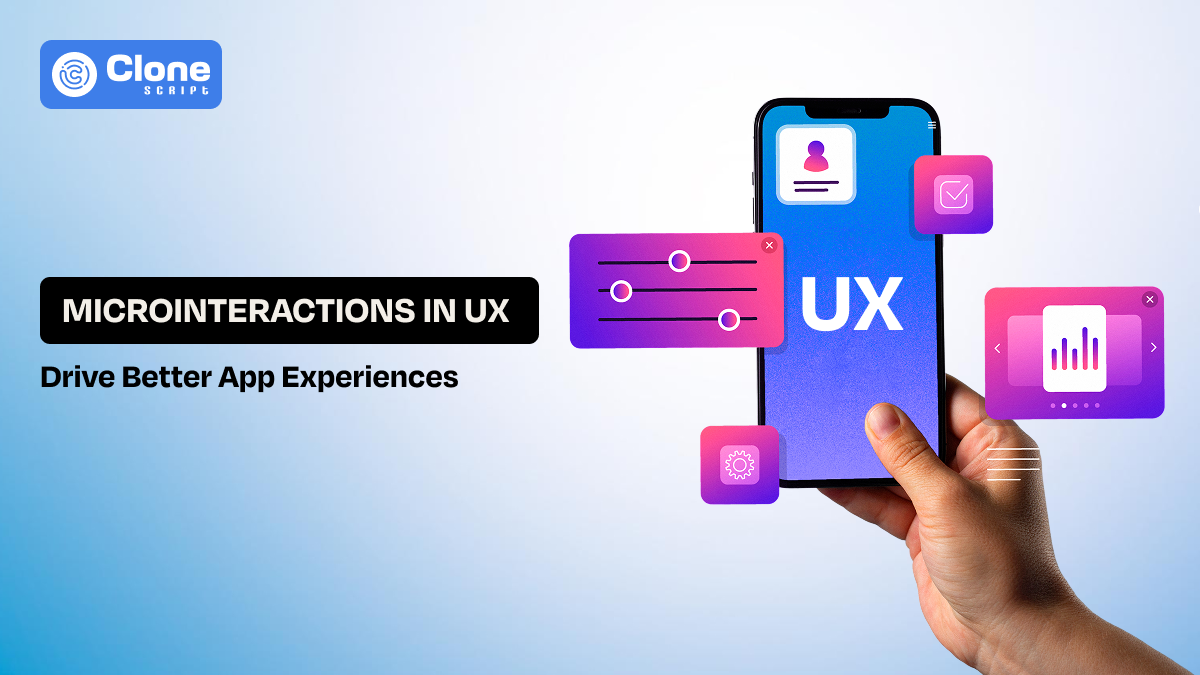
Microinteractions in UX: How Small Details Drive Better App Experiences
Here’s an uncomfortable reality most product teams overlook: users feel off in the interaction. They do not abandon apps because features are missing. The microinteraction in user experience is helpful there.
You’ve probably experienced it yourself. You click “Save,” and for half a second, nothing happens. No feedback, no visual change, just silence. Technically, the system is working. But in that gap, your brain assumes uncertainty. Did it fail? Should I try again?
Now scale that moment across hundreds of interactions inside a SaaS product.
Internal UX studies usually show a pattern: Users retry actions, abandon flows, or lose confidence simply because the interface doesn’t respond clearly.
This isn’t a performance issue. It’s a communication failure.
That’s exactly where microinteractions in UX operate as a feedback system. They close the gap between action and understanding, turning silent interfaces into responsive ones that users can trust without thinking.
What Microinteractions Really Are (It Goes Beyond UI Animation)

Usually, an app development team thinks that “small animations” have done the job as microinteractions. That’s why framing remains incomplete, and it leads to poor implementation.
A microinteraction is not the animation itself. It’s the system’s response to user intent.
Think about what actually happens when a user interacts with your app:
-
They perform an action
-
They expect a reaction
-
They interpret that reaction to decide what to do next
If that loop breaks, even briefly, the experience starts to feel unreliable.
Microinteractions exist to protect that loop.
For example, when a user clicks “Create Project” in a SaaS dashboard, three things must happen instantly:
-
The system acknowledges the action
-
The interface reflects a state change
-
The user understands what just happened
If any of these are missing, users compensate by:
-
Clicking again
-
Refreshing the page
-
Assuming failure
That’s not a usability issue. It’s a feedback gap.
To fill that gap with precision and clarity, well-designed microinteractions in UX design work. A loading state, a subtle transition, or a confirmation message is not just visual polish. It’s instruction, validation, and reassurance combined into a single moment.
From a systems perspective, every microinteraction answers one important question for the user: “Did the system understand me?”
How Microinteractions Improve User Experience in Apps
The impact of microinteractions shows up in how users behave inside your product.
When people say an app feels “smooth” or “intuitive,” they’re usually reacting to how well the system responds to their actions. That response layer is where microinteractions in UX operate.
-
They Remove Decision Friction in Real Time.
Every interaction carries a small decision:
-
Did my action go through?
-
What should I do next?
Now, if the feedback is not shown properly, users pause and re-evaluate everything. That pause compounds across a session.
With microinteractions implementations, eliminating those hesitations makes the outcome obvious. A button state change, a loader, or a success cue answers the question instantly. From it, users keep moving.
-
They Turn Passive Interfaces into Responsive Systems.
Static interfaces force users to interpret state changes manually. With responsive microinteractions:
-
States are visible
-
Transitions are explained
-
Changes feel continuous
This is especially important in microinteractions in mobile apps, where screen space is limited and clarity depends on motion and feedback rather than text.
-
They Influence Behavior Without Forcing It.
Talking about the UX psychology microinteraction role, small cues create user actions more effectively than instructions.
For example:
-
A minimal highlight pulls attention to the next step
-
A progress indicator encourages completion
-
A quick animation rewards interaction
So, from this, users never feel guided but move naturally in the intended direction.
-
They Reduce Errors Without Extra UI.
Error prevention is often treated as a validation problem. In reality, it’s a feedback problem.
Using user behavior UI feedback, microinteractions can:
-
Warn users before mistakes happen
-
Show constraints early
-
Provide inline corrections
This reduces reliance on error messages and keeps the flow uninterrupted.
-
They Improve Flow in High-Frequency Tasks.
In SaaS products, users repeat actions constantly, creating tasks, updating data, and switching views.
Without microinteractions, they will be involved in double-clicking, rechecking outcomes, and losing rhythm.
With well-tuned feedback, actions feel immediate, Confidence increases, and task flow becomes continuous.
This directly impacts productivity, which is a core expectation in UX strategies for SaaS products.
-
They Bridge the Gap Between Speed and Perception.
There’s a difference between system speed and perceived speed.
A system can respond quickly but still feel slow if the feedback is unclear. On the other hand, even slight delays feel acceptable when the system acknowledges the action instantly.
This is where microinteractions' performance impact becomes evident. They support performance, and they shape how performance is experienced.
-
They Build Trust Through Consistency
Users don’t consciously notice microinteractions, but they notice when they’re missing or inconsistent.
Reliable feedback creates a pattern:
-
Action → Response → Confidence
Break that pattern, and trust drops.
Maintain it, and the product starts to feel predictable in a good way.
In practical terms, how microinteractions improve user experience in apps comes down to this:
They remove doubt, maintain expectations, and make the system feel responsive at every step without adding complexity or extra UI.
Types of Microinteractions Used In App Development

Most content categorizes microinteractions by UI elements, buttons, loaders, and toggles. That’s not how they operate in real systems.
In practice, microinteractions are better understood by the problem they solve at a specific moment in the user journey. When you classify them this way, design decisions become clearer and more intentional.
-
Feedback Microinteractions (Removing Uncertainty)
These appear immediately after an action. Its use cases are as follows:
-
Form submissions
-
Button clicks
-
File uploads
What they solve: “Did the system receive my input successfully?”
Strong feedback microinteractions optimized for:
-
Respond instantly
-
Show a clear state change
-
Avoid ambiguity
This is the most critical category in microinteractions user experience design because it directly affects trust.
-
State Transition Microinteractions (Explaining Change)
App user interfaces constantly shift between states, empty to filled, inactive to active, loading to complete.
Without explanation, these transitions feel abrupt.
Its use cases are:
-
Page changes
-
Tab switches
-
Content updates
What they solve: “What just changed?”
Motion here provides continuity, helping users mentally track changes instead of reprocessing the interface.
-
Guidance Microinteractions (Directing Attention)
Users don’t always know where to focus next. They need guidance.
This microinteraction use case:
-
Highlighting primary actions
-
Onboarding cues
-
Step-by-step flows
What they solve: “What should I do now?”
These interactions are subtle but powerful in shaping behavior, especially in UX strategies for SaaS products.
-
Input Microinteractions (Preventing Errors Early)
Instead of reacting to mistakes, these interactions prevent them. This type of microinteraction use cases are:
-
Inline validation
-
Input formatting
-
Constraint indicators
What they solve: “Am I doing this correctly?”
This directly ties into reducing churn in UX design, since fewer errors mean fewer drop-offs.
-
System Status Microinteractions (Maintaining Awareness)
Users need to know what the system is doing, even when they’re not interacting. So, the system status microinteraction use case is helpful:
-
Loading indicators
-
Sync status
-
Background processes
What they solve: “What is happening right now?”
This is essential in data-heavy products like SaaS dashboards.
-
Reward Microinteractions (Reinforcing Behavior)
These kinds of microinteractions go beyond functionality and influence motivation. Here are the use cases:
-
Completion animations
-
Progress indicators
-
Achievement signals
What they solve: “Was this worth doing?”
This connects directly to habit-forming UX design, encouraging repeated engagement.
What This Classification Changes
When you design microinteractions by context:
-
You stop adding unnecessary animations
-
You focus on user intent
-
You solve real friction points
Instead of asking: “Where can we add animation?”
You start asking: “Where does the user hesitate, and how do we remove that hesitation?”
That change is what separates surface-level design from systems that actually improve user experience.
Real App Examples (How Top Products Use Microinteractions to Drive Behavior)

Common examples don’t carry weight. What matters is how real products implement microinteractions inside critical flows, and why those decisions work.
-
Slack: Message Sending Feedback
When you send a message in Slack:
-
The message appears instantly
-
A subtle sending state transitions to delivered
-
No blocking loader interrupts typing
Why this works:
Slack prioritizes flow continuity. Users never pause to confirm delivery: the system communicates it passively.
Impact:
-
Faster conversations
-
Zero hesitation between actions
-
High engagement in real-time communication
This is a clean example of user behavior in UI feedback done right.
-
Stripe: Payment Confirmation Microinteractions
Stripe’s checkout flow is engineered for trust:
-
Button transforms into a loading state immediately
-
Smooth transition to success or error
-
Clear visual confirmation of transaction status
Why this works:
In financial interactions, ambiguity kills trust. Stripe removes uncertainty at every step.
Impact:
-
Higher payment completion rates
-
Reduced user anxiety
-
Strong perception of reliability
This is critical in reducing churn through UX design for fintech flows.
-
Duolingo: Reward-Based Microinteractions
In this online learning app, Duolingo, every correct answer gives:
-
Sound feedback
-
Visual celebration
-
Progress animation
Why this works:
Duolingo uses habit-forming UX design through consistent reward loops.
Impact:
-
Increased session duration
-
Strong retention through streaks
-
Emotional engagement with the product
This is a textbook case of UX psychology in microinteractions influencing behavior.
-
Notion: Lightweight Interaction System
In the Notion tool, you will see:
-
Blocks appear instantly when added
-
Drag-and-drop feels responsive
-
Minimal animation, maximum clarity
Why this works:
Notion avoids over-design. Its microinteractions are functional, not decorative.
Impact:
-
Faster content creation
-
Reduced cognitive load
-
Smooth high-frequency usage
This aligns with UX strategies for SaaS products, where efficiency dominates.
-
Instagram: Engagement Microinteractions
When you like a post on Instagram:
-
Heart icon animates instantly
-
Subtle visual feedback confirms action
Why this works:
The interaction is fast, satisfying, and repeatable, designed for high-frequency engagement.
Impact:
-
Encourages repeated interaction
-
Reinforces user behavior loops
-
Increases time spent in-app
This is a strong example of microinteractions in mobile apps driving engagement.
-
Google Docs: Real-Time Save Feedback
Google Docs continuously shows the following:
-
“Saving…” → “Saved to Drive.”
-
No manual save required
Why this works:
It removes a complete category of user concern, saving progress.
Impact:
-
Eliminates anxiety about data loss
-
Keeps users focused on work
-
Builds long-term trust
This is a powerful example of microinteractions for SaaS dashboards and productivity tools.
-
Amazon: Add-to-Cart Feedback
When adding a product on Amazon, you will see the following:
-
Immediate cart update
-
Visual confirmation
-
Sometimes, a subtle motion toward the cart icon
Why this works:
Users get instant confirmation without leaving the page.
Impact:
-
Reduced friction in the buying flow
-
Higher conversion rates
-
Clear action acknowledgment
This type of instant update makes the usage exceptional.
-
Uber: Real-Time System Feedback
Uber provides the details about these without taking time:
-
Driver location updates
-
Arrival countdown
-
Status changes in real time
Why this works:
It constantly answers:
-
“Where is my ride?”
-
“What’s happening now?”
Impact:
-
Reduced uncertainty
-
Higher trust in the system
-
Better user experience during waiting periods
Getting proper information on the action of the Uber app makes it trustworthy.
What These Products Get Right
Across all these examples, the pattern is precise:
-
Feedback is instant, not delayed
-
Interactions are invisible but essential
-
Every microinteraction answers a specific user question
They don’t add motion for aesthetics; they use it to:
-
Confirm
-
Guide
-
Reassure
Key Takeaway
The difference between average and high-performing products isn’t feature count, it’s how clearly the system responds to user actions.
These companies don’t treat microinteractions as polish.
They treat them as core UX infrastructure that directly impacts engagement, retention, and trust.