BTC - Bitcoin
 USDTERC20 - USDT ERC20
 ETH - Ethereum
 BNB - Binance
 BCH - Bitcoin Cash
 DOGE - Dogecoin
 TRX - TRON
 USDTTRC20 - USD TRC20
 LTC - LiteCoin

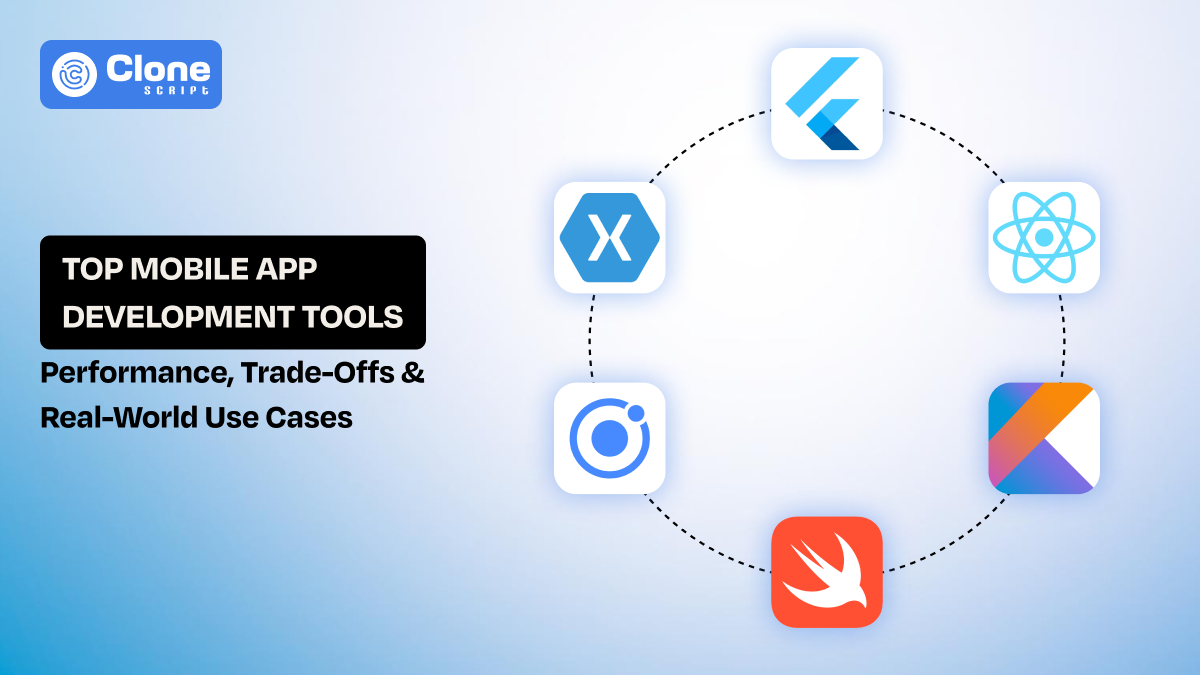
Top 6 Mobile App Development Tools: Performance, Trade-offs & Use Cases
Most development teams have been found to struggle with building apps on the wrong foundation.
A poor tech choice doesn’t fail immediately. It shows up later, when performance drops, when features become harder to ship, or when scaling turns into a rewrite. By then, the cost isn’t just technical. It’s time, money, and lost momentum.
Today, the ecosystem of mobile app development tools is crowded but mature. You have powerful native options, efficient cross-platform app development tools, and hybrid frameworks that promise speed. The real challenge is understanding where each one breaks.
This guide helps to get the best app development frameworks. It answers practical questions developers actually face:
-
Which mobile app framework is best for performance?
-
How does a Flutter vs React Native real performance comparison look in production?
-
Which tools hold UFP when the codebase grows?
Instead of generic descriptions, you’ll get clear trade-offs, real use cases, and decision clarity.
How We Evaluated These Tools
To make this comparison genuinely useful for development teams, these mobile app development tools were evaluated based on how they behave during actual project lifecycles, not just setup or demo stages. The focus was on factors that influence delivery speed, code quality, and long-term maintenance.
-
Performance
This was measured in terms of UI smoothness, load time, and memory handling during real usage, especially in data-heavy or interactive screens. Tools that maintain consistency under pressure scored a higher rank.
-
Developer experience
This was assessed from a daily workflow perspective, how quickly issues can be debugged, how reliable hot reload is, and whether the tooling reduces friction or adds to it.
-
Scalability
This aspect is considered how the framework performs as the codebase grows, including support for modular architecture and team collaboration.
-
Ecosystem strength
This factor was evaluated based on library reliability, update frequency, and how often developers run into unsupported edge cases.
-
Native capability
This was focused on how easily complex device features can be integrated without workarounds.
This ensures the comparison reflects real-world development pressure, not ideal conditions.
App Development Tools Comparison Table: Performance, Developer Experience, and Cost Trade-offs
Choosing the right tool is about how it performs in practice, how fast developers can work, and the total cost of building and maintaining the app.
| Tool | Performance | Developer Experience | Cost Efficiency | Best Use Case |
|---|---|---|---|---|
| Flutter | High – smooth animations, fast rendering, consistent cross-platform UI | Excellent – hot reload, strong IDE support | Medium – slightly higher build size, moderate developer availability | UI-intensive apps requiring cross-platform consistency |
| React Native | Medium-High – good for content-heavy apps, slight lag on complex UI | Strong – large ecosystem, fast iteration | Very High – many JS developers available, lower development time | MVPs and rapid prototyping |
| Kotlin | Very High – native Android performance, optimized memory management | Strong – concise syntax, robust tooling | Medium – platform-specific hiring required | Performance-critical Android apps |
| Swift | Very High – optimized for iOS, low overhead | Strong – SwiftUI simplifies UI, stable IDE | Medium – iOS-specific expertise needed | Premium iOS apps, Apple ecosystem integration |
| Ionic | Medium-Low – WebView-dependent, less responsive for complex UI | Easy – familiar web stack | High – faster development, smaller team | Simple apps or internal tools |
| Xamarin | Medium – near-native performance | Moderate – less intuitive for UI-heavy apps | Medium – enterprise-friendly, .NET integration | Enterprise apps with a shared C# codebase |
Key Insights:
-
Performance vs DX trade-off: Tools like Flutter and Kotlin native stacks excel in performance but require more effort for native integration.
-
Rapid iteration: Expo and React Native dominate for speed and developer convenience.
-
Long-term costs: Enterprise-focused tools like Xamarin reduce integration overhead but may limit UI flexibility.
This table is designed for development teams to quickly identify which tools align with project needs, from MVPs to high-performance, production-ready apps.
Top 6 Mobile App Development Tools
Prefer these app development tools for your project.
-
Flutter
-
React Native
-
Kotlin
-
Swift
-
Ionic
-
Xamarin
It’s understandable when you know which one suits or which does not.
-
Flutter: High-Performance Cross-Platform Framework
Flutter, developed by Google, is a cross-platform mobile app development tool that compiles directly to native ARM code. It ensures high performance across iOS and Android. Unlike frameworks that wrap native components, Flutter draws its own UI using the Skia engine, providing pixel-perfect consistency.

Image Source: Flutter
-
Performance & Benchmarks of Flutter
Real-world tests indicate Flutter apps maintain 60–120 FPS, cold start times of 1–2 seconds, and moderate memory usage (~50–80 MB for mid-size apps). Build size averages 5–10 MB higher than native due to the embedded engine, but runtime efficiency is excellent for complex UI interactions.
-
Developer Experience (DX) of Flutter
Hot reload is nearly instantaneous, supporting rapid UI iteration. After it, IDE support in Android Studio and VS Code simplifies debugging, profiling, and CI/CD integration. Then, state management options like Riverpod or Bloc make large-scale apps maintainable in monorepo or multi-repo architectures.
-
When to Use & Avoid Flutter
Flutter framework is ideal for UI-intensive apps, fintech dashboards, e-commerce, and real-time apps. Avoid the Flutter tool when you require deep native SDK integration or minimal binary size for lightweight apps.
-
Ecosystem & Toolchain of Flutter
This development tool works seamlessly with Firebase, GraphQL, and other modern back-end stacks. Google’s backing ensures long-term maintainability and a growing package ecosystem.
-
Real-World Use
Alibaba and Google Ads are using Flutter for cross-platform consistency and fast feature iteration.
-
React Native: Fast, Flexible Cross-Platform Framework
The React Native app development tool was developed by Meta. It allows developers to build cross-platform apps using JavaScript and React. React native uses a bridge to native components that helps apps reuse code across iOS and Android for near-native UI performance.

Image Source: React Native
-
React Native Performance & Benchmarks
React Native handles standard apps smoothly, with 50–60 FPS on moderately complex UIs. Referring to its cold start times, which average 1–3 seconds, and its memory usage is generally lower than Flutter for similar functionality. Heavy animations or real-time rendering can introduce bridge overhead, which the Fabric architecture update significantly reduces.
-
React Native Developer Experience (DX)
Hot reload accelerates iterative development. React Native has a large community support, extensive libraries, and debugging tools that make it easier to troubleshoot issues. This app development tool can integrate well with modern CI/CD pipelines and popular state management patterns like Redux or MobX.
-
When to Use & Avoid React Native
This app development tool is perfect for MVPs, content-driven apps, and internal tools where speed of development is crucial. Avoid React Native for high-performance gaming, AR, or apps requiring intensive native computations due to bridge latency.
-
Ecosystem & Toolchain of React Native
It is compatible with Expo for rapid prototyping, Node.js backends, and cloud services like Firebase or AWS Amplify. After all, maintained by Meta and supported by a vast developer community, ensuring long-term viability.
-
Real-World Use of React Native
Facebook, Shopify, and Instagram use React Native to deploy cross-platform features efficiently and maintain performance consistency.
-
Kotlin: Native Android Powerhouse
Kotlin, officially supported by Google, is the preferred language for Android development. Jetpack Compose enables declarative UI design, allowing developers to build highly responsive apps with concise, readable code. It is capable of maintaining full access to native Android APIs.
 Image Source: Kotlin
-
Performance & Benchmarks of Kotlin
As a compiled native language, Kotlin delivers top-tier performance. Apps exhibit minimal startup latency (~0.8–1.5 seconds) and optimized memory usage. Talking about the Coroutines, they provide efficient asynchronous handling. That means there is no need to block the UI thread, and at the same time, smooth multitasking and network operations happen.
-
Developer Experience (DX) in Kotlin
Kotlin’s syntax reduces boilerplate code, improving maintainability and reducing bugs. Then, Android Studio’s integration offers advanced debugging, linting, profiling, and CI/CD pipeline compatibility. After it, Monorepo and multi-repo structures work seamlessly, making it ideal for large-scale teams.
-
When to Use & Avoid Kotlin
This tool is best for performance-critical Android apps, enterprise solutions, and apps requiring complex background tasks. Avoid Kotlin if your project requires cross-platform deployment. In such cases, separate iOS codebases are necessary, increasing development overhead.
-
Ecosystem & Toolchain for Kotlin
This app development tool works naturally with Jetpack libraries, Firebase, and third-party SDKs. Strong Google backing ensures long-term stability and growing community support.
-
Real-World Use for Kotlin
Applications like Trello, Coursera, and Pinterest’s Android apps use Kotlin for maintainable, high-performance mobile experiences.
-
Swift: Native iOS Excellence
Swift, developed by Apple, is the go-to language for iOS, iPadOS, and macOS apps. With SwiftUI, developers can use a declarative syntax to build fast, modern interfaces. Using this tool helps iOS developers to achieve tight integration with Apple’s ecosystem and frameworks.
 Image Source: Swift
-
Performance & Benchmarks in Swift
Swift compiles directly into optimized native code, delivering high frame rates (60–120 FPS) and low latency. When talking about its cold start times, they are typically under 1 second, and memory usage is minimal due to efficient ARC (Automatic Reference Counting). This makes Swift ideal for premium apps with complex UI or real-time data.
-
Developer Experience (DX) of Swift
SwiftUI simplifies UI updates, and Xcode provides advanced debugging, performance profiling, and simulator testing. On the other side, hot reload-like previews allow rapid iteration. CI/CD pipelines integrate smoothly for automated builds, testing, and deployment. Swift supports modular architectures and scales well for enterprise teams.
-
When to Use & Avoid Swift
This tool is best for iOS-first apps, high-security financial apps, and apps using Apple-specific APIs like HealthKit, ARKit, or CoreML. Avoid Swift if you need cross-platform capabilities, as separate Android development is required.
-
Swift Ecosystem & Toolchain
Swift is fully compatible with Apple’s frameworks, third-party SDKs, and back-end development services. Strong developer community and Apple’s continuous updates ensure longevity and stability when choosing SwiftUI.
-
Real-World Use of Swift
Swift powers apps like Airbnb, LinkedIn, and Lyft for iOS that deliver smooth and reliable user experiences.
-
Ionic: Web-First Hybrid App Framework (2026)
Ionic is a hybrid mobile app development framework built on front-end web technologies like HTML, CSS, and JavaScript. It uses WebView to render apps while providing a native-like experience through Capacitor or Cordova. This makes it highly accessible for web developers transitioning into mobile.

Image Source: Ionic
-
Performance & Benchmarks of Ionic
Ionic apps typically run at 30–50 FPS depending on UI complexity, with cold start times around 2–4 seconds. Since it relies on WebView, performance can degrade in animation-heavy or real-time applications. Memory usage is moderate but scales with DOM complexity and plugin usage.
-
Ionic Developer Experience (DX)
The learning curve is minimal for teams familiar with Vue, Angular, and ReactJS. Debugging is straightforward using browser dev tools in Ionic. However, managing native plugins and handling platform inconsistencies can introduce friction. CI/CD integration is simple, especially for web-oriented pipelines.
-
When to Use & Avoid Ionic
This framework for app development is best suited for internal business tools, admin dashboards, and MVPs where speed and cost efficiency matter more than performance. Avoid Ionic for high-performance apps, gaming, or apps with intensive animations, where native rendering is critical.
-
Ecosystem & Toolchain of Ionic
It can integrate well with Capacitor, REST APIs, and modern front-end frameworks. While flexible, plugin dependency can impact long-term maintainability.
-
Real-World Use of Ionic
Companies like MarketWatch and Sworkit have used Ionic to rapidly deploy cross-platform applications with shared codebases.
-
Xamarin: Enterprise-Grade Cross-Platform with .NET (2026)
Xamarin, backed by Microsoft, enables cross-platform mobile development using C# and .NET. It allows developers to share up to 90% of code across iOS and Android. They can still access native APIs, making it a strong choice for teams already invested in the Microsoft ecosystem.

Image Source: Dotnet Microsoft
-
Performance & Benchmarks of Xamarin
Xamarin delivers near-native performance through ahead-of-time (AOT) compilation. Typical apps achieve 50–60 FPS, with cold start times around 1.5–3 seconds. However, app size can be larger due to runtime dependencies, and memory usage is slightly higher compared to fully native solutions.
-
Developer Experience (DX) of Xamarin
Visual Studio provides a robust environment with debugging, profiling, and seamless CI/CD integration via Azure DevOps. Code sharing reduces duplication, but UI development, especially with Xamarin.Forms can feel less flexible compared to modern declarative frameworks.
-
When to Use & Avoid Xamarin
This tool is best for enterprise applications, internal tools, and apps tightly integrated with Microsoft services. Avoid Xamarin for UI-heavy consumer apps or startups prioritizing rapid iteration, as development speed and UI flexibility may lag behind newer frameworks.
-
Ecosystem & Toolchain Xamarin
It can integrate deeply with Azure, .NET backend services, and enterprise authentication systems. Microsoft’s support ensures long-term stability, though many teams are gradually transitioning to .NET MAUI.
-
Real-World Use
Companies like UPS and Alaska Airlines have used Xamarin for scalable, enterprise-grade mobile solutions.
Use Case Mapping Table for App Development Tool
Choosing the right tool becomes clearer when aligned with specific product requirements and constraints.
| Recommended Tool | Best For | Why It Works |
|---|---|---|
| Flutter | Cross-Platform UI-Heavy Apps | Consistent rendering, high FPS |
| React Native | MVP / Rapid Prototyping | Fast development cycle, large JS talent pool |
| Kotlin | Android-First Applications | Native performance, full API access |
| Swift | iOS-First Applications | Optimized for the Apple ecosystem |
| Ionic | Enterprise Applications | .NET integration, shared codebase |
| Xamarin | Internal Tools / Admin Panels | Low-cost, web-based stack |
Tool selection should be driven by performance requirements, team expertise, and scalability needs, not trends.
Cost & Team Impact Analysis for App Development Tool
Beyond development, the real impact comes from team structure, hiring cost, and long-term maintenance overhead.
Development Cost Factors
-
Hiring Availability: React Native and Ionic developers typically cost $15–$40/hour (India) or $40–$100/hour (global) due to a large talent pool.
-
Learning Curve: Flutter and Kotlin developers range from $25–$60/hour, as they require specialized expertise and onboarding time.
-
Codebase Strategy: Native development (Swift + Kotlin) requires two separate teams, doubling resource needs. Combined cost can reach $50–$120/hour per platform.
-
Maintenance Complexity: Cross-platform tools reduce duplication, but debugging platform-specific issues can increase maintenance costs by 15–25% over time.
Cost Breakdown (Project-Level Estimate)
| Category | Tools | Estimated Cost (MVP: 3–6 months) |
|---|---|---|
| Lower Cost | Ionic, React Native | $8,000 – $25,000 |
| Moderate Cost | Flutter, Xamarin | $20,000 – $50,000 |
| Higher Cost | Swift + Kotlin (Native) | $40,000 – $120,000+ |
Team Structure
-
Cross-Platform Teams: 2–4 developers can handle both platforms.
-
Native Teams: 4–8 developers required (separate iOS + Android teams).
-
Time-to-Market Difference: Cross-platform reduces launch time by 30–50%.
A lower upfront cost can become expensive if the chosen tool fails to meet performance or scalability requirements, leading to partial or full rewrites. The optimal choice balances initial investment with long-term technical sustainability.
App Development Tool Decision Framework
Choosing the right mobile development tool requires a structured evaluation, not assumptions. This framework helps align technical decisions with product and business goals.
Step 1: Define Product Scope
Start by identifying what you’re building:
-
MVP: Focus on speed and iteration
-
Scaling Product: Requires maintainable architecture
-
Enterprise System: Needs security, integration, and long-term stability
This impacts MVPs' favoring React Native or Ionic, while scalable products lean toward Flutter or native.
Step 2: Platform Requirement
Decide your platform strategy early:
-
For a single Platform (Android/iOS), go with Kotlin or Swift.
-
For Cross-Platform, Flutter or React Native can be prominent.
Native ensures performance and cross-platform reduces cost and time.
Step 3: Performance Requirements
Evaluate how demanding your app is:
-
When high-performance (animations, real-time) is required, Flutter or native is the choice.
-
Standard apps (CRUD, dashboards), React Native, or Ionic will be the option.
Avoid choosing hybrid frameworks for performance-critical use cases.
Step 4: Team Skillset & Cost
Match tools with your team:
-
For web developers, React Native or Ionic is suitable.
-
Specialized mobile team goes with Flutter, Kotlin, and Swift.
Consider that misalignment increases onboarding time and cost by 20–40%.
Step 5: Time-to-Market
How fast do you need to launch?
-
When fast delivery (1–3 months) is required, React Native or Ionic is proper.
-
Long-term scalability prefers Flutter or native.
Faster tools reduce initial cost but may limit scalability.
Step 6: Long-Term Scalability
Plan beyond launch:
-
Will the app scale to millions of users?
-
Will features become more complex over time?
Native and Flutter handle scaling better than lightweight frameworks.
You avoid costly rework and build a future-ready mobile architecture.
Conclusion
Selecting a mobile development tool is a strategic decision that directly impacts performance, scalability, and cost efficiency. Teams that evaluate tools based on real-world use cases, team capability, and long-term goals avoid costly rebuilds and delays.
If you’re planning to build a mobile or web product with the right technology stack, explore:
Get Mobile App Development Service
Are you optimizing for quick launch or building a foundation that scales with your product?