BTC - Bitcoin
 USDTERC20 - USDT ERC20
 ETH - Ethereum
 BNB - Binance
 BCH - Bitcoin Cash
 DOGE - Dogecoin
 TRX - TRON
 USDTTRC20 - USD TRC20
 LTC - LiteCoin

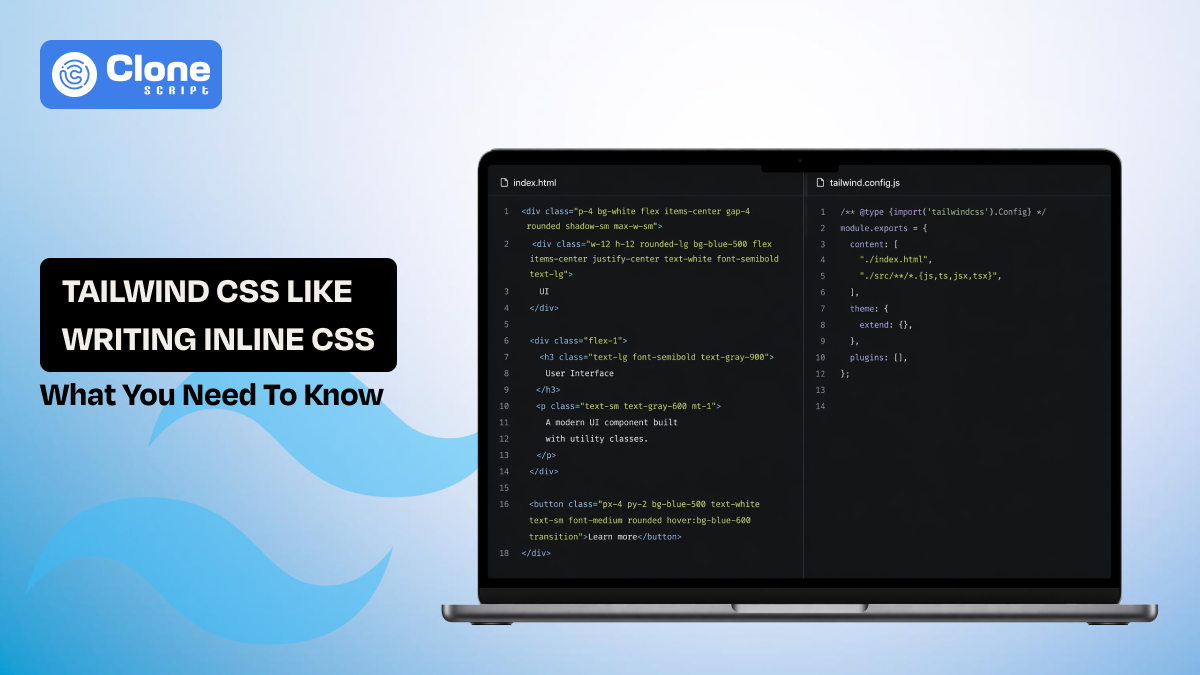
Why Tailwind CSS Is Just Like Writing Inline CSS Back to the 2000s
There’s a recurring friction point in modern front-end discussions:
“Tailwind CSS is just inline CSS with extra steps.”
This isn’t just a hot take. It’s rooted in how Tailwind actually works. You’re writing styles directly in markup, stacking multiple declarations into a single class attribute, and tightly coupling presentation with structure.
That looks and feels like early 2000s inline CSS.
But here’s the nuance: while the surface-level similarity between Tailwind CSS vs inline CSS is real, the underlying architecture, constraints, and performance model are fundamentally different.
This guide breaks it down from an expert lens:
-
Where the comparison is accurate
-
Where it fails technically
-
The real Tailwind CSS pros and cons
-
Performance benchmarks and adoption trends
-
When Tailwind becomes an asset—and when it becomes technical and design debt
What Tailwind CSS Really Is (Beyond “Utility Classes”)
At its core, Tailwind is a utility-first CSS framework built on atomic design principles, but its real value shows up at scale. It replaces traditional stylesheet authoring with a constrained system of predefined utilities, driven by a centralized configuration. Instead of writing semantic classes, you compose UI using low-level utility classes:

Each class corresponds to a single CSS rule:
-
p-4 → padding
-
bg-white → background
-
flex → layout
This pattern is called atomic CSS, a system where styles are broken into minimal, reusable units that can be composed rapidly without context switching.
The key architectural idea is Tailwind shifts CSS from: Abstraction → Composition.
Instead of creating reusable classes in stylesheets, you build reusable components at the UI layer, making styling an implementation detail rather than a separate concern.
Why Tailwind CSS Feels Like Inline CSS
The comparison between Tailwind CSS and inline CSS exists because the developer experience overlaps in critical ways. Both approaches move styling closer to markup, reducing the abstraction layer that traditional CSS enforces. Instead of defining styles separately and referencing them, you directly apply visual rules where the element is rendered.

From a structural perspective, the difference is syntactic. Not conceptual. In both cases, styling decisions live inside HTML, which increases coupling between structure and presentation.
This also impacts readability. With semantic CSS, class names communicate intent, like card or hero. With Tailwind, intent is replaced by explicit visual instructions to make large components harder to scan.
Additionally, repetition patterns reappear. Instead of duplicating CSS rules, you duplicate utility chains across components. Without abstraction at the component level, this can scale poorly.
Where the Comparison Breaks Down (What Most Developers Miss Today)
Calling Tailwind “inline CSS” ignores what has changed in modern frontend tooling, especially in the last 2–3 years.
-
Tailwind Is Now a System, Not Just a Styling Method
Inline CSS was unstructured. Tailwind is highly systematized.
-
Central config controls spacing, colors, typography
-
Design tokens enforce consistency across teams
-
No arbitrary values unless explicitly allowed
This turns Tailwind into a governed design layer, not just a styling shortcut.
-
Adoption Data Proves It’s Not a Niche Approach.
Recent data shows Tailwind is dominant:
-
#1 in State of CSS surveys for developer usage
-
~36 million weekly npm downloads in 2026
-
67% year-over-year growth in usage
-
90,000+ GitHub stars and massive ecosystem activity
This level of adoption signals a shift in CSS architecture for modern front-end systems.
-
It Has Become the “Default Language” for UI (Especially with AI)
A major 2026 shift we found that:
-
AI tools like Copilot and Cursor generate Tailwind directly.
-
It’s being treated as a low-level UI language.
In fact, Tailwind is now used by a large portion of developers globally and is heavily embedded in AI workflows
Implication: Tailwind is no longer just a framework. It’s becoming infrastructure.
-
Ecosystem Momentum Changes the Equation
These ecosystems for Tailwind CSS make everything in development useful:
-
130,000+ GitHub repositories use Tailwind-related tooling.
-
Component libraries (like shadcn/ui, daisyUI) are built around it.
-
Modern stacks assume Tailwind compatibility.
This ecosystem depth did not exist in the inline CSS era.
-
The Real Difference: Constraints + Tooling + Scale
Inline CSS failed because it does not have:
-
Constraints
-
Reusability patterns
-
Tooling support
Tailwind solves all three.
That’s the real distinction, not where styles are written, but how they are controlled and scaled.
Bottom Line
Tailwind may look like inline CSS. But in 2026, it behaves more like a design system engine with a utility syntax layer.
That’s why the comparison is:
-
Visually accurate
-
Architecturally incomplete
Performance Reality Check of Tailwind CSS: Why There's So Much Hype
Performance is often cited as a major advantage in the Tailwind CSS vs inline CSS debate, but most explanations are either oversimplified or outdated. The real picture is more nuanced.
-
CSS Bundle Size: Where Tailwind Clearly Wins
Tailwind’s Just-In-Time (JIT) engine generates only the classes used in your project.
-
Production CSS: typically 5–15KB
-
Traditional CSS frameworks: take 100–300KB+
This eliminates unused styles, which is a persistent issue in traditional CSS architectures.
-
HTML Payload: The Hidden Trade-Off
The gain in CSS efficiency comes at a cost:
-
Larger HTML due to long utility class strings.
-
Increased DOM size in complex components.
Example:

Multiply this across hundreds of components, and the HTML size grows significantly.
-
Compression Changes the Equation
In practice, the HTML bloat is less damaging than it appears:
-
Repeated utility classes compress efficiently with Gzip/Brotli.
-
Network transfer size remains relatively stable.
This is why real-world performance differences are often minimal.
-
Rendering and Runtime Efficiency
Tailwind has zero runtime overhead:
-
No JavaScript execution for styling
-
Pure CSS output
Compared to CSS-in-JS solutions, this results in:
-
Faster initial render
-
Lower CPU usage on load
-
Build Performance and Developer Workflow
Modern Tailwind (v3+) significantly improved build times:
-
JIT compilation runs in milliseconds
-
Near-instant feedback during development
This directly impacts developer productivity, not just runtime performance.
Tailwind CSS performance is not about being “faster” everywhere. It’s about shifting where the cost exists.
-
Less CSS to parse
-
More HTML to process
-
Minimal runtime overhead
For most SaaS and front-end applications, this trade-off is efficient, but it’s not universally superior.
Tailwind Maintainability: Where It Actually Breaks (or Scales)
Maintainability is where the Tailwind CSS pros and cons become most visible and where many teams miscalculate early.
Why Tailwind Feels Maintainable at First
In the early stages, Tailwind removes common friction:
-
No need to name classes
-
No CSS file organization overhead
-
Faster iteration within a single file
Everything feels localized and predictable. For MVPs or small teams, this is a genuine advantage.
Where Problems Start to Appear
As the codebase grows, patterns shift.

This looks manageable in isolation. Now scale it:
-
Repeated across 50+ components
-
Slight variations introduced by different developers
-
No single source of truth for UI patterns
Now, a simple change like adjusting spacing or shadows requires touching multiple files.
The Core Issue: Distributed Styling
Traditional CSS centralizes styling: One class → multiple elements.
Tailwind distributes styling: Multiple utilities → multiple elements
This flips maintainability from CSS structure to component discipline
Refactoring Becomes Fragile Without Abstraction
Without reusable UI components:
-
Updating design tokens becomes inconsistent
-
Utility chains diverge across the codebase
-
Small UI changes require large search-and-replace operations
This is where Tailwind maintainability degrades quickly.
How High-Performing Teams Solve This
Teams that scale Tailwind successfully follow strict patterns:
1. Component Abstraction First. Here, the wrap repeated UI into components (Button, Card). They avoid repeating utility chains directly
2. Design Token Governance. It applies config-based spacing, colors, and typography. This prevents arbitrary values.
3. Utility Standardization. This defines patterns for common layouts. It reduces variation across developers.
Tailwind doesn’t eliminate complexity. It relocates it.
-
From CSS files → into component architecture
-
From naming conventions → into structural discipline
If that discipline exists, Tailwind scales.
If not, it becomes exactly what critics claim:
Inline CSS at scale with better syntax, but similar problems.
Tailwind CSS Pros and Cons That Actually Matter
Tailwind CSS's pros and cons real evaluation comes down to how it behaves under production pressure, team size, scale, and iteration speed.
Pros: Where Tailwind Creates Real Leverage
-
Development Speed Becomes a Competitive Advantage:
Tailwind eliminates context switching between HTML and CSS. You make styling decisions in place, which significantly reduces iteration time, especially in product teams shipping weekly.
-
Apply Consistency Through Design Tokens
Because Tailwind is config-driven, spacing, colors, and typography are standardized by default. This reduces visual inconsistency without requiring strict code reviews.
-
Extremely Small Production CSS
With JIT compilation, unused styles are never shipped. This solves one of the biggest long-term issues in traditional CSS: stylesheet bloat.
-
Predictable Styling Model
There’s no cascade complexity, no specificity wars, and minimal side effects. What you write is exactly what gets applied.
Cons: Where Tailwind Introduces Friction
-
Markup Becomes Visually Dense
Long utility chains reduce readability, especially for new developers or non-frontend stakeholders reviewing code.
-
Weak Semantic Layer
Unlike traditional CSS, Tailwind does not communicate intent. A class list describes appearance, not purpose, making large codebases harder to navigate.
-
Repetition Without Strong Component Discipline
Utility chains get duplicated across components. Without abstraction, this leads to inconsistent UI patterns over time.
-
Onboarding Overhead for New Developers
Understanding Tailwind requires familiarity with its utility system, spacing scale, and responsive syntax. It’s fast once learned, but not immediately intuitive.
-
Debugging Noise in DevTools
Inspecting elements often reveals dozens of classes. While technically precise, it can slow down debugging workflows.
The Real Trade-Off
Tailwind optimizes for speed and predictability, but shifts complexity into structure and discipline.
You’re not eliminating problems. You’re choosing:
-
Faster development cycles
-
In exchange for stricter architectural responsibility
Bottom Line
Tailwind is highly effective when:
-
Teams value speed and consistency
-
Components are properly abstracted
-
Design systems are enforced
It becomes problematic when:
-
Used ad hoc without structure
-
Scaled across multiple teams without standards
That’s the difference between Tailwind as a productivity tool and Tailwind as a maintenance burden.
Is Tailwind CSS a Bad Practice?
This question persists because it challenges long-standing frontend principles, especially the separation of concerns. But evaluating Tailwind through outdated rules leads to the wrong conclusion.
Why Some Developers Call It Bad Practice
Critics usually point to three issues:
-
Mixing structure and presentation inside HTML.
-
Reduced semantic clarity compared to traditional class naming.
-
Repetition of utility chains across components.
From a classical CSS architecture perspective, these are valid concerns. Tailwind does reintroduce patterns that resemble earlier inline styling approaches.
Why That Argument Is Incomplete
Modern front-end development has shifted:
-
Component-based frameworks (React, Vue) already couple structure and behavior
-
Co-located styling is now standard (CSS Modules, CSS-in-JS)
-
The speed of iteration often outweighs strict separation
In this context, Tailwind aligns with current CSS architecture and modern front-end practices, rather than violating them.
The Real Risk: Misuse, Not the Tool
Tailwind becomes problematic when:
-
Utility classes are repeated without abstraction
-
Teams lack shared UI components
-
Design tokens are ignored or overridden
This leads to inconsistency and technical debt, similar to poorly managed traditional CSS.
When Tailwind Is Actually a Best Practice
-
Component-driven applications (React, Vue, Next.js)
-
Teams with defined design systems
-
Products requiring rapid iteration cycles
In these cases, Tailwind improves development velocity, visual consistency, and predictability of styling.
When It’s the Wrong Choice
-
Large enterprise systems with multiple teams
-
Projects requiring strong semantic clarity in markup
-
Long-term platforms without strict architectural governance
Key Insight
Tailwind is not bad practice—it’s a different abstraction model.
It trades:
-
Semantic clarity → for compositional speed
-
Centralized CSS → for distributed component styling
Bottom Line
Tailwind is neither inherently good nor bad.
Its effectiveness depends entirely on:
-
How your team structures components
-
How strictly your design system is enforced
-
How your codebase evolves over time
Used intentionally, it’s a high-leverage tool. Used casually, it recreates the exact problems developers associate with inline CSS.
Tailwind vs Traditional CSS: The Architectural Trade-Off
The Tailwind vs traditional CSS comparison is not about which is “better.” It’s about how each approach distributes complexity across a system. Both solve the same problem, but with fundamentally different trade-offs.
-
Where Complexity Lives
Traditional CSS centralizes complexity. Styles are abstracted into classes, reuse is handled through selectors, and inheritance and HTML remain clean and semantic.
Tailwind shifts complexity into markup. Styles are composed directly in HTML. Reuse happens at the component level. CSS becomes minimal, but HTML becomes dense.
This is the core shift in modern CSS architecture for front-end systems.
-
Reusability Model
Traditional CSS optimized for reusable classes (.card, .button), and style reuse happens in stylesheets.
Tailwind considers reusable components (Card, Button), and style reuse happens in the UI layer.
This aligns with frameworks like React and Vue, where components, not classes, are the primary abstraction.
-
Debugging and Predictability
Traditional CSS is susceptible to cascade and specificity issues, and harder to trace why styles break.
Tailwind has no cascade conflicts, and in it, utilities are explicit and isolated.
It results in faster debugging and more predictable rendering.
-
Scalability Differences
Traditional CSS scales through architecture (BEM, SMACSS, etc.) and strict naming conventions
Tailwind scales through component discipline and design system enforcement
Without these, both approaches fail. Just in different ways.
-
Performance Considerations
Traditional CSS prefers larger stylesheets over time and the risk of unused styles.
Tailwind considers smaller CSS bundles (JIT) and larger HTML payload.
Neither is universally superior. It depends on application size and structure.
Tailwind doesn’t replace traditional CSS; it replaces how you think about structuring it.
You’re not choosing a tool.
You’re choosing where complexity lives, how teams collaborate, and how systems evolve.
Bottom Line
-
Choose Tailwind if you prioritize speed, predictability, and component-driven development.
-
Choose traditional CSS if you need a strong semantic structure and centralized control.
Both are valid if implemented with discipline.
Conclusion
Tailwind CSS is not a regression to inline styling. It’s a shift in how front-end systems manage speed, consistency, and scale. The real difference is in constraints and architecture. Used with discipline, it accelerates development; used casually, it recreates past problems. The tool is useful; the implementation determines long-term success.
With Tailwind adoption exceeding millions of weekly downloads and dominating modern stacks, should teams prioritize developer velocity over semantic clarity, or does long-term maintainability still outweigh short-term productivity gains in front-end architecture decisions?