BTC - Bitcoin
 USDTERC20 - USDT ERC20
 ETH - Ethereum
 BNB - Binance
 BCH - Bitcoin Cash
 DOGE - Dogecoin
 TRX - TRON
 USDTTRC20 - USD TRC20
 LTC - LiteCoin

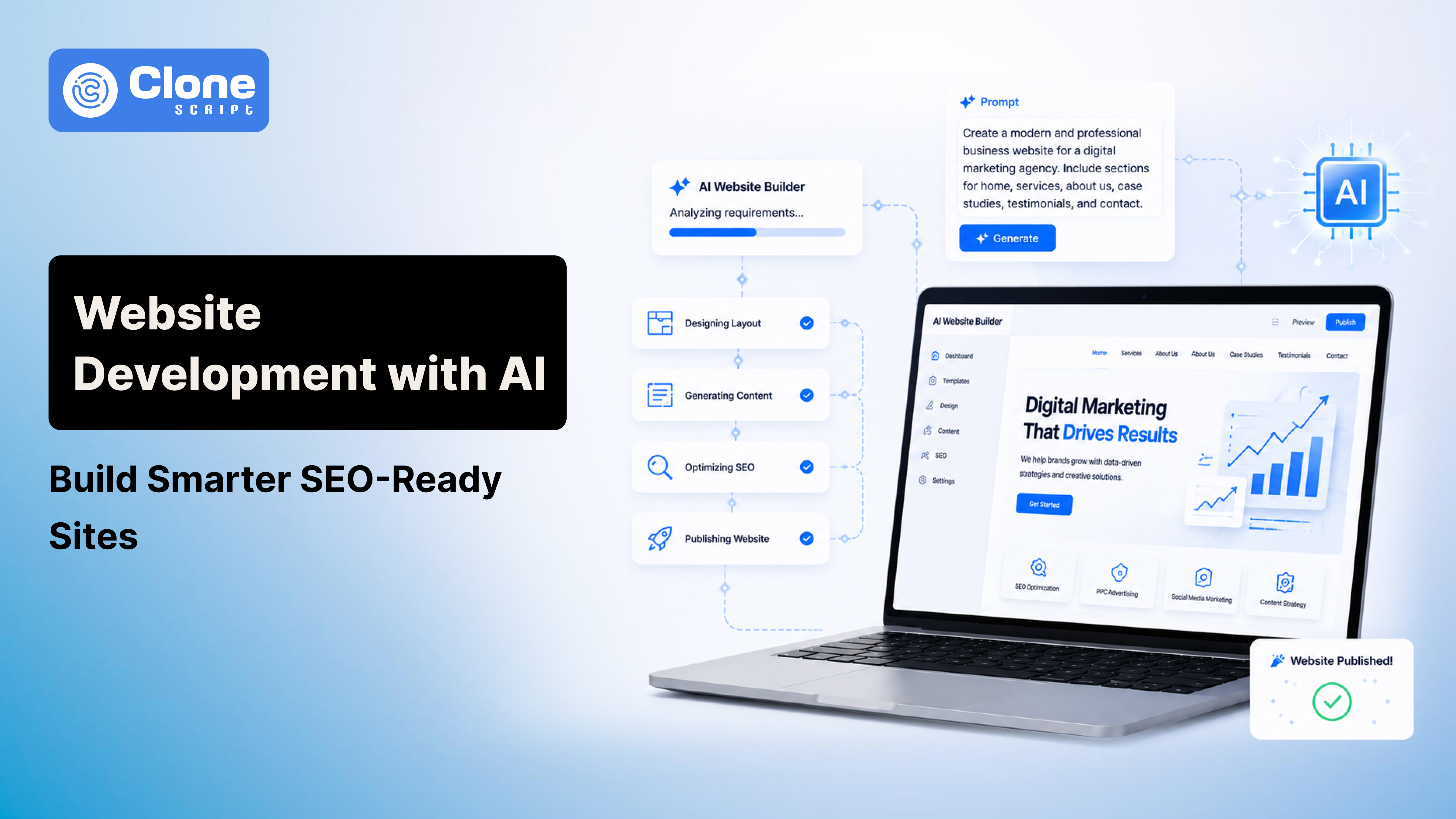
Website Development with AI: Build Smarter, Faster, and SEO-Ready Sites
Imagine building a website in minutes without writing a single line of code. AI is revolutionizing web development, making it faster, cheaper, and more accessible than ever. From automated design layouts to content generation and SEO optimization, AI tools now allow anyone from beginners to business owners to launch professional websites quickly.
However, despite the hype, many people struggle to understand how to implement AI effectively. Simply using AI without a strategy can lead to generic designs, poor SEO, and wasted time.
In this blog, we’ll explore how AI is transforming website development, the types of AI tools available, a step-by-step implementation guide, SEO best practices, real-world examples, and tips to future-proof your AI-built site.
Why AI is Transforming Website Development
Traditional web development is time-consuming, costly, and requires technical knowledge. Even small adjustments like updating layouts or creating new content can take hours or days, especially for businesses without dedicated developers.
AI solves many of these pain points:
-
Speed: AI can generate an entire website in minutes rather than weeks. Tools like Wix ADI automatically create layouts, populate pages with content, and ensure responsiveness.
-
Cost-effectiveness: Reduces reliance on designers and developers, lowering the overall cost of website creation.
-
Automation: AI doesn’t just design; it can also generate content, suggest SEO improvements, and create structured data for search engines.
-
Scalability: Quickly update and expand your website as your business grows without significant manual work.
Examples of AI tools transforming web development:
-
Wix ADI: Automatically designs websites based on user input.
-
Bookmark: Drag-and-drop builder with AI-powered design suggestions.
-
Framer AI: AI-assisted coding and design for more control.
-
ChatGPT / GPT-based tools: Generate code, content, and FAQs automatically.
These tools allow businesses and individuals to focus on strategy and branding while AI handles repetitive or time-consuming tasks.
Types of AI in Website Development
AI isn’t one-size-fits-all. There are multiple categories, each addressing a specific aspect of web development:
1. AI Design Tools
-
Generate layouts, color schemes, fonts, and responsive designs.
-
Ideal for non-designers or businesses needing fast results.
-
Example Tools: Wix ADI, Bookmark, Canva Website Builder.
Pro tip: Use AI design suggestions as a starting point, then customize to match your brand’s personality.
2. AI Code Generators
-
Convert prompts into HTML, CSS, or JavaScript snippets.
-
Useful for developers or technical users who want to speed up coding.
-
Example Tools: ChatGPT, GitHub Copilot, OpenAI’s Code Interpreter.
Insight: Code generators can reduce repetitive coding work but still require human review for logic errors or advanced functionality.
3. AI Content & Copywriting
-
Create headings, meta descriptions, blogs, and product descriptions.
-
Saves time and ensures consistent tone across your website.
-
Example Tools: Jasper AI, Copy.ai, Writesonic.
Tip: Always review AI-generated content to maintain your brand voice and ensure accuracy.
4. AI UX & Analytics
-
Suggest UI improvements, predict user behavior, and reduce bounce rate.
-
Example Tools: Hotjar AI Insights, Figma AI Plugins.
Unique insight: AI analytics can reveal patterns that humans might miss, such as button placement issues or confusing navigation flows.
5. AI SEO Assistants
-
Perform keyword research, generate sitemaps, and optimize on-page SEO.
-
Example Tools: SurferSEO, Semrush AI Content Assistant, RankIQ.
Pro tip: Combine AI SEO suggestions with human judgment. AI can’t always understand context, intent, or your target audience nuances.
Step-by-Step Guide to Build a Website Using AI
Step 1: Choose the Right AI Website Builder
-
Beginners: Wix ADI, Bookmark (easy drag-and-drop setup).
-
Advanced users: Framer AI, Webflow AI, Squarespace AI (more control and customizability).
Tip: Pick a tool that aligns with your technical comfort level, website complexity, and growth plans.
Step 2: Plan Your Website Structure
-
Identify essential pages: Home, About, Services, Contact.
-
Map content for each page, including headings, images, and CTAs.
-
Decide main navigation and menu structure for better UX and SEO.
Insight: AI excels at layout generation but won’t plan your information hierarchy for you. Proper planning ensures better user flow and search engine indexing.
Step 3: Generate Design and Layout
-
Input your business type, preferred style, and color palette.
-
AI generates responsive, visually appealing layouts automatically.
-
Review layouts and adjust colors, typography, and spacing.
Pro tip: Always check mobile and tablet responsiveness—AI-generated layouts may require minor tweaks.
Step 4: Add Content Using AI Writing Tools
-
Generate content for each page, including blogs and product descriptions.
-
Edit for brand voice, tone, and clarity.
-
Include keywords naturally for SEO optimization.
Example: A fitness website can use AI to generate “5 Home Workouts for Beginners” but must adjust details, instructions, and personal anecdotes to connect with users.
Step 5: Test Responsiveness and UX
-
Preview your website on desktop, tablet, and mobile.
-
Use AI UX suggestions to reposition buttons, forms, or CTAs.
-
Check load times, interactive elements, and accessibility.
Insight: UX testing is where human oversight adds value. AI can suggest layouts, but only humans can verify clarity, usability, and engagement.
Step 6: Implement AI-Assisted SEO Optimizations
-
Use AI for keyword placement, meta tags, and image alt texts.
-
Generate structured data (schema markup) to enhance search engine understanding.
-
Ensure headings (H1/H2/H3) are structured logically.
Tip: Avoid over-optimization, and keywords should feel natural. Use AI to identify gaps in content coverage.
Step 7: Launch and Monitor Performance
-
Publish the website and verify functionality.
-
Use AI analytics to track traffic, engagement, and conversion metrics.
-
Iterate on design, layout, and content based on real user behavior.
Case study insight: An e-commerce site using Framer AI + ChatGPT reduced bounce rate by 15% post-launch by using AI-suggested layout adjustments and optimized product descriptions.
Pros & Cons of Using AI for Website Development
Pros:
-
Fast and cost-efficient development.
-
Minimal technical skills required.
-
AI handles repetitive tasks like SEO, layouts, and content drafts.
Cons:
-
Limited creativity compared to professional designers.
-
Risk of generic or overused design templates.
-
Requires human oversight for complex functionality or branding nuances.
SEO Best Practices for AI-Generated Websites
-
Keyword Research: Identify target phrases using AI SEO tools.
-
On-Page SEO: Optimize headings, meta descriptions, and URLs.
-
Image Optimization: Compress images and add descriptive alt texts.
-
Page Speed: Test with tools like Google PageSpeed Insights and optimize load times.
-
Structured Data & Schema: Improve search engine understanding.
-
Internal Linking: Guide visitors through your site and improve crawlability.
Pro tip: AI can suggest SEO improvements, but the final decisions should be guided by your specific target audience and niche.
Future of AI in Web Development
-
AI-driven personalization: Tailored content and design for each visitor.
-
Full-stack AI coding assistants: AI may handle both front-end and back-end tasks in the near future.
-
Human creativity remains crucial: AI is a tool, not a replacement. Strategic decisions, storytelling, and branding still require human input.
FAQs
-
Can AI create a website without any coding?
Yes. Tools like Wix ADI and Bookmark allow fully automated website creation. Human oversight is recommended for branding, UX, and SEO.
-
Which AI website builder is best for small business?
For a simple and fast website, Wix ADI or Bookmark is suitable. For advanced customization: Framer AI or Webflow AI.
-
Does AI-generated content rank on Google?
Yes, if optimized for SEO, relevant keywords are included, and content is valuable. Human editing ensures originality and ranking potential.
Conclusion
AI is reshaping website development. By combining AI tools for design, content, and SEO, anyone can launch a professional, responsive, and search-friendly website in a fraction of the traditional time.
Key takeaway: Treat AI as a strategic assistant, not a replacement. Human oversight ensures creativity, quality, and results. Experiment with tools, follow best practices, and continuously optimize your site to stay ahead in 2026 and beyond.