BTC - Bitcoin
 USDTERC20 - USDT ERC20
 ETH - Ethereum
 BNB - Binance
 BCH - Bitcoin Cash
 DOGE - Dogecoin
 TRX - TRON
 USDTTRC20 - USD TRC20
 LTC - LiteCoin

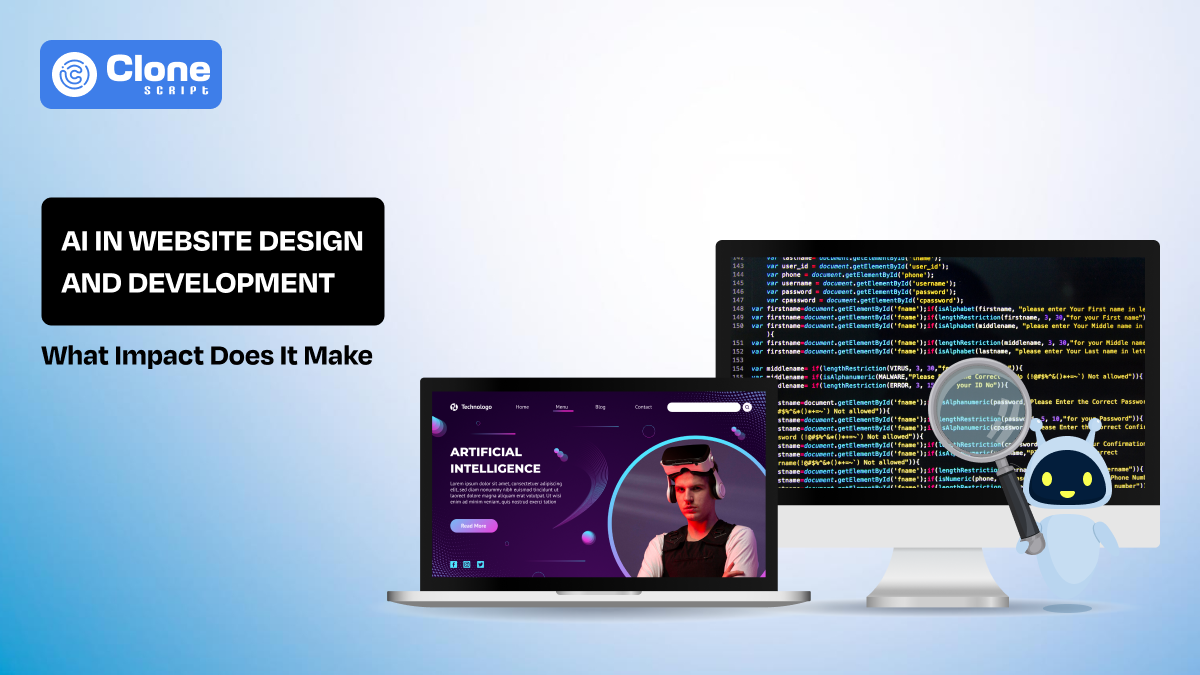
What is the Impact of AI in Website Design and Development
Now, website design and development is not a 5-month task. With AI tools, development teams can save up to 90% of time compared to traditional workflows. But think: is only speed important for you as a developer? Not actually. You have to maintain the quality as well. There is a myth about using the Artificial Intelligence in design and development.
In this article, we will look at those concerns and understand what has changed since this advanced technology has been adopted in the project development. Whether it’s an e-commerce website, a SaaS dashboard, or a gaming web application.
Why AI Changes Website Building More Than Any Front-End Framework?
Using front-end frameworks like jQuery, Tailwind CSS, Bootstrap, and React, teams can improve their efficiency in code writing. These frameworks never fundamentally changed how decisions are made.
-
Developers still had to define layouts first, then build components.
-
Logic connections and data integration were manual and sequential.
-
Optimization usually happened after the page was live, and it required multiple revisions.
Artificial Intelligence shifts this approach:
-
Decisions are now influenced by user behavior, engagement patterns, and performance data from the very start.
-
Wireframes and prototypes with sitemaps act as flexible drafts, updated continuously based on insights.
-
Teams spend less time rewriting and more on refining structure, flow, and usability.
The key takeaway: AI speeds up coding, and it optimizes decision timing and quality.
From Static Layouts to Adaptive Interfaces Driven by Data.
In traditional website development, you have to depend on flexible grids for responsive design, predefined breakpoints, and static content. There is an assumption that users interact predictably. But the risk is high for user adoption.
Now, AI systems change that aspect. The assumption is replaced with the real behavior that improves the website usability and helps users and the business.
So, we recommend that you keep paying attention to the following:
-
Dynamic content ordering: The pages you design should be adjusted according to features, CTAs, and convey the messages based on visitor history.
-
Personalized emphasis: In AI, the personalization shines. For example, returning visitors may see comparisons in products or services, while first-time users see introductions and value propositions.
-
Behavior-informed layouts: The unique part of this advanced technology is that it defines engagement patterns that influence navigation paths and visual hierarchy in real time.
On the surface, this flexibility looks good, but it introduces complexity:
-
Designers must plan for variability instead of a single “ideal” layout.
-
Developers must ensure performance, accessibility, and consistency across dynamic interfaces.
The combination of AI brings the signals, and human decisions define the boundaries and safeguards.
AI in UI Design Does Not Replace Designers, It Changes Their Role.
Opening the Figma on the desktop and creating frame-wise properties and fixing the pixels is not only the work of website UI design. You have to understand first users, then maintain brand consistency, and keep balancing the business goals. With AI, these responsibilities are not removed but executed well.
Here is an overview of how it helps us to make a web product design, not a fancy one, but useful and scalable. You can also consider.
-
Accelerated exploration: Need a layout suggestion, color variation, and UI components? Everything is available in seconds. You don’t have to wait 2-3 days to create it manually.
-
Curator role: In a traditional website, designers have to do the wireframe, mockup, and prototype themselves, and it’s time-consuming. But with AI UI/UX design tools, they have an advantage in just editing the designs that align with brand guidelines and usability principles.
-
Systems thinking: Using AI, you have the upper hand to formulate the prompt, define constraints in design, and evaluate output for a quality measurement.
By applying these practices, you can experience the following achievements.
-
You have more time to test more variations earlier.
-
Possible edge cases surface sooner.
-
Designers who know both theory and AI guidance gain an advantage.
We can say that AI expands possibilities, but human judgment still defines what actually gets implemented.
Automated Design Generation Versus Design Consistency at Scale.
Using AI web design generating tools, you can create a prototype with 10+ screens in a minute. But the challenges are surfacing for large web products and SaaS platforms. The thing is, focusing on consistency outranks the generic work and improves efficiency.
When making a UI with this technology, we recommend considering these key aspects.
-
Design system enforcement: AI outputs that you get must adhere to predefined brand rules and component libraries.
-
Controlled variation: Limit the range of automated adjustments to maintain visual identity throughout the product.
-
Regular audits: Human review ensures patterns remain consistent across pages and features to keep a premium look.
Maintaining balance here is important:
-
You can rely on automation efficiency, but consistency remains a human responsibility.
-
Web design teams that integrate AI as an extension of the design system maintain both speed and coherence.
-
Poor oversight leads to fragmented user experiences, even if individual pages are technically correct.
Use a combination of the design systems with human intervention for the expected result.
How AI Reshapes Front-End Development Workflows
Front-end development (client-side) includes work like writing components, managing states, and handling interactions. Usually, this takes a time around 15-25 days for e-commerce website development, for example. AI introduces automation that accelerates initial work but shifts responsibility toward review and refinement.
On these aspects, you have to make the changes:
-
Component scaffolding: AI can generate boilerplate code for buttons, forms, and grids instantly. Don’t invest time there for basic work.
-
Styling and accessibility suggestions: Tools are designed to help the design team. It flags contrast issues, missing labels, or layout problems that incur further costs.
-
Refactoring assistance: Artificial Intelligence has pattern recognition that identifies redundant components and potential performance bottlenecks.
Example: In a SaaS dashboard project, an AI tool generated 50+ interactive card layouts in minutes. Developers then focused on ensuring accessibility, responsive behavior, and integration with the backend API. This saves setup time while maintaining quality.
The takeaway: AI reduces repetitive coding but increases the need for human validation.
Back-end Development Becomes More Predictive and Less Reactive.
Once the front-end is done, it’s time to work on the back-end, which refers to server-side scripting. Using AI, the systems are made to anticipate behavior instead of just reacting.
Traditional approaches depend on fixed rules. Queries, caching, and traffic management are predefined. AI introduces predictive intelligence that adapts based on patterns in historical data.
Here is a key impact areas:
-
Traffic forecasting: Understand spikes before they occur, optimizing server load.
-
Dynamic caching: Adjust TTL values based on expected access patterns.
-
API personalization: Precompute likely responses for high-probability scenarios.
Example: An e-commerce platform used AI to predict peak shopping hours. The system dynamically cached product recommendations and personalized homepage content to reduce server response time by 40% during traffic surges.
The lesson: AI manages planning, monitoring, and validating predictive behavior, making websites more resilient and performant.
AI-Powered Personalization Without Hardcoding User Journeys
Traditional website personalization works with static rules and predefined segments. For that, developers and marketers manually define user categories and assign specific content or flows.
The AI changes this. The system analyzes user behavior patterns across the place and time. It provides engagement metrics and context in real-time, making the marketing strategy a data-driven task.
Here is an explanation of what these website personalization tools do:
-
Dynamic content delivery: The web pages and components adjust automatically to match user intent, experience, and engagement levels.
-
Behavior-driven decision-making: Recommendations, CTAs, and feature highlights are tailored continuously rather than via fixed logic.
-
Scalable segmentation: AI can handle hundreds of micro-segments simultaneously, far beyond what manual rules can manage.
-
Reduced reliance on manual updates: Teams spend less time creating rigid rules and more time optimizing experience based on insights.
The result is personalization that evolves with users, improving engagement and conversion. All can happen while maintaining flexibility and scalability. This is the advantage of Artificial Intelligence in web development.
SEO, Performance, and Accessibility Are No Longer Separate Concerns.
The design and development team has been asked to follow the necessary recommendations in website development. This can include SEO, performance, and accessibility. The tasks are treated as distinct and can be handled by different team members. AI blurs these lines by analyzing multiple factors simultaneously and suggesting improvements that benefit all three areas.
When using the AI, pay attention to these factors as they are important:
-
Holistic analysis: AI evaluates content structure, readability, and technical performance together. This saves time to analyze every task separately.
-
Behavioral signals: Engagement metrics and interaction patterns inform both SEO strategy and UX improvements. This increases productivity and adoption of the product.
-
Accessibility integration: Contrast issues, missing labels, and navigation challenges can be flagged before it goes to production. Optimizing for search and speed is essential.
-
Proactive performance optimization: Rendering and load-time predictions guide layout and resource decisions in real time.
With these disciplines, AI encourages websites that are fast, discoverable, and usable. It ensures improvements in one area do not negatively affect another.
The Hidden Costs of AI in Website Development Projects.
Artificial Intelligence brings speed and quality. But beyond it, there are some aspects to consider before implementing it on a website development project.
-
Infrastructure and hosting: AI tools, models, and real-time processing require additional computing resources. This is not affordable for startups, conflicting with the budget.
-
Licensing and service fees: Third-party AI platforms often charge based on usage, which can escalate rapidly. Also, there are vendor lock-in chances that are higher.
-
Monitoring and maintenance: AI outputs must be continuously reviewed, validated, and updated for reliability. Once ignored, the overall quality has been compromised, and a legal obligation has been breached.
-
Team expertise: Staff need time to learn how to interpret AI suggestions, debug unexpected behavior, and manage new workflows.
-
Operational dependencies: Relying on external AI services introduces risks if services change pricing, availability, or APIs.
What successful development teams do? They treat AI as a strategic investment and balance speed gains with ongoing operational costs.
Security and Privacy Trade-Offs Introduced by AI-Driven Websites.
Data-to-function is a core part of AI-driven websites. But this introduces new security and privacy considerations that teams must address from the start.
-
Expanded vulnerable surface: AI systems integrate with multiple services, analytics tools, and APIs, each adding potential vulnerabilities. Keep watch on it regularly.
-
Data handling risks: Personalization and predictive systems require user data. For that, responsibility increases for secure storage, transmission, and processing.
-
Inference leakage: Even without direct breaches, AI models can unintentionally expose sensitive patterns from aggregated data. It has to be handled properly.
-
Regulatory compliance: GDPR, CCPA, and other privacy regulations require consent management, data minimization, and auditability of AI-driven processes.
-
Cross-team collaboration: Security, legal, and development teams must work together to ensure AI outputs do not compromise user privacy or legal obligations.
Focusing on strong privacy-first practices is essential for websites and managing the entire system.
Realistic Use Cases: Where AI Delivers Measurable Website ROI
Artificial Intelligence offers the most value in environments where data, traffic, and iteration frequency are high. These website developments can truly use the advanced system:
-
Content-heavy platforms: AI can dynamically optimize layouts, headlines, and recommendations to improve engagement.
-
SaaS dashboards: Predictive features and adaptive interfaces enhance user experience and reduce churn in usability.
-
E-commerce websites: Behavior-driven personalization increases conversion rates and average order value for online shopping websites.
Smaller or static websites see limited ROI, where AI adds complexity without clear benefits. The key is understanding where it aligns with business goals and data availability.
When AI Should Not Be Used in Website Design and Development
There’s no doubt that Artificial Intelligence is a smart tool for development. But the drawback is that for every project, you can’t use it. If not required, it adds complexity, risks, and cost while the benefits are not available.
-
Low-data environments: Websites with minimal traffic or interaction do not provide enough behavioral signals for AI to be effective for implementation.
-
Highly regulated industries: Healthcare, finance, and legal platforms often require strict control over content and interactions. Google, prioritizely consider these content as YMYL (Your Money Your Life); additional checks are required before adding it.
-
Tightly brand-controlled interfaces: Luxury or niche brands may need full human oversight to maintain design consistency. A single mistake can ruin the overall efforts.
-
Predictable, static content: Informational or brochure-style sites rarely benefit from adaptive AI-driven behavior. For dynamic and USP focused brands can take advantage of it.
-
Limited technical resources: Teams do not have expertise in AI monitoring, and validation may struggle with maintenance. They have to depend on the AI developers.
Knowing when not to use AI in web development is just as important as knowing when to deploy it.
How Development Teams Should Evaluate AI Before Adopting It
Before integrating AI into website design and development, teams must assess its value, reliability, and fit carefully. It can lead to wasted effort and hidden risks if not assessed before.
-
Pilot projects: First, start with a small project. Test AI on a controlled scope rather than a full migration. If everything is going as expected, then implement it phase-wise.
-
Output reliability: Measure accuracy, error rates, and alignment with design or development standards. If it’s beyond the standard benchmarks, skip its use.
-
Integration complexity: Assess how AI fits with existing workflows, tools, and tech stack. Is this working with the live website, third-party chatbots, or an HTML-based platform?
-
Monitoring requirements: Determine how much ongoing validation and adjustment will be necessary to deploy the system. This can reduce efforts for later redefinition.
-
ROI estimation: Compare predicted efficiency gains against infrastructure, licensing, and training costs. Keep prioritizing how your work has been managed.
A thoughtful, measured approach to AI enhances productivity without introducing unexpected challenges.
The Future of Website Design and Development Is Hybrid, Not Automated.
The evolution of website development is not about replacing humans with AI. This is a complete myth. But creating a collaborative workflow where human expertise and machine assistance coexist makes the future.
-
Human oversight remains essential: AI is a generative model that answers the questions. Automating the business strategy, creativity, brand integrity, and ethics still need human optimization.
-
AI enhances execution: Whether you need a layout generation, predictive optimization, or personalization in development, it accelerates delivery while maintaining quality.
-
Continuous iteration: AI enables faster testing of design hypotheses, performance improvements, and user engagement strategies.
-
Accountable development practices: Development teams must document AI-generated outputs, validate edge cases, and ensure maintainability.
-
Balanced adoption: Organizations that combine human judgment with AI insights achieve sustainable productivity, consistent design, and measurable ROI.
The future of website design is hybrid, using AI as a powerful assistant rather than a replacement. It maintains both efficiency and quality at scale.