BTC - Bitcoin
 USDTERC20 - USDT ERC20
 ETH - Ethereum
 BNB - Binance
 BCH - Bitcoin Cash
 DOGE - Dogecoin
 TRX - TRON
 USDTTRC20 - USD TRC20
 LTC - LiteCoin

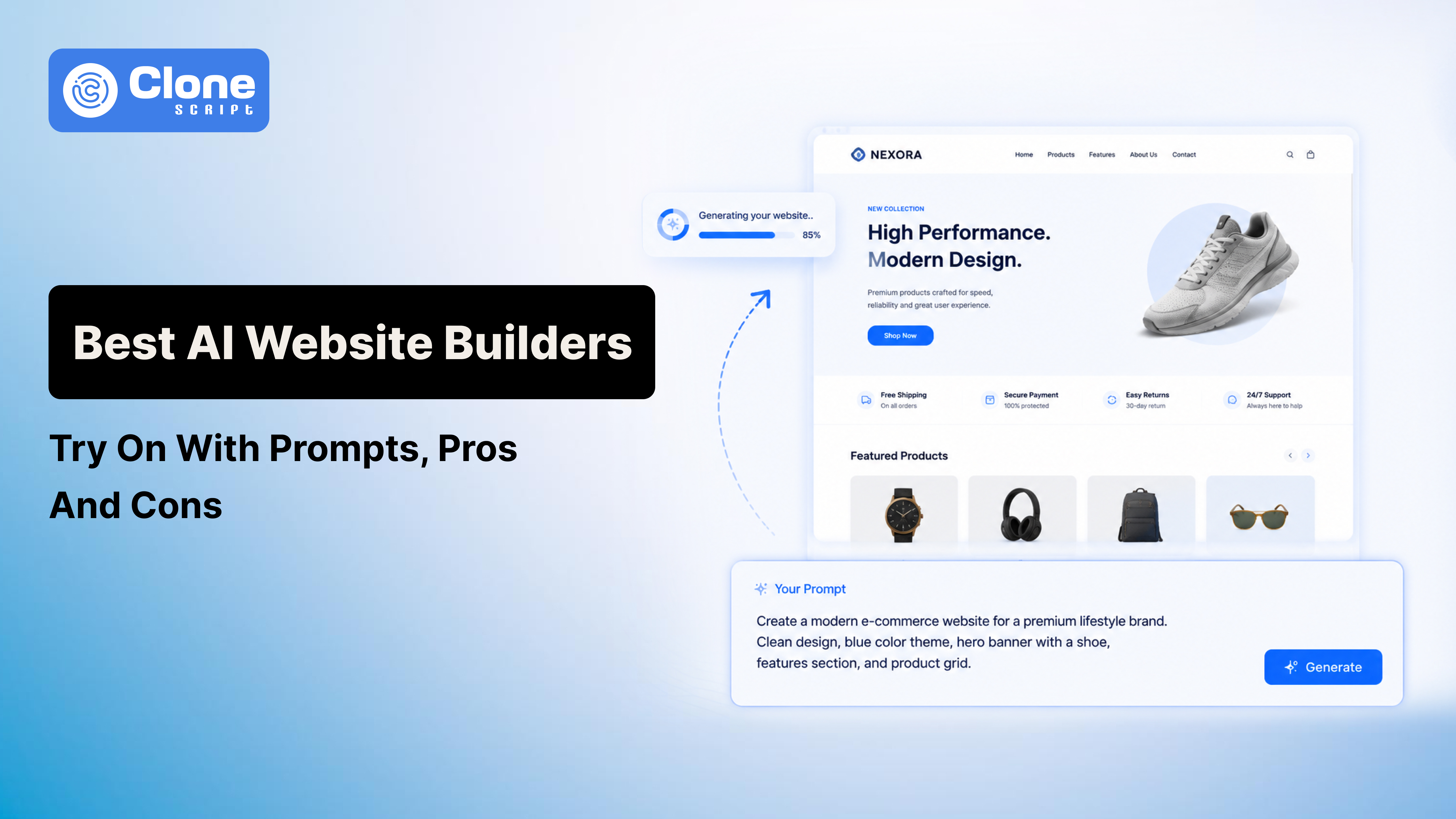
The 5 Best AI Website Builders to Try With Prompts, Pros, and Cons
In 2026, building a professional website doesn’t have to be slow, expensive, or require coding skills. Artificial Intelligence (AI) website builders have transformed website creation, allowing entrepreneurs, freelancers, and businesses to generate fully functional, SEO-friendly websites from simple prompts in minutes.
You think at 8.00 P.M you have the unique website design idea, and around 10 o'clock, the site is ready to go live with the basic features. With AI-powered design, content generation tools, and built-in SEO optimization support, developing a website is not a $10k investment.
This guide explores the 5 best AI website builders, their pricing, pros, cons, and tips to write prompts, so you can choose the right tool and launch a website quickly.
Why AI Website Builders Are Essential in 2026
Traditional website creation requires a mix of design, coding, and copywriting expertise. Even small sites can take weeks to launch. AI website builders simplify this by:
-
Generating layouts and pages automatically.
-
Creating AI-generated copy for content sections.
-
Optimizing websites for SEO and mobile devices.
-
Integrating e-commerce, forms, and analytics automatically.
Think of AI as your assistant. You provide the vision, while Artificial Intelligence handles the repetitive tasks. With clear prompts, these tools produce a ready-to-launch website that you can refine.
How to Write Effective AI Prompts for Website Development?
Your prompt determines the output quality. Use this framework:
-
Specify the website type: Mention what kind of site you’re making, like a blog, portfolio, e-commerce, SaaS landing page, etc.
-
Include style: Describe the style of a website according to the requirement, including modern, minimal, corporate, creative, and luxury.
-
Define functionality: Then, it comes to the functionality websites have, like newsletter signup, contact form, booking system, and product checkout.
-
Refine iteratively: Getting a result in a first attempt does not always work. Adjust prompts based on AI output to improve clarity and relevance.
Example prompt:
Create a small business website with these pages:
- Home: Hero section with company name and tagline, CTA button “Get Started.”
- Services: 3 services with title, description, and icons
- About: Company story, team photos, and milestones
- Testimonials: 3 customer reviews
- Contact: Form with name, email, message, and map integration
Style: Modern, clean, professional
Color scheme: Blue (#1E90FF), White (#FFFFFF), Grey accents (#F0F0F0)
Top 5 AI Website Builders to Use in Website Creation for 2026
Take a look at the list of no-code website building platforms, making the task easier for even a single entrepreneur not having a professional web development team.
1. Wix AI
Wix AI Website Builder is Wix’s AI‑powered site creation system that builds complete, professional websites from simple natural language input. There is no coding or design experience required.
Instead of manually selecting templates and dragging elements, you tell the AI what you need (business type, pages, style, key features), and it generates a structured site with layouts, suggested content sections, color schemes, and page hierarchy in minutes.
Once the initial site is created, you can continue customizing every detail using Wix’s visual editor or through follow‑up prompts, such as adding an online store, rewriting sections in a different tone, inserting forms, or changing themes. The AI generates initial copy based on industry context, and you retain full control to refine text, visuals, and layout.
Key Capabilities
-
Conversational site creation: Build sites from plain‑language prompts or guided questions.
-
AI content generation: Draft headlines, subheadings, and page text tailored to your business.
-
Design suggestions: AI recommends layouts, fonts, and color palettes.
-
Built‑in business tools: Contact forms, e‑commerce, scheduling, and SEO features are included.
-
Full editing access: Manually tweak or redesign any element.
Pros: Fast setup, no technical skills needed, AI‑generated structure and copy, flexible editing.
Cons: Output can feel templated without refinement, deep design control is initially limited, and AI content may need SEO improvements.
Pricing: Free plan available with limited features. Go for a premium plan from $17/month to $29/month, depending on features.
2. Hostinger AI
Hostinger AI Website Builder is a beginner‑friendly, AI‑driven site creation tool built into Hostinger’s hosting platform that takes your simple business or site description and turns it into a fully structured website.
You can complete the website with layout, text, images, and essential features. Don’t worry about coding; you don't have to do it.
This AI website builder is designed to help users launch professional sites fast by eliminating the traditional blank‑canvas start and providing a solid base draft you can refine.
To use it, you enter your brand name and brief description, select the type of site you need (e.g., online store, blog, portfolio, landing page), and optionally choose style preferences like colors. The AI then generates a tailored site draft, including responsive layouts and suggested content. After the initial build, you can fine‑tune the design using Hostinger’s visual editor, adjusting images, swapping sections, editing text, and adding business features.
Key Capabilities
-
Prompt‑based site creation: Generates a full site from your description.
-
Built‑in AI tools: Includes an AI text editor, SEO assistant, image generation, and blog features.
-
E‑commerce support: Lets you create stores with payments and product listings.
-
Responsive design: Sites are mobile‑ready by default.
Pros: Fast setup, integrated hosting/domain, beginner‑friendly, AI content options.
Cons: AI drafts can be generic, design flexibility is limited compared with advanced builders, and site export/migration is restricted.
Pricing: Plans start around $2.99–$3.99/month with hosting, AI tools, and SEO features included.
3. Squarespace AI
Squarespace AI Website Builder, powered by its Blueprint AI system, is an AI‑assisted site creation tool integrated into the Squarespace platform that builds a personalized, visually cohesive website based on your business details and design preferences.
You begin by sharing your business name, industry, goals, and even a brand personality (e.g., professional, quirky, bold). Afterward, AI generates a structured website with suggested layouts, color palettes, fonts, page sections, and tailored content designed to match your brand’s aesthetic and objectives.
Once the draft is created, you can refine it in real time using Squarespace’s editor. This includes swapping images, adjusting text, changing layouts, or updating styles for specific pages such as the homepage, services, portfolio, or online store. The Artificial Intelligence also populates starter copy and visuals that fit your chosen personality and website type.
Key Capabilities
-
Brand‑driven site creation: Generates layout, content, and styles from business inputs.
-
Personalized AI content: Drafts headlines, descriptions, and page text tailored to your brand.
-
Design recommendations: Suggests color schemes, fonts, and page sections.
-
Live real‑time customization: Edit and preview changes instantly before publishing.
Pros: Produces polished designs quickly, integrates with Squarespace’s drag‑and‑drop editor, and includes responsive layouts.
Cons: Initial AI drafts may require manual refinement, and design flexibility depends on Squarespace’s editor constraints.
Pricing: Squarespace plans with Blueprint AI capabilities generally start at $9/month (billed annually), with ecommerce tiers up to $17/month.
4. Framer AI
When needed, an interactive and high-fidelity website- you know, Figma is a tool. But when it comes to AI, Framer's AI-assisted platform helps to create professional-grade designs.
There is no requirement for template-based builders. Framer AI website builder uses advanced systems to generate fully responsive layouts with animated sections, interactive components, and visual hierarchy.
To use Framer AI, you provide inputs like business type, number of pages, desired sections, and style preferences. The AI produces a functional draft site with hero sections, feature blocks, pricing tables, testimonials, and footers. It can also create interactive elements such as sliders, hover effects, and scroll-triggered animations, making the output suitable for modern SaaS, product landing pages, or portfolio sites.
Users can further refine the design using Framer’s drag-and-drop editor to tweak layouts, colors, typography, and animations.
Key Capabilities
-
Interactive design generation: AI produces animated, responsive site layouts with dynamic sections.
-
Content and structure suggestions: Generates headlines, descriptions, and placeholder copy tailored to your business.
-
Customizable animations: Add hover effects, scroll interactions, and component transitions.
-
Responsive preview: Ensures mobile and desktop optimization automatically.
Pros: Rapid interactive site creation, modern design aesthetics, responsive layouts, and highly customizable.
Cons: Slightly steeper learning curve than beginner tools, AI content may need human refinement for tone.
Pricing: Plans start at $10/month, scaling with collaboration and advanced features.
5. Webflow AI
Need full design freedom with intelligent automation? Webflow AI website builder does that well. This tool helps designers, agencies, and startups to create highly customized, responsive websites easily.
Unlike standard AI builders, Webflow AI generates structured layouts, content blocks, and style recommendations while giving full control over CSS, interactions, and animations. That means it reduces the chances of hiring a front-end website developer.
For using this website builder, first describe your business, website type, pages required, and preferred UI and UX design style. The AI produces a draft site with recommended sections like hero banners, features, pricing, portfolios, testimonials, and footers. It also suggests content tailored to your industry and audience.
You can then refine every element using Webflow’s visual editor, like adjusting layouts, typography, animations, and interactions without touching code.
Key Capabilities
-
Prompt-driven site generation: Builds complex, responsive layouts from simple descriptions.
-
Industry-specific content: AI drafts headlines, section text, and placeholder content relevant to your field.
-
Full design customization: Supports interactions, animations, and custom styling.
-
SEO and responsive readiness: Sites are mobile-optimized and SEO-friendly by default.
Pros: Complete design control, responsive and professional output, AI content suggestions.
Cons: Steeper learning curve, premium plans required for advanced features, AI content may require editing.
Pricing: Plans start at $15/month for basic features, scaling to business and enterprise tiers.
Tips for Human-Friendly, Actionable AI Website Creation
Even the best AI website builders generate drafts, not final products. Follow these tips to turn AI output into a polished, professional website:
-
Treat AI output as a starting point: Refine headlines, copy, and tone to match your brand voice.
-
Replace placeholders with real visuals: Swap stock images or AI-generated graphics with authentic photos for credibility and engagement.
-
Iterate on prompts: Small changes in instructions can produce better layouts, content, and design variations.
-
Audit for SEO: Use manual SEO checks to optimize headings, metadata, and page speed to boost search rankings.
-
Test responsiveness: Preview your site on desktop, tablet, and mobile devices to ensure usability and consistent design.
These steps ensure your AI-generated website not only looks professional but also performs well, aligns with your brand, and converts visitors effectively.
Conclusion
AI website builders in 2026 are practical, fast, and human-centered tools. By combining clear prompts with human refinement, you can create:
-
SEO-ready websites
-
Mobile-responsive layouts
-
Conversion-focused designs
Key takeaway: AI is your co-creator; guide it with precise prompts, then refine like a designer.
Choose a builder from our top 5 list, try the example prompt, and start building your website today.