BTC - Bitcoin
 USDTERC20 - USDT ERC20
 ETH - Ethereum
 BNB - Binance
 BCH - Bitcoin Cash
 DOGE - Dogecoin
 TRX - TRON
 USDTTRC20 - USD TRC20
 LTC - LiteCoin

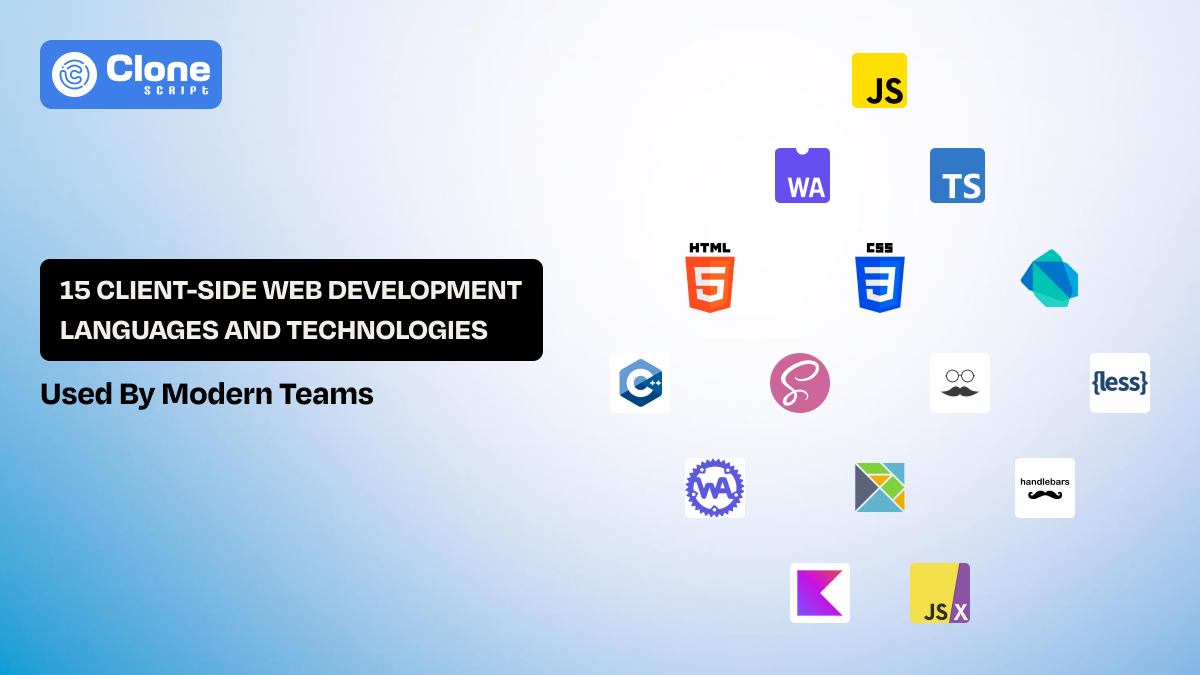
15 Client-side Web Development Languages and Technologies Used Now
Client-side development (also referred to as front-end) is becoming a necessity of any web product, whether it’s a website, app, or combined version. But why is this type of development required? Because a one-second delay is enough that users start losing patience, and even minor performance issues can impact retention and trust.
To fix it, client-side languages are used to solve specific problems like structuring content, managing layout, handling interaction, or executing performance-sensitive logic.
This guide explains the most famous languages modern teams actually use in development and makes the product visually appealing, interactive, and scalable.
What Qualifies as a Client-Side Language?
Any programming language that participates in building or running an application inside the user’s browser is known as a client-side language. There are different types of languages available, whereas some work directly in the browser and others need a compiled version to run.
Here, the original syntax does not matter, but the code execution and its impacts on user experience do.
Client-side languages handle three responsibilities as mentioned below.
-
First, they define structure. For example, when a user opens the website in a browser, the way the content is organized and interpreted.
-
Second, they control presentation. This includes layout, responsiveness, and visual behavior across devices.
-
Third, they execute logic. It manages state (like default, enable, loading), responding to user actions (like clicking a button in a menu), and communicating with external APIs (like payment gateways).
When the front-end development team understands what truly qualifies a client-side language helps them to make proper architectural decisions. This includes building pipelines, debugging, performance, and long-term maintenance.
HTML, CSS, and JavaScript: Core Client-Side Languages (Browser-Native)
In the front-end technology stack, the importance of browser-native languages is still maintained for the long term, even though advanced languages have been introduced. The best thing is that these languages don’t need a compilation step; every modern browser (Google Chrome, Microsoft Edge, Firefox, Opera, Safari, Yandex, Brave, etc.) supports them. When teams introduce frameworks, preprocessors, or WebAssembly, these core languages remain the final layer delivered to users.
-
HTML (HyperText Markup Language)
HTML, known as HyperText Markup Language, defines the structure and meaning of a web document. It tells the browser what each piece of content represents, like navigation, headings, articles, forms, or interactive controls. For developers, HTML is not just layout scaffolding. It is the foundation of accessibility, SEO, and long-term maintainability.
The best part is that a well-structured HTML reduces the need for extra JavaScript, improves screen reader support, and helps browsers optimize rendering. Poor HTML structure, on the other hand, often leads to fragile UI logic and performance issues later in the project.
-
CSS (Cascading Style Sheets)
CSS controls how content looks and adapts to different screens, input methods, and environments. Modern CSS has grown far beyond colors and fonts. Layout systems like Flexbox and Grid allow complex interfaces without relying on JavaScript-driven positioning.
Implementing efficient CSS that reduces layout shifts and improves rendering speed. Modular CSS makes design systems easier to scale and maintain across large applications.
-
JavaScript
JavaScript is the execution engine of the client-side. It handles user interaction, state updates, network requests, and dynamic rendering. Any client-side behavior beyond static content ultimately depends on JavaScript.
What makes JavaScript essential is its universal support. Regardless of the language or framework a team chooses upstream, JavaScript (or something that compiles to it) is what actually runs in the browser. Understanding its behavior, limitations, and performance characteristics remains a core skill for every front-end developer.
Strongly-Typed & Transpiled Client-Side Languages
Only JavaScript shows limits when applications grow larger. Why? Maintaining complex codebases over time became harder. To address this, many teams adopted languages that add structure, safety, or alternative programming models while still targeting the browser.
Note that these languages do not run directly in the browser. Instead, they are compiled or transpiled into JavaScript. It means developers have to write more predictable code without giving up browser compatibility.
-
TypeScript
TypeScript extends JavaScript by adding static types, interfaces, and advanced tooling support. For development teams, the biggest benefit is not fewer bugs at runtime, but clearer intent during development. Types document how data flows through an application and help catch mistakes before code ever ships.
For large-scale front-end projects, TypeScript has become the default choice. It improves refactoring safety, enhances editor support, and makes onboarding new developers easier. This reduces guesswork in unfamiliar code.
-
Dart (Compiled to JavaScript)
When consistency matters in structured client application development, Dart has been chosen. The best part is that it offers a clear object model, predictable behavior, and a well-integrated toolchain. With JavaScript compilation, Dart produces efficient output that runs reliably across browsers. Development teams enforce stronger conventions and reduce ambiguity in how client-side code is written and organized.
-
Elm
Elm takes a very different approach. It is a functional language that focuses on reliability and simplicity in user interfaces. The architecture enforces a strict pattern for state updates and rendering that makes application behavior easier to reason about.
One of Elm’s defining traits is the absence of runtime errors in production builds. While its ecosystem is smaller, teams that prioritize stability and clarity find Elm valuable for complex, state-driven interfaces.
Styling & UI-Focused Client-Side Languages
Styling in a web application is important during the scaling phase, and choosing colors and fonts is not enough. Working with a large set of codebases needs consistent spacing, reusable patterns (we call them UI components), and a way to manage visual changes that works properly in layouts.
Now you think, why need advanced CSS? It depends on the project structure. Plain CSS is suitable for small websites and apps. But when it needs styles predictable and maintainable over time, it requires.
Styling-focused client-side languages and preprocessors solve this by introducing variables, composition, and better organization. These languages compile down to standard CSS that browsers understand.
-
SASS / SCSS (Syntactically Awesome Stylesheet)
SASS is most commonly used through its SCSS syntax. It is the industry standard for managing complex stylesheets. Using it, developers define variables for colors and spacing, reuse logic through mixins, and organize styles using nesting and partial files.
In real-world projects, SASS is often the key part of design systems. Teams can maintain visual consistency across components and pages while keeping styles flexible enough to change as the product grows.
-
LESS (Leaner Style Sheet)
LESS provides a similar set of features but with a lighter mental and tooling overhead. It supports variables, nesting, and basic functions. You can use this language for projects that need more structure than plain CSS without adopting a full design system.
This language is frequently found in legacy applications or design-heavy environments where stability matters more than introducing new tooling. While less popular today, it remains a practical choice in many existing codebases.
Templating & Declarative Client-Side Languages
Now, client-side interfaces have become more dynamic. Developers needed better ways to generate and update HTML without manually manipulating the DOM. Templating and declarative languages solve this problem by focusing on what the UI should look like, rather than how to construct it step by step.
These languages help keep presentation logic readable and predictable, especially in applications where the same UI patterns appear repeatedly or change based on data.
-
JSX
JSX allows developers to describe user interfaces using a syntax that looks like HTML but behaves like JavaScript. The key idea is that UI is treated as a function of state. When data changes, the interface updates automatically based on declarative rules.
This approach simplifies complex interfaces by keeping rendering logic close to the data it depends on. For developers, JSX reduces mental context switching and makes component behavior easier to trace and maintain.
-
Handlebars
Handlebars is a templating language designed to keep logic out of templates. It focuses on variable interpolation and simple iteration that leaves complex behavior to the underlying application code.
This separation makes templates easier to read and safer to modify, especially in teams where designers and developers collaborate on UI structure. Ultimately, it improves the product efficiency and gives the output as needed.
-
Mustache
Mustache takes simplicity even further. There is no requirement for conditional logic or function calls. Because it provides a minimal set of features for binding data to templates.
By implementing strict separation between logic and presentation, Mustache helps teams avoid bloated templates and maintain consistent rendering behavior across the application.
Performance-Oriented Client-Side Languages (via WebAssembly)
Some tasks, such as image processing, encryption, data compression, or complex calculations, push JavaScript beyond its comfort zone. As web applications began handling these workloads in the browser, performance became a real constraint.
-
WebAssembly (WASM)
WebAssembly (WASM) was introduced to address the gap. The code is written in low-level and high-performance languages to run safely inside the browser at near-native speed. Instead of replacing JavaScript, WASM works alongside it, handling the heavy lifting. At the same time, JavaScript manages application flow and user interaction.
-
Rust (via WASM)
Rust is a popular choice for WebAssembly because it combines performance with strong memory safety guarantees. It is commonly used for security-sensitive or compute-heavy client-side tasks where reliability matters.
-
C / C++ (via WASM)
C and C++ are usually implemented to bring existing high-performance libraries to the web. Game engines, physics models, and media tools frequently depend on this approach. This client-side language is appropriate. It requires careful memory management and experienced developers.
Emerging & Niche Client-Side Languages
To solve very specific problems or to support teams working across multiple platforms, these languages may not appear in every project. They can be extremely effective when used in the right context, and Kotlin/JS is one of them.
-
Kotlin/JS
Kotlin/JS allows developers to write client-side code in Kotlin and compile it to JavaScript. Teams already using Kotlin on the back-end in mobile development can manage the entire project properly. By sharing models, validation logic, and utilities, teams can reduce inconsistencies between platforms.
In practice, Kotlin/JS is used where type safety and code reuse matter more than minimal bundle size. While it adds complexity to the build process, it can significantly simplify development for organizations standardizing on Kotlin across their stack.
Comparison Table: 15 Client-Side Languages at a Glance
The table below summarizes where each language operates, how it runs in the browser, and the primary problem it solves.
|
Language |
Category |
Runs in Browser |
Primary Use |
|---|---|---|---|
|
HTML |
Markup |
Yes |
Content structure |
|
CSS |
Styling |
Yes |
Layout and presentation |
|
JavaScript |
Scripting |
Yes |
Client-side logic |
|
TypeScript |
Typed JavaScript |
Yes (Compiled) |
Large-scale applications |
|
Dart |
Transpiled |
Yes |
Structured client apps |
|
Elm |
Functional |
Yes (Compiled) |
Reliable UI logic |
|
SASS/SCSS |
Styling |
Yes (Compiled) |
Design systems |
|
LESS |
Styling |
Yes (Compiled) |
UI theming |
|
JSX |
Declarative |
Yes |
Component-based UI |
|
Handlebars |
Template |
Yes |
UI rendering |
|
Mustache |
Template |
Yes |
Data binding |
|
WebAssembly |
Binary |
Yes |
High-performance execution |
|
Rust |
Compiled |
Yes (Via WASM) |
Secure, fast logic |
|
C / C++ |
Compiled |
Yes (Via WASM) |
Heavy computation |
|
Kotlin/JS |
Transpiled |
Yes |
Shared cross-platform logic |
What stands out is that every language ultimately serves a specific responsibility. Any of these languages can be interchangeable, and most are strongest when combined thoughtfully rather than used alone.
How Modern Teams Combine These Languages in Real Projects?
Let’s take an example of e-commerce website and app development to understand how these front-end–side languages work together in practice. E-commerce platforms must handle fast page loads, real-time updates, secure transactions, and consistent user experiences across devices. To achieve this, teams divide responsibilities across multiple client-side languages instead of relying on a single tool.
-
Baseline Structure and Layout
Development starts with HTML, which defines the structure of product pages, category listings, carts, and checkout flows. Using semantic elements improves accessibility and helps search engines index product information accurately.
On top of this, CSS, commonly extended with SASS, manages responsive layouts, spacing, and brand styling across different screen sizes.
-
Client-Side Logic and Interactivity
The base is solid. Now, it comes to logic implementation, and JavaScript is at the top of that. It handles interactive behavior, most often written in TypeScript. This layer improves features such as product filtering, cart updates, price calculations, and form validation. TypeScript adds clarity and safety in flows related to payments and order processing.
-
High-Performance Operations
Some operations require more processing power than standard JavaScript can efficiently provide. For tasks like image optimization, recommendation calculations, or client-side encryption, teams may use WebAssembly modules written in Rust to maintain smooth performance.
-
Reusable UI Components
Declarative tools like JSX are used to create reusable components such as product cards, navigation menus, and checkout steps. This approach keeps the interface consistent and easier to maintain across both the website and the mobile app.
By assigning every language a clear role, modern teams build e-commerce products that are fast, reliable, and scalable.
How to Choose the Right Client-Side Language Stack?
The right combination of languages should make development smoother, not more complex. For most teams, clarity, maintainability, and performance matter more than experimenting with new tools.
-
Team Skills and Experience
Start with what your team already knows. Introducing unfamiliar languages increases onboarding time and raises the risk of mistakes. A well-understood stack is more productive than a technically “reliable” one that few people can maintain.
-
Application Size and Complexity
Small websites may only need HTML, CSS, and JavaScript. Larger applications with complex state, multiple features, and long lifespans benefit from tools like TypeScript or structured styling systems. It is required to reduce long-term maintenance issues.
-
Performance Requirements
Smooth and reliable user experience is every development team's priority. When an application handles heavy computations, media processing, or real-time interactions, it becomes a key factor. In such cases, WebAssembly-based solutions can offload expensive work without slowing down the UI.
-
Long-Term Maintenance
Think beyond initial web development. Choose languages and tools that make refactoring, testing, and onboarding easier over time. A stable, well-supported stack reduces technical debt and helps teams ship features faster in the long run.
Why You Should Avoid Copy-Pasting Generated Code or Content?
AI tools that generate code or content can be helpful during development, but relying on them without review creates real risks, especially on the client side. Browser code runs on countless devices, networks, and environments. What looks correct at first glance can fail silently in production.
-
It contains hidden buds.
One common issue is hidden bugs. AI-generated code may work for simple cases but break under edge conditions such as slow networks, accessibility tools, or older devices. These issues are difficult to trace later because the original intent behind the code is unclear.
-
The architecture is suspicious.
There are also architectural concerns. Generated snippets solve isolated problems without considering application-wide patterns like state management, performance budgets, or security boundaries. Over time, this leads to fragmented logic and harder maintenance.
-
It involves licensing and compliance issues.
This can be another problem. Code pulled blindly into a project may introduce legal or security risks that teams only discover after deployment. Be sure before implementing the code.
Used correctly, AI code and content generation tools should support thinking, not replace it. Reviewing, adapting, and integrating code with clear intent is what keeps client-side systems stable, secure, and maintainable as they grow.
Conclusion
Client-side development is how users experience a product. Every language used in the browser affects performance, reliability, accessibility, and long-term maintainability. Development teams succeed by understanding the role each language plays and combining them intentionally.
Simpler tools work best for structure and presentation, while more advanced or compiled languages earn their place when performance or scale demands it.
The most important takeaway is this: technology choices reflect engineering discipline. In client-side development, thoughtful decisions today prevent costly rewrites tomorrow.