BTC - Bitcoin
 USDTERC20 - USDT ERC20
 ETH - Ethereum
 BNB - Binance
 BCH - Bitcoin Cash
 DOGE - Dogecoin
 TRX - TRON
 USDTTRC20 - USD TRC20
 LTC - LiteCoin

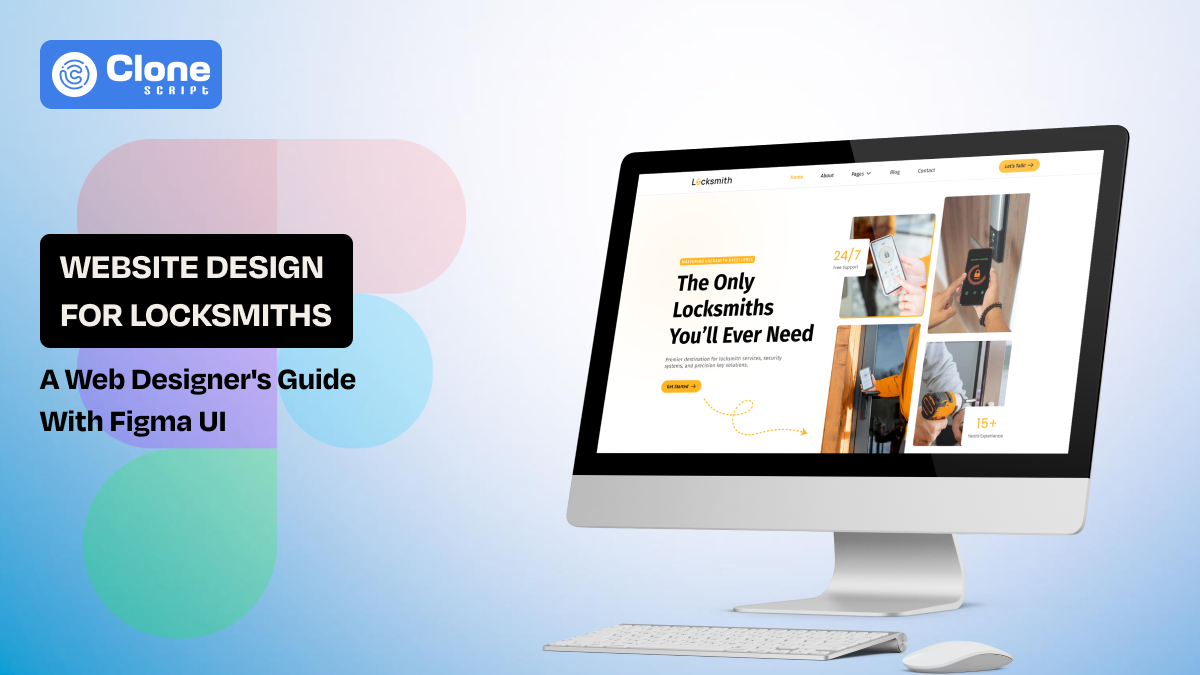
Website Design for Locksmiths: A Complete Guide for Web Designers With Ready Figma UI
Designing a locksmith service website isn’t just about putting a phone number on a page. It’s about building trust through design. For local service businesses, the website often becomes the first impression a potential client ever sees.
Web designers face a unique challenge: they must create an interface that communicates reliability, professionalism, and local expertise in seconds. Layout, typography, and visual cues all influence whether a visitor picks up the phone or moves on.
Unlike other service industries, locksmith websites need to balance functionality with authority. Every section should guide users intuitively, while reinforcing credibility and encouraging action.
This guide shows designers how to structure, design, and optimize locksmith websites that not only look professional but also convert visitors into clients efficiently.
Why Locksmith Websites Require a Different Design Approach
Locksmith websites are unlike most local service sites because users don’t visit to explore; they visit to act. Every visitor has a goal: understand the services, confirm trustworthiness, and make contact quickly.
This behavior changes the design priorities. Instead of storytelling or heavy branding, the website must communicate clarity, reliability, and accessibility instantly. The layout should highlight services, display contact options prominently, and reassure visitors through trust signals such as reviews, certifications, or experience.
Local competition further influences design decisions. In many areas, several locksmith businesses appear in search results simultaneously. A clean, well-structured site can make the difference between a user calling your client or moving to the next listing.
Key UX Elements to Include
Know these user experience elements:
-
Prominent phone number and click-to-call button for instant mobile contact
-
Clear service categories: residential, commercial, automotive
-
Service area visibility confirming local coverage
-
Straightforward navigation for easy scanning
-
Trust indicators like customer reviews or certifications
This approach ensures the website functions as a conversion-focused tool rather than just an online brochure.
Locksmith Service Websites Design Principles
Designing a locksmith website requires a balance between functionality, clarity, and credibility. Visitors rarely linger. They need to understand services and contact options within seconds. Every element of the site should support these goals without unnecessary distractions.
Here are the locksmith website design principles based on UI design principles.
-
Prioritize clarity over decoration: Avoid cluttered layouts or heavy visual effects. The key information, services, contact, and trust signals should stand out immediately.
-
Mobile-first design: Many visitors search on smartphones during urgent situations. Buttons, menus, and content must be responsive and easy to interact with on smaller screens.
-
Strong visual hierarchy: Headings, service sections, and call-to-action buttons should guide the eye naturally from problem to solution.
-
Consistent UI patterns: Creating familiarity and reducing load for visitors required repeating design components, like service cards or testimonial sections.
-
Action-focused layout: Position phone numbers, forms, and emergency service indicators in areas users scan first, typically the header and hero sections of the website.
By following these principles, designers can create locksmith websites that convert quickly, build trust, and remain scalable for future updates.
Essential Features Every Locksmith Website Should Include
A locksmith website is only effective if it provides visitors with the tools and information they need to act immediately. Beyond clean design, specific features ensure usability, trust, and conversion.
These features keep the website reliable, and you should include them.

-
Click-to-Call Functionality: A visible phone number with tap-to-call for mobile users allows immediate contact. They don’t have to scroll 15-20 times to find the option.
-
Emergency Service Highlight: Display 24/7 or emergency availability prominently to reassure visitors that the service is available whenever they want.
-
Service Categories: Displaying sections for residential, commercial, and automotive locksmith services improves clarity and conversion.
-
Service Area Visibility: Highlight the cities or neighborhoods served to confirm local relevance. This is the highest chance to get a service call from customers.
-
Trust Indicators: Include customer reviews, ratings, certifications, or years of experience to build credibility quickly.
-
Quick Contact Forms: Short, straightforward forms encourage users to submit inquiries without friction.
-
Map or Directions Integration: Interactive maps help locksmiths confirm location and plan routes if needed.
Including these features ensures the website functions as a practical, lead-generating tool rather than just an online presence.
Locksmith Websites Recommended Page Architecture
A well-structured page architecture is important for guiding visitors and improving conversions. For locksmith websites, the focus should be on clarity, ease of navigation, and emphasizing actions like calling or submitting a form.
Here are the core pages and structure to follow.
-
Homepage: The locksmith website homepage acts as the main entry point. The best practice is to include a hero section with emergency contact, service highlights, and trust indicators.
-
Service Pages: Locksmith service categories are different: residential, commercial, and automotive. Separate pages for each should clearly explain the service and its benefits.
-
Location Pages: These dedicated pages are designed for cities or neighborhoods served, helping local SEO and confirming service coverage.
-
About Page: In the About page, share company history, certifications, team expertise, and unique selling points to build credibility.
-
Contact Page: Multiple contact options: phone, form, email, and map make the contact easy. Include emergency service notes for visibility.
-
Testimonials or Reviews Page (optional but recommended): This can centralize trust signals for the locksmith website, demonstrating reliability to new visitors.
Organizing pages this way ensures visitors can find information quickly, improves search engine visibility, and supports conversion-focused design.
Homepage Layout Blueprint for Locksmith Websites
The homepage of a locksmith website is more than a landing page. It’s the first impression of reliability and professionalism. Designers should structure it to instantly communicate authority, local relevance, and ease of contact. Try to keep the layout clean and approachable.
Here are the strategic sections.

-
Immediate Contact Zone: A prominent header with click-to-call buttons or emergency service info ensures users can act instantly without scrolling.
-
Visual Service Highlights: Use cards, icons, or short descriptions to represent residential, commercial, and automotive services. Visual cues help users scan.
-
Trust & Credibility Elements: Showcase reviews, certifications, or client logos subtly to reinforce reliability without overwhelming the design.
-
Local Emphasis: Include maps or service area callouts to establish proximity and relevance to visitors’ locations.
-
Secondary Call-to-Action: Place a form, live chat, or callback request further down for visitors who want an alternative way to engage.
This approach ensures the homepage feels structured, professional, and conversion-focused, guiding users toward immediate engagement. This supports the business’s credibility.
Conversion-Focused UX Patterns for Local Service Websites
Locksmith websites become useful when every interaction nudges users toward the desired outcome: making contact. Beyond obvious buttons and forms, designers can use subtle UX cues to influence behavior.
Here are the innovative UX patterns.
-
Progressive Disclosure: Show only the most important information first (service type, local availability), then reveal details as users scroll. This reduces overwhelm while keeping users engaged.
-
Micro-Interactions: Subtle animations on buttons or service cards signal interactivity, making the interface feel responsive and trustworthy.
-
Contextual Trust Signals: Instead of a separate reviews page, integrate short testimonials or badges directly within service descriptions to apply credibility at the moment of decision.
-
Visual Pathways: Use whitespace, directional cues, and content hierarchy to guide the eye naturally from problem recognition to action.
-
Adaptive CTAs: Change call-to-action phrasing based on scroll depth or page section, e.g., “Call Now for Emergency Help” vs. “Request a Quote.”
These patterns create a guided, intuitive journey that subtly converts visitors without feeling pushy. It makes local service websites perform well, even when using the standard HTML5 front-end templates for locksmith websites.
Locksmith Websites Local SEO Structure
For locksmith businesses, search visibility is tied to geography. People usually search with phrases like “locksmith near me” or include the name of a city or neighborhood. Because of this behavior, the website structure must clearly communicate location relevance to search engines.
Designers working with local service businesses should collaborate closely with SEO teams when structuring pages. A well-organized site allows each service and service area to be indexed properly while keeping navigation simple for visitors.
Here are structural elements that support local SEO.
-
Service + Location Page Strategy: Create pages such as “Car Locksmith in Austin” or “Residential Locksmith in Brooklyn.” This enhances chances to rank specifically for the local queries.
-
Location-Based Content Blocks: Mention neighborhoods, districts, and nearby landmarks naturally within page content to improve visibility in search results.
-
Internal Linking Between Services and Locations: Connect service pages with related city pages to strengthen topical relevance and navigation.
-
Structured Contact Information: Keep the business name, address, and phone number consistent across all pages.
-
Map Integration: Embedding a map helps implement geographic relevance and improves user trust.
A strong local SEO structure ensures the website supports both search visibility and user navigation. This can be useful for locksmith businesses to attract nearby customers efficiently.
Design Workflow for Building Locksmith Websites Efficiently
Web UI designers working with multiple local service clients face the same constraint: projects must move quickly without sacrificing usability. Locksmith businesses rarely require complex web applications, but they do need clear structure, mobile reliability, and consistent branding.
An efficient workflow helps designers deliver these projects faster while maintaining quality across different clients and locations.
Here is a practical workflow approach:
-
Start with a Local Service Framework: Define a repeatable structure for homepage, services, locations, and contact pages before starting design.
-
Create Reusable UI Components: Elements like service cards, trust sections, and contact blocks can be reused across projects. This speeds up production.
-
Design for Content First: Locksmith websites depend on clear information. Wireframes should prioritize service explanations, locations, and contact pathways.
-
Prototype Mobile Layouts Early: Many locksmith leads come from smartphones, so testing mobile layouts early avoids usability problems later.
-
Prepare Handoff-Ready Design Files: Organized layers, consistent naming, and component libraries make developer collaboration smoother.
Following a structured workflow allows designers to scale local service website projects efficiently. It delivers reliable, professional results for clients.
Tools Designers Use for Local Service Website Projects
Local service websites rarely require complex product design systems, but they do demand speed, clarity, and repeatable layouts. Designers often rely on a small stack of tools that support rapid wireframing, interface design, collaboration, and handoff to development teams.
These tools are commonly used in the workflow.

-
Figma: It is used for wireframes, UI layouts, component libraries, and collaborative design reviews with teams and clients.
-
Sketch: This is a macOS-focused interface design tool known for clean UI workflows and structured component systems.
-
Notion or Trello: It is useful for organizing design tasks, client feedback, and project documentation in one place.
-
Google Fonts and icon libraries: Designers frequently pull typography and icons from these resources to maintain consistent visual styling.
-
Webflow or WordPress: These platforms help translate design files into functional websites quickly, especially for small business projects.
For designers building multiple websites for local businesses, a consistent tool stack simplifies collaboration, reduces production time, and improves delivery speed across projects.
Design Resource: Locksmith Website Figma UI Kit
When designing for local service businesses, one challenge appears repeatedly: clients expect a complete website concept before development begins. Instead of presenting static wireframes, many designers now show fully structured UI concepts that demonstrate how the final website will look and function.
A practical resource for this purpose is the Locksmith Website Figma UI:
Rather than serving only as a template, this type of UI kit works as a design foundation for rapid concept building. Designers can quickly assemble a realistic website preview, adjust branding elements, and demonstrate layout ideas during client discussions.
How Designers Use It in Practice
-
Client presentations: Designers can showcase a full locksmith website concept instead of abstract wireframes.
-
Rapid layout experiments: Different homepage structures or service page variations can be tested quickly.
-
Brand adaptation: Colors, typography, and imagery can be customized to match the locksmith business identity.
-
Development-ready structure: Organized components make it easier for developers to understand the layout hierarchy.
For designers who frequently work with local service companies, resources like this locksmith website template help fill the gap between early design concepts and production-ready website layouts, making client communication and project execution much smoother.
Design Trends for Locksmith Websites
Locksmith websites are increasingly shaped by how people search for emergency services and local assistance online. Designers now focus on layouts that help users understand services quickly and contact the business without delay. Modern locksmith website design emphasizes clarity, speed, and strong local relevance.
These current design trends to follow.
-
Sticky Call Buttons on Mobile: Many locksmith websites now include persistent call buttons so visitors can contact the service from any page.
-
Service-Specific Landing Pages: Instead of listing everything on one page, designers create dedicated pages for car lockouts, lock repair, key duplication, and security upgrades.
-
Location-Focused Content Blocks: Websites now highlight cities, neighborhoods, and service coverage areas to reinforce local search visibility.
-
Trust-Oriented Homepage Sections: Reviews, ratings, and years of experience are placed prominently to establish credibility quickly.
-
Lightweight and Fast Interfaces: Designers reduce unnecessary animations and heavy scripts to ensure pages load quickly on mobile networks.
These trends reflect a practical shift in locksmith website design where the priority is helping visitors recognize the service, confirm availability, and make contact immediately.
Conclusion
Designing a locksmith website requires clarity, speed, and strong local relevance. Effective layouts highlight services, build trust quickly, and provide immediate contact options. For website designers working with local service businesses, structured page architecture, mobile-focused interfaces, and efficient design workflows help create websites that support real customer inquiries and long-term business visibility.