BTC - Bitcoin
 USDTERC20 - USDT ERC20
 ETH - Ethereum
 BNB - Binance
 BCH - Bitcoin Cash
 DOGE - Dogecoin
 TRX - TRON
 USDTTRC20 - USD TRC20
 LTC - LiteCoin

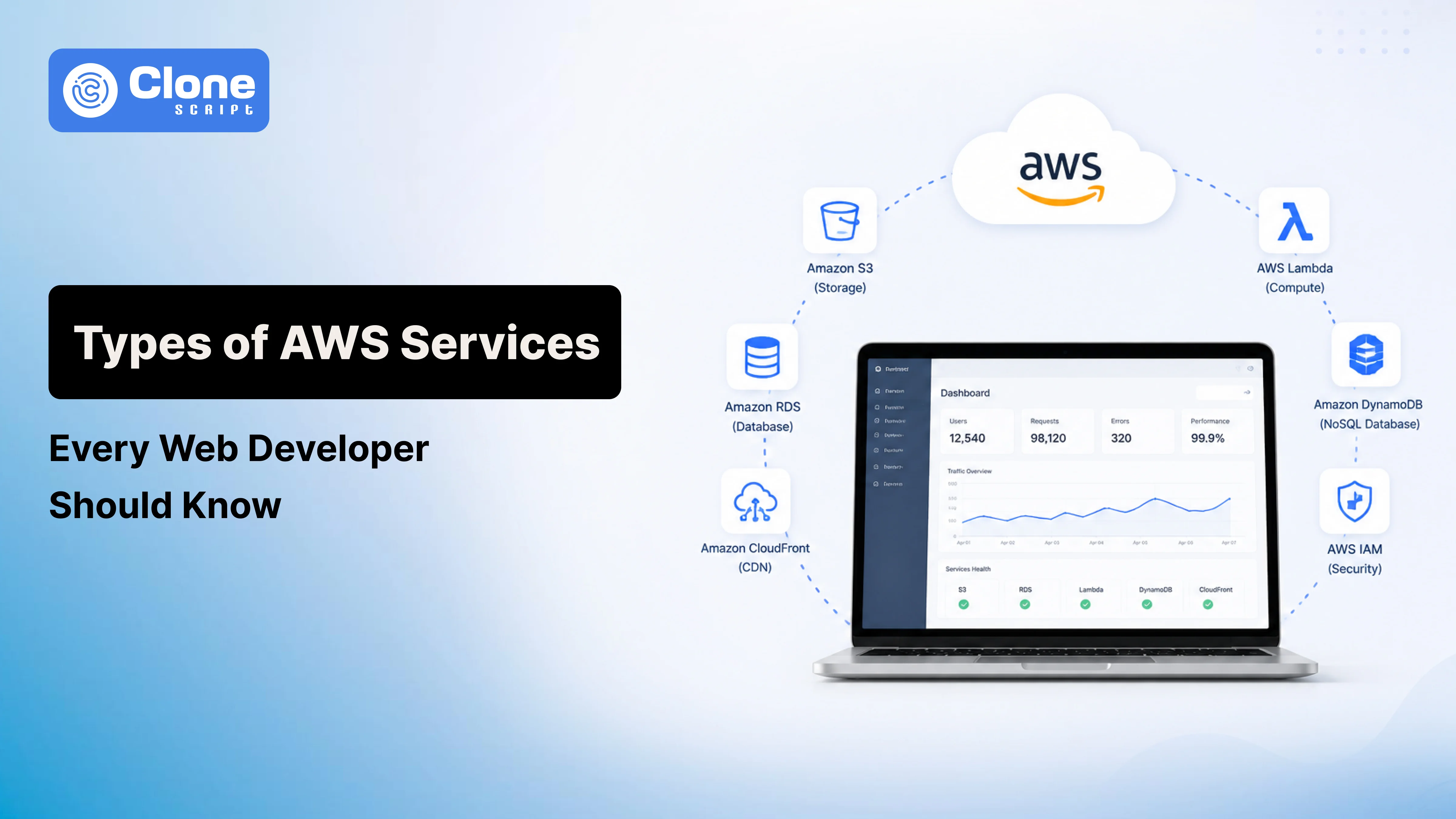
AWS Services: Why Every Modern Web Developer Should Understand It
The Types of AWS Services available today can feel overwhelming when you're building web applications. One minute you're deploying a simple blog, and the next you're trying to decide whether you need EC2, Lambda, Elastic Beanstalk, or containers.
Many developers make the mistake of learning AWS by memorizing service names. In practice, that's rarely how decisions happen.
Real projects begin with questions:
-
How many users do we expect?
-
Do we have DevOps resources?
-
How much downtime can we tolerate?
-
What's our monthly budget?
-
Will this application scale in six months?
AWS offers solutions for nearly every stage of a product's growth. Understanding when and why to use specific services helps developers avoid expensive redesigns later.
Whether you're launching a startup MVP, maintaining a SaaS platform, or building an e-commerce store, knowing the right AWS services can save time, reduce operational headaches, and keep infrastructure costs under control.
What AWS Is and Why It Matters in Web Development
Amazon Web Services (AWS) is a cloud platform that provides on-demand infrastructure and development tools.
Instead of purchasing physical servers, developers rent computing resources only when they need them.
This flexibility changed how web applications are built.
Years ago, launching a website often meant:
-
Buying servers upfront
-
Predicting traffic months in advance
-
Hiring specialists to maintain hardware
AWS removed much of that friction.
For web developers, this means you can:
-
Deploy applications globally.
-
Scale during traffic spikes.
-
Automate deployments.
-
Improve reliability.
-
Pay only for resources consumed.
The result is faster experimentation and lower barriers to launching products.
How to Choose AWS Services Based on Application Requirements
One of the biggest misconceptions about AWS web development services is believing there is a "best" service.
There isn't.
The right choice depends on the problem you're solving.
Ask These Questions First
1. How predictable is traffic?
A company with stable daily traffic might benefit from dedicated infrastructure.
A startup expecting unpredictable spikes may prefer serverless services.
2. How much operational work can your team handle?
Small teams underestimate the effort required to patch servers, configure backups, and monitor infrastructure.
Managed services reduce this burden.
3. What's the budget?
The cheapest option today isn't always the cheapest six months later.
Poor architectural decisions create hidden operational costs.
4. How quickly must features ship?
Speed matters.
Many startups prioritize developer productivity over perfect optimization.
Common Early Mistake
Developers overengineer.
They build microservices, Kubernetes clusters, and complex networking layers before validating whether users even want the product.
Start simple.
Complexity should be earned through growth.
Core Categories of AWS Services Every Web Developer Should Know
The major categories include:
| Category | Purpose |
|---|---|
| Compute Services | Run application code |
| Storage Services | Store files and assets |
| Database Services | Manage application data |
| Networking Services | Deliver content and route traffic |
| Serverless Services | Execute code without servers |
| Security Services | Control access and protect systems |
| Monitoring Services | Track health and troubleshoot issues |
| Messaging Services | Enable communication between components |
| Developer Services | Simplify deployment workflows |
Understanding these categories makes AWS far less intimidating.
You don't need to master hundreds of services.
You need to understand the handful that solve common web development problems.
1. Compute Services
Compute services power the logic behind your application.
This is where your code actually runs.
Amazon EC2: When You Need Control
Many tutorials summarize EC2 by saying it's "a virtual server." Technically true. Practically incomplete.
EC2 becomes valuable when developers need:
-
Full operating system access
-
Custom software installations
-
Long-running processes
-
Specialized configurations
-
Legacy application compatibility
Real-World Use Case
A growing SaaS company migrated from shared hosting to EC2 because its PDF generation service required custom dependencies unavailable elsewhere.
The workload ran continuously.
Lambda execution limits made serverless impractical.
EC2 provided the flexibility they needed.
When to Use EC2
Choose EC2 when:
-
Applications run continuously.
-
You require root-level access.
-
Background workers stay active for long periods.
-
Existing applications are difficult to refactor.
When Not to Use EC2
Avoid EC2 when:
-
Traffic is highly unpredictable.
-
Teams lack infrastructure expertise.
-
Applications consist mainly of event-driven tasks.
-
Operational simplicity is a priority.
Cost and Scalability Considerations
EC2 costs remain predictable under steady workloads.
However, idle servers still generate charges.
Common optimization strategies include:
-
Reserved Instances for stable workloads
-
Auto Scaling Groups
-
Rightsizing instances regularly
Many startups accidentally overspend by selecting larger instances "just in case."
Monitor usage first.
Scale second.
Common Mistakes Developers Make
-
Treating EC2 Like Traditional Hosting
Developers often launch an instance and forget about it.
Months later:
-
Security patches are missing.
-
Backups aren't configured.
-
Monitoring doesn't exist.
Cloud infrastructure still requires operational discipline.
-
Ignoring Auto Scaling
Traffic changes. Static infrastructure doesn't adapt. Auto Scaling prevents both overprovisioning and performance bottlenecks.
-
Elastic Beanstalk: Faster Deployment Without Deep DevOps Knowledge
Elastic Beanstalk rarely gets the attention it deserves.
For many teams, it's the sweet spot between simplicity and flexibility.
You upload application code.
AWS handles:
-
Provisioning EC2
-
Load balancing
-
Capacity management
-
Health monitoring
-
Deployment orchestration
Real-World Use Case
A startup with three developers needed to launch quickly.
Nobody specialized in infrastructure.
Elastic Beanstalk allowed the team to focus on shipping product features instead of manually configuring servers.
When to Use Elastic Beanstalk
It's a strong fit when:
-
Teams want traditional hosting.
-
Developers prefer minimal infrastructure management.
-
Applications use supported frameworks.
-
Delivery speed matters.
When Not to Use It
Avoid Elastic Beanstalk if:
-
You require highly customized infrastructure.
-
Container orchestration is central to operations.
-
You need fine-grained architectural control.
Cost Considerations
Elastic Beanstalk itself has no additional fee.
You pay only for the underlying resources it creates.
That simplicity makes budgeting easier for smaller teams.
Common Mistake
Many developers skip Beanstalk because they assume "real engineers use EC2 directly."
In reality, mature teams often choose managed services specifically to reduce maintenance overhead.
Operational efficiency is a competitive advantage.
2. Storage Services
Storage decisions often look simple during the early stages of development. Then users begin uploading profile pictures, marketing teams add videos, and traffic starts growing.
That's when your storage architecture matters.
Amazon S3: More Than a File Bucket
Most guides describe Amazon S3 as a place to store files.
While true, the real value is separating static assets from application servers.
Instead of forcing EC2 instances to handle every image request, S3 serves as the durable storage layer for:
-
User-uploaded images
-
Documents and PDFs
-
Website assets
-
Application backups
-
Video files
-
Data exports
Real-World Use Case
A startup hosting its product images directly on EC2 noticed server costs climbing as traffic increased. Each image request consumed bandwidth from the application server.
Moving images to S3 immediately reduced server load and simplified scaling.
When to Use S3
Choose S3 when:
-
Files need high durability.
-
Assets must be accessible globally.
-
Multiple services require access.
-
Storage requirements grow over time.
When Not to Use S3
Avoid relying on S3 when:
-
Applications require low-latency block storage attached directly to servers.
-
Frequent file modifications resemble traditional file systems.
Cost and Scalability Considerations
S3 scales automatically.
However, developers often forget that costs include:
-
Storage usage
-
Data transfer
-
Request volume
Using lifecycle policies to archive older data can significantly reduce expenses.
Common Mistakes to Avoid
Using Application Servers as File Storage
If an EC2 instance fails, locally stored uploads disappear.
Persistent assets belong in dedicated storage services.
Ignoring Lifecycle Policies
Keeping every file in the most expensive storage tier increases costs unnecessarily.
Why S3 and CloudFront Work Better Together
Many developers stop at S3.
That's usually leaving performance improvements on the table.
Amazon CloudFront caches S3 content at edge locations closer to users.
Benefits Include:
-
Faster page loads
-
Reduced latency worldwide
-
Lower origin bandwidth consumption
-
Better handling of traffic spikes
Real-World Example
An educational platform serving large video thumbnails saw its S3 bandwidth costs rise rapidly.
After introducing CloudFront:
-
Cache hit rates improved.
-
S3 requests declined.
-
Users experienced faster loading times.
For global audiences, this combination often delivers both better performance and lower costs.
3. Database Services
Choosing a database is one of the hardest architectural decisions because changing later can be painful.
The wrong choice doesn't always fail immediately.
It becomes obvious when growth begins.
-
Amazon RDS: Familiar Databases Without Administrative Burden
Amazon RDS provides managed relational databases.
Supported engines include:
-
MySQL
-
PostgreSQL
-
MariaDB
-
SQL Server
-
Oracle
Instead of manually configuring backups and updates, AWS automates much of the maintenance.
What Problem Does It Solve?
Developers need reliable databases without becoming database administrators.
Real-World Use Case
A SaaS billing application relied heavily on:
-
Transactions
-
Reporting queries
-
Data consistency
PostgreSQL on RDS provided structured relationships while eliminating much of the operational workload.
When to Use RDS
Choose RDS if your application requires:
-
ACID transactions
-
Complex joins
-
Structured schemas
-
Reporting capabilities
Examples include:
-
E-commerce platforms
-
CRM systems
-
Subscription applications
When Not to Use RDS
Avoid RDS when:
-
Massive scale with simple access patterns dominates.
-
Schemas change frequently.
-
Millisecond performance at enormous throughput is essential.
Cost Considerations
Costs increase through:
-
Larger instances
-
Multi-AZ deployments
-
Backup retention
-
Read replicas
While managed services cost more than self-hosted databases, operational savings often justify the difference.
Common Mistake
Developers sometimes choose the smallest database available without anticipating growth.
Scaling databases later requires planning.
-
DynamoDB: Built for Massive Scale
DynamoDB approaches data differently.
It's a NoSQL database optimized for predictable performance and horizontal scaling.
What Problem Does It Solve?
Applications generating huge volumes of simple requests.
Real-World Use Case
A gaming platform tracking millions of user sessions required:
-
Extremely low latency
-
Flexible schemas
-
Automatic scaling
DynamoDB handled the workload efficiently.
When to Use DynamoDB
Use it for:
-
Session management
-
Shopping carts
-
User preferences
-
Event tracking
-
High-volume APIs
When Not to Use It
Avoid DynamoDB if your application depends heavily on:
-
Complex joins
-
Advanced SQL queries
-
Traditional relational models
RDS vs DynamoDB: Which Should You Choose?
| Requirement | RDS | DynamoDB |
|---|---|---|
| Relational Data | ✓ | ✗ |
| SQL Queries | ✓ | ✗ |
| Automatic Massive Scale | Limited | ✓ |
| Flexible Schema | Moderate | ✓ |
| Complex Transactions | ✓ | Limited |
| Predictable High Throughput | Moderate | ✓ |
Many applications eventually use both.
4. Networking and Content Delivery Services
Even well-written applications fail if users cannot reliably access them.
-
Amazon Route 53
Route 53 is AWS's managed DNS service.
But reducing it to "DNS" misses its practical value.
What Problem Does It Solve?
Directing users to healthy infrastructure.
Real-World Use Case
A SaaS company deployed applications across multiple regions.
If one region experienced problems, Route 53 automatically redirected traffic elsewhere.
Customers never noticed the outage.
When to Use Route 53
Use it when:
-
Hosting production applications.
-
High availability matters.
-
Multiple environments exist.
-
Global routing becomes necessary.
Why DNS Failover Matters
DNS failover improves resilience by directing users away from unhealthy endpoints.
For businesses generating revenue online, availability directly impacts trust.
Common Mistake
Treating DNS as an afterthought.
Reliable routing should be part of architectural planning from the beginning.
-
CloudFront: Performance at Scale
CloudFront deserves attention beyond static assets.
It improves delivery for:
-
Downloads
-
Dynamic content
-
Media assets
When to Use It
Use CloudFront if users are geographically distributed.
When Not to Use It
Smaller internal applications serving localized audiences may see limited benefit initially.
Cost Considerations
CloudFront charges based on:
-
Data transfer
-
Request volume
However, reduced origin traffic often offsets these expenses.
5. Serverless Services
Serverless changes how developers think about infrastructure. Instead of managing servers continuously, code executes only when needed.
-
AWS Lambda
Lambda runs code in response to events. You upload functions. AWS handles the underlying infrastructure.
What Problem Does It Solve?
Eliminating server maintenance for intermittent workloads.
Real-World Use Case
An online marketplace generated invoices after purchases.
Rather than maintaining dedicated worker servers, Lambda processed invoices only when orders occurred.
When to Use Lambda
Lambda works well for:
-
Background jobs
-
Image processing
-
Scheduled tasks
-
Event-driven workflows
-
Lightweight APIs
When Not to Use Lambda
Avoid Lambda when applications require:
-
Long-running processes
-
Persistent connections
-
Heavy compute tasks lasting extended periods
Cost Considerations
You pay only for execution time. This model benefits startups with unpredictable traffic patterns.
Common Mistake
Forcing every workload into Lambda simply because it's trendy. Not every application fits an event-driven model.
API Gateway and Lambda: A Powerful Combination
API Gateway provides managed endpoints for APIs. Combined with Lambda, it creates scalable backends without server administration.
Real-World Example
A mobile application backend required:
-
User authentication
-
Order submissions
-
Notification triggers
API Gateway routed requests while Lambda executed business logic. The team focused on features instead of patching infrastructure.
When to Use This Architecture
Choose API Gateway and Lambda when:
-
Traffic fluctuates.
-
Teams prefer minimal operations.
-
APIs are relatively lightweight.
-
Rapid iteration is important.
Common Mistake
Ignoring cold-start implications for latency-sensitive applications. Understanding performance expectations helps determine whether serverless APIs are the right fit.
6. Security and Identity Services
Security is treated as something teams will "figure out later." Unfortunately, later usually arrives after a data leak, accidental deletion, or unauthorized access.
For web developers, understanding a few essential AWS security services can prevent those situations without adding unnecessary complexity.
-
AWS Identity and Access Management (IAM)
IAM controls who can access AWS resources and what actions they can perform.
Many small teams begin by sharing a single administrator account because it's convenient. As the team grows, that convenience turns into risk.
What Problem Does It Solve?
IAM ensures the right people have the right level of access.
Real-World Use Case
A startup with developers, marketers, and freelance contractors initially shared AWS credentials. Eventually, no one knew who made infrastructure changes.
By introducing IAM roles:
-
Developers received deployment permissions.
-
Finance teams accessed billing information.
-
Contractors got temporary access.
-
Administrators retained full control.
When to Use IAM
Use IAM from the first day of your AWS journey.
When Not to Use It
There's no scenario where production environments should operate without proper access controls.
Common Mistakes to Avoid
-
Using Root Credentials Daily: The root account should only be used for critical account-level tasks.
-
Giving Everyone Administrator Access: Following the principle of least privilege reduces both mistakes and security exposure.
7. Monitoring and Logging Services
Applications rarely fail in obvious ways. Users don't report, "Your database CPU utilization reached 95%." They say things like:
-
"The checkout page feels slow."
-
"I didn't receive my email."
-
"The dashboard keeps loading."
Without visibility into your systems, troubleshooting becomes guesswork.
-
Amazon CloudWatch
CloudWatch collects logs, metrics, and alerts from AWS services.
What Problem Does It Solve?
It helps teams understand how applications behave in production.
Real-World Use Case
An e-commerce company noticed declining sales during promotional campaigns. CloudWatch revealed traffic spikes causing application servers to struggle.
The team implemented Auto Scaling before the next sale event and prevented future slowdowns.
When to Use It
CloudWatch is useful for:
-
Monitoring infrastructure health
-
Tracking application performance
-
Creating alerts
-
Reviewing logs
-
Identifying bottlenecks
Cost and Scalability Considerations
Costs depend on:
-
Log ingestion volume
-
Custom metrics
-
Data retention periods
Regularly reviewing retention settings prevents unnecessary expenses.
Common Mistake to Avoid
Many teams only monitor uptime.
A website can technically remain online while delivering a poor user experience.
Track response times and error rates alongside availability.
8. Messaging and Notification Services
Modern web applications rely heavily on asynchronous communication.
Not every task needs immediate execution.
Decoupling processes improves both scalability and reliability.
-
Amazon SNS (Simple Notification Service)
SNS distributes messages to multiple subscribers.
What Problem Does It Solve?
It allows systems to communicate without tight dependencies.
Real-World Use Case
When an online order is placed, several actions may happen simultaneously:
-
Customer support receives updates.
-
Warehouse systems prepare fulfillment.
-
Analytics tools record the transaction.
-
Loyalty programs assign reward points.
SNS broadcasts the event to all interested systems.
When to Use It
Choose SNS when applications require:
-
Push notifications
-
Fan-out messaging
-
Event broadcasting
-
Cross-service communication
When Not to Use It
Complex workflows requiring message persistence and strict processing guarantees may require other messaging patterns.
Common Mistake to Avoid
Trying to force SNS into use cases it wasn't designed for. Understand the workflow before selecting messaging services.
-
Amazon SES (Simple Email Service)
Sending emails reliably is more difficult than many developers realize.
Deliverability, spam protection, and reputation management require continuous effort.
What problem Do They Solve?
SES enables applications to send transactional emails at scale.
Real-World Use Case
A SaaS platform uses SES for:
-
Password reset requests
-
Email verification
-
Billing reminders
-
Invoice delivery
-
Subscription confirmations
Instead of maintaining mail servers, the development team focuses on product improvements.
When to Use It
SES works well for:
-
Transactional email delivery
-
Automated notifications
-
High-volume application emails
When Not to Use It
Advanced marketing campaigns often require specialized email marketing platforms.
Common Mistake to Avoid
Ignoring domain authentication settings such as SPF and DKIM, which can negatively impact deliverability.
9. Developer and Deployment Services
The speed at which teams release software often depends on their deployment process. Manual deployments increase stress and create opportunities for human error.
-
AWS CodePipeline and CodeBuild
These services automate the software delivery lifecycle.
What Problem Do They Solve?
They eliminate repetitive deployment tasks and improve consistency.
Real-world use case: A startup deployed updates by manually uploading files to production servers.
Missed files and configuration mistakes became common.
After implementing automated pipelines, deployments became predictable and significantly faster.
When to Use Them: They're valuable when:
-
Multiple developers contribute to projects.
-
Teams release frequently.
-
Testing and deployment need standardization.
When Not to Use Them
Very small projects with infrequent updates may initially survive without full CI/CD pipelines.
Common Mistake to Avoid
Automating deployments without automating tests.
Speed means little if broken code reaches production faster.
10. Mini AWS Architecture Examples
Understanding individual services is useful.
Seeing how they work together provides practical context.
-
Blog Website Architecture
A content-driven website usually prioritizes simplicity and affordability.
Recommended Services
-
Route 53 for DNS management
-
CloudFront for faster content delivery
-
S3 for images and static assets
-
Elastic Beanstalk for hosting
-
RDS for storing website data
-
CloudWatch for monitoring
Why Does It Work?
This setup delivers strong performance without overwhelming small teams with operational complexity.
-
SaaS Application Architecture
SaaS businesses require scalability and operational efficiency.
Recommended Services
-
Route 53
-
Elastic Beanstalk or EC2 Auto Scaling
-
RDS PostgreSQL
-
S3 for customer uploads
-
SES for transactional emails
-
SNS for internal notifications
-
CloudWatch monitoring
-
IAM access controls
Why Does It Work?
Managed services allow teams to focus on customer needs instead of infrastructure maintenance.
-
REST API Backend Architecture
Modern applications increasingly rely on APIs.
Recommended Services
-
API Gateway
-
AWS Lambda
-
DynamoDB
-
CloudWatch Logs
-
IAM permissions
Why Does It Work?
This serverless approach scales automatically and minimizes operational overhead.
Conclusion
Understanding the various types of AWS services isn't about memorizing dozens of product names. It's about learning how to match the right tools to your application's requirements.
The best AWS architectures aren't the most complicated ones. They're the solutions that balance scalability, performance, maintainability, and cost.
Start simple. Choose services based on real business needs. As your application evolves, AWS provides the flexibility to grow alongside it.
That's what separates developers who merely use AWS from those who use it effectively.