BTC - Bitcoin
 USDTERC20 - USDT ERC20
 ETH - Ethereum
 BNB - Binance
 BCH - Bitcoin Cash
 DOGE - Dogecoin
 TRX - TRON
 USDTTRC20 - USD TRC20
 LTC - LiteCoin

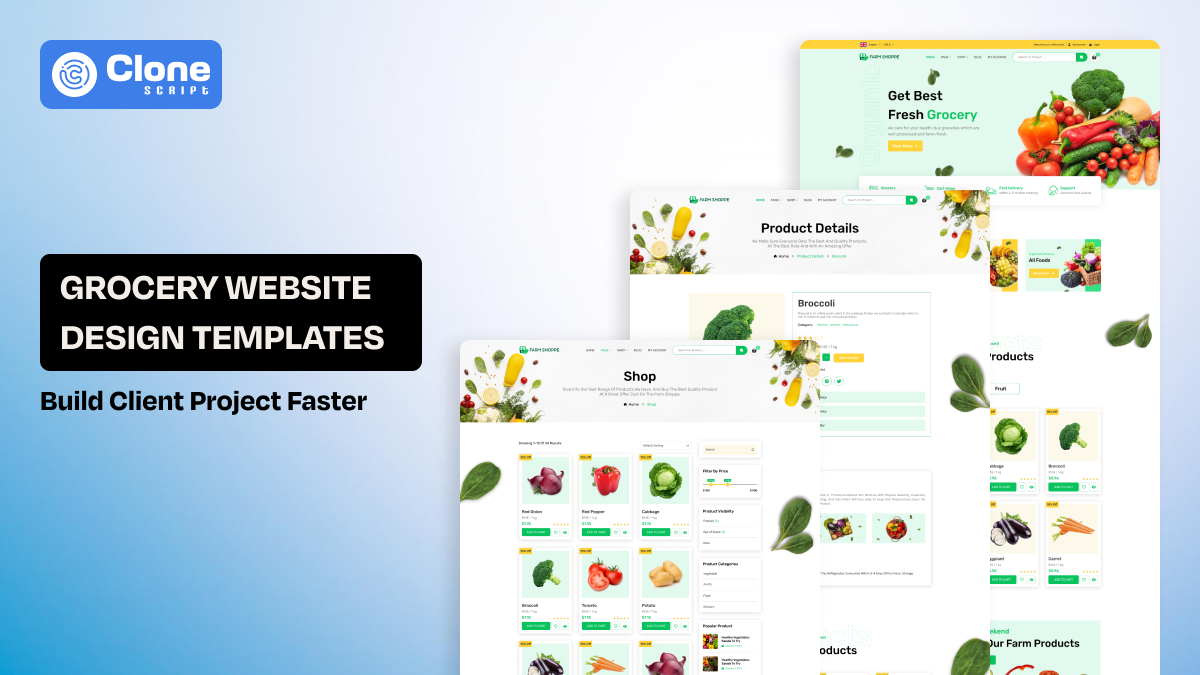
Grocery Store Website Design Template to Build Client Projects Faster
Designing grocery websites from scratch is complicated: managing large product inventories, optimizing checkout flows, and keeping mobile users happy can eat up days of UI design and front-end, along with back-end development. A grocery store website design template solves these challenges by providing ready-made Figma layouts, prebuilt UI components, and structured workflows.
In this article, you’ll learn how development teams can manage project timelines, reduce repeated work, and deliver professional grocery websites faster, all while maintaining consistent design quality and client satisfaction.
Why Speed Matters in Grocery Website Client Projects
Because grocery stores are a fast-paced, low-margin business, clients expect their grocery websites to be able to quickly add and update products, promotional banners, delivery windows, and seasonal products. As a result, web development agencies are under significant pressure to rapidly deliver online grocery shops without sacrificing user experience or performance.
Opting for a way of custom website development for grocery product selling, the designing and development teams are involved:
-
Making repeated layout decisions for similar grocery flows.
-
Experiencing increased (and longer) design-to-development cycles.
-
Creating inconsistent user interface (UI) patterns across projects.
-
Having to do more revision rounds with clients.
What’s the solution to it?
Choose a paid template that comes with design and front-end code with HTML and advanced frameworks. Using a grocery store website template helps eliminate a lot of this friction by allowing agencies to create a standard core experience. It gives agencies full flexibility to customize the online grocery store website design specifically for each customer.
For teams with many different e-commerce clients needing grocery websites, speed becomes a competitive advantage, not just a matter of convenience.
What Makes a Grocery Store Website Design Template Ideal for Client Work
These are not just a generic template. They work as professional tools. Premium ecommerce website templates don't fit grocery-specific patterns, such as heavy category navigation, rapid product discovery, and mobile ordering habits.
Grocery store web design templates are designed specifically with:
-
Category-first layouts, which are designed for large inventories like fruits, daily essentials, dairy products, grains, and canned goods.
-
Product cards that can be quickly scanned by mobile users.
-
Shopping cart integration design, checkout, and cart flows made for repeat purchase
-
Flexible homepage areas for offers/promotions, including the best hero sections, products, and testimonials.
With these design patterns already laid out and validated in Figma, designers can quickly move on to branding and customising instead of repeatedly solving structural problems.
Website Template Features That Reduce Design and Development Time
Professional grocery templates are more than visual design. They are designed to decrease cognitive/executional loads in the delivery pipeline.
1. Pre-Designed Page Structures
The template contains pre-designed layouts for:
-
Home pages with promotional sections
-
Category and product listing pages
-
Product detail pages
-
Cart and checkout pages
-
Account and order history pages.
By providing these pre-designed layouts, you eliminate the need to design important flows from scratch for every customer.
2. Mobile-First UX Patterns
A majority of grocery purchases take place via smartphones. As a result, a grocery website UI design created with mobile in mind will contain:
-
Touch-friendly product cards
-
Clear CTA hierarchy
-
Quick user decisions
Developers and designers will not have to manage mobile layouts down the line.
3. CMS-Ready Content Sections
As grocery sites require updates regularly, templates utilizing CMS-ready patterns allow developers to align their designs with WordPress, Webflow, or headless CMS systems without modifying their layouts.
In Template, Design System & UI Components Built for Rapid Customization.
The largest drain on time when working with a client is keeping their look-and-feel consistent while moving quickly. A grocery shop UI eliminates this problem through a well-organized design system.
There are key UI components included.
The pre-built website design has the following:
-
Product cards that include price, discount, and inventory status.
-
Category tiles and filters.
-
Banners to incentivize customers with offers, coupons, and delivery notifications.
-
Buttons, form fields, and notification components.
Since these components are built using Figma, grocery store development teams can:
-
Easily swap branding elements in a matter of minutes.
-
Ensure consistency from page to page.
-
Eliminate quality assurance problems that arise from ad-hoc styling.
This benefit is particularly important for agencies that manage several grocery clients who have functional similarities but very different corporate identities.
Grocery Template has a Developer-Friendly Structure for Faster Build Cycles.
Your design will only be as great as your quality of hand-off. Grocery website development projects require close collaboration between designers and developers, and poorly structured design files affect all aspects of the project's timeline.
When using a grocery store website template in Figma, it should:
-
Be logically layered for easy review.
-
Use a component-based approach consistent with modern front-end frameworks for a better development experience.
-
Include a grid-based layout to ensure that CSS and layouts can be placed accurately with minimal issues.
This allows developers to translate designs into production code faster, whether they are working with:
-
WordPress and WooCommerce
-
Webflow
-
Headless CMS setups
-
Custom React or Vue storefronts
As a result of this standard, developers have fewer calls to clarify an issue, fewer revisions to complete, and can launch their stores faster.
How Agencies Use Grocery Templates to Deliver More Client Projects
Time savings per project quickly add up. By working from a reusable grocery store website design template, the ecommerce development agency project teams can:
-
Decrease the time it takes from proposal to design.
-
Accelerate the delivery of the initial mock-up.
-
Lower the cost of designing internally.
-
Increase the number of projects they can complete without adding staff.
This allows agencies to move away from creating their own grocery user experience patterns and focus on:
-
Client strategy
-
Brand development and positioning
-
Performance improvements
-
Conversion improvement
The result is expected margins for the developers and greater client satisfaction.
Template Customizing for Different Grocery Business Models
Personalizing an effective grocery store website design template is adaptable and can accommodate various types of grocery businesses.
-
Local Grocery Stores
In this model, the focus is on where the store is located and its delivery radius. It has to be designed accordingly:
-
Clear navigation of categories and items with ease. Don’t create confusion
-
Showcase featured products, promotions, and daily deals.
In a local grocery store, consumers tend to visit the store after visiting the website through accurate address, phone numbers, and timings.
-
Hyperlocal Delivery Platforms
When a client needs to deliver the daily essential products to consumers' homes in a short time, the template has to be customized for:
-
To view delivery availability on every product that saves time.
-
Fast to check out on a mobile device. Without lag and security vulnerabilities.
Keep note that these platforms manage the mid to large-sized inventory, and prefer the design according to it.
-
Organic & Specialty Food Brands
When a client wants to sell organic and specialty foods through ecommerce website, the template has to be personalized for the following:
-
Sections about the client’s brand telling stories (e.g., why they are in business, who they are)
-
Explaining each ingredient used in the product (e.g., what they are for)
-
How do they find or source those ingredients?
Quality presentation of the products required for these kinds of businesses.
-
Multi-Location Grocery Chains
For a business managing multiple grocery stores across areas, regions, or countries, the website template navigation should be scalable.
-
Prefer a consistent brand throughout the entire chain of locations.
-
A modular section (that can be reused) throughout the homepage to keep things consistent visually.
Because the base structure is in place before you start doing your customizations, making changes to the template becomes a branding exercise rather than an actual redesign of the website's structure.
When a Grocery Website Design Template Makes More Sense Than a Custom Design
Custom websites are great, branded, and acceptable in all terms.
But for many projects, using a template-first approach is more efficient, especially when clients have budget constraints and want to enter the market instantly.
Grocery store website design templates are more appropriate when:
-
The client has a fixed budget and explicitly states they don’t compromise it.
-
They require a fast project turnaround, like a live grocery website in 20 days.
-
The site needs to be expandable over time as new features are introduced phase-wise.
-
The client wants to have predictable project delivery.
Using website templates reduces the overall project risk while maintaining high levels of professionalism in design and development, especially when these templates are created for real-world ecommerce applications.
Why Figma Is the Right Format for Professional Grocery Templates
There are multiple website design tools and builders like Framer and Figma, etc. In all of that, Figma is a become a common standard for all modern design teams due to its usefulness.
Using one of the Grocery Store Website Design Templates in Figma lets you:
-
Work together in real-time.
-
Have one single, dependable location for everything.
-
Share easy-to-recreate versions of your designs with different clients.
-
Build re-usable components and versions of components.
If you are an ecommerce agency or an individual developer, you will find that using templates built in Figma fits perfectly into your existing workflow from idea generation to delivering designs to the client.
Presenting Grocery Website Figma Grocery UI Built for Production Use
This Online Food & Grocery UI design is a template built for use in real-world projects.
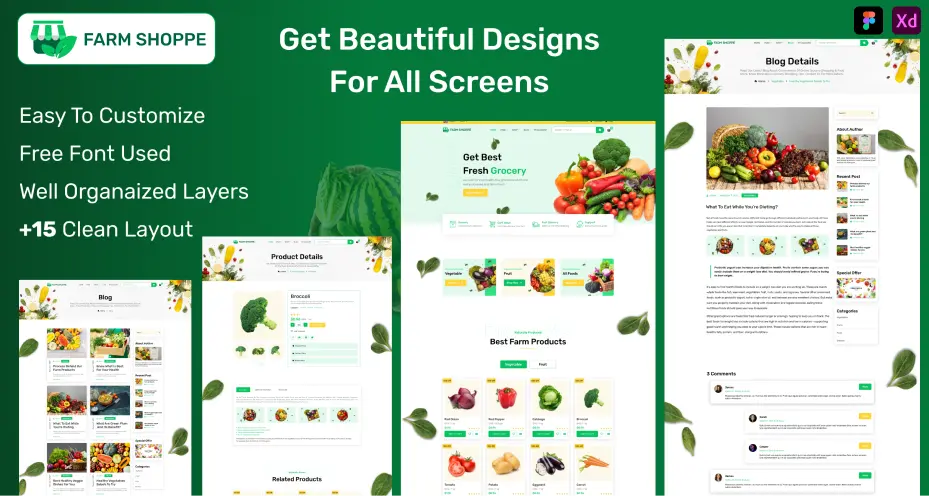
This UI is designed to:
-
Helps to speed up the design of grocery websites.
-
Allows developers to hand off designs to their clients in a manner that they can understand.
-
Can be scaled across multiple grocery store website design projects.
-
Decreases the total time spent performing repetitive user interface work.
The Figma template is ready with assets like icons, layouts, sections, and is not concept designs that are just good for proving ideas.
FAQs
-
Do Figma template license-free, or is there any other compliance to be followed?
This Figma design template comes under a license agreement that allows you to use it only for the client's business. You can’t use it for commercial uses like resale.
-
Is the design template preferable in web development?
Yes, particularly when the client has a limited budget and time to launch the site. You can use a ready-made Figma design template, customize it, complete the full-stack development, and have the site live in a short time.
-
Can colors in this Figma template be modified?
It depends on your choice. If you want, you can. From primary colors to secondary ones, from branded to non-branded, the colors can be changed. Also, the icons or images are customizable.
-
My client tells me not use the generic Figma design templates available online. What do I do?
First, check if the client agrees to pay for the custom UI design and UX for the website. If yes, then do not choose a template. Otherwise, you can take help of the Figma templates for groundwork, then customize them as per brand requirements for a refreshing look.
-
What are the best grocery template marketplaces to prefer?
Themeforest, Framer, Dribble, TemplateMonster, and Figma Community are well-known platforms. Also, individual providers like AllClone Script can be the right choice for a maintained solution for a web project.