BTC - Bitcoin
 USDTERC20 - USDT ERC20
 ETH - Ethereum
 BNB - Binance
 BCH - Bitcoin Cash
 DOGE - Dogecoin
 TRX - TRON
 USDTTRC20 - USD TRC20
 LTC - LiteCoin

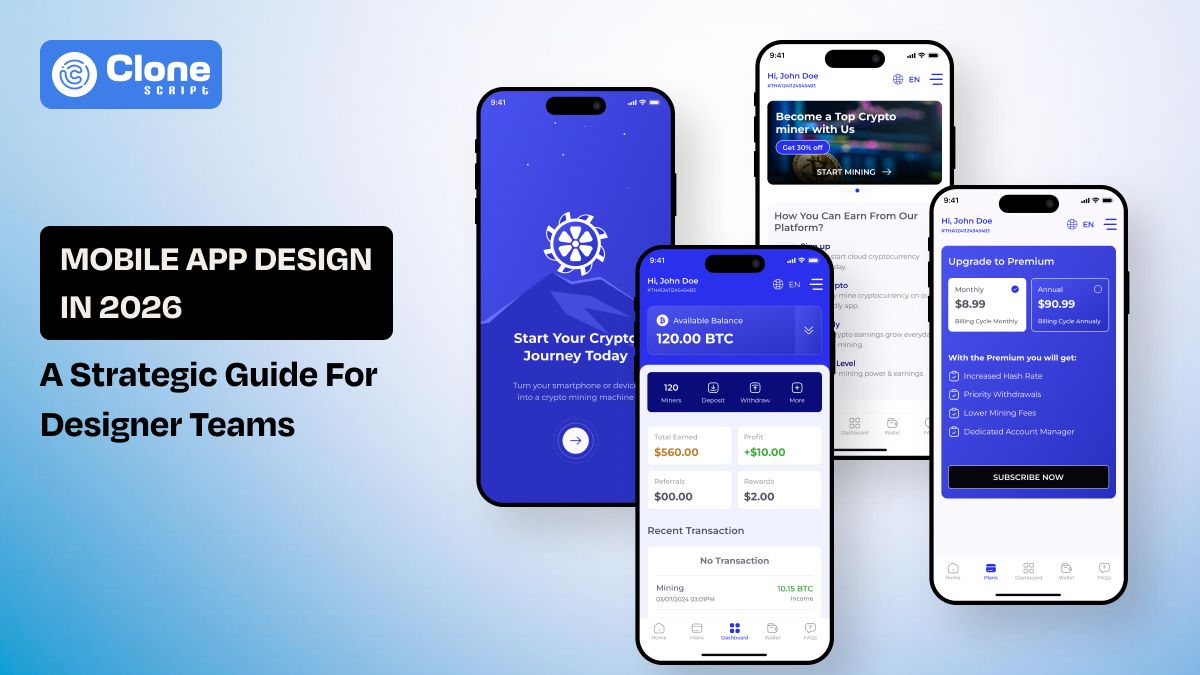
8 Steps to Design a Professional Mobile App: A Modern Guide to Follow
If you’ve ever showcased a beautifully designed app to a client only to see real users struggle during testing, you know the frustration of modern app design. The bar in 2026 has never been higher. Users expect smart experiences, fluid performance, and intuitive flows from the very first interaction.
This guide will walk you through exactly how to design an app in 2026 with a structured, scalable, and performance-driven approach. Whether you’re part of a SaaS product team or working on client projects, it will help you create apps that deliver results, not just look great.
What’s Changed in App Design in 2026?
App design in 2026 is more than just placing beautiful UI components within a screen. The landscape has moved towards adaptive, intelligent, and system-based designs. Users want personalization without hassle. They want speed without sacrifice. And they want simplicity without struggle.
Three key changes define modern mobile app design:
-
AI-driven app design
This is the first aspect to consider as of now, since the AI has been introduced in user interface design. It is also used in UX optimization. Design interfaces are increasingly dynamic and adapt to user behavior, preferences, and context. For example, static dashboards are being replaced by predictive designs.
-
Performance-first UX thinking
Now, mobile apps are not just optimized for functionality and OS like iOS and Android, but with it, the performance-based UX is prioritized. That leads to design discussions about micro-delays, unnecessary transitions, and heavy UI effects management. Web designers today work hand-in-hand with developers to ensure design choices align with performance budgets.
-
Accessibility and ethical UX
This aspect is not an optional enhancement. Inclusive design standards are baseline expectations, not premium features. The app made with proper accessibility to every users improve the trustworthiness and helps in conversions.
Design in 2026 is all about creating intelligent systems that grow with users.
Mobile Application Design in 2026: Step-by-Step Guide
Follow these steps when designing the app for an iOS versioned e-commerce platform or Android puzzle game app development.
Step 1 – Define the Product Strategy Before Designing Screens
The modern mobile app design process in 2026 starts with a clear product strategy, not a visual exploration. Before designing screens or UI elements, the following essential building elements should be defined. Rather than diving into visuals, it is essential to consider the following:
-
The problem the app solves: Identify the particular user problem your app solves to ensure a focused and impactful product design strategy.
-
The primary user persona: Understand your target user, including their behavior, goals, pain points, and expectations for a personalized UX outcome.
-
The primary success metric: Define measurable KPIs such as retention, conversion rate, or engagement to ensure performance-driven app design.
-
The minimum viable user journey: Explaining the shortest and simplest path users take from the point of entry to completing their primary task.
Designers who fail to align design with product strategy end up designing feature-rich, cluttered, and confusing interfaces. Excellent user-centered design addresses one core problem exceptionally well before adding more features.
Effective mobile app design strategy mapping requires clarity on the following:
-
Feature prioritization: Prioritize features based on their value to users and business impact to prevent unnecessary complexity in MVP development.
-
Navigation architecture: Design intuitive navigation flows that reduce cognitive overhead and improve task completion efficiency.
-
Information hierarchy: Organize content based on user importance to guide user attention and improve usability.
-
Business logic alignment: Align design decisions with monetization strategies, technical feasibility, and long-term product scalability.
When product strategy is at the forefront of the mobile app UI/UX design process, the app interface becomes organized, meaningful, and scalable, thus reducing design revisions and shortening the approval process with clients.
Step 2 – Validate the User Experience with Prototyping
In 2026, the speed at which you validate something will essentially determine the impact of your app design. Through this approach, you reduce work, enhance usability, and also achieve good product results. Instead of trying hard to achieve perfect user interface design, prioritize low-fidelity wireframes by understanding real user tasks and journeys.
Right now, aesthetics are not a priority compared to behavioral validation and how the user interacts with the flow.
Use interactive prototypes to determine:
-
Task completion flow: Check how easily users can complete key actions without any confusion, delay, or additional steps along the way.
-
Navigation clarity: Be sure that menus, gestures, and screen animations are intuitive, foreseeable, and familiar with modern application design paradigms.
-
Cognitive load: Check whether the information presented, decisions made, or complex interfaces are overwhelming the user during the execution of the task.
-
Error handling experience: Test how validation states, feedback messages, and recovery paths function so users can easily correct errors.
Modern app prototyping best practices emphasize:
-
Iterative refinement cycles: Continuously fine-tune flows based upon real user input, not just internal beliefs.
-
Quick testing loops: Run some quick "fast tests" to verify that any changes have been made as expected and that design problems aren't present.
-
Scenario-based testing: Simulate various user conditions similar to the real world to find practical usability problems.
-
Accessibility simulations: Screen reader support, contrast, and alternative interaction methods to provide inclusive mobile UX.
The best designers think of prototypes as intentional experiments, employing measurable data to refine the user experience prior to moving into high-fidelity development.
Step 3 – Design AI-Integrated and Adaptive User Interfaces
The app UI/UX trend that shines very brightly in 2026 is smart, adaptive interfaces. Human beings no longer crave static interfaces. There is a general feeling that applications should help ease the workload for users through smart assistance and a futuristic look. AI-infused design should not look like an add-on feature with a chatwindow icon sitting on top.
Typical adaptive UI ideas include:
-
Smart onboarding: It adapts to how the user responds: adaptive initial interaction based on goals, skill level, and channel of first interaction with the app.
-
Predictive dashboards: These highlight the most pertinent metrics and display top data based on historical trends to limit search time.
-
Context-aware alerts: Push notifications based not just on time-based schedules but on real-time behavior.
-
Auto-completion supported by usage history: Complete tasks in an accelerated manner by knowing what the user will likely enter.
It is also important that the users understand the reasoning behind the recommendation or personalization.
Keeping in view these factors while designing an intelligent interface:
-
State variability: Designing layouts that change shape and form based on changing content, data, or recommendations.
-
Empty-state intelligence: Consider replacing empty states with helpful suggestions or the next possible step.
-
Behavioral adaptation triggers: Define how the UI should change in response to how users interact with it.
-
Clear override controls: This is useful for allowing users to change or disable AI-related actions while maintaining trust.
However, an intelligent interface should still emphasize intelligibility, usability, and user-centricness.
Step 4 – Build a Scalable Mobile App Design System
In 2026, scalability will be the hallmark of professional mobile app design. With products growing in features, platforms, and audiences, design will become costly very quickly.
However, a mobile app design system is not simply a collection of pieces and parts. It’s a thoughtful combination of reusable components, design tokens, product usage guidelines, and clear documentation.
Scalable design systems encourage collaboration between designers and programmers while reducing repetitive work.
Core elements of a scalable system:
-
Typography scale: Use consistent font sizes, types, and line heights to ensure legibility across every screen.
-
Color tokens: Consider structured color variable definitions instead of constant values for better flexibility and theme updates.
-
Grid and spacing rules: Establish layout standards that promote alignment, unification, and flexibility.
-
Component states (default, hover, loading, disabled, error): To collect all interactive states to ensure consistency, expected behavior, and desired interaction.
-
Motion behavior standards: Time and transitions with animations to support usability while also improving micro-interactions.
Design systems accelerate development times and significantly reduce visual and technical debt for dynamic applications.
For agencies dealing with a number of client projects at any given time, design systems can provide:
-
Faster onboarding: New designers and developers understand the structure and UI logic very quickly.
-
Reduced design debt: Reusable elements ensure that visuals are not fragmented.
-
Predictable UI structures: There is uniformity across features and updates through the use of structured components.
-
Easier cross-platform adaptation: Token-based systems help to scale the applications easily on iOS, Android, and the web.
The need for scalability in the design of an app’s UI, combined with proper governance, is essential for successful app growth.
Step 5 – Optimize App Performance and Micro-Interactions
UX is equal to performance. By 2026, speed is also equal to quality in the minds of users. When the app looks smooth on the screen, it is not smooth on the screen. Mobile user experience today is not about the speed at which the app is loading; it is about the perceived speed of the app.
The UI designer should also work closely with developers to ensure that user interface decisions work with a performance budget and allow for efficient rendering.
Key considerations for designers:
-
Loading states: Provide visual feedback while data processes are ongoing, so users don’t get bored or give up.
-
Skeleton screens: To reduce perceived wait times, show structured placeholders, retaining stability in the layout.
-
Progressive data rendering: First, load the essentials, and then introduce the secondary content gradually for a better flow.
-
Offline feedback patterns: Implement fallback states to provide users with information about connectivity problems without affecting the main tasks.
Micro-interactions play a significant role in engagement and retention. Deliberate animations are an essential part of micro-interactions that confirm actions are being processed.
What makes micro-interactions effective in 2026:
-
Button press feedback: Immediate visual or haptic feedback can confirm input, clearing up any doubts.
-
Swipe confirmations: Clear transitional signals enable the validation of gesture-based actions, thereby avoiding navigation.
-
Pull-to-refresh physics: Responsive motion provides additional support for control and responsiveness.
-
Animated success states: Short confirmation animations increase satisfaction after completing important actions.
Motion should be used to enhance understanding and usability, rather than interfere with the task.
Step 6 – Ensure Accessibility and Ethical UX Standards
When design is truly inclusive, usability improves for everyone, not just people with specific needs. Accessibility needs to be designed right into the process from the beginning, woven into components and how users interact with them, rather than prevent on later as a compliance afterthought.
What all applications should have:
-
Screen readers: The code should maintain a clear and logical semantic structure with meaningful labels for proper reading and navigation of content by assistive technologies.
-
Adjustable font scaling: Allow text to scale dynamically without breaking layout order or readability.
-
Adequate contrast ratios: Maintain sufficient color contrast, so that elements will be easier to perceive in bright or poor light, and for people with visual impairments.
-
Logical tab sequences: Provide an orderly sequence for navigation by keyboard and assistive-device users.
-
Gesture alternatives: It provides gesture-free means of operating so that the full range of the user's physical abilities can be accommodated in using the app.
These rules need to be embedded within design teams' design systems to avoid gaps in accessibility.
Ethical UX also means transparency about:
-
Data collection: Clearly identify what data are collected and why they are needed.
-
Permissions: Ask in context for permissions and describe what users gain with each permission request.
-
Personalization logic: It handles how recommendations or AI adaptations are generated.
-
Subscription terms: Clearly spell out the price, renewal, and cancellation policies, without hidden traps.
Clear and honest communication develops trust, retention, and long-term value to the product.
Step 7 – Choose the Right App Design Tools in 2026
App design tools in 2026 lean into collaboration, automation, and smart assistance. Cloud-powered mobile design pipelines for today are tightly coupled with the code side of things. Choosing the right toolkit matters when it comes to smooth workflows, growth, and keeping designers and developers on the same page.
Modern design workflows typically involve:
-
Cloud-based UI design platforms
These allow for real-time collaboration, shared component libraries, centralized design systems, and versioning. Figma-like platforms ensure that the teams can collaborate from anywhere without any hiccups or increased fragmentation.
-
Advanced interactive prototyping tools
These tools let you mimic gestures, micro-interactions, and changing states before any code is written. Such tools as Framer help test UX behavior early and reduce the chance of rework later.
-
AI-assisted layout refinement
Automatic spacing, alignment, and responsiveness checks are dealt with, and accessibility validation is performed much more efficiently. AI helps maintain consistency and speeds up production workflows.
-
Real-time developer handoff systems
These tools create specs that can be reviewed, snippets of code, and assets ready to export. Tools like Zeplin are making life easier for conversations between designers and developers.
-
UX analytics integrations
Platforms-like Mixpanel-allows you to understand how users actually behave and refine the experience based on solid data.
Tool usage should be based on team size and project scope. Large teams require advanced version control and scalable design systems, while smaller teams reap benefits with integrated collaboration tools that allow for rapid iteration.
Step 8 – Post-Launch UX Optimization Using Analytics
Design isn’t complete when the product is shipped. In 2026, mobile apps will be successful by continually enhancing the user experience with hard data on user behavior. Launching an app is just the beginning of continually improving it, rather than the culmination of design work.
Allow analytics to control the improvements and the iterative process. The product teams need to regularly measure performance, accompanied by well-defined, numeric metrics.
Core evaluation metrics include:
-
User retention rates: Consider both the short-term retention and the long-term retention to assess the perceived value and a good user experience.
-
Feature engagement: Track which features users adopt, ignore, or abandon to identify functionality gaps or UX friction.
-
Drop-off points in onboarding: Identify the point at which the users are exiting the processes during the initial flows to ascertain the need to tune the messaging.
-
Conversion funnel performance: Track the progress step by step towards subscription, purchase, or activation goals.
For instance, using heat maps and behavior analytics software, like Hotjar and Amplitude, can help diagnose hidden pain points users might experience during a session, which might not be immediately identified through traditional usability studies.
By 2026, the use of artificial intelligence in analytics will enhance:
-
Detecting anomalies
-
Suggesting layout adjustments
-
Predicting churn triggers
Design decisions grounded in evidence improve customer retention and engagement and lead to a sustainable and long-lasting product.
Final Thoughts
Understanding how to design an app in 2026 requires shifting from screen-level thinking to system-level architecture. Modern app design combines user-centered strategy, AI integration, scalable design systems, performance optimization, and data-driven iteration.
For designers and product teams, this structured approach transforms app development from creative exploration into measurable business impact.