BTC - Bitcoin
 USDTERC20 - USDT ERC20
 ETH - Ethereum
 BNB - Binance
 BCH - Bitcoin Cash
 DOGE - Dogecoin
 TRX - TRON
 USDTTRC20 - USD TRC20
 LTC - LiteCoin

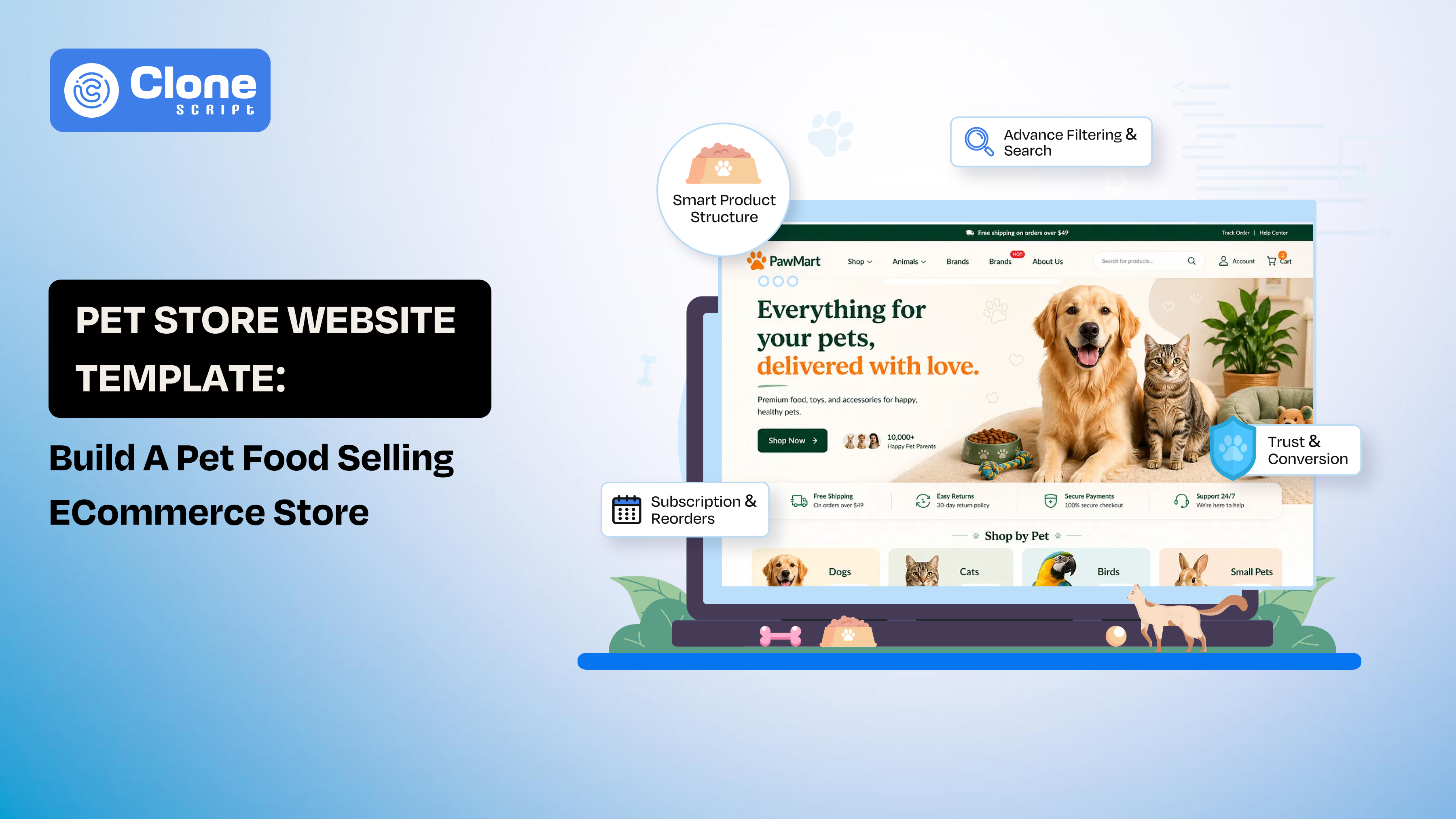
Pet Store Website Template: Build a Pet Food Selling E-commerce Store
Yes, we accept the fact: a pet store website template can get your UI live in hours, but that doesn’t mean you have a working e-commerce business.
Most developers ship the layout, connect products, and stop there.
The result?
A store that looks complete but struggles to convert, retain customers, or scale. In the pet food segment, that gap becomes even more obvious: buyers look for trust signals, clear product relevance (breed, age, diet), and prefer subscription-based purchasing over one-time orders.
This is where implementation makes the difference.
In this guide, you’ll learn how to choose a pet store website template and turn it into a conversion-focused pet food e-commerce store. There are some tasks you have to do as a developer: by structuring products correctly, integrating essential back-end development logic, optimizing for repeat purchases, and aligning the experience with how pet owners actually buy.
Why a Pet Store Website Template Is a Smart Starting Point (and Its Limits)
The client said that they need a pet food-selling website within the next 15 days. You say ok.
You start the work with the HTML and an advanced front-end framework-ready template. But it’s not a complete solution.
There is a prior way to explore directly into functional development, where the real value lies: data handling, integrations, and conversion flow optimization.
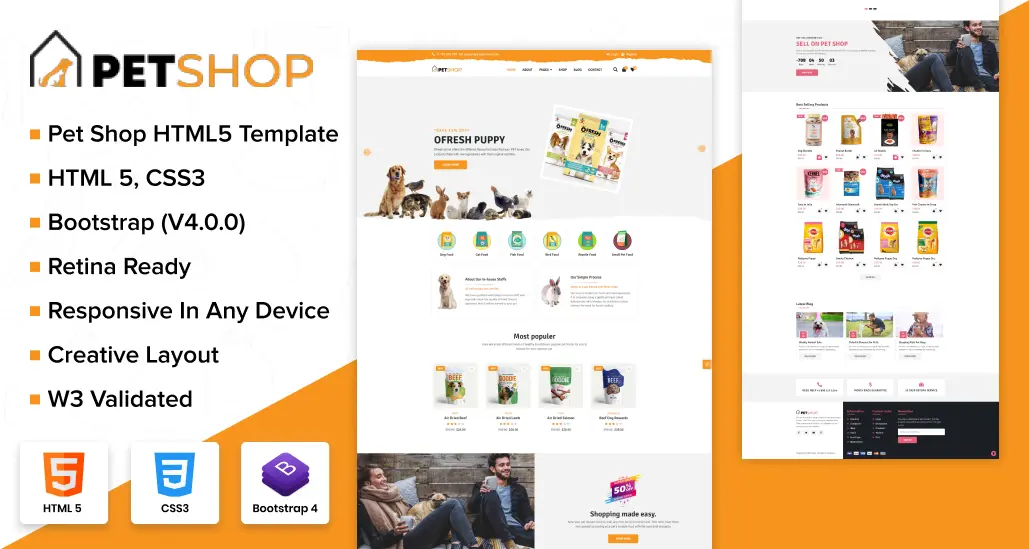
Where Templates Actually Help
-
Pre-built UI system: You get ready-to-use components like product cards, category pages, carts, and checkout flows. This reduces design and front-end effort.
-
Consistent responsive behavior: Most templates are already optimized for mobile, which is critical since a large share of pet product purchases happen on mobile devices.
-
Faster time-to-market: Instead of building from scratch, you can launch an MVP quickly and iterate based on real user behavior.
Where Templates Fall Short
This is where most developers underestimate the work.
-
Generic product structure: Free templates don’t account for pet-specific logic like breed, age group, dietary needs, or feeding type.
-
No built-in subscription flow: Pet food is a repeat purchase category, but most templates only support one-time checkout.
-
Weak conversion logic: Default layouts lack trust signals, urgency triggers, and optimized product storytelling.
-
Performance gaps at scale: Pet shop templates may slow down when handling large catalogs or dynamic filtering unless optimized properly.
What This Means for You
Pet shop templates should be treated as a foundation layer, not a finished product.
Your role as a developer is to:
-
Extend its structure
-
Inject business logic
-
Optimize for conversion and retention
The difference between a “working website” and a revenue-generating pet food store comes down to how you build on top of that template.
Key Features Your Pet Store Template Must Support
Before you start building, validate whether your template can handle the functional demands of a pet food e-commerce store. Restructuring later is expensive and time-consuming.
Is only visual design important? No. With it, the template can support real commerce logic at scale.

-
Flexible Product Architecture
Understand that pet food is not a simple catalog.
Your template must allow:
-
Multiple attributes: pet type, breed, age, weight, dietary needs
-
Variant handling: size (1kg, 5kg), flavor, pack type
-
Dynamic filtering (not just static categories)
Without this, users won’t find relevant products quickly, and it reduces conversion.
-
Advanced Filtering and Search
The pet shop website has to be optimized for the latest kind of navigation. Basic category navigation is not enough.
You need to check the following:
-
Multi-layer filters (e.g., Dog → Adult → Grain-Free)
-
Fast search with relevant results
-
Optional: predictive or autocomplete search
This directly impacts product discovery speed, which is critical in large catalogs.
-
Subscription & Repeat Purchase Capability
In the pet food-selling business, users are repeatedly purchasing the products.
Your template (or stack) should support:
-
Subscription options (weekly/monthly delivery)
-
Save preferences (pet profile, last order)
-
Easy reorder functionality
Without this, you lose long-term revenue potential.
-
Optimized Product Detail Pages (PDP)
Your PDP should do more than display information. It should remove buying friction.
The template has to be optimized for:
-
Space for feeding guidelines
-
Ingredient breakdown sections
-
Trust elements (reviews, ratings, certifications)
-
Clear CTAs (Buy Now / Subscribe)
Most templates underutilize this area. Focus on premium templates with live preview to understand what’s missing.
-
Performance-Ready Structure
In an e-commerce website, speed is very important because even a microsecond delay can eat upto 50% of the conversions, and in mobile commerce, this number goes higher.
The problem with the template: It looks proper in the demo and loads fast, but in real conditions, the lag appears.
Ensure the following:
-
Lazy loading for images
-
Optimized asset handling
-
Clean DOM structure
-
Compatibility with CDN and caching layers
Performance directly impacts both SEO and conversion rates.
-
Integration Flexibility
Your template must work smoothly with these systems that prove a pet food e-commerce store as a professional one:
-
Inventory systems
-
Shipping APIs
-
CRM or email tools
Rigid templates slow down development and limit scalability. Avoid those to add to your web development workflow.
-
SEO-Friendly Foundation
Even at the template level, check for website search engine optimization guidelines:
-
Clean URL structures
-
Proper heading hierarchy
-
Schema compatibility (product, reviews)
-
Fast-loading pages
This ensures your store is indexable and competitive from day one, which is subject to being live.
Bottom Line
Choosing the right template is less about aesthetics and more about technical capability.
If your template can’t support these features, you’re not building a scalable pet food store. You’re building a short-term demo.
Development Workflow from Template to Fully Functional Pet Food Store
A template gives you structure. What turns it into a working store is how you layer logic, data, and user flow on top of it.
Here’s a practical breakdown of how developers should approach the build.

Step 1: Set Up the Core Frontend Structure
Start by cleaning and organizing the template.
-
Break static pages into reusable components (product cards, filters, banners)
-
Standardize layout spacing, typography, and grid behavior
-
Remove unnecessary demo elements
The goal is to make the UI modular and maintainable, not just visually complete.
Step 2: Define Product Data Model
Before integrating front-end APIs, structure your product schema properly. Include the following:
-
Pet type (dog, cat, etc.)
-
Age group (puppy, adult, senior)
-
Dietary tags (grain-free, hypoallergenic)
-
Variants (weight, flavor)
This ensures your filters, search, and PDP logic work correctly later.
Step 3: Connect Back-end & APIs
Now make the template functional. It’s time to connect the back-end and APIs.
-
Integrate product APIs (or CMS)
-
Set up cart logic like add, remove, and update
-
Connect checkout and payment gateway
-
Handle user sessions, guests, and logged-in users
At this stage, your store becomes operational, not just visual.
Step 4: Build Smart Filtering & Search
Implement filtering based on your product model.
-
Multi-select filters (e.g., breed + age + diet)
-
URL-based filtering (for SEO + shareability)
-
Fast query handling (avoid full reloads)
This directly improves product discoverability.
Step 5: Optimize Product Pages for Conversion
Now refine the most critical page|: the PDP.
Add:
-
Clear product benefits (not just specs)
-
Feeding guidance sections
-
Trust signals (reviews, ratings)
-
Subscription option near CTA
This is where buying decisions happen.
Step 6: Implement Subscription Flow
Don’t treat this as an add-on; build it into the core flow.
-
Allow users to select delivery frequency
-
Store preferences in the user profile
-
Integrate recurring billing logic
This turns one-time buyers into repeat revenue.
Step 7: Performance Optimization
Before launch, fix performance bottlenecks.
-
Compress and lazy-load images
-
Minify CSS/JS
-
Enable caching and CDN
-
Optimize API calls (pagination, debounce search)
Faster stores = better rankings + higher conversions.
Step 8: QA, Testing & Deployment
Test beyond functionality.
-
Mobile responsiveness across devices
-
Checkout flow (end-to-end)
-
Edge cases (empty cart, failed payments)
-
Load testing for traffic spikes
Then deploy with:
-
Proper hosting setup
-
SSL and security checks
-
Monitoring tools
A template doesn’t reduce development effort. It shifts it.
Instead of designing from scratch, your focus moves to:
-
Data structure
-
Business logic
-
Conversion flow
That’s what turns a basic template into a scalable pet food e-commerce system.
Designing for Pet Owners (Not Just Shoppers)
Pet food purchases are rarely transactional. They’re emotional, habitual, and trust-driven. If your implementation treats users like generic e-commerce buyers, you’ll miss what actually drives conversions in this category.
Your UI should reflect how pet owners think, search, and decide.
-
Build Around Pet Context, Not Just Products
Most templates organize products by categories. That’s not enough.
Restructure navigation and filtering around:
-
Pet type (Dog, Cat, etc.)
-
Age (Puppy, Adult, Senior)
-
Health needs (Allergy, Weight management, Digestive care)
Users don’t search for “Product A.” They search for “food for my 2-year-old Labrador with digestion issues.”
-
Reduce Decision Friction on Product Pages
Pet owners hesitate before switching food brands. Your PDP must remove that friction.
Add these things to the product page:
-
Clear “Who is this for?” section
-
Feeding guidelines based on weight/age
-
Ingredient transparency (not hidden in tabs)
-
Transition instructions (how to switch food safely)
This builds confidence, not just awareness.
-
Use Trust Signals Aggressively
Trust is non-negotiable in pet food. Include these:
-
Verified reviews (ideally with pet type mentioned)
-
Certifications (organic, vet-approved, etc.)
-
Return/refund clarity
-
Delivery reliability messaging
Without trust, users won’t convert, no matter how good the UI looks.
-
Design for Repeat Behavior
Pet food is not a one-time purchase. Support repeat usage with:
-
“Buy Again” shortcuts
-
Recently viewed products
-
Saved pet profiles (auto-filter relevant products)
This reduces effort for returning users and increases retention.
-
Highlight Subscription Value Clearly
Don’t hide subscription options inside checkout. Instead:
-
Show “Subscribe & Save” near primary CTA
-
Explain benefits (discount, auto-delivery, convenience)
-
Allow easy modification (pause, skip, cancel)
Make recurring purchases feel like the default choice, not an extra step.
-
Keep the Experience Clean and Focused
Pet templates often overload visuals (icons, colors, banners). Refine:
-
Limit distractions on PDP and checkout
-
Maintain a clear visual hierarchy
-
Keep CTA prominent and consistent
Clarity improves conversion speed.
Designing a pet food store is about making it feel reliable, relevant, and easy to trust.
When your UI aligns with how pet owners think, your template stops being generic and starts performing.
Conversion Optimization for Pet Food E-commerce Website
At this stage, your store is functional. The next layer is conversion engineering, refining how users move from browsing to buying without friction.
Small structural decisions here will have a measurable impact on revenue.

-
Optimize the Above-the-Fold Section
The first screen determines whether users stay or bounce. Ensure it communicates:
-
What you sell (clearly and instantly)
-
Who it’s for (pet type or need)
-
Why it’s trustworthy (key value proposition)
You can add a direct path:
-
“Shop Dog Food”
-
“Find Food for Your Pet”
Avoid generic banners. Prioritize clarity over creativity.
-
Simplify the Path to Purchase
Every extra step reduces conversion probability. Refine these aspects:
-
Minimal clicks from homepage to product to checkout
-
Sticky “Add to Cart” or “Buy Now” buttons
-
Persistent cart visibility
The goal is to act with zero friction.
-
Use Bundling to Increase Order Value
Pet owners rarely buy just one item. Implement:
-
Product bundles (food, supplements, treats)
-
“Frequently bought together” sections
-
Volume discounts (buy 2, save more)
This increases average order value (AOV) without extra traffic.
-
Add Contextual Upsells (Not Random Ones)
Upselling should feel relevant. Examples included:
-
Puppy food → training treats
-
Senior dog food → joint supplements
-
Grain-free food → digestive aids
Base recommendations on pet profile or product type, not generic logic.
-
Reduce Checkout Drop-Off
Checkout is where most revenue is lost. Fix:
-
Enable guest checkout
-
Minimize form fields
-
Show total cost upfront (no surprises)
-
Offer multiple payment options
Remove anything that creates hesitation at the final step.
-
Reinforce Trust at Critical Moments
Users need reassurance before paying.
Add near CTA and checkout:
-
Delivery timelines
-
Return/refund clarity
-
Secure payment indicators
Trust signals should appear where decisions happen, not just in the footer.
-
Capture Intent Before Exit
Not all users will convert immediately.
Implement:
-
Exit-intent offers (discount or free shipping)
-
Email capture for abandoned carts
-
Retargeting hooks (via pixel integration)
This helps recover lost conversions over time.
Conversion optimization is not about adding more elements. It’s about removing friction and guiding decisions.
When done right, even a basic template can outperform a visually rich store, simply because it converts optimally.
Customizing Templates Without Breaking Performance
Customization is where most builds start to degrade. Developers add features, scripts, and visual layers, then wonder why load times increase and conversions drop.
The objective is not maximum customization. It’s controlled customization with performance integrity.

-
Avoid Overloading the Front-end
Templates often come with extra assets you don’t need.
Clean up:
-
Unused CSS and JS files
-
Demo plugins and third-party scripts
-
Heavy animations or sliders
Every unnecessary asset adds latency. Strip the template down before building on top of it.
-
Follow a Component-First Approach
Don’t edit pages directly. Work at the component level.
-
Create reusable components (cards, filters, banners)
-
Keep logic separated from presentation
-
Maintain consistent structure across pages
This improves maintainability and prevents UI inconsistencies as the store grows.
-
Optimize Media Handling
Pet stores rely heavily on visuals, but unoptimized media kills performance. Implement:
-
Compressed images (WebP or similar formats)
-
Lazy loading for product images
-
Proper sizing (avoid loading full-resolution images unnecessarily)
Faster media delivery directly improves page speed and SEO.
-
Control Third-Party Integrations
Plugins and scripts can quickly bloat your store. Be selective with:
-
Analytics tools
-
Chat widgets
-
Marketing scripts
Only include what directly contributes to business goals. Everything else adds overhead.
-
Maintain Clean Code Structure
As you customize, code quality often degrades. Ensure:
-
Modular file structure
-
Clear naming conventions
-
Removal of redundant logic
Clean code reduces bugs and simplifies future scaling.
-
Test Performance Continuously
Don’t wait until the end to optimize. Monitor:
-
Page load time
-
Core Web Vitals (LCP, CLS, FID)
-
API response times
Fix issues early before they compound across the system.
-
Protect the Checkout Experience
Never overload checkout with custom scripts or UI changes. Keep it:
-
Minimal
-
Fast
-
Distraction-free
Even small delays here can directly impact revenue.
Customization should improve business performance, not just visual appeal.
If your changes slow down the site or complicate the user journey, they’re working against you. A well-optimized template with focused enhancements will always outperform an over-customized, heavy build.
Conclusion
A pet store website template can accelerate development, but it doesn’t guarantee results. What determines success is how you extend that template into a structured, performance-driven e-commerce system.
A developer can handle scale, drive repeat purchases, and maintain performance under growth. When done right, a simple template evolves into a reliable revenue engine rather than a static storefront.
Build with that mindset, and your implementation will outperform most template-based stores in both usability and business outcomes.