BTC - Bitcoin
 USDTERC20 - USDT ERC20
 ETH - Ethereum
 BNB - Binance
 BCH - Bitcoin Cash
 DOGE - Dogecoin
 TRX - TRON
 USDTTRC20 - USD TRC20
 LTC - LiteCoin

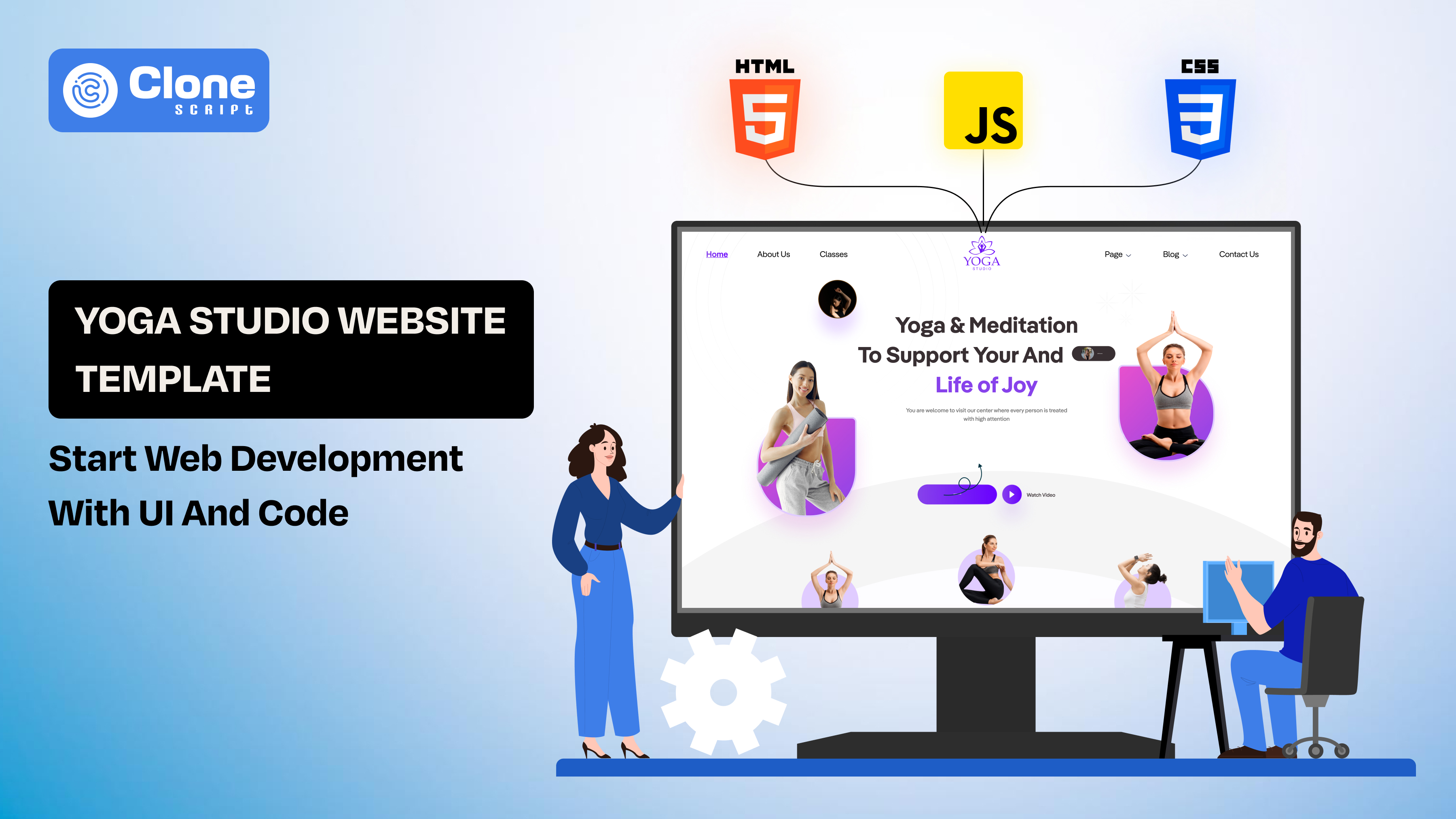
Yoga Studio Website Template: Start Web Development With UI and Code
In yoga studio website development, some things slow down the entire workflow, like laying out sections, structuring schedules, and wiring up booking flows that haven’t really changed in years.
That repetition adds up.
A yoga studio website template cuts through that. Not as a shortcut, but as a base you can actually work with. The layout is already there. The sections make sense. You’re not guessing where things go; you’re deciding how they should function.
From there, it becomes a development problem rather than a design exercise.
You break the UI into components, plug it into your stack, and start shaping real features: booking logic, performance tweaks, SEO structure. The time you would’ve spent rebuilding layouts goes into making the product better.
A template doesn’t finish the job. It just gets you to the part that matters faster.
What a Yoga Studio Website Template Actually Includes
You visit the template marketplace and see that every screen looks clean on the surface, the hero image appears encouraging, the colors are calm, and the sections are placed neatly.
But what front-end developer prioritizes: the structure relevance in the template. Not the look.
A typical yoga studio template comes with predictable blocks. That’s not a weakness: it’s useful.

You’ll usually find:
-
A hero section with a primary CTA (book a class, join now)
-
A class schedule layout (often static by default)
-
Instructor profiles
-
Pricing or membership tiers
-
Testimonials and trust elements
None of this is groundbreaking. That’s the point.
These sections reflect how users already behave on fitness or wellness sites. People come in looking for three things: what classes are available, who’s teaching them, and how to book. A good template just organizes it clearly.
Where it gets interesting is under the hood.
Most templates are built in one of three ways:
-
Static HTML/CSS (sometimes Bootstrap) made to be fast to deploy, easy to break apart.
-
CMS-based (like WordPress themes) are designed for structured, but often bloated.
-
Modern UI kits (React, Tailwind, etc.) that are closer to component-ready systems.
At this stage, everything is still mostly static. The schedule isn’t dynamic. The booking button doesn’t actually book anything. Testimonials are hardcoded.
That’s where your role starts.
Instead of designing from scratch, you’re inheriting a pre-organized UI layer. Your job is to:
-
Strip out unnecessary dependencies
-
Prepare the structure for real data and interactions
Think of the template as a front-end shell. It already knows what it wants to be. You just need to make it work.
From UI to Functional Product: How Developers Actually Work With a Template
This is where most guides stop and where the real work begins.
Usually, a template gives you structure, but it doesn’t give you a live product. Everything is still static. Buttons don’t do anything. Data isn’t real. The "booking flow" is just a visual placeholder.
Turning that into a working system is a step-by-step process. Not complex, but easy to get wrong if you rush it.

-
Break the UI Into Components
The first step to make a website for a yoga coaching center is to start by reading the template like a system, not a page.
Look at sections and ask:
-
What repeats?
-
What can be reused?
-
What needs to be dynamic?
Here is the example.
-
Class cards can be utilized as a reusable component.
-
Instructor profiles are also made for a reusable grid and list.
-
The pricing plans are structured data blocks.
At this stage, you’re defining boundaries. Clean components now will save you from refactoring, like a website redesign later. Also, see the website template documentation where the setup and guidelines are defined.
-
Move From Static Markup to Your Stack
The next step is to consider the tech stack. The fact is that most templates come with plain HTML code and UI kit design. You need to translate that into your working environment.
Follow typical paths:
-
HTML into React / Next.js components
-
The template can be integrated into an existing app
-
The UI kit may be mapped into your design system.
Avoid copying everything blindly. Strip out:
-
Unused styles
-
Redundant libraries
-
Hardcoded content
You’re not "using a template." You’re extracting a foundation.
-
Introduce State and Interactions
Right now, everything is static. This is where behavior starts. In this step, you have to add the state and interaction on the website.
Here are the examples:
-
When a user selects a class, it updates available slots in real-time.
-
Clicking "book" triggers a flow, not just a link.
-
Filters like morning/evening classes can change visible data.
Even simple state handling (local state or global store) changes how the UI behaves. Without this, the site is just a brochure where no conversion will happen.
-
Connect Back-End Services
In this step, the actual shift from UI to product begins. Now, the functions will work, and data will be handled with security.
You’ll typically need:
-
A booking API that helps to create and manage reservations.
-
User system to manage login, profiles, and history.
-
Payment gateway integration from options like Stripe, Razorpay, etc., to handle online transactions.
At this point, these things happen:
-
Yoga class schedules become dynamic
-
The coaching time availability matters
-
Data consistency becomes critical
Don’t over-engineer early. Start with clean endpoints and expand as needed, even tweaking a button color or adding new sections.
-
Prepare for Deployment Early
A common mistake is leaving deployment as the last step. The reality is different.
Instead, try these aspects:
-
Structure the project for easy hosting (Vercel, Netlify, or server-based)
-
Manage environment variables properly
-
Optimize assets (images, fonts)
Templates often come heavy with HTML code, CSS, and JavaScript. If you don’t clean them up, performance will suffer.
What Most Developers Miss
They treat templates like finished products.
They tweak colors, change text, maybe adjust layout, and stop there.
But the real value comes from what you build on top of it:
-
Dynamic booking logic
-
Performance optimization
-
Scalable structure
The template gets you started. The product comes from how you extend it.
Choosing the Right Tech Stack for a Yoga Template
You got a yoga studio website HTML template or may be Bootstrap framework built. But what stack to use is a different thing. Its choice affects everything that comes after: performance, scalability, and how problematic future changes will be.
Most website developers make this decision too quickly. They pick whatever they’re comfortable with (like React and Tailwind CSS), then try to force the template into it. That usually leads to unnecessary complexity.
Start with the use case instead.

-
Static Build: Fast, Simple, Limited
A static website is easy to build and cost-friendly. But its worthy when the goal is to have a basic site with minimal interactivity, a static setup works.
In this kind of website, the typical stack includes HTML / CSS / Bootstrap and light JavaScript.
Referring to the prior work scenario, is when the booking for yoga classes is handled externally by using Google Forms or other third-party tools. With that, the content doesn’t change often, and the speed matters more than flexibility.
Hold on.
But the limitation shows up quickly. The moment you need dynamic schedules or user accounts, this setup starts to break.
-
React / Next.js: Structured and Scalable
Does real functionality matter for a website? React, or Next.js, is a primary choice for developers.
The question is, why are these frameworks and programming languages useful?
-
Because its component-based structure matches the template breakdown
-
It can easily state handling for booking flows
-
Front-end API integration is straightforward
You can do the following:
-
Convert sections into reusable components
-
Manage dynamic schedules
-
Build a proper booking experience
The trade-off is setup time. But for anything beyond a basic site, it pays off.
-
WordPress: Useful, but Often Heavy
This is usually client-driven, not developer-driven. But most of the yoga websites are built on WordPress due to its simple use cases and less technical setup requirements.
It works when:
-
The client wants control over content
-
Blogging or SEO content is a priority for yoga coaching
-
Quick deployment is needed to start booking for classes
The downside:
-
WordPress Themes come with bloat there developers' help is required if the technical expertise is not available.
-
Customization can get messy due to code insufficiency.
-
Performance often needs cleanup for unused assets and functions.
You’re not building a system; you’re adapting one that helps to get yoga class bookings.
-
Headless CMS: When Content Needs Structure
This option works for a web development project when it includes multiple locations, frequent class updates, and content-heavy pages.
Then a headless setup makes sense.
For this, the stack can be used for front-end development with Next.js. CMS options are Strapi, Sanity, and Contentful.
It can help you to get a clean separation of content and UI, easier scaling matters, and proper control over structured data.
The Real Mistake to Avoid
Overbuilding too early.
A yoga website doesn’t need microservices on day one. But it also shouldn’t be locked into a static setup if you already know bookings and scaling are coming.
Pick a stack that fits what the project will become, not just what it is today.
Yoga Website Prior Features Developers Should Actually Implement
Most templates show features. They don’t implement them.
You’ll see a clean class schedule, a "Book Now" button, and maybe even pricing tiers. But none of it works out of the box. It’s all static. If you ship it like that, it looks complete, but breaks the moment a user tries to interact.
This section is where you turn visual placeholders into actual functionality.

-
Class Scheduling That Isn’t Hardcoded
Templates are usually made with static tables. In reality, your schedule needs to:
-
Update based on time and day
-
Reflect instructor availability
-
Handle recurring vs one-time sessions
At minimum, structure it like:
-
Class name
-
Instructor
-
Time slot
-
Available seats
Once this is dynamic, everything else (booking, filtering) becomes easier to build.
-
Booking Flow That Actually Converts
A button isn’t a booking system. You need a flow that:
-
Let users select a class
-
Confirms availability
-
Capturing user details
-
Completes the booking
Keep it tight. Every extra step drops conversions.
At a basic level: select class → confirm → success state can work.
You can expand later (accounts, history), but don’t overcomplicate the first version.
-
Payment Integration (If It’s Paid, Classes)
If classes aren’t free, this is non-negotiable. There are common integrations required:
-
Stripe (global)
-
Razorpay (India-focused)
Key things to handle:
-
Payment confirmation
-
Failed transactions
-
Booking status sync
Don’t rely on front-end confirmation alone. Always validate on the back-end.
-
Instructor and Content Management
Templates add demo instructor profiles. That doesn’t scale. Make it manageable:
-
Add or edit instructors
-
Assign them to classes
-
Display dynamically
The same goes for:
-
Testimonials
-
Blog content
-
Pricing plans
Even a simple CMS or admin panel makes a difference.
-
Performance That Matches the Design
Website templates often look good but load heavily. Common issues may be found as:
-
Large images
-
Unused CSS or JS
-
Animation overload
Fix it early in these ways:
-
Compress images
-
Remove unused libraries
-
Lazy load non-critical sections
A yoga site is usually content-heavy. If it’s slow, users drop before they even reach booking.
-
Mobile Experience That Doesn’t Break
Most users will land on mobile and prefer to explore the yoga coaching website on that device.
Check the website template is mobile responsive and optimized for:
-
Booking flow usability on small screens
-
Tap targets (buttons too small = friction)
-
Scroll behavior (especially schedules)
Templates claim to be "responsive," but real usage often exposes gaps.
What Developers Usually Skip
They focus on making the site "look complete."
But real completeness comes from:
-
Wok booking flow
-
Reliable data handling
-
Smooth user interaction
A template gives you structure. These features make it usable.
SEO Implementation for Developers (Beyond Basic Optimization)
Most yoga websites are surface-level. It might get pages indexed, but it won’t hold rankings, especially when competitors start adding structured content and performance improvements.
As a developer, your advantage is control over the foundation.
-
Structure Pages Around How Users Search
Don’t keep everything on a single homepage. Break it into indexable pages:
-
/classes for all available sessions
-
/classes/[type] for yoga type (Hatha, Vinyasa, etc.)
-
/instructors for profiles
-
/schedule for dynamic listings
-
/locations (if applicable)
This creates:
-
More entry points from search
-
Proper keyword targeting
-
Cleaner internal linking
Most templates ignore this and stay single-page. That limits visibility.
-
Implement Schema Where It Actually Matters
Search engines don’t just read content: they interpret structure.
Add structured data for the following:
-
Classes (as events)
-
Instructors (as persons)
-
Reviews and testimonials
This helps to get rich results (timings, ratings) and better indexing of dynamic content.
Without a schema, your pages rely only on plain text signals.
-
Handle Dynamic Content Properly
If schedules and classes are dynamic, SEO can break if not handled correctly.
Key considerations:
-
Server-side rendering (SSR) or static generation (SSG) for crawlability
-
Clean URLs for each class or category
-
Avoid rendering critical content only via client-side JS
If search engines can’t see the data, it won’t rank, no matter how optimized your keywords are.
-
Optimize Core Web Vitals Early
Templates come bloated, and there are common issues:
-
Large background images
-
Unused CSS and JS
-
Heavy animations
Fix at the code level:
-
Compress and lazy load images
-
Remove unused styles/scripts
-
Prioritize above-the-fold content
Website performance isn’t just UX. It directly affects rankings.
-
Build Internal Linking That Makes Sense
Don’t rely on navigation alone. Connect pages logically:
-
Class pages have to be linked to instructors
-
Instructors can link to their classes
-
blog content can link to booking pages
This improves yoga website crawlability, time on site, and topical relevance.
Templates rarely include this structure out of the box.
Avoid the Common SEO Trap
Most developers treat SEO as a final step: something to "add later."
That approach fails because:
-
URLs are already fixed
-
Structure is locked
-
Content is not designed for search intent
Instead, SEO should influence:
-
How pages are structured
-
How data is rendered
-
How users navigate
What Actually Moves Rankings
Not keyword stuffing. Not plugins.
It’s related to structured pages, crawlable dynamic content, fast load times, and clear internal linking.
A yoga template gives you the surface. SEO performance comes from how you build underneath it.
Responsive Yoga Studio Website Template from AllCloneScript
The Yoga studio HTML5 template from AllCloneScript is designed for developers who want a structured UI without starting from scratch. It provides a clean front-end base that can be directly extended into a working product.
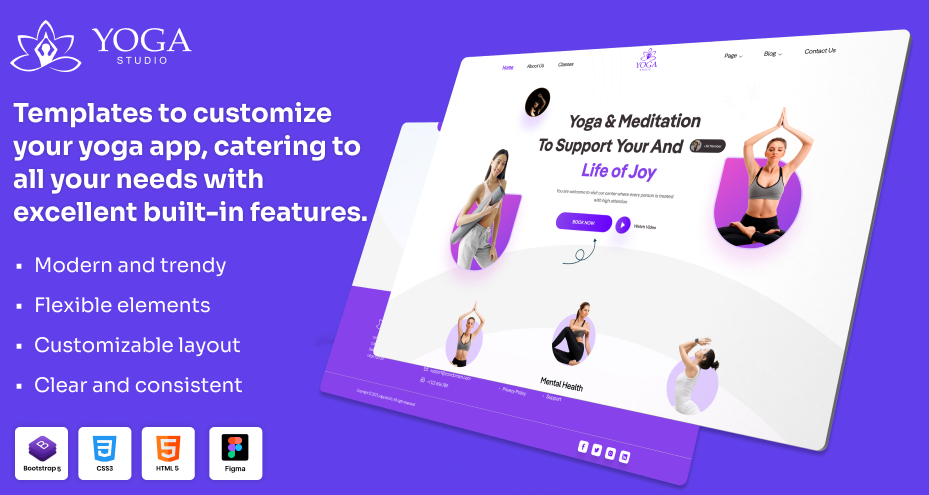
Why is this template your primary choice?
-
Pre-built core pages: It includes class schedules, blog, gallery, contact, reducing setup time
-
Conversion-focused layout: CTA sections already aligned for bookings
-
Responsive design: It works across devices without extra effort
-
Clean HTML/CSS structure: This is easy to break into reusable components
-
Faster development cycle: Easily skip UI planning, focus on functionality
-
Scalable base: Ready to integrate booking systems, APIs, and payments
It’s a design asset and a starting layer for building a functional yoga platform.