BTC - Bitcoin
 USDTERC20 - USDT ERC20
 ETH - Ethereum
 BNB - Binance
 BCH - Bitcoin Cash
 DOGE - Dogecoin
 TRX - TRON
 USDTTRC20 - USD TRC20
 LTC - LiteCoin

7 Best Tools for Rapid App Development in 2026 You Can Use in Project
Speed has quietly become the most valuable currency in software development. Not funding. Not features. Not even design. When development teams ship products faster, along with learning, it creates a unique position and earlier revenue.
What are the best rapid development tools (RAD) you can use for a project? Look, there are multiple options like low-code or no-code builders, cross-platform frameworks, back-end services, and pre-built solutions. All have promising speed, but hold on, all have trade-offs.
The real challenge is to pick the perfect tool that, relative to product fit, helps to achieve time and support the growth stage. This guide explains it by discussing the features and real-world scenarios. If your goal is to build apps faster, validate ideas, or launch scalable products without wasting months, you’re on the way.
What is Rapid App Development (RAD)?
Rapid Application Development (RAD) is a proven software development philosophy that centers around three important aspects: speed, iteration, and user feedback.
Thinking that it’s a specific toolset? Forget that thinking.
Instead of spending months building a “perfect” product, RAD focuses on:
-
Shipping early versions quickly
-
Iterating based on real user behavior
-
Reusing components to avoid redundant work
-
Reducing engineering overhead wherever possible
In 2026, RAD has evolved beyond frameworks. It now includes:
-
First of all, no-code app builders save you time because there’s no coding required.
-
Backend-as-a-service platforms (BaaS) will operate smoothly and remove infrastructure complexity.
-
Pre-built templates and clone scripts examples with a front-end and server-side logic that compress months of development into days.
The shift is clear: developers are no longer building everything from scratch. They’re assembling products using the fastest viable path.
Four Steps to Evaluate the Right Rapid App Development Tool
Before jumping into tools, you need a filter. Otherwise, you’ll optimize for the wrong thing.
Here’s a practical decision checklist:
1. What are you building?
-
MVP development, then prioritize speed.
-
SaaS platform development prioritizes scalability and structure.
-
Marketplace development prioritizes pre-built workflows.
2. How fast do you need to launch?
-
Require a product to be ready in days, templates, or clone scripts are prime choices.
-
Looking to launch an app in weeks, no-code or hybrid tools are supportive.
-
Months need to complete product development, only full-code frameworks can do.
3. What’s your technical capability?
-
If you’re non-technical, you prefer no-code tools.
-
Developers use frameworks and back-end services.
-
Hybrid teams opt for templates and customization.
4. How important is scalability?
-
If your product is in the validation phase, it has to be of low priority.
-
The software product in the growth stage is critical to give first preference.
The biggest mistake is choosing tools based on popularity. The correct decision comes from matching the tool to the outcome your app needs.
7 Best Rapid App Development Tools in 2026
The list of the RAD tools helps you to understand what will be your perfect fit for the project.
-
FlutterFlow (Visual Development with Real Scalability)
 Image source: FlutterFlow.io
First of all, we introduce FlutterFlow. This tool has matured into one of the most useful tools for development teams. They can experience a visual development with a prominent control.
The best part is that developers have the choice to design the interface as the product needs to be. At the same time, the production-ready Flutter code has been prepared.
So, what result comes out?
This bridges the gap between no-code simplicity and developer-level flexibility.
Where it stands out:
-
Fast UI building
-
Native performance via Flutter
-
Clean transition from prototype to production
Where FlutterFlow struggles:
-
Complex logic still requires manual work
-
Dependency on the Flutter ecosystem
FlutterFlow Best for:
When startups are building mobile apps and need to scale beyond the MVP stage, FlutterFlow is the perfect choice.
-
Bubble (No-Code Speed for Web Apps)

Image source: Bubble.io
The second number is the Bubble. When the talk comes to the no-code app builder for web applications, no one comes closer to Bubble. Developers feel extremely elite while using this RAD tool.
The unique part is that it allows non-technical users to make functional apps with logic, workflows, and databases.
The biggest advantage is accessibility. You don’t need a development team to launch a product.
Where Bubbel stands out:
-
Complete no-code environment
-
Fast MVP creation
-
Built-in backend logic
Where Bubble struggles:
-
Performance limitations at scale
-
Limited flexibility for complex systems
Bubble is best for:
Founders validating ideas without engineering resources can use the Bubbel tool for simplicity.
-
React Native (Cross-Platform Efficiency)

Image source: ReactNative.Dev
Have you ever heard about a cross-platform development tool? We’re not talking about the Flutter. The React Native remains a prime choice for teams that want code-level control with cross-platform reach.
Looking to build a separate app for iOS, Android, or Web? React Native powers up app developers to reuse a large portion of the codebase.
Instead of building separate apps for iOS and Android, developers can reuse a large portion of the codebase.
Where React Native stands out:
-
Strong ecosystem
-
Code reuse across platforms
-
Backed by a large developer community
Where it struggles:
-
Requires experienced full-stack developers
-
Performance trade-offs have to be faced in certain use cases
React Native is best for:
Teams building production-grade mobile apps with limited resources tackle issues, and React Native solves them.
-
Firebase (Backend Speed Without Infrastructure)
 Image source: Firebase
In software application development, we know how complex the back-end setup is, and the worst part is when configuring, the issues come to the surface. Firebase eliminates one of the biggest bottlenecks in development.
Firebase comes with exclusive features. The built-in authentication, databases, hosting, and real-time syncing allow teams to focus on the product instead of infrastructure.
Where Firebase stands out:
-
Instant backend setup
-
Real-time capabilities
-
Scalable cloud infrastructure
Where Firebase struggles:
-
Vendor lock-in
-
Cost scaling at higher usage
Firebase is best for:
Developers who want to build apps faster by skipping back-end complexity can get the Firebase tool for optimization.
-
OutSystems (Enterprise-Level Rapid Development)
 Image source: OutSystems
In enterprise app development, the OutSystems RAD tool is helpful to manage structured, scalable applications without traditional development timelines. It combines low-code development with enterprise-grade architecture.
Where it stands out:
-
There is high scalability for applications.
-
The built-in workflows available.
-
The security and compliance features become helpful.
Where it struggles:
-
It’s expensive for a small business.
-
The tool is not suitable for small projects.
OutSystems is best for:
Large organizations building internal tools or enterprise platforms.
-
Supabase (Open-Source Backend Alternative)
 Image source: Supabase
Looking for a Firebase alternative with more control and transparency in development? See Supabase, a developer-friendly rapid app development tool. Built on PostgreSQL, it provides a familiar environment for developers who prefer SQL-based systems.
Where it stands out:
-
Its open-source flexibility makes it unique.
-
Real-time APIs availability
-
Strong developer experience helps to create a helpful product.
Where it struggles:
-
It requires more technical understanding than no-code tools.
Supabest is best for:
Developers who want back-end speed without sacrificing control.
-
Pre-Built Clone Scripts (The Fastest Execution Model)
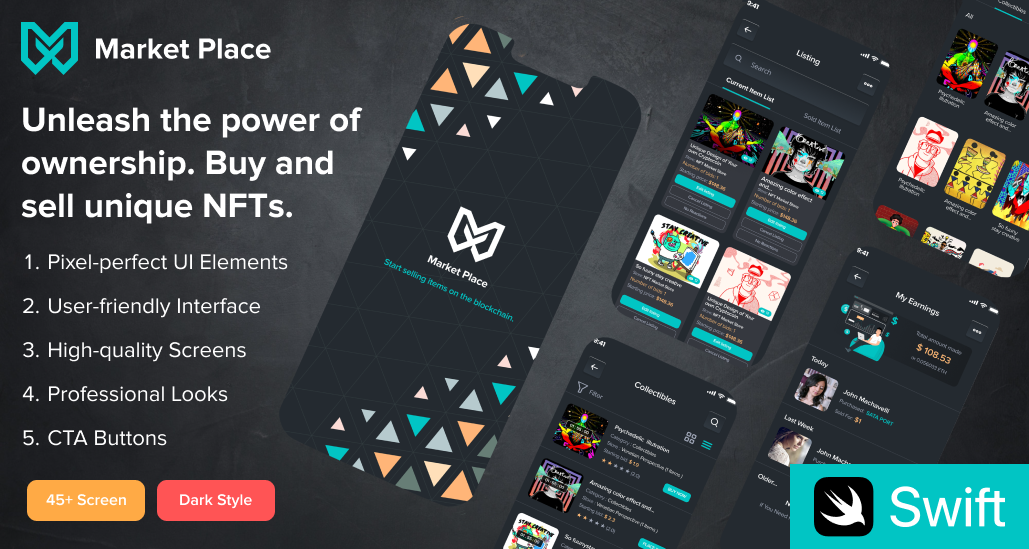
While most tools focus on development acceleration, clone scripts take a different approach: they eliminate development.
These are fully functional applications modeled after proven business models for marketplaces, SaaS tools, and on-demand platforms ready to deploy with minimal customization.
Why they outperform traditional rapid app development tools:
-
No need to build core features
-
Pre-tested workflows (payments, user roles, dashboards)
-
Immediate deployment capability
Instead of assembling components, you start with a working product.
Clone Script is best for:
Entrepreneurs who prioritize time-to-market over custom engineering.
Recommended Solutions for Faster Execution
If your goal is not just to build but to launch quickly, pre-built assets become critical.
-
SaaS Web App Templates
The cost of SaaS product development, we know, reaches thousands of dollars and taks long time than expected. Most of the work has been associated with making dashboards, admin panels, and SaaS architecture. Instead of building from scratch, you start with a structured system with SaaS web app templates.
-
Flutter App Templates
Flutter app templates are an ideal choice for mobile-first startups. The cross-platform development for iOS and Android, this solution accelerates it and maintains the performance along with scalability.
-
Marketplace Clone Scripts
Launching a marketplace is complex to manage user roles, transactions, and workflows, which take months to build. Marketplace app clone scripts compress this into a deployable solution.
-
UI/UX Design Systems
Design consistency is often overlooked in rapid development. Pre-built Figma UI systems eliminate design delays and improve user experience from day one.
Real-World Use Cases: Which Tool Fits Your Product?
Refer to how the tool makes your product development easier.
-
MVP Development
If your goal is validation, not perfection, speed becomes the only metric that matters.
-
Best tools: Bubble, FlutterFlow, clone scripts
-
Optimal choice: clone scripts for immediate deployment
You’re not building a final product. You’re testing demand.
-
Mobile App Development
Mobile apps require performance and cross-platform efficiency.
-
Best tools: React Native, Flutter
-
Optimal choice: Flutter templates for faster execution
This approach balances speed with long-term scalability.
-
SaaS Platforms
SaaS products demand structured architecture and reusable user interface components.
-
Best tools: Supabase and front-end frameworks
-
Optimal choice: pre-built SaaS templates
This reduces both front-end and back-end workload.
-
Marketplace Applications
Marketplaces are feature-heavy by default.
-
Best tools: clone scripts
-
Optimal choice: ready-made marketplace solutions
Building from scratch here is rarely time-efficient.
-
Enterprise Tools
For internal systems and large-scale operations, the best tool is OutSystems.
Structure, compliance, and scalability matter more than speed alone.
-
Backend-Heavy Applications
If your product depends heavily on data and real-time interactions. The best tools are Firebase and Supabase.
These platforms eliminate infrastructure issues.
Rapid App Development Tool Comparison Table
Here is the comparison between the listed tools for rapid app development:
| Tool | Type | Best For | Speed | Scalability | Learning Curve |
|---|---|---|---|---|---|
| FlutterFlow | Visual builder | Mobile apps | High | Medium-High | Medium |
| Bubble | No-code | MVPs | Very High | Medium | Low |
| React Native | Framework | Mobile apps | Medium | High | High |
| Firebase | Back-end service | Fast back-end | Very High | High | Medium |
| OutSystems | Low-code | Enterprise apps | Medium | Very High | Medium |
| Supabase | Back-end platform | Dev-focused apps | High | High | Medium |
| Clone Scripts | Pre-built apps | Fastest launch | Extremely High | Medium-High | Low |
Your project decides which tool is perfectly suitable and which one should be ignored.
Decision Framework: Choosing the Right Tool Faster
If you come away with features and focus on outcomes, the decision becomes clearer:
-
Want the fastest launch possible? Then, Clone scripts are your prime choice.
-
Want to build without coding? Go with Bubble.
-
Want scalable mobile apps? There is an option for React Native or Flutter.
-
Want back-end speed? See the choice between Firebase and Supabase.
-
Want enterprise-grade systems? Prefer OutSystems.
The best teams don’t rely on a single tool. They combine approaches to maximize speed and flexibility.
Future Trends in Rapid App Development (2026)
Rapid development is no longer just about tools. It’s about how products are assembled.
Key shifts we will see:
-
AI-assisted development reduces manual coding.
-
Pre-built architectures replace repetitive engineering.
-
Hybrid workflows combine no-code, templates, and custom code.
The result is a new development model where speed is engineered, not improvised.
Conclusion
You have to know that not all rapid app development tools solve the same problem. Some help you build faster. Others help you skip building entirely.
The real advantage comes from understanding when to use each approach.
If your priority is speed and validation, pre-built solutions will outperform traditional development. If scalability and customization matter, frameworks and back-end tools become essential.
The winning strategy in 2026 isn’t choosing one tool. It’s choosing the fastest path to a working product and improving it from there.