BTC - Bitcoin
 USDTERC20 - USDT ERC20
 ETH - Ethereum
 BNB - Binance
 BCH - Bitcoin Cash
 DOGE - Dogecoin
 TRX - TRON
 USDTTRC20 - USD TRC20
 LTC - LiteCoin

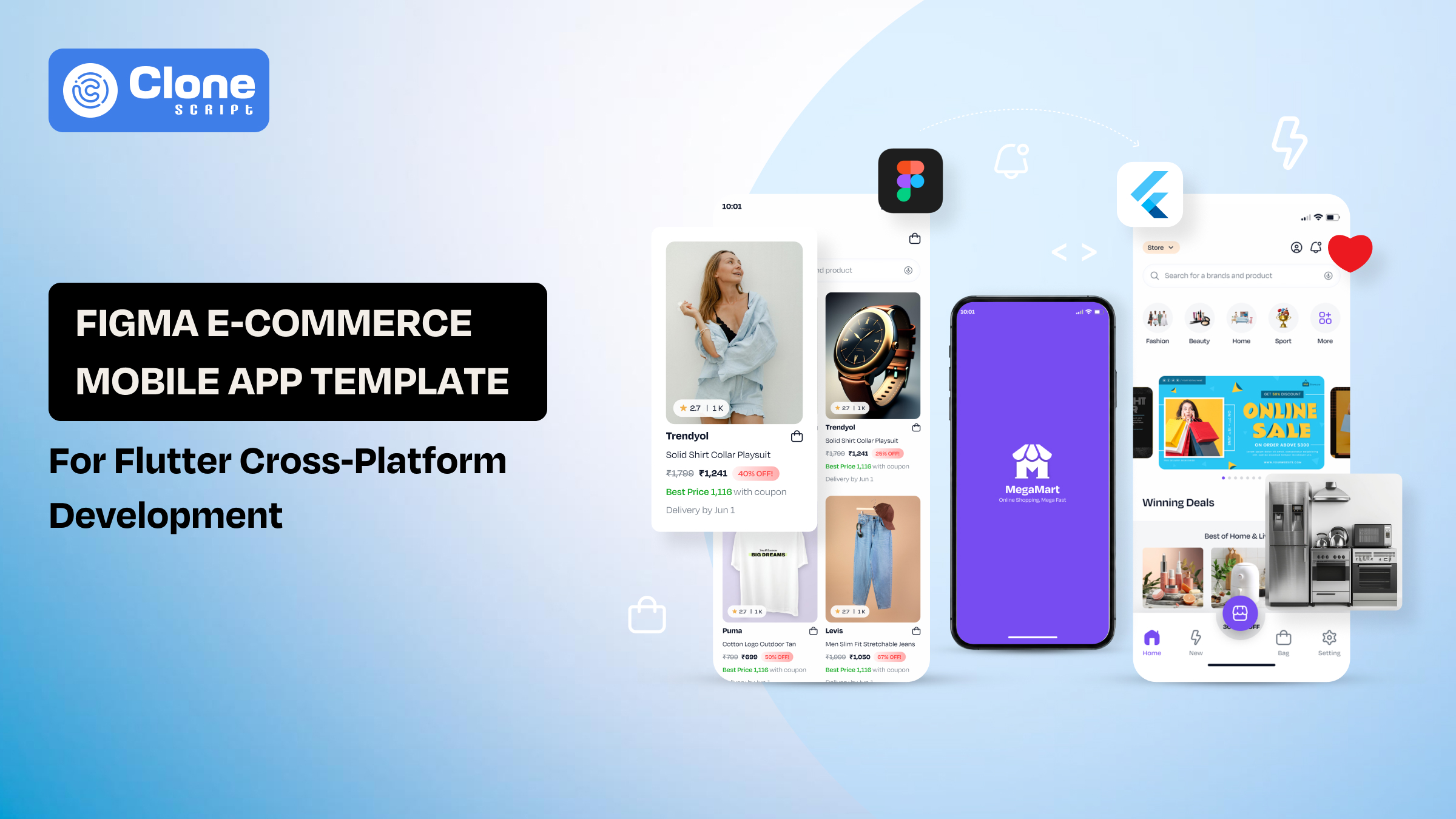
Figma E-commerce Mobile App Template for Flutter Cross-Platform Development
Is mobile commerce related only to retail businesses? No. It is becoming the primary sales channel for digital-first brands.
-
Global retail m-commerce sales are projected to surpass $4 trillion in 2026, with smartphones driving the majority of online shopping interactions.
-
At the same time, businesses want to launch faster, optimize user experience, and maintain consistent performance across platforms.
That is where the combination of Figma and Flutter becomes strategically valuable.
A well-structured Figma e-commerce mobile app template for Flutter cross-platform development gives design teams and developers a shared foundation.
-
Designers can build scalable UI systems in Figma.
-
E-commerce app developers translate those components into Flutter widgets that work across both iOS and Android from a single codebase.
What benefit to you? It saves repetitive design work, shortens development cycles, and supports faster go-to-market execution. If you initiate a startup, an app development agency, or a product management team, this way is a clear option. You can begin with reusable design assets that align with real commerce workflows.
This article explores how these templates streamline development, what features matter most, and how to choose the right solution for long-term scalability.
Why Figma + Flutter Is the Preferred Stack for Modern E-commerce Apps
The success of an e-commerce app depends on two factors: how quickly it can be built and how effectively it performs across devices. Figma and Flutter address both.

-
Figma is a world-class tool for designing work.
Figma has become the industry standard for collaborative UI/UX design because it allows teams to prototype, iterate, and maintain design systems in a centralized environment.
For e-commerce apps, where user journeys involve browsing, filtering, checkout, and account management, structured design consistency is essential.
-
Flutter brings coding efficiency.
Flutter complements this by enabling developers to build applications for multiple platforms using one codebase. This cross-platform framework reduces engineering overhead. It can deliver near-native performance.
For commerce-driven businesses, the advantages are practical:
-
Faster Product Delivery
Instead of separate workflows for design and development, Figma and Flutter create a streamlined handoff process. Templates built in Figma can be directly referenced during development, reducing ambiguity and minimizing redesign cycles.
-
Consistent User Experience Across Platforms
Flutter’s widget-based architecture ensures UI consistency on both Android and iOS. When paired with a Figma template, teams maintain visual accuracy from concept to launch.
-
Lower Development Costs
A shared design-to-code workflow reduces duplicated effort. Businesses avoid maintaining multiple teams for separate platform builds, which can significantly cut production expenses.
-
Scalable for Future Growth
As product catalogs expand and customer expectations evolve, reusable components in both Figma and Flutter allow teams to update features without rebuilding entire systems.
For modern e-commerce businesses, this stack is not simply efficient. It is sustainable.
What Makes an E-commerce Mobile App Template Valuable?
Seeing the app templates on every marketplace will not create long-term value. Many look polished in previews but fail when teams attempt real implementation.
A Figma e-commerce mobile app template must support both design flexibility and technical scalability. After all, we’re using it for reducing the design and technical debt.
-
Complete Commerce Workflow Coverage
An effective template should include every essential user journey:
-
Onboarding
-
Product discovery
-
Search and filtering
-
Cart management
-
Checkout flow
-
Order tracking
-
Profile settings
Without these flows, teams spend additional time designing missing screens.
-
Reusable Design Components
Templates built with reusable cards, buttons, navigation bars, and product modules improve efficiency. This modularity supports rapid updates and keeps branding consistent across platforms.
-
Developer-Friendly Structure
A complete template is organized logically, with clear naming conventions and layered component systems. This matters when translating Figma assets into Flutter widgets.
On the other hand, poorly structured files create friction during implementation.
-
Responsive Design Logic
E-commerce apps must perform across varying screen sizes from small to tablet devices. Templates should account for mobile responsiveness and adaptable layouts.
-
Business Adaptability
The best templates are not tied to one niche. Whether for fashion, electronics, grocery, or marketplace apps, they should allow easy customization for different business models.
The real value lies in how well the template supports production. Not just presentation is important.
Figma E-commerce Template Core Features to Prioritize
Your first question: Does the template offer the features as custom e-commerce app development workflow covers? Probably yes, but not the same way you need.
A template can only accelerate Flutter app development if it reflects how customers actually shop. In e-commerce, missing or weak user flows create friction that directly affects conversion rates. That makes feature depth more important than visual appeal alone.
A high-quality Figma e-commerce mobile app template should include the following essentials.

-
Product Discovery Architecture
The browsing experience determines how quickly users find what they need.
Design templates should include:
-
Category-based navigation
-
Advanced filtering systems
-
Sorting options
-
Personalized recommendations
-
Visual product grids
Strong discovery architecture improves engagement and reduces abandonment during browsing.
-
High-Conversion Product Detail Pages
Product pages must do more than display images. This works as a conversion hub.
In the template, the following should be supported:
-
Multiple product views
-
Pricing clarity
-
Stock availability
-
Size or variant selection
-
Ratings and reviews
-
Related products
These elements influence purchase confidence and increase average order value.
-
Cart and Checkout Optimization
Cart abandonment remains one of the biggest challenges in digital commerce. Industry benchmarks consistently show abandonment rates above 60% in mobile environments.
A shopping store app template should provide:
-
Editable carts
-
Coupon application
-
Shipping method selection
-
Multiple payment interfaces
-
Guest checkout options
The objective is fewer steps and lower friction. Try to reduce cognitive load in the mobile app UI, where most of the problems are found.
-
User Account and Order Management
In online commerce, post-purchase experience affects retention. Never play with it.
The app design templates should cover:
-
Profile dashboards
-
Saved addresses
-
Payment preferences
-
Wishlist systems
-
Order history
-
Tracking interfaces
These features create continuity and encourage repeat purchases.
Scalable Design System
Beyond screens, the Figma design template should include a structured component library. It is called a design system used for UI development.
This ensures teams can extend the product without breaking visual consistency. For Flutter implementation, this modularity supports reusable widget development and long-term maintainability.
A template without these foundations is only a design sample. A template with them becomes a deployable business asset.
How Flutter Strengthens Cross-Platform E-commerce Development
In e-commerce, speed to market matters. That means launching your functional app within a week will yield better results than waiting 3-6 months for deployment, Google Play Store approval, and so on.
That is why the right framework, like Flutter, manages the launch timelines, app maintenance costs, and scalable features. Its value is not limited to cross-platform compatibility. This also supports performance, UI precision, and faster iteration cycles useful for development teams.

-
Single Codebase, Broader Reach
Maintaining separate native apps increases operational complexity. Flutter allows businesses to deploy to iOS and Android from a single shared codebase, reducing duplicate coding effort.
For growing e-commerce brands, this creates efficiency in:
-
Feature rollouts
-
Bug fixes
-
Security updates
-
Version management
This model is especially useful for startups and mid-sized businesses operating under limited product teams.
-
Native-Like User Experience
Consumers expect smooth navigation, responsive animations, and minimal loading delays. Here’s a Flutter rendering engine that gives developers greater control over interface behavior.
This allows mobile commerce apps to deliver near-native responsiveness.
That matters in high-interaction environments such as:
-
Dynamic product galleries
-
Real-time cart updates
-
Interactive checkout flows
You very well know and already researched: how performance consistency directly affects user retention.
-
Flexible UI Adaptation
Retail businesses often require seasonal campaigns, promotional banners, and interface changes based on inventory or trends.
Flutter’s widget-driven structure makes these updates easier to implement without destabilizing the application. Teams can modify isolated interface elements instead of restructuring the entire app. This supports agile marketing execution.
-
Strong Ecosystem for Commerce Integrations
Modern e-commerce apps depend on third-party services such as payment gateway integration, analytics tools, push notifications, and CRM platforms.
Flutter’s expanding package ecosystem enables seamless integration with these services, reducing development overhead.
For businesses building feature-rich commerce solutions, ecosystem maturity is a decisive advantage.
Figma-to-Flutter Workflow: Turning UI Concepts into Scalable Apps
The Figma-to-Flutter process works best when treated as a systems pipeline, not a file transfer.
Design handoff is asked how much time it takes to develop a mobile app. This is where most things become problematic. A visually complete interface can still become a bottleneck if its structure does not support efficient engineering. For e-commerce products, where feature layers are complex and continuously evolving, workflow discipline is essential.

-
Design for Logic, Not Just Presentation
The Figma optimized app templates are built around behavioral patterns rather than isolated pages.
Instead of creating dozens of standalone screens, teams should define recurring structures such as:
-
Inventory display modules
-
Promotional sections
-
Checkout stages
-
Account utilities
This allows front-end teams to map UI logic into reusable development patterns rather than rebuilding layouts repeatedly.
-
Translate Design Tokens into Development Standards
A design token framework creates consistency between design and code.
These tokens typically define:
-
Spacing scales
-
Font hierarchies
-
Interaction states
-
Elevation levels
-
Semantic colors
When aligned early, they become the blueprint for Flutter themes and styling architecture.
This reduces visual drift during implementation.
-
Treat Handoff as Documentation, Not Delivery
Passing a file from the UI and UX team to Flutter app developers is not enough.
They need context on:
-
Interaction intent
-
State changes
-
Fallback behaviors
-
Device-specific adjustments
A well-documented Figma app template removes assumptions and speeds execution.
The objective is to reduce clarification cycles, not simply share assets.
-
Use Automation Strategically
Conversion tools can assist with layout extraction, but they should support. Not to replace development decisions.
Generated code often lacks abstraction and can introduce rigid structures unsuitable for long-term maintenance.
Production-ready apps require manual refinement to ensure clean architecture and scalability.
Automation is a shortcut for setup. Considering that its substitute for craftsmanship is wrong.
-
Validate in Functional Environments
Wireframing and Prototype in app approval do not guarantee deployment readiness.
Real validation happens when designs are tested against live interactions, such as:
-
Inventory updates
-
Payment handling
-
User account synchronization
-
Network latency conditions
This stage describes structural issues that static previews cannot reveal.
An efficient workflow ensures the design survives contact with real-world usage without losing its intent.
Market Trends and Statistics Driving Demand for App Templates
Businesses are adapting to rising mobile transactions, faster release expectations, and tighter development budgets. The supporting data makes that shift clear.
-
Mobile Commerce Is Expanding at Scale
This sustained growth confirms that digital retail remains one of the fastest-scaling sectors worldwide.
-
Global retail e-commerce revenue is projected to reach $6.88 trillion in 2026, up from $6.42 trillion in 2025.
-
By 2028, forecasts place the market at $7.89 trillion.
-
At the same time, mobile commerce is expected to account for 60% of global e-commerce sales in 2026, continuing a steady upward trend from 57% in 2024.
In practical terms, more than half of online purchases are happening through smartphones.
For businesses, this creates a strong incentive to prioritize mobile-first app development over desktop-led strategies.
-
Faster Development Models Are Gaining Strategic Value
Speed-to-market is a competitive advantage and an operational necessity.
Cross-platform development frameworks reduce duplication and shorten delivery cycles. Flutter remains one of the leading choices.
This matters because development efficiency directly impacts launch windows, testing speed, and long-term maintenance effort.
In industries where product timing affects revenue capture, reusable app templates reduce foundational build time and allow teams to focus on market-specific customization.
-
Design Systems Are Becoming Standard Practice
Structured design systems are replacing fragmented UI workflows.
Rather than building isolated screens, companies are investing in reusable components, standardized tokens, and scalable libraries. This approach improves consistency and reduces design debt as products expand.
For design teams working in Figma and development teams building in Flutter, templates serve as operational assets. It is not just visual references.
-
Developer Productivity Is a Core Business Metric
Modern software teams are expected to deliver more with poor resources.
Research into software engineering workflows shows that productivity gains are strongly linked to tools that reduce repetitive work and improve implementation speed. Teams increasingly favor systems that support automation, reusability, and structured handoff processes.
In this context, app templates function as efficiency multipliers.
-
Market Economics Favor Reusable Solutions
Businesses launching digital products must balance quality with capital efficiency.
Using the templates with a design and code-ready container, the costs will be reduced, and faster experimentation can be done.
For startups and mid-sized companies, this lowers risk and accelerates validation.
As digital retail continues to scale, reusable frameworks are increasingly treated as strategic infrastructure rather than optional shortcuts.
The trend reflects a broader shift toward modular, scalable product development.
E-commerce Figma App Design Templates to Use in Flutter Development
The following design templates offer practical foundations for niche-specific commerce apps while remaining adaptable for cross-platform Flutter builds.
-
MegaMart – Fashion E-commerce Store Figma App UI
MegaMart is designed for large-scale online retail platforms, offering a scalable structure for multi-category marketplaces and mobile-first shopping experiences in Flutter applications.
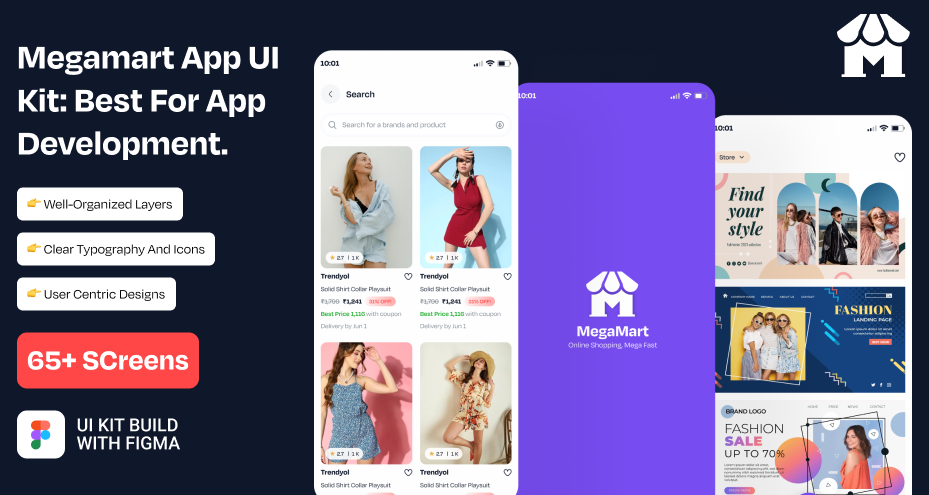
This design template includes:
-
Product grids for extensive catalog display
-
Advanced filters for faster browsing
-
Cart and checkout workflows
-
Vendor-ready marketplace structure
-
Grow Green Plant Selling App Figma UI
Grow Green is structured for plant shops and eco-commerce businesses, blending educational browsing with seamless purchase flows for lifestyle-focused mobile users.
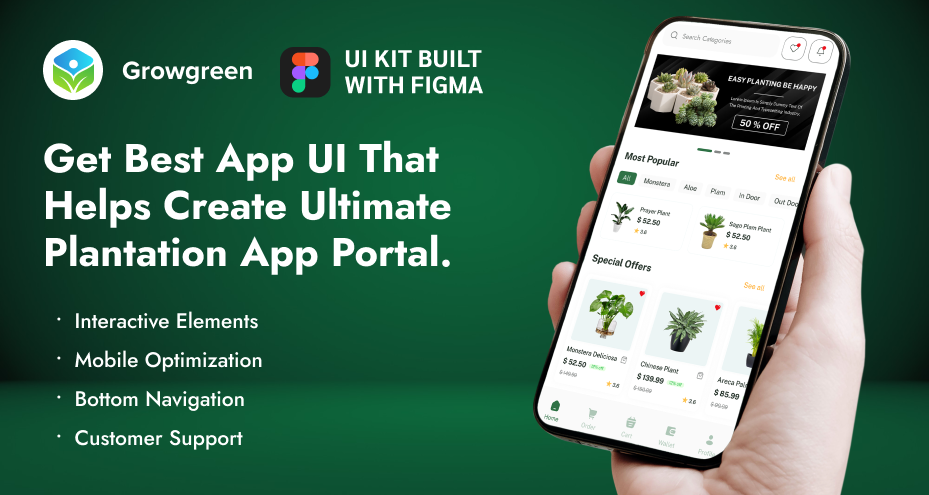
This design template includes:
-
Category-based navigation
-
Product education sections
-
User profile management
-
Purchase-ready checkout screens
-
Furniture E-commerce Shop App UI
This template supports furniture and home décor brands by prioritizing visual storytelling, organized browsing, and confidence-building purchase experiences.
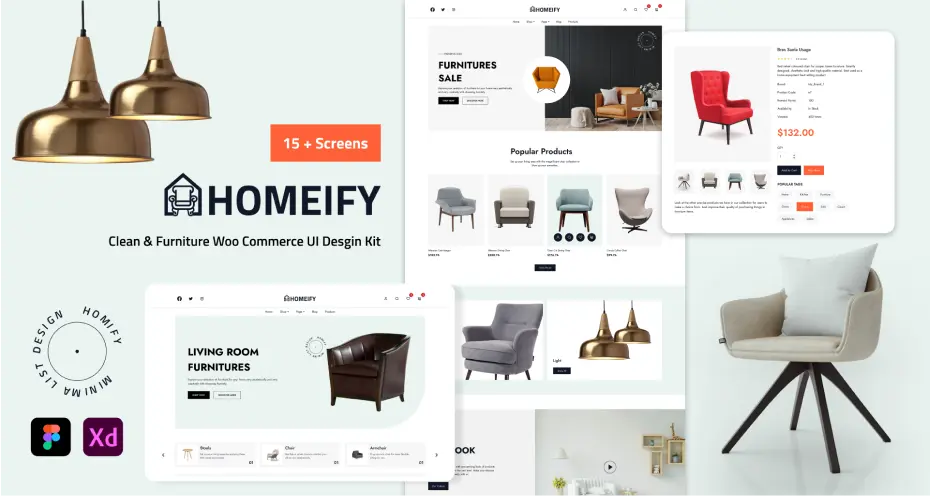
This design template includes:
-
Detailed product pages
-
Inventory search tools
-
Reviews for trust signals
-
Secure payment interfaces
-
Wineful - Wine E-commerce Shop App UI
Wineful provides a premium shopping environment for curated beverage retail, focusing on elegant product presentation and personalized purchasing journeys.
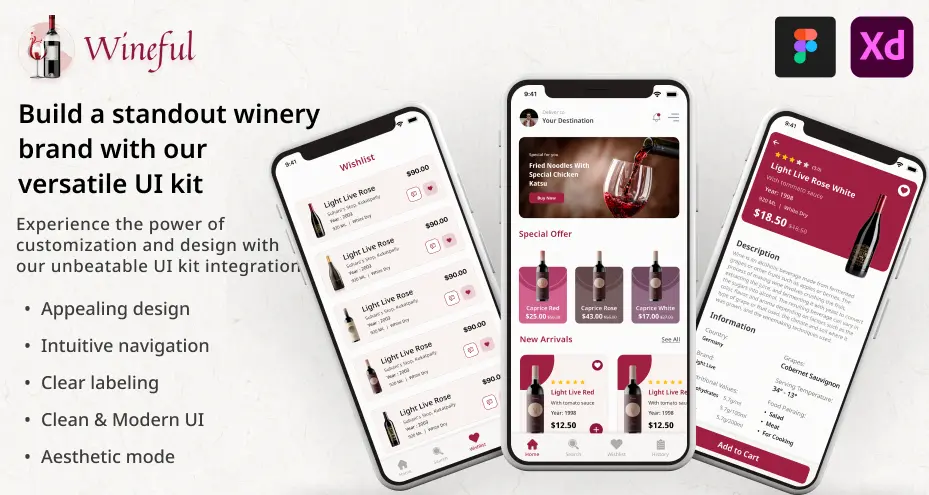
This design template includes:
-
Refined product displays
-
Personalized recommendations
-
Category exploration tools
-
Seamless checkout modules
-
Queen Care – Beauty and Cosmetic E-commerce App Design
Queen Care is built for wellness and service-based platforms, supporting structured interactions where trust, guidance, and commerce intersect.
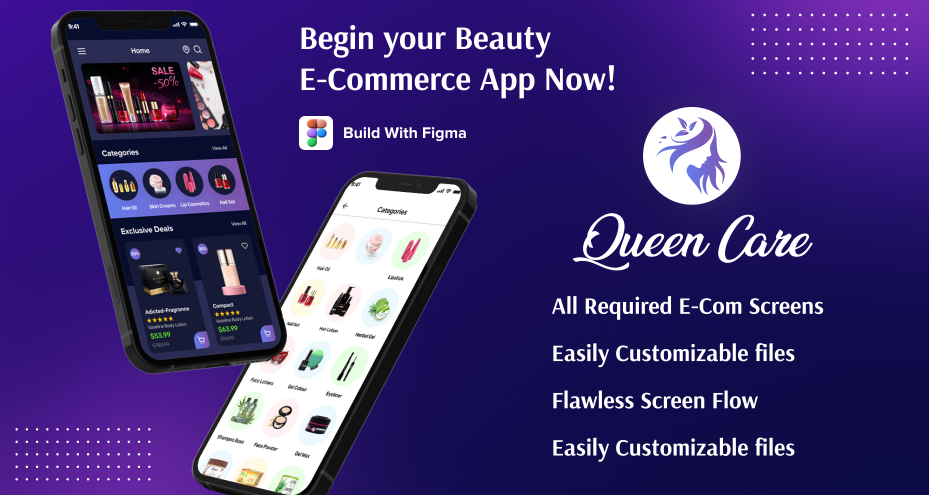
This design template includes:
-
Onboarding experiences
-
Consultation-ready screens
-
Service listing modules
-
Purchase journey integration
Using these templates, you can manage a functional e-commerce app development workflow for agile methodology.