BTC - Bitcoin
 USDTERC20 - USDT ERC20
 ETH - Ethereum
 BNB - Binance
 BCH - Bitcoin Cash
 DOGE - Dogecoin
 TRX - TRON
 USDTTRC20 - USD TRC20
 LTC - LiteCoin

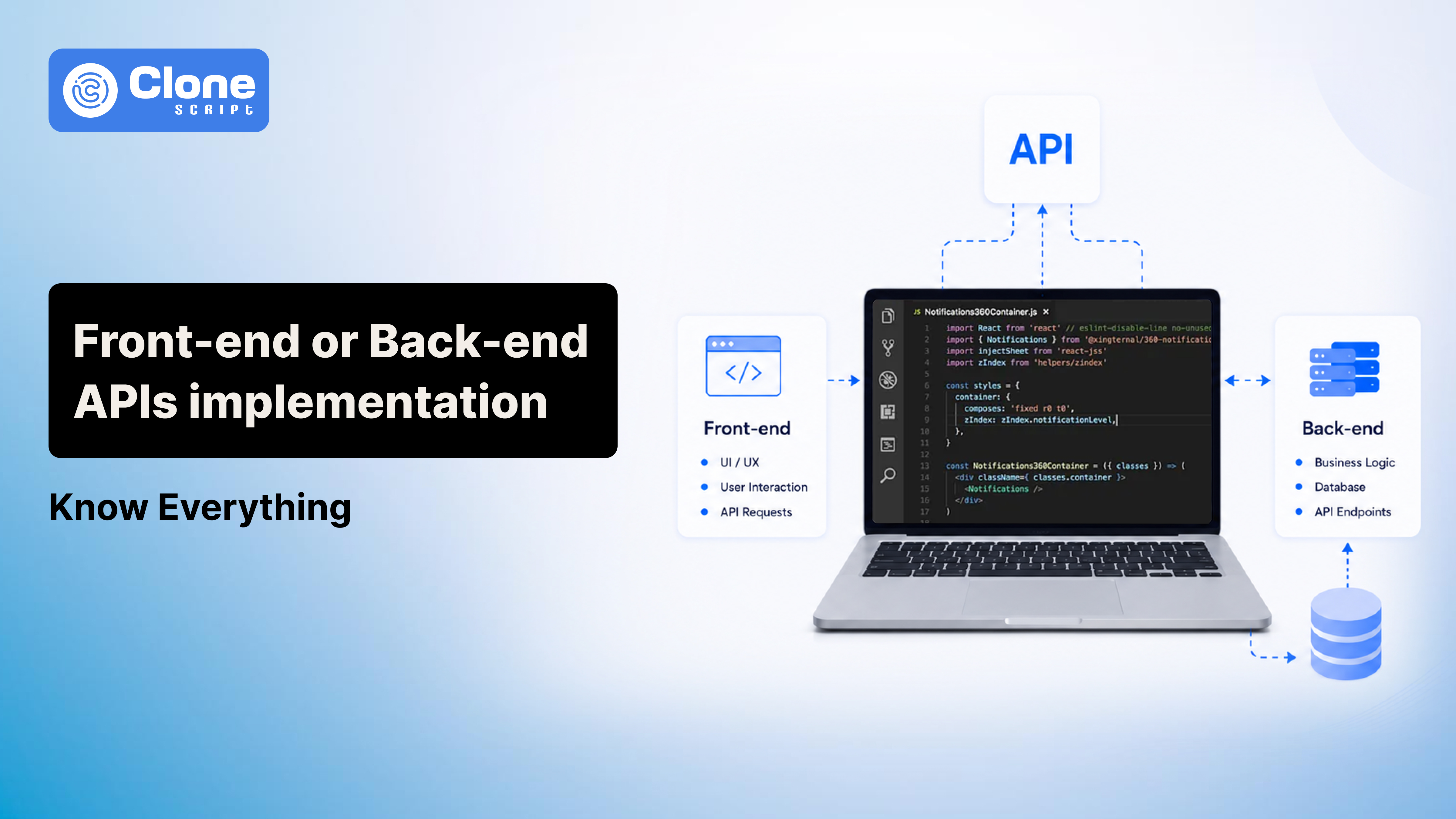
Are APIs implemented in the Front-end or Back-end Side of Development
When learning web development or being involved in software product design, your mind asks you: Are APIs implemented on the front-end or the back-end?
You think front-end (client-side) consumes APIs, which means it has been implemented there.
Every time you log in to a website, load products in an online store, book a ride, or refresh a dashboard, the front-end is making API requests.
So naturally, many people assume APIs belong to the client-side.
But that’s only part of the story. Half of the story.
The real answer is a little more balanced:
Most APIs are implemented on the back-end, while the front-end consumes them. However, some APIs also exist on the front-end, especially browser APIs.
If that sounds confusing, don’t worry. This is one of the most misunderstood topics in web development.
In this guide, we’ll break it down in simple terms with real examples, so you clearly understand where APIs actually belong, how front-end and back-end communicate, and what modern frameworks have changed.
What Is an API in Simple Terms?
API stands for Application Programming Interface.
That sounds technical, but the concept is actually straightforward.
An API is simply a way for two software systems to communicate with each other.
Here example of a simple Application Programming Interface:

Think of it like ordering food in a restaurant.
You don’t walk into the kitchen and cook your own meal. Instead:
-
You place an order
-
The waiter takes your request
-
The kitchen prepares the food
-
The waiter brings it back
In software:
-
Front-end acts as a customer
-
API play role of a waiter
-
Back-end works like a kitchen
For example, when a user clicks “View Profile”, the front-end may send a request asking for user data. The back-end processes that request, gets the data from a database, and sends the response back.
The front-end then displays the information.
That communication layer is the Application Programming Interface.
Front-end vs Back-end Difference has to be Understood First.
Before answering where APIs are implemented, it helps to understand what front-end and back-end actually do.
-
Front-end (Client-side): What Users See and Interact With
Front-end development is everything users interact with directly.
This includes things like:
-
Buttons
-
Forms
-
Navigation menus
-
Dashboards
-
Animations
-
Product listings
-
Search filters
-
Login pages
Front-end technologies typically include:
-
HTML
-
CSS
-
JavaScript
-
React
-
Vue
-
Angular
Its main job is creating the user experience.
For example, when someone clicks “Add to Cart,” that click happens in the front-end.
But the front-end itself usually doesn’t process payments, validate business rules, or talk directly to the database.
-
Back-end: The Logic Behind the Scenes
Back-end is where the application’s real processing happens.
This is where you typically handle:
-
Authentication
-
Authorization
-
Payment processing
-
Business logic
-
Database operations
-
User management
-
Notifications
-
Application Programming Interface implementation
Common back-end technologies include:
-
Node.js
-
Laravel
-
Django
-
Spring Boot
-
Ruby on Rails
-
ASP.NET
If the front-end is the visible storefront, the back-end is the operations center running behind the scenes.
So, Is an API Front-end or Back-end?
Here’s the direct answer:
In most real-world applications, APIs are implemented on the back-end.
But saying “API equals back-end” is not always 100% accurate.
That’s because Application Programming Interface exists in different forms.
Some APIs are business APIs hosted on servers.
Others are browser Application Programming Interfaces built into the client-side environment.
So the better answer is:
It depends on the type of API.
Most Business Application Programming Interfaces Are Back-end APIs.
When developers talk about APIs in software projects, they usually mean server-side APIs.
Examples include:
-
Login APIs
-
Payment APIs
-
Booking APIs
-
Product APIs
-
CRM integration APIs
-
Order management APIs
Let’s say you’re using a taxi booking app.
When you request a ride, the client-side app sends a request like:
Book this ride for this user from this location to that destination.
The back-end then handles the heavy lifting:
-
Validates user details
-
Calculates fare
-
Checks available drivers
-
Creates the booking
-
Stores trip information
-
Sends notifications
The front-end simply triggers the action.
The back-end performs the actual work.
That means the API is implemented server-side.
This is how most production applications work.
Why People Get Confused about APIs
The confusion happens because the front-end interacts with APIs constantly.
Developers often write front-end code like:
-
Fetching product data
-
Sending login credentials
-
Submitting forms
-
Loading dashboards
So it feels like the front-end “owns” the API.
But consuming an API is not the same as implementing one.
A useful way to think about it: Using Netflix doesn’t mean you own Netflix’s servers.
Similarly, calling an API doesn’t mean the front-end implements it.
The front-end uses Application Programming Interfaces.
Back-end provides them.
But Some APIs Do Exist on the Client-side. So What?
Here’s where things get interesting.
Browsers themselves provide APIs.
These are called browser APIs.

Examples include:
-
Fetch API
-
Geolocation API
-
Clipboard API
-
Notification API
-
Local Storage API
-
Camera API
For example:
If a website asks for your location, it uses the browser’s Geolocation API.
If a web app copies text to your clipboard, it uses the Clipboard API.
If JavaScript sends a network request using fetch(), that’s the browser Fetch API.

These APIs live in the front-end environment because the browser provides them.
So technically:
-
Browser APIs work for front-end
-
Business/server APIs are related to the back-end
That distinction clears up most confusion.
How Front-end and Back-end Application Programming Interfaces Work Together
Let’s make this practical.
Imagine an eCommerce website.
A user clicks on a product.
What happens?
Step 1: User Action: Here, the front-end detects the click.
Step 2: Front-end Sends Request: The application asks: “Give me product details for Product #124.”

Step 3: Server-side Receives Request: The back-end receives that API call and processes it.
Step 4: Business Logic Runs: In this step, the server checks the following:
-
Does this product exist?
-
Is it in stock?
-
Are discounts active?
-
Should regional pricing apply?
Step 5: Database Is Queried: The back-end retrieves product information.
Step 6: Response Returns: At this step, data is sent back. Example:
-
Product name
-
Price
-
Stock availability
-
Images
-
Product description
Step 7: Front-end Displays Information: The user sees the updated page. Simple rule: Front-end requests. Back-end responds.
Real Login Example: Handle Through the Login API.
Authentication makes this even clearer.
Imagine a user logging into an app.
Front-end collects email and password.
Then sends the login request.
Here is the example login API request from the front-end.

But the front-end should never verify passwords itself.
Why?
Because that would expose sensitive logic.
Instead, the back-end development handles:
-
Checking credentials
-
Validating password hashes
-
Generating access tokens
-
Creating sessions
-
Logging authentication attempts
The client-side only handles the interface.
The back-end handles security.
That’s why authentication APIs belong to back-end systems.
Can Front-end Create Application Programming Interfaces?
This is one of the most searched questions.
The answer is: Usually no, but modern development introduces exceptions.
Traditionally, front-end applications are API consumers, not API providers.
However, there are special cases.
-
Mock APIs During Development
Front-end developers often simulate APIs before back-end work is complete.
Examples:
-
JSON Server
-
Mock Service Worker
-
Fake API responses
This helps UI development move faster.
But these are development tools, not production architecture.
-
Full-Stack Frameworks
Frameworks like the following allow developers to create API routes inside the same project:
-
Next.js
-
Nuxt
-
Remix
This makes beginners think that front-end creates APIs.
But those API routes actually execute server-side.
An API route in a full-stack framework is like this:

So even though the project looks front-end-focused, the API implementation is back-end.
-
Serverless APIs
Platforms like these allow developers to deploy lightweight Application Programming Interface endpoints quickly.:
-
Vercel
-
AWS Lambda
-
Netlify Functions
These may feel “front-end adjacent,” especially in JAMstack projects.
But technically, execution still happens on servers.
So they remain back-end APIs.
Why APIs Usually Belong on the Back-end
There are strong technical reasons for this.

-
Security
Front-end code is visible to users.
Anything placed there can be inspected.
That means you should never expose:
-
Secret keys
-
Authentication logic
-
Payment processing internals
-
Database credentials
Back-end keeps sensitive logic protected.
-
Database Protection
Letting the front-end directly access databases is risky.
Users can manipulate browser requests.
That creates obvious security issues.
Back-end acts as a secure middle layer.
-
Centralized Business Logic
Imagine pricing logic copied into:
-
Website front-end
-
Admin dashboard front-end
That becomes a maintenance nightmare.
Back-end centralizes logic in one place.
-
Access Control
Back-end APIs designed to restrict permissions.
Examples:
-
Admin-only actions
-
Account ownership validation
-
Subscription restrictions
Front-end should never be trusted for authorization decisions.
-
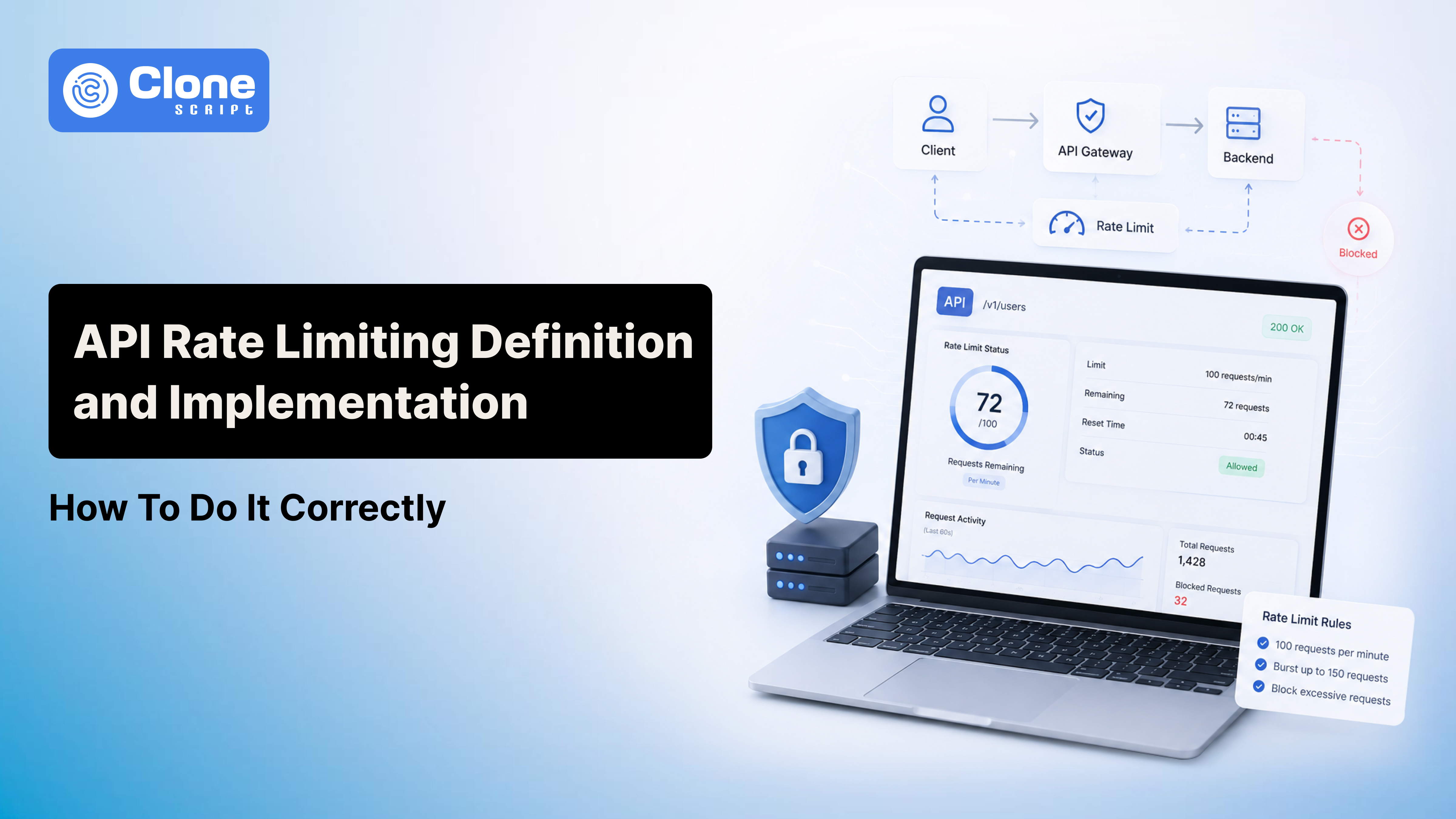
Rate Limiting and Abuse Prevention
Server-side APIs can prevent abuse through:
-
Request throttling
-
Spam protection
-
Brute-force prevention
-
Suspicious traffic monitoring
Front-end cannot reliably enforce these protections.
Why Front-end Should NOT Connect Directly to Database
Some beginners ask: Why not skip APIs and let the front-end talk directly to the database?
Technically possible in some architectures.
But usually a bad idea.
Here’s why.
-
Exposed Credentials
Database access requires authentication. Putting those credentials in the front-end code exposes them. That preference keeps your digital product at a higher risk of security issues.
-
No Trust Boundary
Users control browser behavior. Requests can be modified easily. Attackers can change:
-
Request payloads
-
Headers
-
Parameters
-
Timing
Never trust client-side requests.
-
Data Integrity Risks
Without back-end development validation, the following become much easier:
-
Unauthorized edits
-
Fake data
-
Accidental corruption
-
Malicious deletions
-
Compliance Problems
Industries like these require stronger security controls:
-
Finance
-
Healthcare
-
SaaS
-
eCommerce
Direct database exposure is rarely acceptable.
API Authentication: Front-end vs Back-end Responsibilities
Authentication is a shared responsibility, but not equally.
-
Front-end Handles User Experience
Front-end typically handles the following:
-
Collecting credentials
-
Displaying login forms
-
Storing session states carefully
-
Attaching tokens to requests
-
Showing logout UI
-
Back-end Handles Security
Back-end must handle:
-
Validating credentials
-
Token verification
-
Session management
-
Authorization checks
-
Token expiration
-
Refresh workflows
Important principle: Front-end improves UX. Back-end enhances trust.
Modern Development Has Blurred the Line
The front-end and back-end boundary isn’t as obvious as it used to be.
Modern architectures combine responsibilities.
Examples include:
-
Back-end for Front-end (BFF)
A back-end tailored specifically for front-end clients.
For example, a mobile app gets compact responses, and a web dashboard gets detailed analytics.
This improves efficiency.
-
Serverless Architecture
Developers deploy lightweight back-end functions instead of full servers.
It is good for forms, notifications, integrations, and webhooks.
Still back-end, just with a different infrastructure.
-
Edge Functions
Code runs closer to the user geographically.
Benefits included:
-
Lower latency
-
Faster personalization
-
Improved performance
Still back-end execution.
-
Full-Stack Frameworks
Frameworks like Next.js make front-end and back-end live in one codebase.
That can make boundaries feel blurry.
But execution context still matters more than folder structure.
Avoid These Mistakes When Integrating APIs
If you’re building software, avoid these mistakes.
-
Exposing Secrets in Front-end: Never expose API keys, tokens, and credentials because the front-end is public.
-
Trusting Front-end Validation: Front-end validation improves usability. But the back-end must validate everything again.
-
Poor Error Handling: Users hate unclear failures. Good Application Programming Interfaces return predictable responses.
-
No API Versioning: Changing endpoints carelessly breaks integrations. Version APIs properly.
-
Weak Authentication Design: Bad token handling creates security risks. Authentication architecture matters.
Solving these mistakes prevents your app from becoming a failed product.
When Businesses Need Custom API Development
APIs are not just for developers. They’re business infrastructure.
A company often needs custom APIs when:
-
Mobile and web apps share data
-
Third-party tools need integration
-
Payment systems must connect
-
CRMs need synchronization
-
Marketplaces require vendor workflows
-
SaaS products expose integrations
A good API architecture improves:
-
Scalability
-
Automation
-
Maintanability
-
System interoperability
For growing businesses, APIs are often a competitive advantage, not just technical plumbing.
Conclusion
So, are APIs implemented on the front-end or back-end?
The most accurate answer is:
Mostly back-end, but not always.
Here’s the simple breakdown:
Front-end APIs:
-
Fetch API
-
Geolocation API
-
Clipboard API
-
Browser-provided interfaces
Back-end APIs:
-
Login APIs
-
Payment APIs
-
Booking APIs
-
Product APIs
-
Authentication systems
-
Business logic endpoints
The easiest way to remember it: Front-end interacts. Back-end implementations. Browser APIs are the exception.
That’s the architecture pattern used often by most modern applications.