BTC - Bitcoin
 USDTERC20 - USDT ERC20
 ETH - Ethereum
 BNB - Binance
 BCH - Bitcoin Cash
 DOGE - Dogecoin
 TRX - TRON
 USDTTRC20 - USD TRC20
 LTC - LiteCoin

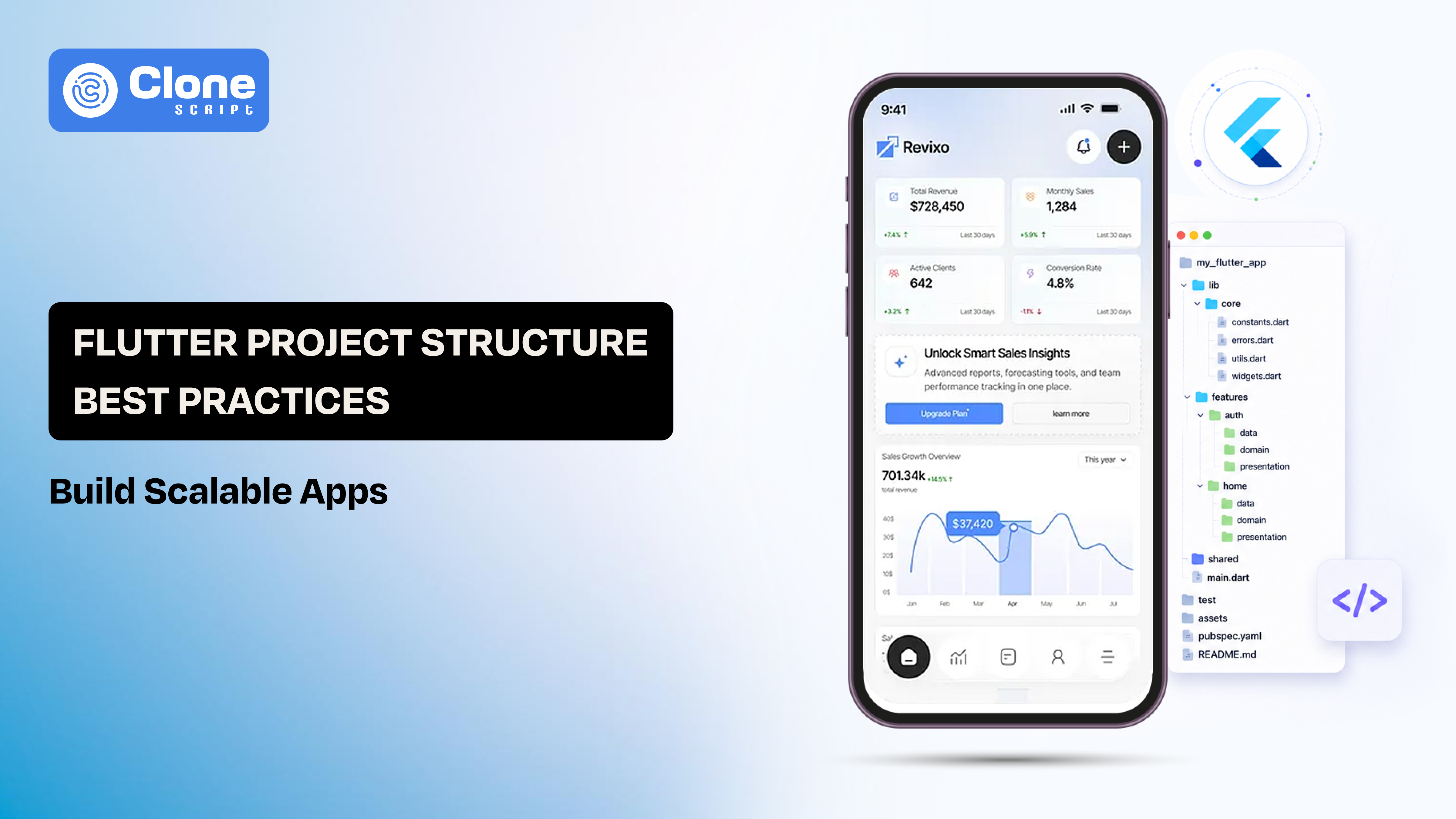
Flutter Project Structure Best Practices: How to Build Scalable Apps
Just complexity breaking the Flutter apps isn’t the right thinking. The poor structure is all cause.
You start a project with excitement, but simplicity turns into a tangled codebase as features grow. Other side, UI logic mixes with business logic, files become hard to trace, and even a small change can impact the unwanted parts of the app. This slows down Flutter development and makes scaling risky.
A well-structured Flutter project solves this early. It creates clear boundaries between features, improves code readability, and allows teams to work without stepping on each other’s code. More importantly, it ensures that your app can grow without constant refactoring.
In this guide, you’ll learn Flutter project structure best practices that go beyond basic folder organization. The focus is on building apps that remain maintainable, testable, and scalable as they evolve.
Why Flutter Project Structure Matters for Scalability
To manage the codebase while growing with the system, the Flutter project structure matters. Only adding features isn’t important.
Think that when your app is in its early stages, the structure usually has minimal impact. A small app has a limited screen and logic function, which means it works with a loose organization. Conversely, when the application expands, the absence of a clear structure begins to introduce friction.
To add new features, app developers have to understand existing dependencies. For making the changes, it becomes riskier because the parts of the system might be affected. Over time, the cost of maintaining the codebase increases, even for simple updates.
So what can help? A well-defined project structure addresses this by introducing predictability.
In this, each feature is isolated, responsibilities are clearly divided, and dependencies follow a consistent pattern. That means developers can navigate the codebase efficiently, make changes with confidence, and work on multiple features without interference.
From a scaling perspective, structure enables:
-
Parallel development without conflicts
-
Faster onboarding for new developers
-
Reduced regression risk during updates
Ultimately, a strong structure ensures that as your Flutter app grows, your development process remains stable, efficient, and maintainable.
Common Flutter Structures (And Their Limitations)
Before choosing the right structure, it’s important to understand how most Flutter apps are typically organized and where those approaches fall short as the app grows.
-
Flat Structure
This is the most basic setup, often seen in small projects or early-stage development.

At first, this feels fast and convenient. Everything is easy to find because there are only a few files. But as features increase, the flat structure begins to break down.
Limitations of a flat structure:
-
No clear separation of responsibilities
-
High dependency between files
-
Difficult to maintain as the codebase grows
That means when you need a simple Flutter app without code complexity, this structure is the right choice.
-
Layer-Based Structure
This approach organizes files by type rather than by feature. That’s why this Flutter app structure is called Layer-based. Here is the example.

It introduces some level of organization and is commonly used in many tutorials. However, layer-based creates a different kind of complexity.
Limitations of this structure:
-
Feature-related code is spread across multiple folders
-
Tracking a single feature requires navigating several layers
-
Changes often involve touching multiple directories
This makes scaling harder, especially when multiple Flutter app developers are involved.
-
Feature-Based Structure
Here in this structure, the project is divided into independent feature modules.

Feature-based structure aligns better with how real applications are built around features rather than file types.
Limitations of feature-based structure:
-
Lacks consistency if not properly defined
-
Can become disorganized within each feature
-
No clear rules for handling logic, data, and UI separation
Key Takeaway
Each structure works at a certain stage, but none is sufficient on its own for scalable applications.
-
Flat structure is too simplistic
-
Layer-based structure fragments features
-
Feature-based structure needs internal discipline
To build scalable Flutter apps, you need a structure that combines feature-based organization with clear architectural boundaries.
What’s the Difference Between Layer-Based and Feature-Based Architecture
The difference isn’t just in folder organization. It affects how you build, navigate, and scale your app.
-
Layer-Based Architecture
This approach organizes code by responsibility, such as UI design, data handling, and business logic, which are separated into different folders.
Here, the structure is driven by technical roles. It works well when the codebase is small, but as features grow, related logic gets split across multiple locations. This increases the effort required to understand or modify a single feature.
-
Feature-Based Architecture
This approach organizes code around features or modules. Each feature acts as a self-contained unit. Everything required for that feature, UI, logic, and data, lives together.
Key Difference in Real Development
The real distinction shows up when working on features:
-
In a layer-based structure, building or updating a feature means touching multiple folders.
-
In a feature-based structure, most changes stay within a single module.
This directly impacts:
-
How quickly can features be developed
-
How easily bugs can be traced
-
How well teams can work independently
For scalable Flutter apps, the shift toward feature-based organization is less about preference and more about maintaining control as complexity increases.
Best Flutter Project Structure for Scalable Apps
The number of folders not only defines that the Flutter app is scalable. This is defined through how clearly responsibilities are separated and how easily features can evolve.
The most reliable approach in production is a hybrid structure:
-
Organize the app by features at the top level
-
Maintain clear layers inside each feature
-
Extract shared logic into a central location
Recommended Structure

What Each Section Handles
Here is the overview of what every section does.
-
core/
It holds app-wide logic that doesn’t belong to any single feature. Here are the examples:
-
API clients
-
Error handling
-
Utilities
-
features/
This is the heart of your application. Each feature is isolated and self-contained.
-
features/
-
auth/
-
dashboard/
-
payments/
Each feature manages its own UI, logic, and data flow. This prevents cross-feature dependencies and keeps changes localized.
-
shared/
This contains reusable components used across multiple features. Here are the examples:
-
Common widgets
-
Themes
-
Design system elements
-
app/
This feature is responsible for application-level configuration. Here are the examples:
-
Routing
-
Navigation setup
-
App initialization
Why This Structure Works
This setup solves the most common scaling problems:
-
Feature isolation can change, but it doesn’t affect unrelated modules.
-
Clear boundaries make it easier to maintain and debug.
-
Reusability manages shared logic to avoid duplication.
-
Simultaneous development support to teams can work independently.
Key Principle
A scalable structure ensures that adding a new feature doesn’t require modifying existing ones.
When your project follows this pattern, growth becomes predictable. You’re not reorganizing code every few months; you’re extending a system that’s already designed to scale.
Flutter Production-Ready Folder Structure
A clear and applied responsibility in each folder is a key element that makes an effective structure for each folder.
A scalable structure becomes effective only when each folder has a clear, enforced responsibility. Without that, even a good structure turns into clutter over time.
Here’s how a production-ready setup works in practice.
Feature-Level Structure
Each feature should follow a consistent internal pattern; otherwise, it affects the functionality:

This separation for authentication, data, domain, and presentation makes sure the design, business logic, and data handling don’t overlap.
1. Data Layer
This layer handles external interactions and data transformation.

Responsibilities:
-
API calls
-
Local database access
-
Converting raw data into usable models
This layer should not contain UI logic or business rules.
2. Domain Layer
This acts as the core of the feature and provides the functionality.

Responsibilities:
-
Business logic
-
Rules and validations
-
Abstract repository definitions
This layer remains independent of frameworks and external dependencies.
3. Presentation Layer
Handles everything related to UI and state.

Responsibilities:
-
UI rendering
-
State management (Bloc, Riverpod, etc.)
-
User interaction handling
This layer communicates with the domain layer, not directly with data sources.
Dependency Flow
A key rule in this structure: presentation → domain → data
-
UI depends on domain logic.
-
A domain defines rules and contracts.
-
Data implements those contracts.
Dependencies should never flow in reverse.
Why This Structure Holds at Scale
-
Changes stay localized, which means modifying UI doesn’t break data logic.
-
Testing becomes easier, and each layer can be tested independently.
-
Flexibility allows you to swap APIs or state management without major rewrites.
The goal isn’t to create more folders. It’s to reduce confusion.
When every layer has a clear role, Flutter developers don’t need to guess where code belongs. That clarity is what keeps a Flutter app maintainable as it grows.
Integrating State Management into Your Structure
State management should not be treated as a separate concern. It must fit naturally into your project structure. Poor placement of state logic leads to tightly coupled code and unpredictable behavior.
Where State Management Belongs
State management should live inside the presentation layer of each feature.

This keeps state logic close to the UI it controls, without leaking into other layers.
Why This Placement Works
-
Scoped control ensures the state is limited to a specific feature.
-
Better readability makes it easier to trace UI behavior.
-
Reduced side effects to avoid global state conflicts.
Structuring State Inside a Feature
Depending on the tool you use, the structure may vary slightly.
Example with Bloc/Cubit

Example with Riverpod / Provider

Key Rule
State management should interact with the domain layer, not directly with APIs or data sources.
This keeps your architecture consistent:
-
UI triggers state changes
-
State calls domain logic
-
Domain communicates with the data layer
What to Avoid
-
Placing state logic in core/ or global folders
-
Sharing one global state across unrelated features
-
Mixing state management with API calls inside UI code
State management becomes easier to handle when it follows the same structure as your features. Instead of managing a single global state, you manage multiple small, predictable states, each tied to a specific part of the app.
This approach improves maintainability and makes scaling far more controlled.
Scaling Challenges and How Structure Solves Them
As a Flutter mobile app grows, the challenges are rarely about writing new code. They’re about managing existing code without breaking it. Most scaling issues come from a lack of structure, not complexity itself.
-
Code Duplication
The same logic starts appearing in multiple places, such as API calls, validation rules, or utility functions.
So why does this happen? Because there is no central place for shared logic.
There’s a way to solve it through structure.
-
Move reusable logic into core/ or shared/
-
Keep feature-specific logic inside its module
-
Tight Coupling Between Components
UI design directly depends on API calls or data sources. A small change in one part affects multiple areas; we know it.
Due to no clear separation between layers, issues have arisen.
To solve it, introduce a domain layer for abstraction because UI interacts only with business logic, not data sources.
-
Difficult Code Navigation
Mobile app developers struggle to find where a feature starts or ends with difficult code navigation.
Code is organized by type instead of functionality, as it makes finding the required line to change.
First of all, group files by feature and keep all related code within a single module.
-
Merge Conflicts in Teams
Multiple developers working on the same folders leads to conflicts and delays. This is not helpful when working on complex products like fintech app development with features.
Having shared directories like screens/ or services makes it hard for the team to manage every line of code.
To prevent issues, isolate features into separate modules and reduce overlap in code ownership.
-
Slower Feature Development
Adding new features takes longer than expected. This happens when developers spend more time understanding existing code than writing new code.
You can prevent it by maintaining predictable patterns across features and using a consistent folder structure for every module.
Scaling issues don’t appear suddenly; they build up over time. A well-structured Flutter project prevents these problems early by keeping the codebase organized, predictable, and easy to extend.
Testing Strategy Based on Flutter Project Structure
QA and Testing become straightforward when your project structure applies clear boundaries. Without structure, testing feels like an afterthought. With the right setup, it becomes part of the development flow.
Test by Layer, Not by File
Each layer has a different responsibility, so it should be tested differently.
-
Domain Layer for Unit Testing
The domain layer contains business logic, which makes it the easiest and most important part to test.

Focus on these aspects:
-
Business rules
-
Use cases
-
Edge cases
No dependency on UI or external services.
-
Presentation Layer for Widget Testing
This layer handles UI and interactions.

Focus on the following:
-
UI rendering
-
User interactions
-
State changes
3. Data Layer for Integration Testing
The data layer deals with APIs and local storage.
Focus on the following:
-
API responses
-
Data parsing
-
Repository behavior
Use mocks or test APIs to avoid real dependencies.
Why Structure Improves Testing
-
Isolation helps each layer that can be tested independently.
-
Clarity makes it easier to identify what to test.
-
Speed made fewer dependencies mean faster tests.
When your structure is clear, testing doesn’t require extra effort. You’re not trying to test everything at once. You’re validating small, focused parts of the system.
This leads to more reliable code and fewer surprises during Flutter app development.
How to Refactor an Existing Flutter App
Refactoring structure in a live Flutter app requires precision. A full rewrite is rarely justified; the objective is incremental restructuring without breaking functionality.
Step 1: Audit the Current Codebase
Start by identifying structural issues:
-
Where is business logic located?
-
Are features isolated or scattered?
-
Is state management tightly coupled to UI?
-
Are there duplicate utilities or services?
Outcome: A clear map of problem areas, not assumptions.
Step 2: Define the Target Structure
Decide what you’re moving toward before touching code.
For most scalable apps, this typically means:
-
Feature-based organization
-
Clear separation: presentation/domain/data
-
Shared logic moved into core/
Important: Avoid mixing old and new patterns randomly. Define rules first.
Step 3: Refactor Feature by Feature
Do not restructure the entire app at once.
Recommended approach:
-
Pick one feature (e.g., authentication)
-
Move its files into a feature-based structure
-
Separate layers gradually
-
Ensure the app still runs
This reduces risk and keeps progress measurable.
Step 4: Extract Business Logic from UI
This is usually the biggest improvement area.
Before:
-
API calls inside widgets
-
Validation logic in UI
-
The state is tightly coupled to screens
After:
-
Move logic into controllers/providers/blocs
-
Keep widgets focused on rendering
-
Introduce domain-level abstractions if needed
Step 5: Introduce State Management Properly
If state handling is inconsistent, standardize it during refactoring.
-
Choose one approach (Provider, Riverpod, Bloc, etc.)
-
Scope state to features
-
Avoid global state unless necessary
Consistency matters more than the tool.
Step 6: Clean Up Dependencies
As structure improves, redundant code becomes visible.
-
Remove duplicate helpers
-
Consolidate API clients
-
Standardize error handling
This step reduces technical debt significantly.
Step 7: Add Tests During Refactoring
Refactoring without tests is high risk.
-
Start with critical features
-
Add unit tests for business logic
-
Add widget tests for key screens
Tests act as a safety net while restructuring.
Step 8: Enforce Structure with Guidelines
After refactoring, prevent regression:
-
Document folder structure
-
Define naming conventions
-
Review PRs for structural consistency
Without enforcement, the codebase will drift back.
Refactoring does not make the code “cleaner.” But it’s about making it predictable, scalable, and easier to extend. The safest strategy is gradual change with continuous validation, not large-scale rewrites.
Final Recommendations & Decision Framework
Choosing the right Flutter project structure is about aligning architecture with project scope, team size, and long-term goals.
This provides a practical way to make that decision.
-
Start with Project Complexity
Structure should reflect how complex the app is today and where it’s heading.
| Project Type | Recommended Structure |
|---|---|
| Small app / MVP | Simple feature-based (minimal layers) |
| Medium app | Feature-based with clear separation (presentation, data) |
| Large/scalable app | Feature-based + domain layer (Clean Architecture principles) |
Over-structuring early slows you down. Under-structuring later slows your team.
-
Align with Team Size and Workflow
Architecture impacts how teams collaborate.
-
Solo developer / small team will keep the structure lightweight and flexible.
-
A growing team (3–10 devs) helps to standardize feature-based structure with clear conventions.
-
Large team / multiple squads to make a strong separation of concerns, a domain-driven structure.
Structure is a communication tool as much as a technical one.
3. Choose Consistency Over Perfection
The “best” structure fails if it’s not followed consistently.
-
Use the same folder pattern across all features
-
Standardize naming conventions
-
Keep dependencies predictable
Consistency reduces onboarding time and prevents architectural drift.
4. Introduce Abstraction Only When Needed
Not every app needs a full clean architecture. Use it when the following are required:
-
Business logic is complex
-
Multiple data sources exist
-
Long-term scalability is critical
Avoid it when:
-
The app is simple
-
The timeline is short
-
The team is small
Abstraction should solve real problems, not theoretical ones.
5. Evaluate State Management Fit
Your structure should support your state management approach.
-
Feature-based structure works well with scoped state
-
Avoid global state-heavy designs
-
Keep logic outside UI regardless of the tool
Poor state placement breaks even the best folder structure.
6. Plan for Refactoring, Not Perfection
No structure is final. These are conditions to follow.
-
Expect evolution as the app grows
-
Refactor incrementally
-
Document decisions
Scalability comes from adaptability, not rigid design.
Decision Framework (Quick Reference)
Use this checklist before deciding on your structure:
-
What is the current app size?
-
How fast will it grow?
-
How many developers will work on it?
-
How complex is the business logic?
-
Do we need long-term maintainability or fast delivery?
Final Takeaway
The most effective Flutter architecture is:
-
Feature-driven for scalability
-
Layered where necessary for clarity
-
Consistent across the codebase for maintainability
A well-structured project doesn’t just scale technically. It scales with your team, your product, and your future requirements.