BTC - Bitcoin
 USDTERC20 - USDT ERC20
 ETH - Ethereum
 BNB - Binance
 BCH - Bitcoin Cash
 DOGE - Dogecoin
 TRX - TRON
 USDTTRC20 - USD TRC20
 LTC - LiteCoin

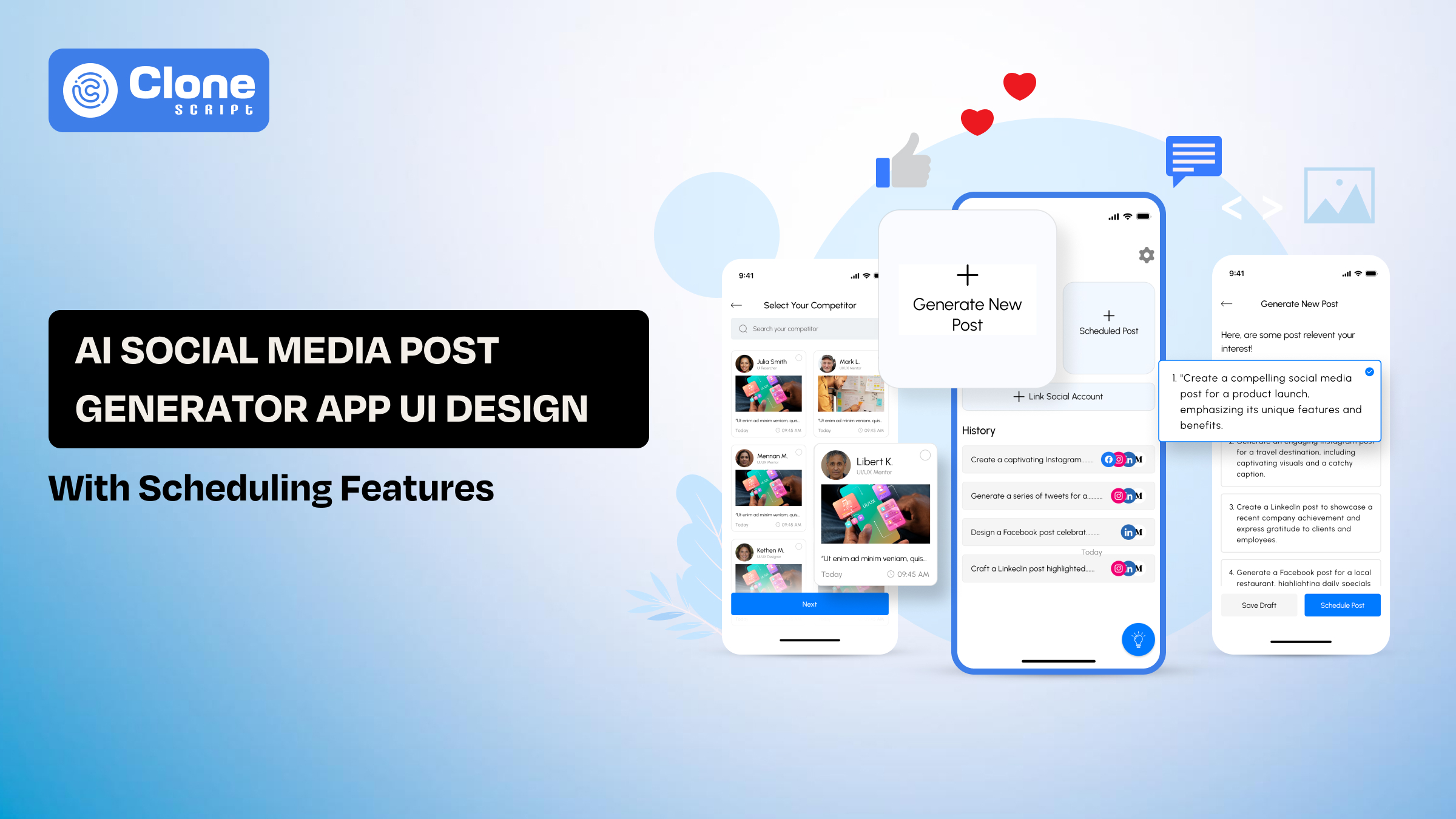
AI Social Media Post Generator App UI Design with Scheduling Features
Scroll through any modern social media tool today, and you’ll notice something interesting. Most of them already have AI built in. They can write captions, suggest hashtags, and even generate full posts in seconds.
Yet, despite all that capability, many of these tools still feel slow to use.
Not because the AI is weak. But because the interface gets in the way.
This is exactly where most AI social media apps lose their edge.
Designing an AI-powered social media app, then, is about placing components on a screen?
No. It’s about shaping a workflow that feels almost invisible, where the user focuses on content, not the tool.
When you factor in scheduling on top of content generation, the complexity increases quickly. You’re designing a system that has to handle creation, customization, and timing without slowing the user down.
This is where having a structured UI approach in design system development works as a starting point that can make a measurable difference.
Why UI Design Matters in AI Social Media Post Generator Apps
This question matters right now.
When someone opens an AI social media post generator, they’re trying to get content out quickly. That expectation changes how the interface should behave.
The reality of many tools is different. The flow feels broken. Like you generate a post in one section, edit it somewhere else, and then move it again to schedule it. Each step adds friction, even if the feature itself works well.
The solution is to have a well-structured AI social media app UI design that removes that friction by keeping actions connected. The user should be able to move from idea to scheduled post without switching contexts or re-entering information.
Where Most Apps Go Wrong
A common mistake is treating features as separate modules instead of a single workflow.
-
The AI content generator UI is designed in isolation.
-
The social media scheduling interface sits in another section.
-
The connection between the two feels forced.
This creates unnecessary steps. Users end up copying content, rechecking formats, and manually setting things that should be streamlined.
What Better UI Design Looks Like
In a strong social media scheduling app UI, everything revolves around continuity.
-
Content appears in an editable format immediately after generation.
-
Platform-specific adjustments happen in-line, not on a different screen.
-
Scheduling options are visible without leaving the workflow.
Instead of navigating through the app, users move forward in a straight line.
The Impact on Product Performance
For product teams, this isn’t just a design preference; it directly affects performance metrics.
-
Faster workflows improve user retention
-
Simpler interfaces increase feature adoption
-
Connected flows reduce drop-offs during scheduling
From a business perspective, a clean AI social media post generator design makes the product feel faster, even if the underlying technology hasn’t changed.
What This Means for Teams involved in app development
Designing these apps requires a shift in thinking. Instead of asking, “What features should we include?”, the better question is: “How quickly can a user go from idea to scheduled post?”
Every design decision, layout, component placement, and interaction should support that outcome.
Once that foundation is in place, adding advanced capabilities like analytics or content libraries becomes much easier without overwhelming the user.
Key User Flows in an AI Social Media Post Generator with Scheduling
If the structure is right, users won’t notice the design. If it’s wrong, every step feels heavier than it should. In an AI social media post generator app, the entire experience depends on how smoothly these flows connect.
This is where many products lose efficiency because the flow forces users to stop, think, and navigate. Not due to missing features.

-
Post Generation Flow (Input → Output Without Friction)
The first interaction defines the rest of the experience.
In a well-designed AI content generator app, users should be able to:
-
Enter a prompt quickly
-
Select basic inputs like tone or platform
-
Get instant, usable output
The key is restraint. Too many fields slow things down. Too few controls reduce output quality. The balance comes from guiding users with smart defaults and minimal input friction.
Output should not feel like a “result screen.” It should feel like a working draft, editable, flexible, and ready for the next step.
-
Multi-Platform Adaptation Flow
Content rarely stays the same across platforms. A caption for Instagram won’t work as-is on LinkedIn or X.
A unique social media post UI design handles this without forcing users to restart the process.
-
Platform switching should be immediate
-
Content should auto-adjust where possible
-
Character limits and formatting cues should be visible
Instead of duplicating effort, users refine the same content across platforms in one place.
This reduces time and keeps the workflow intact.
-
Editing and Refinement Flow
AI-generated content is not final. Users expect to tweak tone, structure, or wording.
In many tools, editing feels disconnected, either too limited or pushed into a separate screen.
A better approach within an AI social media app is:
-
Inline editing directly within the generated output
-
Quick actions like “regenerate,” “shorten,” or “expand.”
-
Clear visual distinction between AI-generated and user-edited content
This keeps users engaged in the same flow instead of breaking their focus.
-
Scheduling Flow (Where Most Drop-Off Happens)
This is the most sensitive part of the experience.
In a typical social media scheduling app UI, users often face:
-
Too many steps to select a date and time
-
Separate dashboards for managing posts
-
Lack of visibility into upcoming content
A more effective approach keeps scheduling close to the content itself.
-
Time selection should be available immediately after editing
-
Calendar previews should be accessible without navigation
-
Scheduled posts should be visible in context, not in isolation
When scheduling feels like a continuation, not a new task, completion rates improve significantly.
Unified Workflow: The Real Goal
Individually, each of these flows is simple. The complexity comes from connecting them.
An effective AI social media post generator UI with scheduling doesn’t treat these as separate features. It treats them as one continuous path:
Prompt → Generate → Edit → Adapt → Schedule
When this sequence is uninterrupted, the product feels fast, even if multiple processes are happening in the background.
For the development team, this is the core objective: not adding more features, but removing the gaps between them.
Essential UI Components for AI Social Media Post Generator Apps
Once the core flows are defined, the next layer is execution: the user interface components that make those flows usable in practice.
In an AI social media post app UI design, the components control how quickly users can move, edit, and finalize content. Poor component decisions often lead to confusion, even if the overall flow looks correct on paper.

-
Prompt Input Module (Starting Point of Interaction)
This is where every session begins, and it needs to feel lightweight.
In many tools, this section becomes overcomplicated with too many fields. A better AI content-making UI keeps it focused:
-
Single primary input field with clear placeholder guidance
-
Optional controls (tone, platform, intent) kept secondary
-
Predefined prompt suggestions to reduce typing effort
The goal is simple: reduce the time between opening the app and generating the first post.
-
AI Output Display (Editable Content Layer)
Once content is generated, the interface should shift from “input mode” to “working mode.”
The app UI design presents output as:
-
Editable text blocks, not static previews
-
Clearly structured sections (caption, hashtags, CTA)
-
Immediate interaction without extra clicks
Users should feel like they are already editing it. Not feel like they are reviewing content.
-
Platform Selector (Context Switching Without Disruption)
Switching between platforms is a frequent action. If it’s slow or hidden, it breaks momentum.
In an optimized social media app UI design, the following happens:
-
Platform tabs or toggles are always visible
-
Switching does not reload or reset content
-
Platform-specific constraints are shown inline
This allows users to adapt content quickly without repeating steps.
-
Scheduling Interface (Integrated, Not Separate)
The social media scheduling UI is treated as a different module, but that approach creates issues.
Instead, scheduling should be optimized:
-
Accessible directly from the content screen
-
Simple (date + time selection without multiple layers)
-
Supported by a lightweight calendar preview
Users should be able to schedule a post within seconds of generating it, without navigating away.
-
Content Library (Reuse Without Rework)
Frequent users rely on past content in AI tools. Without a structured library, they end up recreating similar posts repeatedly.
A practical AI content generator app UI includes:
-
Saved drafts and published posts
-
Reusable templates
-
Quick duplication options
This turns the app from a one-time tool into a repeatable workflow system.
-
Analytics Snapshot (Lightweight, Not Overloaded)
While analytics are important, they should not dominate the interface. Try to reduce cognitive load in app UI.
In most cases, users only need:
-
Basic engagement indicators
-
Performance comparison between posts
-
Quick insights without deep navigation
A minimal analytics UI component keeps the focus on content creation while still offering value.
-
Component Consistency: The Hidden Multiplier
Individually, these components are straightforward. The real impact comes from how consistently they behave.
-
Same interaction patterns across screens
-
Predictable actions (edit, schedule, duplicate)
-
Minimal learning curve for new users
For product teams, this consistency directly improves:
-
Onboarding speed
-
Feature adoption
-
Long-term usability
In a competitive space, a well-structured AI social media post generator UI with scheduling features performs properly under real usage.
Build vs Use a UI Kit for AI Social Media App Design
At this stage, the question becomes a practical decision: Do you design everything from scratch, or start with a structured UI kit?
For teams building an AI social media post generator app, including scheduling features, this decision directly affects timeline, cost, and product quality.
-
Designing from Scratch: Full Control, Slower Execution
Building your custom app UI and UX from the ground up gives you complete flexibility. Every interaction, layout, and component can be tailored to your product vision.
But in reality, this approach introduces complexity early.
-
You need to define every AI workflow from zero
-
Multiple iterations are required to refine usability
-
Component consistency takes time to establish
-
UX validation happens late in the process
For a social media scheduling app UI, where multiple flows must work together, this often leads to extended design cycles.
-
Using a UI Kit: Structured Speed with Proven Patterns
A pre-designed AI social media post generator UI kit offers a different approach. Instead of starting from blank screens, you begin with a system that already reflects common user behaviors.
This changes how teams work:
-
Core flows, like content generation and scheduling, are already pre-structured
-
UI components follow consistent patterns from the start
-
Design and front-end app development can run accordingly
Rather than solving basic UX problems, teams can focus on feature differentiation and product logic.
Time-to-Market: The Real Competitive Factor
In the AI SaaS space, speed matters more than perfection.
Launching early allows teams to:
-
Test real user behavior
-
Iterate based on feedback
-
Capture market demand faster
A well-prepared AI content generator app UI can reduce weeks or even months of design effort.
For product managers, this translates to faster MVP delivery, lower upfront design cost, and quicker validation cycles.
Consistency and Scalability Important.
One overlooked advantage of using a UI kit is consistency.
In complex products like a social media post generator with scheduling, inconsistency creates friction:
-
Different layouts across features
-
Varying interaction patterns
-
Increased onboarding time
A structured UI kit ensures uniform components, predictable interactions, and easier scalability as new features are added.
When Building from Scratch Makes Sense
There are cases where a custom approach is justified:
-
Highly differentiated product experience
-
Strong in-house design systems
-
Long-term roadmap requiring deep customization
However, for most startups and growing SaaS teams, these conditions are not immediate priorities.
Strategic Takeaway
For an AI social media post generator UI design, the decision comes down to this:
-
When speed, usability, and early traction are important, using the app UI kit is the practical choice.
-
Custom design is useful when full control and long-term differentiation are needed.
In most real-world scenarios, teams benefit from starting with a UI kit and customizing it over time.
This approach reduces initial friction while keeping the door open for future evolution.
AI Social Media Post Generator Figma App UI Design Kit
Building an AI-driven social media tool becomes significantly easier when the UI is already aligned with real user workflows. Instead of structuring flows from scratch, this UI kit provides a ready foundation for AI content generation and scheduling, helping teams move faster while maintaining a clean, usable interface.
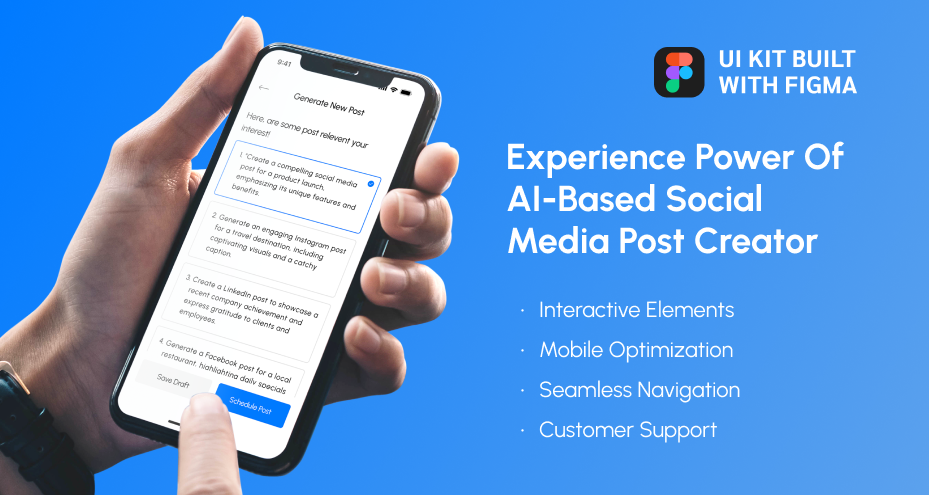
What it includes:
-
Pre-designed AI prompt interface: Structured input fields with guided prompts are available for faster content creation.
-
Editable content output screens: There are ready layouts for viewing, refining, and managing generated posts.
-
Multi-platform post customization UI: Built-in support for adapting content across different social platforms makes it unique.
-
Integrated scheduling interface: Calendar views and time selection components are required for quick post-scheduling.
-
Reusable UI components: Modular design elements that ensure consistency across the entire app.
-
Clean dashboard layouts: Organized screens for managing drafts, scheduled posts, and content flow exist.